How to Add Labeled Dot Navigation to Elegant Themes’ Free 10th Anniversary Timeline Layout - Best Webhosting
Thanks! Share it with your friends!
 ULTRAFAST, CHEAP, SCALABLE AND RELIABLE! WE STRONGLY RECOMMEND ACCU
WEB HOSTING COMPANY
ULTRAFAST, CHEAP, SCALABLE AND RELIABLE! WE STRONGLY RECOMMEND ACCU
WEB HOSTING COMPANY
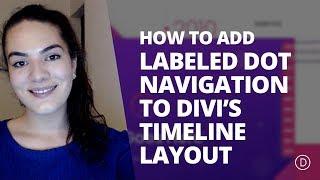
Watch Wordpress Elegant Themes Video: How to Add Labeled Dot Navigation to Elegant Themes’ Free 10th Anniversary Timeline Layout.
The new Timeline Layout can be downloaded for free but ONLY during Elegant Themes’ 10 Year Anniversary Sale which ENDS TODAY. It’s a slick design that’ll help you showcase the timeline of your company or any other type of timeline you want to share with your visitors. On top of the free layout, we’re going to share an interesting tutorial that’ll help your visitors navigate through this page using dot navigation.
Dot navigation is a nice extra to have on your page. Especially if you have a pretty long page you want visitors to easily navigate through. And in this tutorial, we’re going to help you take it even one step further. Instead of having just dots on the right side, you’ll be able to give all of your relevant sections a label that’ll match with the section it represents. That way, visitors can navigate to a specific year whenever they’re on this page.
Grab the 20% OFF Deal:
https://www.elegantthemes.com/discount/anniversary/
Download the Timeline Layout:
https://www.elegantthemes.com/10years/
Go to the Blog Post:
https://www.elegantthemes.com/blog/divi-resources/how-to-add-labeled-dot-navigation-to-elegant-themes-free-10th-anniversary-timeline-layout
Related Videos
-

Get the FREE Ultimate Divi Black Friday Layout Bundle by Elegant Themes
Added 77 Views / 0 Likes🎁 Want this free gift? ➡️ https://www.elegantthemes.com/blackfriday 📢 Get 25% Off Divi: ➡️ https://www.elegantthemes.com/blackfriday Everyone who purchases a new Elegant Themes Membership or who upgrades their existing Membership will gain access to this free gift in the members area of their new account. 🎉 Current Lifetime Members can access it right now! https://www.elegantthemes.com/members-area/perks/ Blog post links: Landing Page: https://www.ele
-
Popular
![Free Divi Layouts - How to Install Layout Pack Tutorial for Divi 3.1 By Elegant Themes [2019]](https://video.bestwebhosting.co/uploads/thumbs/8a5c6a7ad-1.jpg)
Free Divi Layouts - How to Install Layout Pack Tutorial for Divi 3.1 By Elegant Themes [2019]
Added 153 Views / 0 LikesGet access to the best free Divi layouts for use with the Divi WordPress theme by Elegant Themes. Follow along here: https://ohklyn.com/free-divi-layouts/ Divi discount: https://ohklyn.com/go/divi-discount Hosting discount: https://ohklyn.com/go/bluehost-discount The Divi layout packs include a freelancer layout pack, SaaS or businesses layout pack, restaurant layout pack, and an online store or marketplace layout pack, just to name a few. With the re
-
Popular

Elegant Themes’ Black Friday Exclusive Layout Packs
Added 132 Views / 0 LikesWelcome to Elegant Themes’ biggest, craziest Black Friday Sale of all time. Not only are we offering the largest discount we’ve ever offered on our membership--which includes our flagship product Divi, our blogging/magazine theme Extra, our social media plugin Monarch, and our email opt-in plugin Bloom--but we’ve got hundreds of prizes exclusively for new members, members who upgrade their accounts, and of course lifetime members. Get our Black Friday
-
Popular

Elegant Authors: A Free Divi Layout for Book Authors
Added 117 Views / 0 LikesToday, we are extremely excited to give an extra helping hand to the authors in our community (or those who have authors as clients) by providing a brand new, free Divi layout that can be used as a homepage or landing page for the book(s). Link to the article: https://www.elegantthemes.com/blog/divi-resources/elegant-authors-a-free-divi-layout-for-book-authors
-
How to Create a Vertical Sticky Timeline Layout in Divi
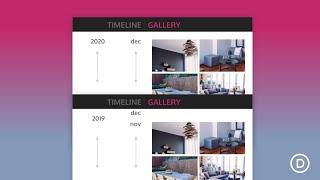
Added 52 Views / 0 LikesGo to the blog post: https://www.elegantthemes.com/blog/divi-resources/how-to-create-a-vertical-sticky-timeline-layout-in-divi Creating a vertical sticky timeline can be extremely useful for categorizing content by year and/or month as the user scrolls down the page. The sticky date elements remain fixed beside the content for a convenient UX boost that users will appreciate. In this tutorial, we are going to show you how to create a complete vertical
-

How to Design a Divi Timeline Layout with Scroll Effects
Added 72 Views / 0 LikesA timeline layout can come in handy for a lot of different applications on a website, especially if it looks great on mobile. You can use it for showcasing a sequence of milestones on an about page, featuring the steps of a process, and much more. And with Divi’s scroll effects, you can make a timeline design come alive! In this tutorial, we’ll show you how to design a complete Divi timeline layout with scroll effects. The timeline layout is versatile
-
Popular
Pure Html and CSS vertical Timeline Design - How To Create a Timeline - Tutorial
Added 113 Views / 0 LikesPart 2 : https://www.youtube.com/watch?v=7XWL8ew-9Z4 Please LIKE our Facebook page for daily updates... https://www.facebook.com/Online-Tutorial-Html-Css-JQuery-Photoshop-1807958766120070/ Track: Cadmium - Melody (feat. Jon Becker) Link: https://youtu.be/9MiFRbymQXQ
-

Pure CSS Timeline Design With Cool Hover Effects - Create a Verticle Timeline Using Html and CSS
Added 100 Views / 0 LikesApp for SOURCE CODE : https://play.google.com/store/apps/details?id=com.mtz.onlinetutorials Please LIKE our Facebook page for daily updates... https://www.facebook.com/Online-Tutorial-Html-Css-JQuery-Photoshop-1807958766120070/
-
Popular

How to Create an Expanding CTA like Elegant Themes
Added 132 Views / 0 LikesToday, I’m going to show you how to duplicate not only the style of this CTA but also the animation functionality. This is accomplished using Divi’s Code Module with some custom CSS and a few lines of JavaScript. However, you can easily extend the same animated functionality on any of Divi’s modules. Read article: https://www.elegantthemes.com/blog/divi-resources/how-to-create-an-expanding-cta-like-elegant-themes