How to Get a Free SSL for your WordPress Website - Best Webhosting
Thanks! Share it with your friends!
 ULTRAFAST, CHEAP, SCALABLE AND RELIABLE! WE STRONGLY RECOMMEND ACCU
WEB HOSTING COMPANY
ULTRAFAST, CHEAP, SCALABLE AND RELIABLE! WE STRONGLY RECOMMEND ACCU
WEB HOSTING COMPANY

Watch Wordpress Video: How to Get a Free SSL for your WordPress Website.
Check the price of WordPress site here • https://websitelearners.com/get/ssl19
Make your website more secure by using this SSL certificate • https://bit.ly/32Q5jYk
How to Make a Website • https://youtu.be/YWA-xbsJrVg
How to Make an E-Commerce Site: https://youtu.be/uAslIcyd29M
Get a free SSL for your WordPress website
Now when you visit your site, if you notice ‘Not secure’ message on your browser. It means that you do not have ssl and your site is not secured.
So, watch this video to get a Free ssl for your WordPress website and get a secure message with lock symbol. So by getting a ssl, it will make your visitors to trust your website and your content.
You can get a FREE SSL in just 5 steps.
Steps you need to follow:
1) Create a new account on Cloudflare - 00:25
2) Add your website to Cloudflare account - 00:54
3) Change your Name servers in domain - 01:30
4) Install the Cloudflare plugin on your WordPress website - 03:47
5) Enable SSL - 04:29
So Let’s get started !
Step 1: Create a new account on Cloudflare
Cloudflare is a website, which will give us the free ssl. So to get SSL from Cloudflare, you need to create a new account on Cloudflare.
So, just go to clouflare.com and enter your email and password to create a new account.
Once you’ve created an account on Cloudflare, you can go to the next step.
Step 2: Add your website to cloudflare account
Just add your website to your new cloudflare account and then choose the plan, which you want and click ‘confirm’. Now cloudflare will provide you, Name server details.
So once you get those details, go to the next step.
Step 3: Change your Name servers in domain
In this step. You need to change the existing name servers in your domain, with name servers provided from Cloudflare.
To change your name servers, First you need to go to your domain provider’s website and login to your account.
Once you’ve logged into your account. You will find your domain name . Now to change the name servers, just click ‘DNS’ and then go to name servers section .
Now click ‘change’. And select ‘custom’ . And you will find two empty boxes, where you can enter the name servers provided from Cloudflare.
Once you change your nameserver in your domain name, you can go to next step.
Step 4: Install Cloudflare plugin on your WordPress website.
To install the plugin, Just go to WordPress dashboard and click ‘plugins’ and then click ‘add new’. Now search for ‘flexible ssl’ and once you got the plugin click ‘install’ and then ‘activate’.
Step 5: Enable SSL in Cloudflare.
To enable SSL, Go to Cloudflare website and click lock icon in the top menu. Now scroll down to ‘Always use https’ section and then turn it on.
Now once you turn it on, your website will be secured with SSL.
If your site, didn’t load properly, Just wait for few minutes and then load it from different device.
So, That’s it guys, This how you can get a FREE SSL in just a few minutes.
---------------
Make your website more secure by using this SSL certificate • https://bit.ly/32Q5jYk
How to Make an E-Commerce Site • https://youtu.be/uAslIcyd29M
Get the best tools for your website • https://websitelearners.com/tools/
Video Gear We Use: https://kit.com/websitelearners/video-gear-we-use
Our Video Editing Tool: https://bit.ly/2Od546p
We're Hiring: https://websitelearners.com/careers/
Want your website developed by us? Email us your requirements to contact@websitelearners.com
Follow Us on Instagram: https://www.instagram.com/websitelearners/
Or Facebook: http://fb.me/websitelearners
Or Twitter: https://twitter.com/websitelearners
For Business inquiries: contact@websitelearners.com
Related Videos
-
Popular

What’s The Best Free Website Builder? (10 Free Website Builders in 4 Minutes)
Added 176 Views / 0 Likes** Updated for November 2018: https://www.youtube.com/watch?v=WO3W79Zx6IM ** 1. Ucraft https://www.sitebuilderreport.com/try/ucraft?utm_source=youtube&utm_campaign=free_website_builders 2. Weebly https://www.sitebuilderreport.com/try/weebly?utm_source=youtube&utm_campaign=free_website_builders 3. Strikingly https://www.sitebuilderreport.com/try/strikingly?utm_source=youtube&utm_campaign=free_website_builders 4. Zoho Sites https://www.sitebuilderreport
-
Popular
Neve WordPress Theme Demo and Tutorial (FREE WordPress Website 2020)
Added 109 Views / 0 LikesIn this video tutorial, I will show you everything you need to know about our Neve WordPress theme, and how to use the latest version step by step. First, I will install the theme and show you how to import a ready-made website from our Starter Sites library. After that, I will edit some pages with Elementor to show you how easy it is to make Neve look as you want. The final step would be to Customize things like the Layout of my website, add new thin
-
Popular
WordPress Translation Plugin Let's You Automatically Translate WordPress Website For Free
Added 125 Views / 0 LikesGrab Your Free 17-Point WordPress Pre-Launch PDF Checklist: http://vid.io/xqRL Check out the free WP & Online Marketing Summit For Beginners. The online event is June 18, 2019: https://events.wplearninglab.com/ WordPress Translation Plugin Let's You Automatically Translate WordPress Website For Free https://youtu.be/tmnrJOjhAFw * Easy 2-minute set up * Over 100 languages currently supported. * Totally free for small websites; no credit card required.
-
Popular
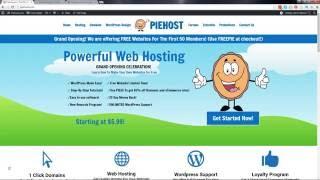
Piehost.com | New Web Hosting and Wordpress Support! (Free Wordpress Website Giveaway!)
Added 169 Views / 0 LikesVisit http://piehost.com Welcome to my brand new website! We are a web hosting company that is giving away wordpress websites to help promote your website! We are a web hosting company just like go daddy and hostgator, but we offer wordpress support. This means, if you have any problems or issues with your website, our website will fix ALL ERRORS for your wordpress website! Piehost.com is a new website and i hope you choose this for your hosting plan.
-

How To Migrate Your WordPress Website For Free
Added 43 Views / 0 LikesLearn how to migrate your WordPress website for free using an older version of all-in-one wp migration. Even if your website is 12GB!!! In this tutorial, I show you how I migrate a 12GB website with a few clicks on a button. The end result is that I have an exact clone of my current website. The migration is simple, free, and legal. 00:00 Intro 00:22 Export Your WordPress Website Using All-In-One WP Migration 02:57 GPL V3 License 03:46 Download All In
-
Popular
How To Backup Your WordPress Website For Free?
Added 110 Views / 0 LikesIn today's WordPress usage video tutorial we'll learn how to back up a WordPress website in a simple, fast and easy method, using the UpdraftPlus WordPress plugin so you can have a safe check-in point of your site uploaded on your server on downloaded to your local computer. Download WordPress themes https://visualmodo.com/wordpress-themes/ How To Duplicate Pages or Posts In WordPress? Clone Content https://www.youtube.com/watch?v=1F_Qiw3qyTo How To F
-
Popular
10+ FREE WordPress Plugins For Any Website
Added 126 Views / 0 LikesThe top voted non-obvious FREE WordPress plugins that every website needs: 0:41 | Orbit Fox - https://goo.gl/H2Gr14 2:19 | Limit Login Attempts - https://goo.gl/1VsJGQ 3:12 | Revive Old Post - https://goo.gl/AVhH5C 4:00 | User Switching - https://goo.gl/Y9XEm2 4:49 | FEEDZY RSS Feeds - https://goo.gl/E7yvAB 5:34 | WP Smush.it - https://goo.gl/QVW4CY 6:27 | UpdraftPlus WordPress Backup - https://goo.gl/2LVkwp 7:13 | All-In-One WP Migration - https://go
-

Speed Up Your WordPress Website For Free
Added 35 Views / 0 LikesUsing this free plugin you can increase your WordPress website up to 10X! I will explain why site speed is important and how to make your WordPress website faster using a caching plugin called SG Optimizer. Made by Siteground but free to use for all WordPress website owners. 00:00 Intro 00:12 Why Do You Need A Fast Website? 01:47 Website Caching Explained 02:59 Optimize Your Website With The SG Optimizer 07:26 Optimize The CSS and JavaScript 09:49 Opt
-
Popular

Free A/B Testing For Your WordPress Website
Added 119 Views / 0 LikesCreate multiple A/B testing for FREE with these simple WordPress Plugins. Whether you have a specific Landing Page that needs improvement, or you're struggling to find out how to increase Conversion Rates on your eCommerce website, the best way to find if a new design or a different page would perform better is through A/B testing. Here's how to run A/B tests on your WordPress Website for Free. Text version of How to do A/B Testing on your WordPress W
-

How To Get More Free Traffic To Your WordPress Website With SEO
Added 96 Views / 0 LikesWe all want more free traffic to our websites and in this video, I share a simple strategy for ranking your content high on Google... Sadly, people make SEO out to be more complicated then it really is. Sure, anything takes work, but there is a simple process for anyone that wants to improve their WordPress SEO. Here are some of the links from the video: WebTextTool Review: https://www.youtube.com/watch?v=MFU8DQ2daFA WebTextTool Deal: https://www.wpcr
-
Popular

How To Migrate Your Wordpress Website For Free
Added 129 Views / 0 LikesIn this video I show you how to create (automatic) backups and how to migrate your Wordpress website to any other website/domain you own. With WPVivid you can backup your website manually, no matter how big it is. You can migrate your website to another domain and you can create scheduled backups for your websites. And it is all completely free! You can export your backups to your local computer, transfer them through ftp, export them to Dropbox and m
-

How To Add Popups To Your WordPress Website For Free?
Added 73 Views / 0 LikesIn today's WordPress plugin video tutorial we'll learn how to create fully customizable and fictional Popups directly in your WordPress dashboard for free, in a simple, fast and easy method so you can add popups in any page, posts, custom post type and specific pages with any content that you want to show: Images, Forms, Facebook pages, Newsletter subscription for and much more. Download WordPress themes https://visualmodo.com/wordpress-themes/ Hide W









