WordPress 5.9 Tutorial | Full Site Editing Tutorial - Best Webhosting
Thanks! Share it with your friends!
 ULTRAFAST, CHEAP, SCALABLE AND RELIABLE! WE STRONGLY RECOMMEND ACCU
WEB HOSTING COMPANY
ULTRAFAST, CHEAP, SCALABLE AND RELIABLE! WE STRONGLY RECOMMEND ACCU
WEB HOSTING COMPANY
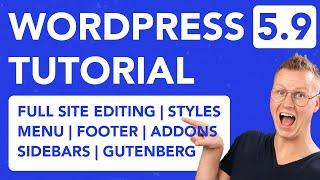
Watch Ferdy Korpershoek Video: WordPress 5.9 Tutorial | Full Site Editing Tutorial.
In this tutorial, I walk you through the new features that come with WordPress 5.9. A lot has changed in this version. The theme customizer, menu customizer, and widget customizer are all gone. In WordPress 5.9, you can create and adjust all those things using the Block Editor. And you see all the results in real-time.
Since it can take quite some time to find your way around in WordPress 5.9, I decided to dive deep, practice a lot and create a tutorial about it. We will discuss creating a menu, creating the header, using classical or block themes, and Full Site Editing (FSE). I will show you how to navigate through the Gutenberg Page Builder and create a page from scratch.
We will add extra Gutenberg blocks, work with patterns (my favorite feature), and the Block Styler. I will talk about the header template, footer template, blog template, archive template, and we will add a sidebar and use blocks instead of widgets to fill your sidebar.
In my opinion, using Full Site Editing and The Gutenberg Page Builder is not the easiest and best way yet to create websites, but step by step, WordPress is getting better and better.
You can go to a specific subject in the video by clicking on one of the timestamps below.
Timestamps WordPress 5.9 Full Site Editing
00:00 Intro
01:29 Classical WordPress Themes vs. WordPress Block Themes
02:30 Old WordPress vs. WordPress 5.9
03:16 Create A Menu In WordPress 5.9
04:37 Add Pages To Your WordPress 5.9 Website
07:11 Adjust The Header
08:26 Configure The Logo
09:24 Can You Use WordPress 5.9 With Classical Themes?
10:14 Add A Block Theme / Full Site Editing Theme
13:05 Introduction To The Gutenberg Editor
16:34 Add Third Party Blocks To Gutenberg
18:31 WordPress 5.9 Patterns
21:25 Add Patterns From Multiple Block Themes
23:02 The Block Styler
26:42 Adjust the Global Colors and Block Styles
Make A Page Using Gutenberg
28:35 Create A Hero Section
33:40 Create An Advanced Button
39:00 Create A 3 Column Section
44:00 Finish The Page
48:35 Adjust Images
49:50 Optimise The Page For All Devices
51:28 Create A Blog Page
52:32 Adjust The Blog Template
56:21 Adjust The Footer
59:01 Create A Single Post Template
01:01:20: Create A Sidebar
01:06:24 Thank You
Related Videos
-

WordPress Twenty Twenty-Three Theme Tutorial: How to Make a Website with Full Site Editing (FSE)
Added 53 Views / 0 LikesVisually design your next website with WordPress using their full site editing feature! In this tutorial, we'll build on the WordPress Twenty Twenty-Three theme, which is free — https://wordpress.org/themes/twentytwentythree/ You'll get an overview of the templates that run your entire website and how to customize them from header to footer. You have complete control without needing advanced code knowledge by making your layout using pre-defined style
-
Twenty Twenty-Two WordPress Theme (Überblick): Full Site-Editing Tutorial, Menü anpassen & mehr...
Added 51 Views / 0 Likes✅ Das Neue WordPress Buch 2021 (Kostenlos): https://lp.wperfolg.de/f1/gratis-website-buch/ ✅ PROBLEME mit WordPress? Hier geht's zur Website-Komplettlösung: https://klick.wperfolg.de/l/website-formel-yt-bes-alle-videos ▬▬▬▬▬▬▬ Videoinhalt ▬▬▬▬▬▬▬ Teile jetzt das Video "Twenty Twenty-Two WordPress Theme (Überblick): Full Site-Editing Tutorial (2022 Editor), Menü anpassen und Footer bearbeiten & mehr..." mit deinen Freunden! :) In diesem kompakten Video
-
WordPress 5.9 Just Dropped And It Has FULL SITE EDITING!
Added 46 Views / 0 LikesAre you ready for WordPress 5.9? Well, if you're ready or not, it's here! Full site editing is finally here in WordPress Gutenberg. Is Gutenberg going to compete with page builders now? Could be. What do you think? Let me know in the comments below! //* Video Table of Contents 00:00 WordPress 5.9 Changes Overview 01:29 Full Site Editing 02:29 Editing the header in WordPress 5.9 03:54 Using the new Navigation Block 11:55 How to edit the footer 14:35 Wh
-
How to Use Full Site Editing To Get the Most Out of Your WordPress Site
Added 43 Views / 0 LikesLearn how to use WordPress Blocks, Patterns and Global Styles in the new Full-Site Editing experience in WordPress! Together we'll look through how to quickly assemble beautiful designs, customize website branding and refine templates to match your website vision. - Introduction to Blocks - Building with Patterns - Customizing Layouts - Refining colors, fonts and spacing - Tips & Tricks
-
Navigating WordPress Full Site Editing | The Journey
Added 49 Views / 0 LikesFull Site Editing is sure to change how websites are created by reducing the need for code and improving the speed to customizing layouts. Check out more The Journey content at https://bit.ly/GDTheJourney. ✅ Read about it on our blog ➜ https://bit.ly/3nBNxEpGoDaddy ⏰TIMESTAMPS⏰ 00:00 – Introduction 00:33 – What is the WordPress Full Site Editor? 01:08 – How does WordPress Full Site Editor work? 01:31 – What are WordPress Block Themes? 02:21 – What are
-
Popular
New WordPress Full Site Editing & Navigation (Gutenberg)
Added 104 Views / 0 LikesI wanted to preview the new Full Site Editing and Navigation experience coming to WordPress in the future. You can demo this for yourself by installing the Gutenberg stand-alone plugin and activating the experimental features. Let me know what you think about this in the comments below. Get the plugin here: https://wordpress.org/plugins/gutenberg/ Learn more: https://plugintut.com Subscribe! https://plugintut.com/subscribe Follow us! http://twitter.co
-
![[FSE] Full Site Editing! It's Coming, But Will Change How We Use WordPress?](https://video.bestwebhosting.co/uploads/thumbs/a9fcf6386-1.jpg)
[FSE] Full Site Editing! It's Coming, But Will Change How We Use WordPress?
Added 54 Views / 0 LikesLet's talk about something new that's coming to WordPress, full site editing. Think of it as a theme builder that is built into WordPress with incredible performance. Theme builders are nothing new. But this theme builder is built directly into WordPress and is free. This opens up so many possibilities with website building. Table Of Contents 00:00 Full Site Editing 02:56 How To Try 06:13 New Site Editor Interface 07:15 Site Part Blocks 11:05 When It'
-
Popular
Elementor Pro 2.9 | Full Site Editing
Added 125 Views / 0 LikesIn this video I show you the new features in the upcoming Elementor Pro 2.9. The update focuses on speeding up your workflow by giving you access to edit the header, footer and page from within Elementor Pro itself without having to go back to the Wordpress Dashboard. Elementor Pro 2.9 is available as a beta and will soon be released.
-
Introducing Full Site Front-End Editing For Divi!
Added 42 Views / 0 Likes📣 Learn More About Full Site Front-End Editing: https://www.elegantthemes.com/blog/theme-releases/full-site-front-end-editing 👉 Feature Overview Today we are excited to release Full Site Front-End editing for Divi. This update allows you to easily jump in to your custom headers, footers and post templates while browsing your website and edit them in the Visual Builder. There's no longer a need to navigate through the WordPress Dashboard or the Divi Th
-
Popular
Full Site Editing and Dynamic Colors in Elementor
Added 113 Views / 0 LikesLearn how Elementor’s Full Site Editing feature, Dynamic Colors and Semantic HTML Tags can speed up your workflow and improve your web presence. In this video, you'll learn how to: • Build faster with Full Site Editing • Embed Dynamic Color values in any widget that has a color field • Add a colour picker field for posts via ACF • Define Site Parts with Semantic HTML Tags to improve accessibility, HTML semantics, as well as on page SEO. • And much mor
-
Popular
![BASIC EDITING FOR BEGINNERS - Adobe Premiere Pro [Full, Step, by Step, Easy Tutorial] - Make Videos!](https://video.bestwebhosting.co/uploads/thumbs/995a39da4-1.jpg)
BASIC EDITING FOR BEGINNERS - Adobe Premiere Pro [Full, Step, by Step, Easy Tutorial] - Make Videos!
Added 366 Views / 0 LikesThis video is a step by step tutorial, in which I show you how I edit my videos using Adobe Premiere Pro. After watching this video, you will know all of the basics you need to start creating professional videos for Youtube. In this video, I talk about: How to import and organize your files in the Assembly Tab in Premiere Pro How to create a timeline (simply drag your highest resolution clip into the timeline region) How to line up audio and video tra
Featured -
![The Future of Full Site Editing, Today! Well, Next Week... | WWPR [May 21]](https://video.bestwebhosting.co/uploads/thumbs/3d024e2a8-1.jpg)
The Future of Full Site Editing, Today! Well, Next Week... | WWPR [May 21]
Added 79 Views / 0 LikesWelcome back to the roundup, everyone. Each Friday we go live with the best news, tutorials, and resources that were published this week about WordPress. You can find all the links we discuss in the description of this video, and the show is a conversation with you, so feel free to chime in with any questions or comments in the live chat and join in! • NEWS Introducing Divi Hosting! https://www.elegantthemes.com/blog/theme-releases/introducing-divi-ho









