How to Create Temporary Login for WordPress - Best Webhosting
Thanks! Share it with your friends!
 ULTRAFAST, CHEAP, SCALABLE AND RELIABLE! WE STRONGLY RECOMMEND ACCU
WEB HOSTING COMPANY
ULTRAFAST, CHEAP, SCALABLE AND RELIABLE! WE STRONGLY RECOMMEND ACCU
WEB HOSTING COMPANY
Watch Wordpress WPBeginner Video: How to Create Temporary Login for WordPress.
Have you ever needed to create a temporary account that will automatically expire after a specific date? Sometimes offering temporary access to the admin area is required. In this video, we will show you how to create a temporary login for WordPress without passwords.
Text version of this tutorial:
http://www.wpbeginner.com/plugins/how-to-create-temporary-login-for-wordpress-no-passwords/
If you liked this video, then please Like and consider subscribing to our channel for more WordPress videos.
Check us out on Facebook:
https://www.facebook.com/wpbeginner
Follow us on Twitter:
http://twitter.com/wpbeginner
Join our circle on Google+:
https://plus.google.com/+wpbeginner/
Checkout our website for more WordPress Tutorials
http://www.wpbeginner.com/
Summary of this tutorial:
Start by installing and activating the Temporary Login Without Password plugin:
https://wordpress.org/plugins/temporary-login-without-password/
Once activated go to Users, Temporary Logins and click on Create New.
You will see a form where you need to enter information for the temporary login you want to add.
Provide an email address for the user, add their first and last name and select a user role for them. Be careful how high you set their user role.
Finally select the duration you would like for the temporary account to decide when you would like it to expire.
Don't forget to submit to save your changes.
The success message will appear with the url that anyone can use to login to the temporary account you just added until the expiration date.
Visit Users, Temporary logins if you want to view or edit your list of temporary logins including the last login date.
Related Videos
-
Popular
How to create temporary support accounts in WordPress w/ Support Me plugin
Added 150 Views / 0 LikesHere's how to create temporary WordPress admin accounts that expire after a certain amount of time. The Support Me plugin makes this super easy for anyone that needs to create support accounts for their site, but doesn't want to run the risk of forgetting to remove accounts. Download the plugin: https://wordpress.org/plugins/support-me/ Purchase & Download the plugin here: http://themeisle.com/plugins/easy-con... Learn how to setup Google Analytics in
-
Popular
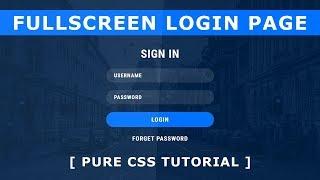
Fullscreen Login Form Design - How to Create Login Page In Html And CSS - Tutorial
Added 148 Views / 0 LikesPlease LIKE our Facebook page for daily updates... https://www.facebook.com/Online-Tutorial-Html-Css-JQuery-Photoshop-1807958766120070/ Music Name : Spring In My Step by Silent Partner from YouTube Audio Library Music URL : https://www.youtube.com/watch?v=siCmqvfw_1g
-
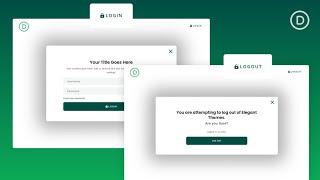
How to Create a Popup Login Form with Login/Logout Buttons in Divi
Added 50 Views / 0 LikesLearn more: https://www.elegantthemes.com/blog/divi-resources/how-to-create-a-popup-login-form-with-login-logout-buttons-in-divi Creating a popup login form in Divi can be an effective way to boost the design and user experience of logging in and out of your site. In this tutorial, we are going to create a popup login form with custom login and logout buttons in Divi. Using the Divi Login Module and a couple of button modules, we will create a seamles
-
Popular

WordPress. How To Manage 'Temporary Folder Missing Error' While Uploading Media
Added 111 Views / 0 LikesThis tutorial is going to show you how to manage Temporary Folder Missing Error while uploading media in WordPress themes. Build Absolutely Anything with Monstroid WordPress Theme: http://www.templatemonster.com/wordpress-themes/monstroid/?utm_source=youtube&utm_medium=link&utm_campaign=wptuts353 To view more our WordPress templates go to website: http://www.templatemonster.com/wordpress-themes.php?utm_source=youtube&utm_medium=link&utm_campaign=wptut
-
Popular

How to Create a Custom WordPress Login URL
Added 129 Views / 0 LikesIn today’s video we take a look at how to create a custom WordPress login URL. Blog post: https://www.elegantthemes.com/blog/tips-tricks/how-to-create-a-custom-wordpress-login-url Like us on Facebook: https://www.facebook.com/elegantthemes/
-
Popular

Create a Login Form Popup in WordPress
Added 161 Views / 0 LikesIn this tutorial, we will show you how to create a login form popup that redirects to a different page upon clicking the login button using Elementor's Popup Builder. You will also learn how to set buttons that toggle popups, use the slides widget and more. Learn More: https://elementor.com/popup-builder/ Get Elementor Pro: https://elementor.com/pro/
-
Popular

How to Create a Custom Login Page for WordPress
Added 145 Views / 0 LikesDo you want to create a custom login page for your WordPress site? A custom login page lets you customize the page for users to sign up for your site instead of using the default WordPress login page. In this article, we will show you how to create a custom login page for WordPress without writing any code. For the first method in our video, we will be using the Theme My Login plugin found here: https://wordpress.org/plugins/theme-my-login With that i
-
Popular

How to Create a Custom WordPress Login Page
Added 127 Views / 0 LikesDo you want to create a custom login page on your WordPress site? If you run a membership site or an online store, your users will normally see the login page of your site, and customizations can help personalize the experience. In this video, we will show you different ways to create a custom WordPress login page. This video brought to you by WPForms, the most beginner friendly WordPress form plugin, take a look at their site here: ==================
-
Popular

WordPress Login Lockdown Stops Brute Force Attacks On The Login Page
Added 166 Views / 0 LikesGrab Your Free 17-Point WordPress Pre-Launch PDF Checklist: http://vid.io/xqRL WordPress Login Lockdown Stops Brute Force Attacks On The Login Page https://youtu.be/KdN98CtXtiA Plugin in repo: https://en-ca.wordpress.org/plugins/login-lockdown/ Wordpress Login Lockdown is a brute force hacking security plugin. It will help reduce the chances of a brute force attach being successful. It is very similar to Limit Login Attempts Reloaded with one importan
-
Popular
WordPress Admin Login Hide & Protect Your Dashboard Login Page
Added 154 Views / 0 LikesTo access your WordPress admin login page, type in /wp-admin after your domain name in your browser, then hit enter. This way, you can access the login page of almost any WordPress website out there, unless the admin decides to change it, which is something you should do right now. To do that, you need to replace "wp-admin" with something like "dashboard", for example. Never set links that include the word "user" or your username. Pick something like
-
Popular
WordPress Login Security - WPS Hide Login Plugin To Hide WP Login
Added 165 Views / 0 LikesGrab Your Free 17-Point WordPress Pre-Launch PDF Checklist: http://vid.io/xqRL WordPress Login Security - WPS Hide Login Plugin To Hide WP Login https://youtu.be/p7qxSptZif0 Join our private Facebook group today! https://www.facebook.com/groups/wplearninglab Plugin in the repository: https://en-ca.wordpress.org/plugins/wps-hide-login/ Top Plugins for 2018 Playlist: https://www.youtube.com/watch?v=566Zw8e84lE&list=PLlgSvQqMfii7Z3nd1-Xq3dYve0jqZ0IEc WPS
-

307 Temporary Redirect: What It Is and When to Use It
Added 65 Views / 0 LikesIn today's video, we'll learn about 307 temporary redirects. Blog post: https://www.elegantthemes.com/blog/wordpress/307-temporary-redirect ➡️ Learn more about Divi: https://www.elegantthemes.com/gallery... 🔵 Like us on Facebook: https://www.facebook.com/elegantthemes/ #Tutorial #WordPress #ElegantThemes









