How to Add Posts by Email in WordPress - Best Webhosting
Thanks! Share it with your friends!
 ULTRAFAST, CHEAP, SCALABLE AND RELIABLE! WE STRONGLY RECOMMEND ACCU
WEB HOSTING COMPANY
ULTRAFAST, CHEAP, SCALABLE AND RELIABLE! WE STRONGLY RECOMMEND ACCU
WEB HOSTING COMPANY

Watch Wordpress WPBeginner Video: How to Add Posts by Email in WordPress.
Text version of this tutorial:
http://www.wpbeginner.com/beginners-guide/how-to-add-posts-by-email-in-wordpress/
A user has asked us previously if WordPress allows a different way to post. WordPress allows you to write and publish blog posts right from your email. In this video, we will show you how to add posts by email.
If you liked this video, then please Like and consider subscribing to our channel for more WordPress videos.
Check us out on Facebook:
https://www.facebook.com/wpbeginner
Follow us on Twitter:
http://twitter.com/wpbeginner
Join our circle on Google+:
https://plus.google.com/+wpbeginner/
Checkout our website for more WordPress Tutorials
http://www.wpbeginner.com/
Summary of this Tutorial:
You need to have an email with pop3 access.
You can use gmail to do this or most hosting providers offer free email with every domain you host with them.
For now, you can go to the WordPress admin area under Settings, Writing to set it up.
This feature is currently available by default in WordPress but will likely be removed in a future release.
Here you need to add the mail server info and the login information, you should get that from your hosting provider or from gmail if you setup a gmail account.
Another way to set it up is by using the Postie plugin.
After you install and activate the plugin, you can go to the postie page to configure.
Make sure your gmail is enabled for pop mail.
Then fill in this information and use port 995 and pop.gmail.com as your mail server.
We'll choose check manually for now to test it.
Now we can just send an email to that email address and then click on run postie to see if it works properly.
Related Links:
Postie
https://wordpress.org/plugins/postie/
Related Videos
-
Popular
MailChimp Email Automation To Email Blog Posts To Your List Automagically
Added 129 Views / 0 LikesGrab Your Free 17-Point WordPress Pre-Launch PDF Checklist: http://vid.io/xqRL MailChimp Email Automation To Email Blog Posts To Your List Automagically https://youtu.be/b05N60Q5mCA Exclusive for WPLearningLab viewers, up to 50% off hosting: https://wplearninglab.com/wordpress-hosting-offer/ MailChimp playlist: https://www.youtube.com/watch?v=XxEIP1FsL3g&list=PLlgSvQqMfii7qipC8MUCOSZKq7JBDk4dd&index=1 MailChimp RSS merge tags help page: https://kb.mai
-
Popular

How to Add Email This Option to Your WordPress Posts
Added 127 Views / 0 LikesDo you want to add an “Email This” button to your blog posts? Word of mouth is a valuable marketing technique to use. In this video, we will show yo how to add an email this option to your WordPress posts. If you liked this video, then please Like and consider subscribing to our channel for more WordPress videos. Text version of this tutorial: http://www.wpbeginner.com/plugins/how-to-add-email-this-option-to-your-wordpress-posts/ Check us out on Faceb
-
Popular
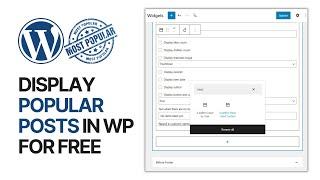
How To Add Most Liked Posts Widget In WordPress Blog Sidebar For Free? Display Popular Posts
Added 194 Views / 0 LikesIn today's video, we'll learn how to add and display the most popular and most-liked posts in our WordPress blog, site sidebar, and widgets in a simple, fast and effective method. Download WordPress themes and plugins free https://visualmodo.com/ How to Add Post Like Button & Rating to WordPress For Free? 👍❤️ https://www.youtube.com/watch?v=3G23BPOSi5c 🛒 How To Edit and Customize All WooCommerce Pages Easily and For Free - No Coding Needed Tutorial ht
-
Popular
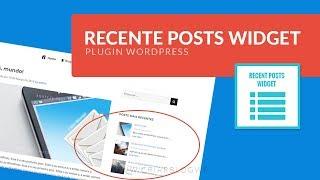
→ Recent Posts Widget Extended - Plugin Wordpress Para Posts Recentes e Relacionados Personalizados
Added 135 Views / 0 LikesOlá, hoje vou mostrar como inserir posts relacionados nas widgets do seu site Wordpress de forma personalizada, fácil e com um resultado incrível. Usando o plugin Recent Posts Widget Extended você pode não só adicionar seus posts nas sidebar de forma personalizada e configurada do seu jeito como também pode fazer o mesmo nos posts. Este plugin Recent Posts Widget Extended é tão poderoso que permite adicionar não só na sidebar como temos costume de ver
-
Popular

WordPress. How To Remove Related Posts Section From Posts Pages
Added 150 Views / 0 LikesThis tutorial is going to remove related posts section from posts pages in WordPress template(s). Want to Build WordPress Site in 5 Hours? Subscribe to this course: http://www.templatemonster.com/website-5-days.php?utm_source=youtube&utm_medium=link&utm_campaign=wptuts285 Choose your WordPress template now:http://www.templatemonster.com/wordpress-themes.php?utm_source=youtube&utm_medium=link&utm_campaign=wptuts285 Subscribe Our Channel: http://goo.gl/
-

How to add an EMAIL OPT-IN FORM to WordPress - Grow your EMAIL LIST (Full Tutorial)
Added 56 Views / 0 LikesHow to add an email opt-in form to WordPress. In this tutorial, I take you through how to add an email opt-in popup form and in-content form to WordPress using the Hustle Plugin. Follow up video (I missed a bit in this one) https://youtu.be/vXNw-C06BKY This will work with the following email software providers: AWeber ActiveCampaign Campaign Monitor MailChimp & MailChimp groups Constant Contact ConvertKit GetResponse Mailster Hubspot Sendy Mad Mimi Ma
-

WordPress Email Verlinkung 2022: Text Email-Link & Button bei Gutenberg, Elementor, Thrive Architect
Added 32 Views / 0 Likes✅ Das Neue WordPress Buch 2021 (Kostenlos): https://lp.wperfolg.de/f1/gratis-website-buch/ ✅ PROBLEME mit WordPress? Hier geht's zur Website-Komplettlösung: https://klick.wperfolg.de/l/website-formel-yt-bes-alle-videos ▬▬▬▬▬▬▬ Videoinhalt ▬▬▬▬▬▬▬ Teile jetzt das Video "WordPress Email Verlinkung (2022): Text Email-Link & Button für Gutenberg, Elementor, Thrive Architect" mit deinen Freunden! :) In diesem kompakten Video bekommst Du ganz genau gezeigt,
-

Display Popular Posts By Views In WordPress - WordPress Popular Posts Plugin
Added 68 Views / 0 LikesGrab your free 17-Point WordPress Launch Checklist PDF: https://wplearninglab.com/get/wordpress-redirects.php?utm_source=youtube&utm_medium=video&utm_campaign=wp_jumpstart&utm_id=17_point_wp_launch_checklist&utm_term=mtzk6yNEaFs&utm_content=video_description In this tutorial you're going to learn how to display popular posts by views in WordPress. You can have the popular posts appear in the sidebar or in the content of a page or post. This is the plu
-

How to Setup WordPress Email Logs and WooCommerce Email Logs (Improve Your Campaign Results!)
Added 65 Views / 0 LikesYou're sending emails to your audience or your customers on your WooCommerce store, but what results are they bringing? If you don't have the answer, you're leaving money on the table. In this video I show you how to set up logging on your email campaigns so you can start measuring the impact of your email campaigns and have a structured way of improving them as well. Top Resources ⚡Use Promo Code WPBVIP⚡ ►Best WordPress Contact Form Plugin https://wp
-
Popular
How To Get WordPress Posts To Page - Displaying Posts On A Page | WP Learning Lab
Added 132 Views / 0 LikesGrab Your Free 17-Point WordPress Pre-Launch PDF Checklist: http://vid.io/xqRL Download our exclusive 10-Point WP Hardening Checklist: http://bit.ly/10point-wordpress-hardening-checklist How To Get WordPress Posts To Page - Displaying Posts On A Page | WP Learning Lab This is one of those things that all beginners want to be able to do and it seems like it should be easy. Luckily, it actually is easy to do if you know how to do it :) There are two way
-
Popular

Como criar um site profissional | Resumo de posts, Duplicar posts e Favicon - Aula 8
Added 148 Views / 0 Likes -
How to Schedule WordPress Posts | Schedule Blog Posts
Added 78 Views / 0 LikesIn this short video I cover how to schedule blog posts in WordPress. Scheduling blog posts with WordPress post scheduler option can be a huge time saver. On top of that, it only takes a few seconds to set up and it allows you to set up blog posts in bulk. I hope this video helps you learn how to set them up and save some time in the process. My Website: http://wpwithtom.com/ Best Hosts: SiteGround: https://wpwithtom.com/siteground GreenGeeks: https://









