How to Show Before and After Photo in WordPress - Best Webhosting
Thanks! Share it with your friends!
 ULTRAFAST, CHEAP, SCALABLE AND RELIABLE! WE STRONGLY RECOMMEND ACCU
WEB HOSTING COMPANY
ULTRAFAST, CHEAP, SCALABLE AND RELIABLE! WE STRONGLY RECOMMEND ACCU
WEB HOSTING COMPANY
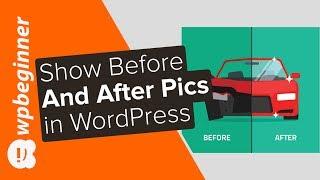
Watch Wordpress WPBeginner Video: How to Show Before and After Photo in WordPress.
Are you looking to display before and after photos on your site? These before and after photos can help give a side by side comparison of two identical images in an appealing way. In this video, we will show you how to easily show a before and after photo in WordPress.
For this tutorial we will be using the plugin 'Twenty20 Image Before-After' found here:
https://wordpress.org/plugins/twenty20/
With the plugin installed and activated you can now add or edit any of your WordPress posts or pages and see a button titled 'Add Twenty20' above the text editor. Put your text cursor where you want the image to be inserted then click the 'Add Twenty20' button to select the two images you want side by side.
The first image you select will be on the left while the second will be on the right. With the images selected click the insert button in the bottom right to insert it into your post/page. It will bring up a new popup for choosing the text above the images, the width of the slider, and other options to customize it.
There is also the option to add a widget under Appearance, Widgets where you can add the Twenty20 widget to your sidebar. The options for the widget should be the same as the ones for an insert into a post or page.
Now when you visit where the comparison is located you will see the image with a slider handle in the middle that you or your users can move it to see the comparison.
Text version of this tutorial
https://www.wpbeginner.com/plugins/how-to-show-before-and-after-photo-in-wordpress/
If you liked this video, then please Like and consider subscribing to our channel here for more WordPress videos.
https://www.youtube.com/subscription_center?add_user=wpbeginner
Check us out on Facebook
https://www.facebook.com/wpbeginner
Follow us on Twitter
http://twitter.com/wpbeginner
Check out our website for more WordPress Tutorials
http://www.wpbeginner.com
Related Videos
-
Popular

How to Show Before and After Photo in WordPress
Added 121 Views / 0 LikesSome sites want to show before and after shots of the same image. Normally you would use Photoshop or a similar program to set the images beside each other. In this video, we will show you how to show before and after photos in WordPress. If you liked this video, then please Like and consider subscribing to our channel for more WordPress videos. Text version of this tutorial: http://www.wpbeginner.com/plugins/how-to-show-before-and-after-photo-in-word
-
Popular
Show a Large Size Image When Click On Thumbnail With Javascript - Simple jQuery Photo Gallery
Added 136 Views / 0 LikesPlease LIKE our Facebook page for daily updates... https://www.facebook.com/Online-Tutorial-Html-Css-JQuery-Photoshop-1807958766120070/ Track: Cadmium - Melody (feat. Jon Becker) Link: https://youtu.be/9MiFRbymQXQ
-
Popular

Wix Photo Albums | Create a Stunning Online Photo Album for Your Clients
Added 116 Views / 0 LikesIntroducing Wix Photo Albums, the easiest way to turn your clients’ photos into a beautiful album site. http://www.wix.com/app-market/wix-photo-albums/overview http://www.wix.com/photography/website https://support.wix.com/en/article/about-wix-photo-albums Create beautiful stand-alone sites for your client’s photos that help grow your business. Each site is branded with your info and is easy for your clients to share. Simply upload your photos, choose
-
Popular

How to Add an Author's Photo in WordPress
Added 111 Views / 0 LikesAre you looking to display an author photo on your site? Most WordPress themes allow you to display an author's gravatar for their profile but sometimes you want to have a different photo for the author. In this video we will show you how to easily add an author's photo in WordPress. Text version of this tutorial: http://www.wpbeginner.com/plugins/how-to-add-an-authors-photo-in-wordpress/ If you liked this video, then please Like and consider subscrib
-
Popular

How to Add a Photo Gallery to WordPress
Added 132 Views / 0 LikesLearn how to add a photo gallery to your WordPress website, using the gallery shortcode and files from your media library. Then you'll see how to add the "lightbox" modal window effect using a cool jQuery add-on, Fancybox (link below). http://fancyapps.com/fancybox/3/ I like to resize all photos before uploading using Adobe Photoshop's image processor. Here are a few free, online options: https://www.photoresizer.com/ https://www.befunky.com/features/
-
Popular

How To Make A Photo Gallery In Wordpress 3
Added 122 Views / 0 Likestyler.com Here I will show you how to make a photo gallery in WordPress!
-
Popular

Awesome Photo Gallery In Wordpress
Added 137 Views / 0 Likeswww.tyler.com Learn how to make an awesome photo gallery in wordpress. Learn how to upload, resize, create thumbnails and more in the nextgen gallery.
-
Popular

Which is the Best WordPress Photo Gallery Plugin
Added 135 Views / 0 LikesAre you looking for a WordPress photo gallery plugin for your site? We went through the three top photo gallery plugins. In this video we will show you which is the best WordPress photo gallery plugin. If you liked this video, then please Like and consider subscribing to our channel for more WordPress videos. Text version of this tutorial: http://www.wpbeginner.com/best-wordpress-photo-gallery-plugins/ Check us out on Facebook: https://www.facebook.co
-
Popular

How do I create a WordPress photo gallery tutorial
Added 109 Views / 0 LikesHave you ever noticed how awesome WordPress gallery pages look like? Maybe you’ve always wanted to create photo gallery yourself on your own site? In that case, stop for a minute (in fact, for two minutes) and watch this video tutorial! You’ll see the whole process of creating WP image gallery from A to Z. There won’t be any problem with it anymore since you’ll get to know exactly what to do and what buttons and manipulations with your WordPress admin
-
Popular

How to Create a Photo Gallery with Albums in WordPress
Added 119 Views / 0 LikesHave you wanted to organize your photo galleries with albums? That way you can have multiple image galleries on a single page. In this video, we will show you how to create a photo gallery with albums in WordPress. If you liked this video, then please Like and consider subscribing to our channel for more WordPress videos. Text version of this tutorial: http://www.wpbeginner.com/plugins/how-to-create-a-photo-gallery-with-albums-in-wordpress/ Check us o
-
Popular
Add a PHOTO GALLERY plugin to WordPress - Super COOL!
Added 123 Views / 0 LikesIn this video we use the Enviro Gallery plugin to create a cool photo gallery which can easily be added to posts and pages. Get the plugin here: www.wpeagle.com/envirogallery The plugin includes loads of features including: - Drag-and-Drop WordPress Gallery Builder. Easily create beautiful photo and video galleries with just a few clicks. - Custom themes for each WordPress gallery! - Responsive Mobile Friendly. Build responsive WordPress galleries tha
-
Popular

How to Create a Custom Instagram Photo Feed in WordPress
Added 132 Views / 0 LikesWe've had users ask us how to add and customize an Instagram photo feed on their site. Specifically, users are looking for how to show select photos instead of all photos from their profiles. In this article, we'll show you exactly how to create a custom Instagram photo feed in WordPress. This video is sponsored by Smash Balloon, a powerful plugin to help you optimize your site for search engines, take a look at Smash Balloon here: ===================









