How to Make a Favicon Image for a Wordpress Website | Beginners Series - Best Webhosting
Thanks! Share it with your friends!
 ULTRAFAST, CHEAP, SCALABLE AND RELIABLE! WE STRONGLY RECOMMEND ACCU
WEB HOSTING COMPANY
ULTRAFAST, CHEAP, SCALABLE AND RELIABLE! WE STRONGLY RECOMMEND ACCU
WEB HOSTING COMPANY

Watch Wordpress WP With Tom Video: How to Make a Favicon Image for a Wordpress Website | Beginners Series.
http://WPWithTom.com
There are actually several great tools out there when it comes to how to make a favicon image. The one that I like to use as my go to tool is Logo Makr. I like using their website because it is quick, easy to edit, and it has many different great pre-made free icons that are ready to go. In reality you can make a beautiful looking favicon image in just a minute or so for your wordpress website.
To add a favicon image to your wordpress website start off by logging into the back end of your wordpress dashboard. After doing that you'll need to head over to where it says appearance on the left hand side of the dashboard menu. You can simply hover over it and click on customize.
The next step in the process is to click on site identity or something along those lines. Usually the name is site identity, but if not this tab is generally listed near the top in this menu depending on your theme. It's usually higher up in this menu because the favicon is at the top of the page.
Within this site identity area you should see a message that says : "The Site Icon is used as a browser and app icon for your site. Icons must be square, and at least 512px wide and tall." This is an important message to take note of. I recommend making your image exactly 512px by 512px just as we do in this how to make a favicon image tutorial.
After you design your favicon image within logomakr I suggest that you upload as we do in the video and save it. If you don't like how it looks it's fairly easy to just make another one and add that one to it and refresh the page.
Other free tools that you could use to make a favicon that I'd recommend are picmonkey, designevo and canva.
How to Install Wordpress on Hostgator: https://youtu.be/xz9ZdesjSSA
Tons of Courses: https://bit.ly/2MenP4P
ElegantThemes Membership: 10% off! http://bit.ly/2oN9BxN
Elementor: https://bit.ly/2Ct0I1U
Amazon: https://amzn.to/2APafjM
GetResponse: https://bit.ly/2Cvp1MG
ConvertKit: https://bit.ly/2FH44lt
Let's get social!
https://twitter.com/wpwithtom
https://www.facebook.com/wpwithtom1/
Subscribe to my Channel: https://wpwithtom.com/subscribe
FTC Disclaimer: This page contains affiliate links. If you purchase a product through one of them, I will receive a commission (at no additional cost to you). I only endorse products that I have personally used. Thanks you for your support!
Related Videos
-

How to Wrap Text Around an Image in WordPress | Beginners Series
Added 79 Views / 0 Likeshttp://wpwithtom.com/ Do you want to learn how to wrap text around an image in wordpress? Well, you've come to the right video! In this short video I show how to align an image so that the text simply wraps right around it. I also cover how to re-size the image and why going from larger to smaller is better than going from smaller to larger. I hope you find this video helpful. Be sure to subscribe for more tutorials! A2 Hosting - http://bit.ly/2sXcUpa
-
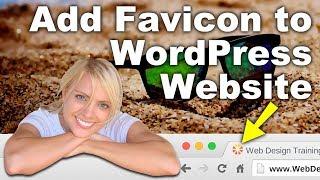
How To Add Favicon To WordPress | For Beginners
Added 100 Views / 0 LikesHow to add a favicon to your WordPress website is our mission. Basically the favicon is the icon that sits on the tab in your browser now. It is the same icon the shows up next to your bookmarks. In website terms this icon is referred to as the favicon. To add a favicon icon to your website requires it to be in a certain format but since we're doing this through WordPress it's going to make that translation for us, however, we do need the icon to star
-
How to Make a WordPress Website for Beginners
Added 85 Views / 0 LikesHow to make a WordPress Website for Beginners - In this beginners WordPress tutorial I go step by step through the process of creating a website with a free theme called optimizer. This optimizer theme tutorial is meant for individuals with no previous experience and it contains no coding. The tutorial covers how to make a WordPress blog and much more. You can easily combine bits and pieces of what you learn in this wordpress tutorial with others that
-
Popular

How To Make A Wordpress Website The New Way For Beginners
Added 101 Views / 0 LikesIn this video I show you how to create a website in a new way! An easier and better way! It will save you time and make your website look professional! Since a lot of people are helping the Wordpress community to make better websites we will take full advantage of that! We will create an amazing website without having to add one single line of code! It is all about selecting pre-made areas (by professionals) and importing them into your website. The o
-
How To Make A Wordpress Website | For Beginners
Added 56 Views / 0 LikesLearn how to make a WordPress website from scratch without having to learn how to code. I will show you how to get your own domain name and Webhosting, install WordPress, get the free Blocksy Theme and the free Elementor Page Builder, and build an awesome website! After watching this tutorial you could even become a web designer for a living! We will talk about creating blog post and a blog archive page so you can attract more visitors to your website
-

How to add a Link in WordPress | Beginners Series
Added 83 Views / 0 LikesHow to add a Link in WordPress - In this beginners tutorial I show you how to easily add a link in WordPress and how to set the link up to be opened in a new tab or open in the current tab you're in. Additionally, I cover how to change the link text that appears on your webpage to viewers. If you have any questions about how to setup a link in WordPress after watching this video please feel free to reach out to me in the comments below! Best Hosts: Si
-
Popular
How To Make A Wordpress Website 2019 | Beginners
Added 130 Views / 0 LikesLearn how to make a Wordpress website in 2019: https://youtu.be/a7Ec6wOUb48 Learn from scratch how to create an amazing and professional Wordpress website using Elementor and the Phlox Pro theme. In this video I show you step by step how it is done. You wil learn how to install Wordpress in a few clicks, create a page using Elementor, import free templates and Phlox Pro templates, how to create blogposts using Gutenberg and Elementor, how to create Po
-
Popular
How To Make A Wordpress Website 2019 | For Beginners
Added 141 Views / 0 LikesMaking a website has never been easier! In this video I show you step by step how it is done using free tools like Wordpress, Elementor, the Astra theme, free stock images and free plugins. Putting in practise what I will teach you in this tutorial enables you to make an amazing website and even enables you to start making websites for a living. The example website: https://elementoire.com Overview with timestamps: 00:00:16 Overview of the tutorial 00
-
Popular
How To Make a WordPress Website - 2019 - For Beginners
Added 142 Views / 0 LikesLearn the new way to create a website that makes it so much easier and faster. Step by step with no step skipped. We use the most popular platform in the world (WordPress) to make a professional website. Learn how to get your domain name and hosting, install WordPress, import your website and customize it in any way you want. Then I can show you how to make a logo and even install security. You will have complete control of your website and have a gre
-
Popular
How to Make a WordPress Website 2017 - For Beginners
Added 133 Views / 0 Likes60% OFF HOSTGATOR COUPON: http://hoganchua.com/get/hosting/ "Learn how to make a wordpress website in under 3 hours - step by step!" Perfect for complete beginners. No skills/special software required! Get it up & running today. GET THIS VIDEO TO 1000 LIKES! Free Download Theme: https://s3-us-west-2.amazonaws.com/parallaxdemo/ThemifyUltra.zip Free Download Contents: https://s3-us-west-2.amazonaws.com/businesstutorial/Contents+Business+Tutorial.zip Wri
-
Popular

How To Make A WordPress Website - 2019 - FOR BEGINNERS
Added 155 Views / 0 LikesEasy. Fast. and Professional. This is the best step by step tutorial to learn how to make a wordpress website for free 2019 for beginners.
-

How to Make a WordPress Website For Beginners - 2022
Added 65 Views / 0 LikesLearn how to make a WordPress website step by step in under one hour - perfect for beginners. You will learn how to purchase a domain and hosting plan, set up WordPress, customize your theme, choose a starter template and build your entire website. #wordpresstutorial #wordpressforbegineers Unlock a massive discount on a hosting plan with Bluehost → https://themeisle.com/blog/go/bluehost-wordpress-hosting/ If you use the link above, we will also receiv









