WordPress Memory Limit Increase | WP Learning Lab - Best Webhosting
Thanks! Share it with your friends!
 ULTRAFAST, CHEAP, SCALABLE AND RELIABLE! WE STRONGLY RECOMMEND ACCU
WEB HOSTING COMPANY
ULTRAFAST, CHEAP, SCALABLE AND RELIABLE! WE STRONGLY RECOMMEND ACCU
WEB HOSTING COMPANY

Watch Wordpress WPLearningLab Video: WordPress Memory Limit Increase | WP Learning Lab.
Grab Your Free 17-Point WordPress Pre-Launch PDF Checklist: http://vid.io/xqRL
Download our exclusive 10-Point WP Hardening Checklist: http://bit.ly/10point-wordpress-hardening-checklist
WordPress Memory Limit Increase | WP Learning Lab
define('WP_MEMORY_LIMIT', '64M');
Exclusive for WPLearningLab viewers, up to 50% off hosting: https://wplearninglab.com/wordpress-hosting-offer/
In this tutorial you will learn how to increase the memory limit for your WordPress site. Usually the reason you want to do this is because a plugin or a theme is telling you that you need a higher memory limit for it to function properly.
Open your WordPress website's wp-config file in cpanel or via FT. Paste the code below into it. You can paste it anywhere above where it says "Stop Editing. Happy Blogging".
define('WP_MEMORY_LIMIT', '64M');
The only thing you need to change in the snippet above is the '64'. You can make that number whatever your plugin or theme is requesting. Usually it would be 64, 96, 128, or 256. I've never seen anything WordPress plugins or themes require more than 256.
Make sure you keep the "M" in the there. It tells WordPress that it's megabytes.
If this change doesn't fix the error then your host may be capping the WordPress PHP memory limit. Many hosts cap it at 8 megabytes, which isn't much.
So that is how to increase WordPress PHP memory limit on your WordPress site.
Oh, one more thing. When you do a WordPress memory increase via the wp-config.php file the memory increase is only valid for that one website.
I hope this information helps you! If you have any questions leave a comment below or ping me @WPLearningLab on Twitter.
--------------
If you want more excellent WordPress information check out our website where we post WordPress tutorials daily.
https://wplearninglab.com/
Connect with us:
WP Learning Lab Channel: http://www.youtube.com/subscription_center?add_user=wplearninglab
Facebook: https://www.facebook.com/wplearninglab
Twitter: https://twitter.com/WPLearningLab
Google Plus: http://google.com/+Wplearninglab
Pinterest: http://www.pinterest.com/wplearninglab/
Related Videos
-
Popular

How To Increase Your PHP Memory & PHP Upload Limit
Added 133 Views / 0 LikesHigh speed Web Hosting: https://www.namehero.com/web-hosting.php
-
Popular

How to increase PHP memory limit at Bluehost.com.
Added 128 Views / 0 LikesYou can increase you PHP memory limit in a few easy steps, up to 128 MB. Thanks for watching. We welcome all constructive feedback and comments.
-
Popular
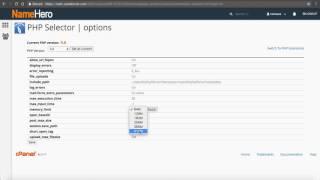
How To Increase Your PHP Memory & Upload Limit At NameHero
Added 113 Views / 0 LikesHigh speed Web Hosting: https://www.namehero.com/web-hosting.php
-
Popular

How to fix WordPress memory exhausted error by increasing PHP memory limit?
Added 158 Views / 0 LikesThe memory exhaustion error in WordPress could lead to different results on a WordPress website sometimes resulting in a white screen of death or showing an error message on the screen like the following: Fatal error: Allowed memory size of 33554432 bytes exhausted (tried to allocate 2348617 bytes) in /home/username/public_html/site1/wp-includes/plugin.php on line xxx Learn more in this video how to overcome this situation and get your site back to it
-
Popular

Increasing WordPress Memory Limit Tutorial
Added 119 Views / 0 LikesIn this video we Increase our WordPress Memory Limit. This is useful when running plugins such as Woocommerce and Woozone. In order to do this you'll need to connect to your site with FTP. Here's the FTP software mentioned in this video: Fetch- http://fetchsoftworks.com/ WinSCP - https://winscp.net/eng/index.php Leave your questions in the comments. More videos at www.wpeagle.com
-
Popular

PrestaShop 1.6.x. Troubleshooter. How To Deal With "Check your memory limit" error
Added 111 Views / 0 LikesThis tutorial is going to show you how to deal with Check your memory limit error while uploading the image in admin in your PrestaShop template. Choose your PrestaShop template now: http://www.templatemonster.com/prestashop-themes.php?utm_source=youtube&utm_medium=link&utm_campaign=prshoptuts248 More PrestaShop Video Tutorials: https://www.youtube.com/playlist?list=PLhQIfRNfwAocQcTfOyM0j3LfsskZ3Ip7E Subscribe Our Channel: https://www.youtube.com/user
-
Popular

How To Increase The WordPress Upload Limit
Added 153 Views / 0 LikesLearn how to increase the WordPress upload limit Blog post: https://www.elegantthemes.com/blog/tips-tricks/is-the-wordpress-upload-limit-giving-you-trouble-heres-how-to-change-it Like us on Facebook: https://www.facebook.com/elegantthemes/
-
Popular
Limit WordPress WP-Admin Access To Specific IPs - Keep Brute Force Hackers Out | WP Learning Lab
Added 204 Views / 0 LikesLimit WordPress WP-Admin Access To Specific IPs - Keep Brute Force Hackers Out | WP Learning Lab # BEGIN Restrict WP-Admin Access To Specific IPs Order Deny,Allow Allow from 123.456.789.111 Deny from all # END Block WP-Admin Access To Specific IPs In this tutorial I'm going to show you how you can disable wp-admin access to only IP addresses that you specify. This works great if you have a static IP or a known dynamic IP range that you always access t
-
Limit WordPress Revisions In wp-config - Revision Control Speeds Up Database | WP Learning Lab
Added 100 Views / 0 LikesGrab Your Free 17-Point WordPress Pre-Launch PDF Checklist: http://vid.io/xqRL Download our exclusive 10-Point WP Hardening Checklist: http://bit.ly/10point-wordpress-hardening-checklist Limit WordPress Revsions In wp-config - Revision Control Speeds Up Database | WP Learning Lab define( 'WP_POST_REVISIONS', X ); In this tutorial you will learn about the WordPress revision control system (also known as WordPress version control). This system keeps Wor
-

How To Increase The WooCommerce Variation Limit
Added 81 Views / 0 LikesIn this tutorial, you'll learn how to increase the WooCommerce variation limit AND whether you need to lift it or not. If you need to generate a few hundred variations you don't need to raise the limit. For more WooCommerce tips and tricks check out this playlist: https://www.youtube.com/watch?v=KrOIFR04pMk&list=PLlgSvQqMfii4RPNBbdpjCdmlJfSJRt6Cw Here's the code for increase the WooCommerce variation limit. You'll need to paste this into your wp-confi
-
Popular

OpenCart. How To Increase The Image File Upload Limit
Added 159 Views / 0 LikesThe following tutorial is going to show how to increase the image file upload limit in OpenCart. Enjoy Premium OpenCart templates at our website: http://www.templatemonster.com/opencart-templates.php?utm_source=youtube&utm_medium=link&utm_campaign=opctuts11 Subscribe Our Channel: https://www.youtube.com/user/TemplateMonsterCo/ Follow us: Facebook https://www.facebook.com/TemplateMonster/ Twitter https://twitter.com/templatemonster Instagram @template_
-
Popular

Joomla 3.x. How To Increase Admin Panel Timeout Limit
Added 174 Views / 0 LikesThis tutorial is going to explain you how to increase admin panel timeout limit in Joomla 3.x template. To View More Our Joomla Templates Go to Website: http://www.templatemonster.com/joomla-templates.php?utm_source=youtube&utm_medium=link&utm_campaign=jootuts192









