How to Use Device Preview in the WordPress Customizer - Best Webhosting
Thanks! Share it with your friends!
 ULTRAFAST, CHEAP, SCALABLE AND RELIABLE! WE STRONGLY RECOMMEND ACCU
WEB HOSTING COMPANY
ULTRAFAST, CHEAP, SCALABLE AND RELIABLE! WE STRONGLY RECOMMEND ACCU
WEB HOSTING COMPANY
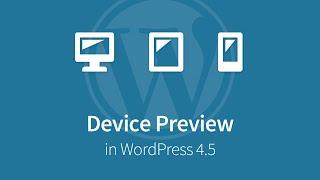
Watch Wordpress Video: How to Use Device Preview in the WordPress Customizer.
The new device preview feature in the WordPress Customizer has been talked about for over a year. In WordPress 4.5, it's finally here. Now you can preview your WordPress site on a desktop, tablet or mobile device using the WordPress Customizer.
This is great for previewing new themes before you activate them, and for testing how your changes will look before you publish them live.
Learn about all WordPress 4.5 features:
https://wpsmackdown.com/wordpress-4-5...
Device preview in WordPress 4.5 is really easy to use.
1. Navigate to Appearance / Customize
2. Locate the device icons in the bottom-left corner of your screen
3. Click the icons to toggle between different views
The desktop version will always fill up 100% of your screen.
The tablet version is set to 6-inch x 9-inch.
The mobile version is set to 320px x 480px.
These are fairly standard sizes for your average tablet & smartphone. WordPress decided to stay generic with the viewport sizes, which I think is smart. The UI gets too crowded, and the average user would get overwhelmed if too many options were presented.
You can also use the "Collapse" link to get a full screen view (without the left side panel).
SEE ALSO: How to Add/Edit Links in WordPress 4.5 - https://www.youtube.com/watch?v=cVQd4DwfAi0
SEE ALSO: How to Embed Twitter Moments & Timelines - https://www.youtube.com/watch?v=q3lZkioPF18
Twitter: https://twitter.com/wpsmackdown
Facebook: https://www.facebook.com/wpsmackdown
Related Videos
-
Popular

Beaver Builder 1.9 Preview! New features coming soon! Columns & Mobile preview
Added 127 Views / 0 Likeshttps://plugintut.com/go/beaverbuilder Beaver Builder is getting better and better. New nested columns and responsive view advanced settings are coming to version 1.9, slated for (closer to) the end of the year. Along with that, a nifty new feature to allow buttons to load a lightbox popup action. Users can embed HTML or video into the lightbox, which will help to integrate 3rd party embeds or YouTube videos. I hope you enjoy this video! https://plugi
-
Popular
How To Use The WordPress Customizer With GeneratePress
Added 107 Views / 0 LikesHow To Use The WordPress Customizer With GeneratePress Watch the entire playlist: https://www.wpcrafter.com/create-course-2017 Hosting: http://www.OrderNewHosting.com Elementor: https://www.wpcrafter.com/elementor-page-builder GeneratePress: https://www.wpcrafter.com/gp-addons LifterLMS: https://www.wpcrafter.com/lifter-lms In this video I show you how to use the WordPress customizer to customize the look and feel of your WordPress website. You will n
-

How to Use the WordPress Theme Customizer
Added 43 Views / 0 LikesIn today's video, we'll learn how to use the WordPress theme customizer. Blog post: https://www.elegantthemes.com/blog/wordpress/how-to-use-the-wordpress-theme-customizer ➡️ Learn more about Divi: https://www.elegantthemes.com/gallery... 🔵 Like us on Facebook: https://www.facebook.com/elegantthemes/ #Tutorial #WordPress #ElegantThemes
-
Popular

How to Set Up Email On Your Android Device
Added 136 Views / 0 LikesDarlene walks you through how to to add your GoDaddy Office 365 email account to your Android to make it easier to stay connected to customers. In this video, you’ll learn: - How to add your Office 365 email account to your Android through the Mail app - How to edit the display name for outbound emails through the Mail app - How to add your Office 365 email account to your Android through the Outlook app Check out more from this course here: http://go
-
![WordPress Customizer Options [Series]](https://video.bestwebhosting.co/uploads/thumbs/ccc0fee48-1.jpg)
WordPress Customizer Options [Series]
Added 68 Views / 0 LikesIn this video of the WordPress dashboard tutorial for beginners series we cover the WordPress customizer. I go over different parts that make it up and how to use the WordPress customizer. Not all themes are created equally, and I also show you additional WordPress customizer options that can come with some premium themes. My Website: http://wpwithtom.com/ Best Hosts: SiteGround: https://wpwithtom.com/siteground GreenGeeks: https://wpwithtom.com/green
-
Popular

WordPress Tuts: New Customizer Features
Added 118 Views / 0 LikesIn my WordPress tutorial series I give helpful tips, plugin and theme recommendations and general news regarding WordPress. In todays video I show the new Customizer feature "Saving drafts". --- Our Website: http://www.elmastudio.de/en/ Our WordPress Themes: http://www.elmastudio.de/en/themes/ Twitter: https://twitter.com/ellenbauer/ Facebook: http://www.facebook.com/elmastudio Instagram: https://instagram.com/elmastudio
-
How to Hide Columns Per Device in Elementor
Added 98 Views / 0 LikesIn this tutorial, we'll go over how to hide a column in Elementor 2.5. Learn More: https://elementor.com/blog/introducing-flexible-layout/ Get Elementor Pro: https://elementor.com/pro/
-
Popular

WordPress. How To Customize Template Using Theme Customizer
Added 107 Views / 0 LikesThis tutorial shows how to edit WordPress theme with the customization tool. Choose your WordPress template now: http://www.templatemonster.com/wordpress-themes.php?utm_source=youtube&utm_medium=link&utm_campaign=wptuts153 Want to Build WordPress Site in 5 Hours? Subscribe to this course: http://www.templatemonster.com/website-5-days.php?utm_source=youtube&utm_medium=link&utm_campaign=wptuts153 TOP WordPress Themes: https://www.youtube.com/playlist?li
-
Where To Add WordPress Custom CSS In Customizer, Divi & Elementor
Added 98 Views / 0 LikesGrab Your Free 17-Point WordPress Pre-Launch PDF Checklist: http://vid.io/xqRL Depending on what you have running on your WordPress site, it can sometimes be difficult to find a good place to put custom CSS. This tutorial shows you where to add custom CSS in the WordPress Customizer, the Elementor Page Builder and the Divi Page Builder. There is a previous tutorial along the same lines that shows you how to add CSS to theme options, how to add inline
-
Popular

WordPress Customizer in 3 Different Themes - Where To Find It & How To Use It | WP Learning Lab
Added 125 Views / 0 LikesGrab Your Free 17-Point WordPress Pre-Launch PDF Checklist: http://vid.io/xqRL WordPress Customizer in 3 Different Themes - Where To Find It & How To Use It | WP Learning Lab The WordPress customizer has a lot of options that let you change the look of a website without any code, but with a live preview. The live preview functionality is pretty sweet. The usefulness of the customizer varies greatly from theme to theme. From what I've found, the X Them
-
Popular

How-to Reset All Customizer Settings In WordPress Website
Added 197 Views / 0 LikesHow-to Reset All Customizer Settings In WordPress Website More Info: https://www.wpcrafter.com Beaver Builder: https://www.wpcrafter.com/beaverbuilder In this video I will teach you How to Reset all Customizer Settings in a click of a button in your wordpress website. We will be using a Plugin which will be super easy to use and I will guide you through the process. Hope you like the Video. Please Like, Share and Subscribe! 00:10 How to reset everythi