How to Progressively Flash the Steps to a Process with Divi’s Scroll Effects - Best Webhosting
Thanks! Share it with your friends!
 ULTRAFAST, CHEAP, SCALABLE AND RELIABLE! WE STRONGLY RECOMMEND ACCU
WEB HOSTING COMPANY
ULTRAFAST, CHEAP, SCALABLE AND RELIABLE! WE STRONGLY RECOMMEND ACCU
WEB HOSTING COMPANY
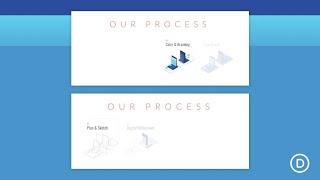
Watch Wordpress Elegant Themes Video: How to Progressively Flash the Steps to a Process with Divi’s Scroll Effects.
Companies often educate their visitors about their services by offering a helpful illustration of the steps to their process. For example, a web design agency may show their process of web development, or a bakery may feature their steps for creating the perfect cupcake.
With Divi, we can take the “steps to a process” to a whole different level using the built-in scroll effects. In this tutorial, we’ll show you a simple way to progressively flash the steps to a process as the user scrolls down the page. This will give the design a nice interactive boost that creatively emphasizes the intended message.
Read more: https://www.elegantthemes.com/blog/divi-resources/how-to-progressively-flash-the-steps-to-a-process-with-divis-scroll-effects
Related Videos
-
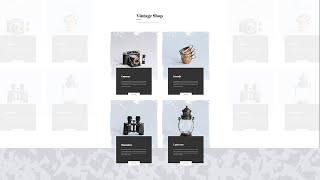
How to Create Module Overlaps on Scroll with Divi’s Scroll Effects
Added 71 Views / 0 LikesUsing overlaps in your design has increased in popularity over the past few years. It gives your design a more abstract look and feel. At the same time, it helps you save space, which in turn limits the vertical scrolling that is required. Inside Divi, there are a couple of ways to effortlessly add overlaps to modules. You can also go the extra mile and add some scroll interaction! In today’s Divi tutorial, we’ll show you how to create subtle module o
-
Popular

Divi Feature Update LIVE - Divi Scroll Effects
Added 117 Views / 0 LikesWe are excited to introduce one of Divi’s most amazing new features ever. It’s called Scroll Effects, and it allows you to create advanced animations and transitions that react to your visitors as they scroll up and down the page. Any element can be animated using a combination of effects and creating advanced animations is easy thanks to our brand new Scroll Effects UI. We have streamlined the complexity of web-based animations and made them accessib
-
Divi Scroll Effects Tutorial | New Feature
Added 99 Views / 0 LikesIn this video I show you how to use the new scroll effect feature in the Divi theme. It has an easy interface that will enable you to add horizontal, vertical, blur, opacity, scale and rotate effects based on the scroll behaviour of the visitor. In this video I show you how you can apply single effects on modules and how to combine multiple scroll effects. Example website: https://divi4.com/divi-scroll-effects/
-
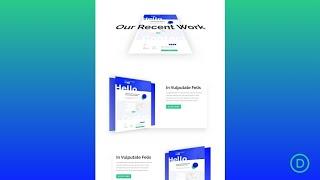
How to Create 3D Motion Scroll Effects in Divi
Added 83 Views / 0 LikesAdd 3D Motion Scroll Effects into your Divi website can easily be done by combining a few powerful built-in Divi features – scroll effects and transform rotation. The idea is actually a simple one. Before we move elements horizontally or vertically using scroll effects, we rotate the element’s container using transform rotate. This allows the motion (on scroll) to occur on a plane in 3D space. In this tutorial, we are going to show you how to add 3D m
-

How to Limit Scroll Effects to Column Containers with Divi
Added 46 Views / 0 LikesDivi's scroll effects help bring an entirely new dimension to the design you're creating. With every new Divi feature, we also try to share tutorials that'll help you view your web design from a different perspective. In this tutorial, we'll show you how to limit module scroll effects to column containers. This means that whatever kind of scroll effect you add, the module's motion effect won't surpass the column container. This results in a beautiful
-
3 Effortless Scroll Motion Effects You Can Add to Your Headlines with Divi
Added 75 Views / 0 LikesDivi’s new scroll effects bring tons of new design possibilities to the pages you build. You can add a customized scroll effect to each container and synchronize the effects accordingly. This design freedom easily helps you highlight certain content in an elegant way. In this tutorial, we’ll show you how to add scroll motion effects to your headlines. That way, you can put an extra emphasis on your headlines and keep your visitors involved. You’ll be
-

How to Design a Divi Timeline Layout with Scroll Effects
Added 72 Views / 0 LikesA timeline layout can come in handy for a lot of different applications on a website, especially if it looks great on mobile. You can use it for showcasing a sequence of milestones on an about page, featuring the steps of a process, and much more. And with Divi’s scroll effects, you can make a timeline design come alive! In this tutorial, we’ll show you how to design a complete Divi timeline layout with scroll effects. The timeline layout is versatile
-
Popular
How to Create Section Divider Scroll Effects in Divi
Added 134 Views / 0 LikesMultistreaming with https://restream.io/?ref=wVYnR Hey Divi Nation, welcome to a brand new Divi Use Case live stream where each week we show you how to add new design and functionality to your Divi website. Creating section divider scroll effects is a simple and fun technique that can add life to your Divi website. A section divider continues to be a versatile design element, useful for adding a touch of creativity to your page content transitions. Bu
-

How to Stack and Animate Text using Divi Scroll Effects
Added 85 Views / 0 LikesUsing Divi’s scroll effects to stack and animate text on scroll is a unique design technique that can be used to bring life to your page headings. The trick is to use Divi’s position options to stack letters absolutely so that they sit directly on top of each other. Then you can move the letters horizontally and vertically using the scroll effects. Read more: https://www.elegantthemes.com/blog/divi-resources/how-to-stack-and-animate-text-using-divi-sc
-
How to Create an Envelope Animation with Divi’s Scroll Effects
Added 77 Views / 0 LikesEvery time a new Divi feature comes out, we try to share some cool and useful tutorials that’ll help you think outside the box and get creative with Divi. Today’s tutorial does exactly that. We’ll show you how you can create a responsive envelope animation with Divi’s scroll effects. This is a great way to emphasize a call to action block, for instance, but you can use it for other purposes as well. You’ll be able to download the JSON file for free to
-
How to Design an Animated Clock with Divi’s Scroll Effects
Added 90 Views / 0 LikesThe web is full of sites that need design accents related to time (speed optimization, upcoming events, etc.). In most cases, a clock icon or graphic can work great. But, creating an animated clock design will definitely give a unique “spin” to the design of your website. With all of the built-in design options available in Divi, we can create an awesome animated clock design from scratch. In this tutorial, we are going to create an animated clock tha
-
How to Animate Parallax Background Images with Divi’s Scroll Effects
Added 94 Views / 0 LikesCombining scroll effects with parallax background images can create quite a magical design for your visitors. Since the parallax effect already puts the image in motion as the user scrolls down the page, adding additional scroll effects (like horizontal motion and rotation) can really set the design apart and open doors for more creative layouts. In this tutorial, we are going to walk through how to animate parallax background images using Divi’s scro









