How to Add GIFs from Giphy in WordPress Using Giphypress - Best Webhosting
Thanks! Share it with your friends!
 ULTRAFAST, CHEAP, SCALABLE AND RELIABLE! WE STRONGLY RECOMMEND ACCU
WEB HOSTING COMPANY
ULTRAFAST, CHEAP, SCALABLE AND RELIABLE! WE STRONGLY RECOMMEND ACCU
WEB HOSTING COMPANY

Watch Wordpress WPBeginner Video: How to Add GIFs from Giphy in WordPress Using Giphypress.
Do you want to easily add animated GIFs in your WordPress site? Giphy makes it easy to find the GIF of your choice and share it on the web how you would like. In this video we will show you an easy way to to add animated GIFs from Giphy in WordPress using Giphypress.
Text version of this tutorial:
http://www.wpbeginner.com/plugins/how-to-add-gifs-from-giphy-in-wordpress-using-giphypress/
If you liked this video, then please Like and consider subscribing to our channel for more WordPress videos.
Check us out on Facebook:
https://www.facebook.com/wpbeginner
Follow us on Twitter:
http://twitter.com/wpbeginner
Join our circle on Google+:
https://plus.google.com/+wpbeginner/
Checkout our website for more WordPress Tutorials
http://www.wpbeginner.com/
Summary of this tutorial:
Start by installing and activating the Giphypress plugin.
Once activated, on a post or page there will be a new button called Giphy GIF Search.
clicking the button will bring up a popup where you will be able to search and select the GIF of your choice for the post or page.
Giphypress will now embed the GIF in an iframe and you will be able to save and update your posts with the GIF.
Related Videos
-
Popular

The easiest free way to add stock photos and gifs to your blog!
Added 112 Views / 0 LikesGIFs and Stock photos are great for getting quick and engaging content to improve your blog posts and even client websites. But it can be so time consuming to leave your project, search for the photos, download / compress / etc, just to get back in to your site to upload. It kills workflow, makes you lose your train of thought, and and is completely unnecessary because of the Drop It plugin that we will talk about in this video! If you want to learn m
-
Popular

How To Create Animated GIFs & BOOST Your Social Media Engagement
Added 118 Views / 0 LikesAnimated GIFs are one of the most popular communication tools in social media •️ In this video, you'll see how to make animated GIFs with one of the popular tools to boost your social media engagement and how to stay ahead of the pack. • Click on the timestamps to navigate the video: 0:37 | Why make animated GIFs 1:55 | Important rules to make GIFs 2:25 | Step-by-Step Guide to make GIFs It is actually pretty easy to make animated GIFs, and you can inc
-
Popular

Adding 3D Effects to GIFs and HTML5 Videos to Display Unique Product Animations in Divi
Added 121 Views / 0 LikesAnimated GIFs and HTML5 videos can be great for animating how a product works on your website. These short animations communicate valuable information to the visitor in a way that is more readily digested than a regular video. Adding these type of GIFs and HTML5 videos can be done pretty easily with Divi. And with a little creativity, you can add 3D effects for unique product animations. In this tutorial, I’m going to show you how to add 3D effects to
-
Popular
![Canva 2.0 Features Review - New GIFs, Graphics, & More! (Canva Tutorial) + [Scheduling Beta]](https://video.bestwebhosting.co/uploads/thumbs/b784cd93d-1.jpg)
Canva 2.0 Features Review - New GIFs, Graphics, & More! (Canva Tutorial) + [Scheduling Beta]
Added 244 Views / 0 LikesCanva 2.0 is here and better than ever! In this Canva review and quick tutorial discover how to take your designs to the next level and streamline your social posting. -------------------------------- Recommended Videos: Beginners Guide: Canva Tutorial & Graphic Guide: https://youtu.be/9tnVb8zqUGk Canva For Great Social Images: https://youtu.be/mZXcYasMcaw How To Use Canva For Youtube: https://youtu.be/srq6fE4_UWU Canva 2.0 Review Playlist: https://ww
-
Popular

Migrar un blog de WordPress.com a WordPress.org | WordPress para Novatos
Added 113 Views / 0 LikesEn esta clase te explico paso a paso cómo migrar tu blog desde WordPress.com hasta WordPress.org de una manera muy sencilla, sin utilizar ningún tipo de plugin ni complicadas configuraciones o programas de FTP.
-

Wordpress News! Who Is The Best Wordpress Influencer? And Why Wordpress Companies Are Selling
Added 50 Views / 0 LikesLittle late to the party but, Here are some of the Wordpress news and links to some of what i talked about in this episode of Wordpress News Template Monster Competition: https://www.templatemonster.com/awards/category/wordpress-youtube-channels Elementor Academy: https://elementor.com/academy/ Divi Update: https://www.youtube.com/watch?v=AM4slNGJ2QI WpBeginner Acquisition: https://www.wpbeginner.com/news/welcome-easy-digital-downloads-wp-simple-pay-a
-
Popular

Google AMP For WordPress - AMP Pages On WordPress Using WordPress AMP Plugin
Added 127 Views / 0 LikesGrab Your Free 17-Point WordPress Pre-Launch PDF Checklist: http://vid.io/xqRL Google AMP For WordPress - AMP Pages On WordPress Using WordPress AMP Plugin https://youtu.be/-U7-vpcr1fY Google AMP WordPress plugin allows you to turn your posts into Google Accelerated Mobile Pages quickly and easily. This makes your pages load lightening fast and hopefully improves your mobile rankings. It will definitely improve your sites mobile user experience. Grab
-
Popular

WordPress.com vs WordPress.org PLUS how to setup a SELF HOSTED WordPress site
Added 125 Views / 0 LikesWhat's best, WordPress.com or WordPress.org? Is there was a WordPress.com vs WordPress.org fight, which one would win? In this video I explain the differences as well as showing you how to setup your own WordPress.org website on your own hosting. Get a domain - www.wpeagle.com/godaddy Get Hosting - www.wpeagle.com/hostgator - use code EAGLE30 for discount More videos over at www.wpeagle.com
-

Getting Started With WordPress / Lesson 03: WordPress.com vs. WordPress.org
Added 63 Views / 0 LikesIn this lesson, we're going to give you an overview and comparison of WordPress.org and WordPress.com. It will talk about why they have the same name, how the platforms differ, and which one you should choose for your website based on your goals and requirements.
-
Popular

Massive WordPress Security Alert - My WordPress Website Was HACKED! Must Watch Video!!
Added 124 Views / 0 LikesI thought it could never happen to me. I was wrong, my website was hacked. Find out what happened and why it was not that big of a deal for me. Make a backup now. Here is a vintage WPCrafter video that will show you exactly how I backup offsite using a free tool https://www.youtube.com/watch?v=jXb512M_WSY Get better hosting https://www.wpcrafter.com/hosting ~~~~~~~~~~~~~~~~~~~~~ All of my opinions in this video are my own, I was not paid to make this
-
Popular

Themes For Elementor - Make Any WordPress Theme Compatible With WordPress Page Builder
Added 159 Views / 0 LikesThemes For Elementor - Make Any WordPress Theme Compatible With WordPress Page Builder More info: https://www.wpcrafter.com If you are like me, and completely in love with elementor page builder for WordPress, then your first questions is which WordPress themes are compatible with elementor. In this video I show you how to make any theme compatible with elementor. ~~~~~~~~~~~~~~~~~~~~~ All of my opinions in this video are my own, I was not paid to mak
-
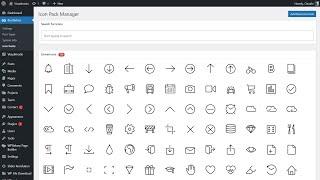
How To Upload Custom Icon Packs into WordPress for Free Using Borderless WordPress Plugin?
Added 46 Views / 0 LikesIn Today's WordPress plugin, we'll learn how to add custom icons for site usage and display them for free using the Borderless WordPress plugin in a simple, fast and effective way. ow To Add Icons On Your WordPress https://visualmodo.com/knowledgebase/how-to-add-icons-on-your-wordpress/ How to install Borderless WordPress plugin https://www.youtube.com/watch?v=FDdeT8F24ks How to install Anzu WordPress theme https://www.youtube.com/watch?v=zyDT-jUkQfo









