How to Use the WordPress Group Block - Best Webhosting
Thanks! Share it with your friends!
 ULTRAFAST, CHEAP, SCALABLE AND RELIABLE! WE STRONGLY RECOMMEND ACCU
WEB HOSTING COMPANY
ULTRAFAST, CHEAP, SCALABLE AND RELIABLE! WE STRONGLY RECOMMEND ACCU
WEB HOSTING COMPANY
Watch Wordpress Elegant Themes Video: How to Use the WordPress Group Block.
In today's video, we'll learn how to use the WordPress group block
Blog post: https://www.elegantthemes.com/blog/wordpress/group-block
➡️ Learn more about Divi: https://www.elegantthemes.com/gallery/divi
🔵 Like us on Facebook: https://www.facebook.com/elegantthemes/
#Blocks #WordPress #ElegantThemes
Related Videos
-
Popular
![How to Create Buttons in Gutenberg Using Otter's Button Group Block [2022]](https://video.bestwebhosting.co/uploads/thumbs/109efb211-1.jpg)
How to Create Buttons in Gutenberg Using Otter's Button Group Block [2022]
Added 112 Views / 0 LikesIn this video, we will explore Otter's button group block options. As a result, we will create a quick and easy Neubrutalism-styled button in the WordPress editor (Gutenberg) using the block's robust color, border, and shadow options. Otter is a lightweight, dynamic collection of page building blocks and templates for the WordPress block editor. Download Otter → https://themeisle.com/plugins/otter-blocks/ Documentation → https://docs.themeisle.com/art
-
Popular
![Best Block Plugins For WordPress: Expand Your Block Editor [Gutenberg]](https://video.bestwebhosting.co/uploads/thumbs/cdd4d8610-1.jpg)
Best Block Plugins For WordPress: Expand Your Block Editor [Gutenberg]
Added 156 Views / 0 LikesThere are already a lot of solutions available to expand the new editor’s capabilities. Download Otter Blocks: https://bit.ly/2IRvnwh Now that Gutenberg has morphed into the WordPress Block Editor as of WordPress 5.0, many people are excited to start building content with this new tool. Most of the best block plugins for WordPress are turning out to be collections of elements, rather than single-block additions. 1. Install Atomic Blocks 00:24 • Atomic
-
Popular
How to Create a Reusable Block in WordPress Block Editor
Added 124 Views / 0 LikesAre you repeatedly using snippets of text on your WordPress site? If you do, then the reusable block feature will be very helpful to you. In this video, we will show you how to easily create a reusable block in the WordPress Gutenberg/Block editor. To start, you would want to create the text that you want to repeat in your content in a single block. Now click the verticle ellipsis in the editing options for the block and click the Add to Reusable Bloc
-

How To Join Pinterest Group Boards (In 2019) | Find and Join Best Group Boards
Added 74 Views / 0 LikesFind out how you can find & join Pinterest Group Boards in 2019! Get my 100% free course on traffic: http://caffeinatedblogger.com/pinterest/ • Learn how to become a Full-Time Blogger and Affiliate Marketer: http://bit.ly/afftraininggreg Why should you consider joining Group Boards on Pinterest? Simple: they can bring a ton of free traffic to your blog, website or eCom store. Problem is that finding these group boards is a major hassle. So I've decide
-
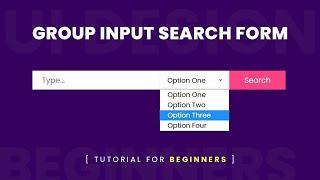
Group Input Search Form Design Using Html & CSS | Form Input Group
Added 72 Views / 0 LikesEnroll My Course : Next Level CSS Animation and Hover Effects https://www.udemy.com/course/css-hover-animation-effects-from-beginners-to-expert/?referralCode=90A9FFA7990A4491CF8D Another Course : Build Complete Real World Responsive Websites from Scratch https://www.udemy.com/course/complete-responsive-website-design-from-scratch/?referralCode=F1DFAF1715AF6CE5780E ------------------ Join Our Channel Membership And Get Source Code of My New Video's Eve
-
Popular
How to Connect WordPress with Meetup com Group
Added 118 Views / 0 LikesThere are many useful tools for users to build communities around their website. These communities use WordPress to publish news, run forums, and organize meetup groups. Meetup.com is a site where you can find others of similar mindsets for these meetups. In this video, we will show you how to connect WordPress with a Meetup.com group. If you liked this video, then please Like and consider subscribing to our channel for more WordPress videos. Text ver
-

HOW TO BLOCK EMAILS IN GOOGLE WORKPLACE? Block Messages From an Email Address or Domain Name
Added 63 Views / 0 LikesIn today's video tutorial, we'll learn how to block an email in Google Workplace in a simple, fast and effective method, in order to no longer receive emails form some address or domain name. How To Add Google Maps In WordPress https://visualmodo.com/add-google-maps-wordpress/ 💎 How To Add Your Brand Logo To Google Workplace Services Easily? Personalize Google https://www.youtube.com/watch?v=WnW7k7VqIe0 How To Add Reading Progress Bar Indicator To You
-
Popular

List Group Component Usage Guide - Pollen WordPress Plugin WPBakery Page Builder Addons
Added 119 Views / 0 LikesIn today's Pollen WordPress plugin video tutorial we'll learn how to use the List Group component on your WordPress website in a simple, easy and fast method. Also, you'll see some usage examples of this page builder element and how to customize and edit it in the way that you want. Download WordPress themes https://visualmodo.com/wordpress-themes/ Install Pollen WordPress plugin https://www.youtube.com/watch?v=jRF7Moaw684 How to upload and use icons
-
Popular

How to Create A Distribution Group
Added 106 Views / 0 LikesGoDaddy Guide Darlene breaks down what a distribution group is and how you can create one for quicker emailing. In this video, you’ll learn: - How to add a new distribution group to your account - How to add new members to your group Check out more from this course here: http://go.me/SetupEmail Subscribe to GoDaddy: http://bit.ly/GoDaddy-Subscribe GoDaddy links: https://www.godaddy.com https://www.godaddy.com/how-to https://www.youtube.com/user/godadd
-
7 Useful Google Ads Ad Group Best Practices
Added 69 Views / 0 LikesLearn 7 useful Ad Group best practices in Google Ads. AdWords Ad Groups can be difficult to learn at first, but they are used to organize your keywords, ads, and landing pages. Rather than grouping all of your keywords, advertisements, and landing pages together, you can create separate Ad Groups. It is a best practice to keep your Google Ads campaigns organized, and Ad Groups allow you to do just that. 7 Useful Google Ads Ad Group Best Practices: 1.
-
MailChimp Audience vs Group
Added 38 Views / 0 LikesA MailChimp Audience and MailChimp Group are two very different things that are used differently. This tutorial will you show what each one is and how and when to use them. //* Grab your free Manuscript - The 5 Email Sequences Every Business MUST Have: https://wplearninglab.com/get/wordpress-redirects.php?utm_source=youtube&utm_medium=video&utm_campaign=online_marketing&utm_id=5_email_sequences_manuscript&utm_term=H17u9KM7KTU&utm_content=video_descrip
-
Popular

13. HTML Inline & Block Level Elements in Hindi/Urdu. || Difference b/w Inline and Block Elements.
Added 195 Views / 0 LikesIn this tutorial you will learn about Inline and Block level Elements and the difference between inline and block level elements. #htmltutorials #html #htmlbasics --------------------------------------------------------------------- Learn Video Editing (Complete Course with Easy Explanation) https://www.instamojo.com/jpwebtutorials/learn-professional-video-editing-in-just-1-d/?discount=klpyh2n9gt9re ----------------------------------------------------









