ThemeIsle
-
08:07 Popular

Download WordPress And Install It Manually On Any Web Server
Added 160 Views / 0 LikesLearn how to download WordPress and then install it on web servers like the one offered by Siteground or Bluehost. Get hosting from Siteground with discount*: http://bit.ly/WPHostingOffer Get hosting from Bluehost with discount*: http://bit.ly/GetBluehostDiscount You can install WordPress manually by using FTP software or by simply uploading the files through the file manager offered within the cPanel. First, download WordPress from their official web
-
1:08:06 Popular

WordPress Tutorial For Beginners: Recreate The Office.com Homepage
Added 124 Views / 0 LikesIn this WordPress tutorial for beginners, we're going to recreate the Office.com homepage. The tools we used to make this happen: • Neve WordPress theme: http://bit.ly/NeveWPTheme • Get professional hosting from Siteground, with discount* - http://bit.ly/WPHostingOffer • Elementor: https://elementor.com/?ref=2134&campaign=youtube We'll be using the free Neve theme and the free Otter Blocks for Gutenberg plugin for part of the project. Elementor Pro is
-
08:08 Popular

WordPress Website Examples and The Actual Theme They're Using
Added 126 Views / 0 LikesThis video contains some well designed WordPress website examples and the actual theme they're using. 1. PlayStation.blog • 0:21 The official PlayStation.blog is where the people who create the PlayStation experience meet gamers and fans directly and this is powered by the self-hosted WordPress platform. Video recommendation - Recreate Apple's Homepage https://youtu.be/H2JweI_Mg-4 2. StarWars.com/news • 1:15 The official Start Wars blog is also powere
-
1:11:21 Popular

How To Use WordPress Gutenberg Blocks To Recreate The Apple Homepage
Added 130 Views / 0 LikesIn this rebuild tutorial, we're going to recreate the Apple.com homepage by using WordPress Gutenberg Blocks. We'll be also using the free Neve theme and the free Otter Blocks for Gutenberg plugin for most of the project. Elementor Pro is required for the footer because it's a very complex footer. Everything besides the footer is built with free tools. The tools we used to make this happen: • Neve WordPress theme: http://bit.ly/NeveWPTheme • Get profe
-
02:08 Popular

Neve 2.0: Lightweight WordPress Theme Built For Speed
Added 143 Views / 0 LikesTake control and build a beautiful website in minutes with Neve 2.0 to deliver lightning-fast mobile experiences for e-commerce, corporate blogging or portfolio sites. Get Neve for free: http://bit.ly/NeveWPTheme But that's just the beginning. Neve's flexibility makes it easy to build any type of site from top to bottom without touching a single line of code. Neve is a really fast WordPress theme for any type of site. Use any of our pixel-perfect star
-
08:17 Popular

Best Free Theme For Elementor: Which Theme Work Best With Elementor
Added 145 Views / 0 LikesThe best theme for Elementor is a theme that doesn't force you into any kind of design direction at all but it gives you all the tools you need and flexibility to build any type of website you can imagine. Here are the best free themes for Elementor (in this video): 1. Neve - http://bit.ly/NeveWPTheme • 0:57 2. WP Pagebuilder Framework - https://bit.ly/2ysBEEo • 3:50 3. Astra - https://bit.ly/2AUxh9k • 5:10 4. OceanWP - https://bit.ly/2MLhLjJ • 6:07 O
-
1:13:28 Popular

Elementor Tutorial: Create A WordPress Website With Elementor (FREE)
Added 129 Views / 0 LikesIn this Elementor Tutorial you will learn how to create a WordPress website for free (aside from hosting and a domain name). We are going to walk through the initial website cleanup that you should do on every new website. We'll create a header and footer using the Neve's customizer settings. We'll go through all the important settings of the free Elementor plugin. And then we're going to build a simple, but good looking website with Elementor, step-b
-
15:32 Popular
![WordPress Menu Tutorial: The Ultimate Step By Step Video [NO CODING]](https://video.bestwebhosting.co/uploads/thumbs/637fad044-1.jpg)
WordPress Menu Tutorial: The Ultimate Step By Step Video [NO CODING]
Added 158 Views / 0 LikesThis is the ultimate WordPress menu tutorial (in and out, step by step) where you will find answers to the following questions: 1. Where can I acces my menu settings • 1:33 2. How can I create my first menu (Primary Menu) • 3:32 3. How to customize menu items • 6:44 4. How to create a non-clickable menu item • 8:29 5. How to create a button from your menu items • 8:57 6. How to create a sidebar menu • 9:26 7. How to change your menu order • 10:43 8. H
-
49:30 Popular

How To Create A WordPress Blog (Step By Step Guide)
Added 188 Views / 0 LikesWatch and learn how to create a WordPress blog for free (aside from hosting and a domain name). As far as building the blog goes, we'll use only free tools. You can have your very own blog set up this afternoon! The tools we used to make this happen: • Neve WordPress theme: http://bit.ly/NeveWPTheme • Get professional hosting from Siteground, with discount* - http://bit.ly/WPHostingOffer • Elementor: http://bit.ly/DownloadElementor 1. Domain Wheel - h
-
50:17 Popular
![How To Make A WordPress Website In 2019 [FREE TOOLS]](https://video.bestwebhosting.co/uploads/thumbs/2ea52e6b1-1.jpg)
How To Make A WordPress Website In 2019 [FREE TOOLS]
Added 123 Views / 0 LikesIn 2019, free WordPress tools are so easy to use that you can create a website in a few hours. In this tutorial, you will learn how to make a WordPress website using only free tools (aside from hosting and domain names, which are never free). The tools we used to make this happen: • Neve WordPress theme: http://bit.ly/NeveWPTheme • Get professional hosting from Siteground, with discount* - http://bit.ly/WPHostingOffer • Elementor: http://bit.ly/Downlo
-
02:25 Popular
Neve Starter Sites: How To Import Neve Demo Content (Free Templates)
Added 158 Views / 0 LikesImporting demo content is the fastest and easiest way to set up your WordPress website with Neve. (free download: http://bit.ly/NeveWPTheme) Once you've installed and activated Neve, a notice will pop-up in your dashboard which will get you started with multiple demo contents that can be easily imported, among which stands the content from our Neve demo website (see Neve Original below) Available starter sites: 1. Neve Original: https://bit.ly/2O9oKUx
-
03:07 Popular

How To Create Buttons From Your WordPress Menu Items (Fast & Easy)
Added 130 Views / 0 LikesCreating buttons from your WordPress menu items is pretty simple. The first step you need to do is to go to your WordPress Dashboard, navigate to Appearance and then click on Menus. Ensure the CSS Classes option is enabled by opening the screen options and see if the CSS classes box is checked. A new option should now show up in your menus. Right there, enter a class of your choice and then click save menu. I will choose hestia-btn, for example. You c
-
48:12 Popular
![How to Create a Website for Free [Guide For Business]](https://video.bestwebhosting.co/uploads/thumbs/d98169c9a-1.jpg)
How to Create a Website for Free [Guide For Business]
Added 119 Views / 0 LikesLearn how to create a website for a business with FREE WordPress tools. I’m going to show you how to get started building your very first site. You will walk through everything from buying a domain, to buying hosting to installing a theme and plugins, to importing page templates and then customizing them with Elementor. If you follow along, you’ll have your own website online in no time at all. The tools we used to make this happen: • Neve WordPress t
-
06:05 Popular
Hestia Custom Section Tutorial Step By Step With Shortcodes (FREE)
Added 173 Views / 0 LikesIf you think about adding a custom section to the homepage of your Hestia WordPress theme this video will teach you how. Download HESTIA: http://bit.ly/HestiaFREE You can do it for free by using shortcodes and some CSS. Tools and resources: 1. Shortcode Ultimate Plugin: https://bit.ly/1hVMasE 2. Documentation: https://bit.ly/2RxfzzN • 0:26 - First, you need to upload, install and activate the child theme of Hesia. It should be a zip file named hestia-
-
06:34 Popular
Neve Mega Menu Tutorial: Easy WordPress Mega Menu Without Plugin
Added 155 Views / 0 LikesWhen using Neve as your WordPress theme and you want to spice up your Primary Menu with a Mega Menu, then you should follow these steps: • Download the theme (free): http://bit.ly/NeveWPTheme We've made it easy to set up a basic mega menu within the theme itself by using CSS classes. • 0:23 - Start by accessing the Menus settings under Appearance on your dashboard, or go to Customizer, and then navigate to Menus. I stay on the dashboard where the firs
-
05:48 Popular
![Neve Header and Footer Drag-And-Drop Builder [NEW]](https://video.bestwebhosting.co/uploads/thumbs/376bf838b-1.jpg)
Neve Header and Footer Drag-And-Drop Builder [NEW]
Added 149 Views / 0 LikesThe latest update of Neve WordPress theme, adds a new versatile builder for the header and footer areas of your site. Download Neve (free) - http://bit.ly/NeveWPTheme With just a few drag-and-drops you can create your perfect header and footer. The header builder has three rows in which you can easily drag-and-drop and arrange the available components you can find at the bottom of the builder. Each component has specific options you can customize once
-
1:02:31 Popular

Rebuilding Oculus Homepage With Neve + Elementor
Added 129 Views / 0 LikesGet 50% OFF Neve PRO add-ons: http://bit.ly/NevePROAddon You can recreate almost any website you see on the Internet by using Neve Pro and Elementor. Here is how to build the homepage of the Oculus website. The tools we used to make this happen: • Neve WordPress theme: http://bit.ly/NeveWPTheme • Get professional hosting from Siteground, with discount* - http://bit.ly/WPHostingOffer • Elementor Pro: http://bit.ly/DownloadElementor 1. Domain Wheel - ht
-
29:31 Popular

Rebuilding Spotify Homepage With Neve + Elementor
Added 108 Views / 0 LikesTo celebrate the launch of Neve PRO add-on, we are offering a 50% discount https://bit.ly/2Q0Mx9t You can recreate almost any website you see on the Internet by using a free WordPress theme, Elementor, and some custom CSS. Here is how to build the homepage of the Spotify website. Spotify.com is a music streaming service. The tools we used to make this happen: • Neve WordPress theme: http://bit.ly/NeveWPTheme • Get professional hosting from Siteground,
-
08:03 Popular

Free WordPress Plugins: Awesome Plugins Built by ThemeIsle
Added 208 Views / 0 LikesCheck out 10 free WordPress plugins you must have in 2019 that are built and maintained by our developers at ThemeIsle. Ready for the Gutenberg editor and some can improve your website performance. 1. Gutenberg blocks & template library by Otter • 0:02 (free download: https://bit.ly/2F0POmr) One of the best free WordPress plugins you can get for improving your content creation experience is Otter Blocks. It enhances the new editor of WordPress (aka Gu
-
01:00 Popular
![Neve 2.0: Introducing the Header and Footer Builder [NEW]](https://video.bestwebhosting.co/uploads/thumbs/89b5671db-1.jpg)
Neve 2.0: Introducing the Header and Footer Builder [NEW]
Added 132 Views / 0 LikesControl the NEW header and footer builder via de Live Customizer plus other improvement with the 2.0 version of Neve. • Download it here for FREE: https://goo.gl/j45o5D • Check the live demo: https://goo.gl/pY9QcW Whether you prefer simple, elegant or complex headers that demand action, explore a range of design options with components perfect for improved structure, findability, or conversions. Add menus, toss in a search bar, or tempt visitors with
-
45:09 Popular
![Recreate The Xiaomi Homepage With Neve & Otter Blocks [FREE Tools]](https://video.bestwebhosting.co/uploads/thumbs/ffebf0495-1.jpg)
Recreate The Xiaomi Homepage With Neve & Otter Blocks [FREE Tools]
Added 145 Views / 0 LikesYou can recreate almost any website you see on the Internet by using a free WordPress theme, WordPress blocks, and some custom CSS. Here is how to build the homepage of the Xiaomi website. Download Neve WordPress theme: http://bit.ly/NeveWPTheme The tools we used to make this happen: • Get professional hosting from Siteground, with discount* - http://bit.ly/WPHostingOffer • Neve theme mega menu: https://docs.themeisle.com/article/964-neve-mega-menu-se
-
06:46 Popular

Best Free WordPress Themes (The Only Four You Will Ever Need)
Added 157 Views / 0 LikesThese are the best free WordPress themes you will ever need. I've personally installed and tested a lot of free WordPress themes but Neve, Hestia, OceanWP and Astra are simply the best. Which one is the best of the best this year? Let's check them out: 1. NEVE - (free download: http://bit.ly/NeveWPTheme) • 0:01 One of the best free WordPress themes you will ever need is Neve. An advanced and user-friendly theme packed with starter sites and proven per
-
05:55 Popular

WordPress Product Review Plugin: Create Your First Product Review Box
Added 135 Views / 0 LikesIn this video, you're going to learn how to create your first product review box with the WP Product Review Lite plugin. (download link: http://bit.ly/WPProductReview) You can write different areas of a product add pros and cons lists and then use a nice big button to link visitors to where they can purchase the product. Here are the three steps that we'll cover in this video: 1. Install and activate the plugin 0:31 2. Add a product review box to blog
-
54:00 Popular
![Recreate The Asos Website With Neve, Elementor & Gutenberg [homepage]](https://video.bestwebhosting.co/uploads/thumbs/d6effb8e5-1.jpg)
Recreate The Asos Website With Neve, Elementor & Gutenberg [homepage]
Added 105 Views / 0 LikesYou can recreate almost any website you see on the Internet by using a free WordPress theme and Elementor. Here is how to build the homepage of the ASOS website. The tools we used to make this happen: • Neve WordPress theme: http://bit.ly/NeveWPTheme • Elementor PRO. Get it now: http://bit.ly/DownloadElementor • Get professional hosting from Siteground, with discount* - http://bit.ly/WPHostingOffer 1. Domain Wheel - https://domainwheel.com/ 2. Otter (
-
05:03 Popular

Hestia & Elementor: How To Edit Or Recreate Hestia With A Page-builder
Added 322 Views / 0 LikesWhen using the Hestia theme (Download Hestia: http://bit.ly/HestiaFREE) on your WordPress website, you can edit the content on the front page with a page builder like Elementor only if the About section is enabled. Get Elementor: http://bit.ly/DownloadElementor More of that, if using the Pro version of the theme (Download Hestia PRO: http://bit.ly/HestiaPRO) you can clone the entire page with the same page-builder, section by section. 1. Clone Hestia
Featured -
03:54 Popular
Typography Options In Hestia Pro. Improve Your Site's Readability
Added 120 Views / 0 LikesIn the Appearance Settings / Typography options of your Hestia PRO WordPress theme (Get it here: http://bit.ly/HestiaPRO), you can see two tabs. 0:23 Let's see how you can use them properly. First, I will show you how to choose the perfect Headings Font Family in this drop-down and the Body font family over here. The Font Subsets I use is Latin but you can use any subset in the list below according to the required diacritic of your own language. Ok, n
-
03:55 Popular
![How To Create The Hestia Contact Form In Wp Forms [WordPress]](https://video.bestwebhosting.co/uploads/thumbs/56c5eea03-1.jpg)
How To Create The Hestia Contact Form In Wp Forms [WordPress]
Added 141 Views / 0 LikesAfter installing the Hestia WordPress theme (Download HESTIA here: http://bit.ly/2PrdQL0) you may end up with this "pirate forms" shortcode in the contact section on your front page, instead of the beautiful contact form you see on the demo page. So, what can we do to recreate that form and even make a custom one if needed? 0:30 First, install and activate the WP Forms plugin. Then go to All Forms over here and click on Add New. On the next screen, ty
-
01:46 Popular

What's New In Otter 1.2 (Gutenberg Blocks And Template Library)
Added 141 Views / 0 LikesDemo and Free Download: https://bit.ly/2IRvnwh Gutenberg Blocks and Template Library by Otter is a lightweight WordPress plugin that brings extra Gutenberg blocks to your site. If you want to create complex pages and posts optimized for e-commerce, business, social media, blogs – you name it -comes with dozens of Gutenberg blocks that are all you need to build beautiful pages. Website → https://themeisle.com WordPress Articles → https://themeisle.com/
-
00:40 Popular

Welcome To Feedzy: RSS Feed Aggregator Plugin For WordPress
Added 138 Views / 0 LikesFeedzy RSS Feeds is an easy-to-use plugin giving you RSS aggregator and auto blogging functionality. Download Feedzy here: https://bit.ly/2W3wXxy It’s super easy to add feeds to your website pages. Look for the Feedzy RSS Feeds widget and add it to your page sidebar, slider or website footer. For posts, you can use the Feedzy block if you are using the block editor or the shortcode generator within the classic editor. Check out more videos about Feedz
-
00:51 Popular
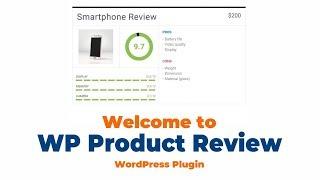
Welcome To Wp Product Review, The WordPress Plugin For Product Reviews
Added 147 Views / 0 LikesTurn your basic posts into in-depth reviews with ratings •, pros • and cons •, affiliate links •, rich snippets, and user reviews. Download WP Product Review here: https://bit.ly/2VBulGL This WordPress product review plugin helps you to interact with your users with improved comments, you can expose your reviews in an easier to read way and will help you generate money by adding a buy now button in your post. • Rich snippets are also supported. After









