WPBeginner
-
01:28 Popular

How to Record and Upload YouTube Videos Directly From WordPress
Added 140 Views / 0 LikesWe do not recommend uploading videos directly to your WordPress install. However, if you wanted to upload a video from WordPress to YouTube there is a way to do that. In this video, we will show you how to record and upload YouTube videos directly from WordPress. If you liked this video, then please Like and consider subscribing to our channel for more WordPress videos. Text version of this tutorial: http://www.wpbeginner.com/plugins/how-to-record-and
-
01:43 Popular
How to Recover a Lost Password in WordPress
Added 113 Views / 0 LikesForgot your password? Are you not sure how to recover your lost password to log back into your WordPress site? Everyone forgets their passwords every so often and we've helped thousands of people get back into their WordPress sites. In this video, we will show you the simple steps to recover a lost password in WordPress. Start by going to the login screen of your WordPress site. You can add the following to the end of your domain to normally get to th
-
07:09 Popular
How to Redirect Users after Successful Login in WordPress
Added 121 Views / 0 LikesAre you wanting to redirect users to a specific page after they log in to your WordPress site? Depending on the user's role WordPress normally sends them to the dashboard or their profile in the admin area. In this video, we'll cover two methods to redirect users after they successfully log in to WordPress. This video brought to you by WPForms, take a look at their site here: ================================= https://wpforms.com/ =====================
-
02:00 Popular
How to Redirect Users to a Random Post in WordPress
Added 112 Views / 0 LikesDo you want to show random posts on your WordPress site? Displaying the random posts gives your users a chance to view more of your content on your site that they normally may not have. In this video, we'll show you how you can easily redirect your users to a random post in WordPress. For this tutorial we will be using the plugin 'Redirect URL to Post' found here: https://wordpress.org/plugins/redirect-url-to-post/ With that plugin installed and activ
-
01:12 Popular

How to Regenerate Thumbnails or New Image Sizes in WordPress
Added 113 Views / 0 LikesWhen you upload an image to WordPress it generates different sizes and saves them in uploads. Many WordPress themes define new images sizes with but only for images uploaded after the theme was activated. In this video, we will show you how to regenerate thumbnails or new image sizes in WordPress. If you liked this video, then please Like and consider subscribing to our channel for more WordPress videos. Text version of this tutorial: http://www.wpbeg
-
06:09

How to Register a Domain Name (+ simple tip to get it for FREE)
Added 85 Views / 0 LikesAre you looking to start a blog or a new business and are needing a domain name, this is the guide you need. The first step in a new site is to find and register a good domain name for your users to find your site. In this guide, we'll show you how to register a domain name, step by step, including how to register a domain name for free. This video brought to you by SeedProd, the best WordPress landing page plugin available, take a look at their site
-
01:00 Popular

How to Remove NoFollow From WordPress Comments
Added 123 Views / 0 LikesText version of this tutorial: http://www.wpbeginner.com/wp-tutorials/how-to-remove-nofollow-from-wordpress-comments/ By default WordPress automatically adds a nofollow tag to all links in the comments. Recently one of our readers asked if it was possible to remove the nofollow from WordPress comments. In this video we will show you how to remove nofollow from WordPress comment links. If you liked this video, then please Like and consider subscribing
-
03:15 Popular

How to Remove Numbers from WordPress URLs
Added 141 Views / 0 LikesDid you ever encountered numbers like -2 or ?p=123 in your WordPress URLs? In this video, we will show you how to remove numbers from WordPress URLs. If you liked this video, then please Like and consider subscribing to our channel for more WordPress videos. Text version of this tutorial: http://www.wpbeginner.com/beginners-guide/how-to-remove-numbers-from-wordpress-urls/ Follow us on Twitter: http://twitter.com/wpbeginner Checkout our website for mor
-
03:50
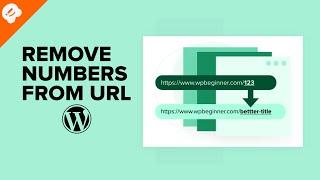
How to Remove Numbers from WordPress URLs (Step by Step)
Added 59 Views / 0 LikesDo you want to know how to get rid of numbers from WordPress blog posts and landing page URLs? WordPress offers different URL structures for your website, including post ID numbers, year, day, and post title. Having numeric URLs is not SEO friendly and provides a bad user experience. In this video, we will show you how to get rid of numbers from WordPress URLs. 0:00 Intro 0:14 Changing to Post name 0:57 Removing duplicate pages (even AFTER you trash t
-
06:37
How to Remove the Date from WordPress URLs
Added 88 Views / 0 LikesAre you wanting to remove the date from your WordPress URLs? WordPress has SEO friendly URL structures including ones that add dates to your WordPress post URLs. In this video, we'll show you how to easily remove the date from your WordPress URLs. This video is sponsored by MonsterInsights, a powerful plugin to help you use your analytics information to the fullest, take a look at MonsterInsights here: ================================= https://www.mon
-
04:19 Popular
How to Remove the Powered by WordPress Footer Links
Added 169 Views / 0 LikesDo you want to remove the Powered by WordPress link from your site's footer? We've had many questions about removing this from your site as it is normally added in most WordPress themes but what is involved in removing it or if you are allowed to remove it. In this video, we will show you how to remove the powered by WordPress footer links from your site. Many themes use the footer area to display the "Proudly powered by WordPress" link and it is lega
-
01:00 Popular
How to Remove the Remember Me Option from Your WordPress Login
Added 138 Views / 0 LikesThe remember me option for your WordPress login is a useful way for users not to need their passwords. This can however be a security risk if you use a public computer or network to do work on your blog. In this video, we will show you how to remove the remember me option from your WordPress login. If you liked this video, then please Like and consider subscribing to our channel for more WordPress videos. Text version of this tutorial: http://www.wpbe
-
02:46 Popular
How to Remove the Sidebar in WordPress
Added 137 Views / 0 LikesAre you looking to get rid of the sidebar from your WordPress site? The sidebar is the widget-ready area in your WordPress theme. We're here to help you get rid of that widget area on your site to help make your site look how you want. Text version of this tutorial: http://www.wpbeginner.com/wp-themes/how-to-remove-the-sidebar-in-wordpress If you liked this video, then please Like and consider subscribing to our channel for more WordPress videos. Chec
-
02:05 Popular
How to Remove Visual Editor Mode in WordPress
Added 136 Views / 0 LikesDo you want to remove the visual editor for WordPress? The visual editor is a WYSIWYG interface that WordPress offers for writing your posts and pages but some users are more comfortable writing in HTML in the text editor. In this video we will show you how to remove the visual editor in WordPress. Text version of this tutorial: http://www.wpbeginner.com/beginners-guide/how-to-remove-visual-editor-mode-in-wordpress/ If you liked this video, then pleas
-
01:22 Popular

How to Rename Images and Media Files in WordPress
Added 122 Views / 0 LikesSometimes you want to change an image file name after you have uploaded it to WordPress. WordPress allows you to change the labels but not directly the image file name.In this video, we will show you how to rename images and media files in WordPress. If you liked this video, then please Like and consider subscribing to our channel for more WordPress videos. Text version of this tutorial: http://www.wpbeginner.com/plugins/how-to-rename-images-and-media
-
05:17 Popular
How to Rename Images and Media Files in WordPress
Added 116 Views / 0 LikesAre you wanting to change the name of an image file after uploading it to WordPress? While WordPress allows you to change an image alt tag and caption, they don't give a built-in method to change the file name. In this video, we will show you how to easily rename images and media files in WordPress. This includes a method to replace images after renaming them on your computer. This video is sponsored by MonsterInsights, take a look at MonsterInsights
-
02:49 Popular
How to Rename the Uncategorized Category in WordPress
Added 109 Views / 0 LikesIf you have wanted to rename the uncategorized category in WordPress then luckily there are two easy ways to do so. There are two methods depending on how you are wanting to do it. In this video we will show you how to rename the uncategorized category in WordPress. Text version of this tutorial: http://www.wpbeginner.com/beginners-guide/rename-the-uncategorized-category/ If you liked this video, then please Like and consider subscribing to our channe
-
01:05

How to Replace ‘Enter Title Here’ Text in WordPress
Added 100 Views / 0 LikesWordPress shows 'Enter title here' as a placeholder text in the title field when you are creating a new post. This can be confusing for some custom post types. In this video, we will show you how to replace the 'Enter title here' text. If you liked this video, then please Like and consider subscribing to our channel for more WordPress videos. Text version of this tutorial: http://www.wpbeginner.com/wp-tutorials/how-to-replace-enter-title-here-text-in-
-
00:58 Popular

How to Require Featured Images for Posts in WordPress
Added 102 Views / 0 LikesIf you run a multi-author blog you may find there are a few errors such as a missing featured image. Through a plugin there is a way to make sure this is not one of your issues. In this video, we will show you how to require a featured image for posts in WordPress. If you liked this video, then please Like and consider subscribing to our channel for more WordPress videos. Text version of this tutorial: http://www.wpbeginner.com/plugins/require-feature
-
03:39 Popular
How to Reset a WordPress Password from phpMyAdmin
Added 176 Views / 0 LikesAre you trying to reset your password and not able to get in your site? Sometimes you don't have access to the email account that your user is set up with or your site is not correctly sending you the email. We've helped hundreds of users solve this issue and have created this video to help guide you on how to reset your WordPress password from phpMyAdmin. WordPress makes it easy to reset your password on the login page but can sometimes have an issue
-
01:14 Popular

How to Reset Passwords for All Users in WordPress
Added 139 Views / 0 LikesFor security of your site it is sometimes required to force a reset of passwords for all of your users. This could be due to being previously hacked or if you decide that you need to do housecleaning on old passwords your users are still using. In this article we will show you how to reset the password for all users in WordPress. Text version of this tutorial: http://www.wpbeginner.com/plugins/how-to-reset-passwords-for-all-users-in-wordpress If you l
-
02:02 Popular

How to Reset WordPress Admin Password on Localhost
Added 184 Views / 0 LikesIf you have a local install of wordpress and lose the password it can be quite difficult to reset hat password without knowing how. The main reason this is difficult is that most local installs do not have the option to reset by email due to how they are installed. In this video, we will show you how to reset the WordPress admin password on localhost. Text version of this tutorial: http://www.wpbeginner.com/wp-tutorials/how-to-reset-wordpress-admin-pa
-
00:54 Popular

How to Reset Your WordPress Database to Default Settings
Added 172 Views / 0 LikesYou may find yourself needing to reset your WordPress database to it's default settings. If you are using a local install of WordPress this can be a faster way than reinstalling WordPress. In this video, we will show you how to reset your WordPress database to default settings. If you liked this video, then please Like and consider subscribing to our channel for more WordPress videos. Text version of this tutorial: http://www.wpbeginner.com/plugins/ho
-
05:14 Popular
How to Reset Your WordPress Database to Default Settings
Added 151 Views / 0 LikesHave you found a need to reset your WordPress site to the default settings? We've had users reach out to us about needing to bring their WordPress site back to the settings of when it just started out. In this video, we will show you how to reset your WordPress database to the default settings. Are you looking for a popup solution for your site? OptinMonster has a powerful suite of tools for calls to action for your site. OptinMonster is running their
-
08:37

How to Restart a WordPress Site – Reset WordPress (The Fast Way!)
Added 63 Views / 0 LikesLooking to reset or restart your WordPress site? You are in the right place because in this video we not only show you how to reset your WordPress site in a flash but also run through backing up that site before we reset everything. In this video, we used the Advanced WordPress Reset plugin https://en-gb.wordpress.org/plugins/advanced-wp-reset/ Want to find out more about Updraftplus check out the site here https://updraftplus.com/ --Top Resources-- ⚡
-
04:39 Popular
How to Restart a WordPress Site – Reset WordPress The Fast Way
Added 101 Views / 0 LikesAre you wanting to reset your site back to the very basic WordPRess installation? This isn't a common need or something that needs to be done often but it is helpful to know how to do this. In this video, we'll show you how to restart a WordPress site the fast way. This video is sponsored by MonsterInsights, a powerful plugin to help you use your analytics information to the fullest, take a look at MonsterInsights here: ===============================
-
00:48 Popular

How to Restore the Missing Link Title Field in WordPress
Added 123 Views / 0 LikesIn WordPress 4.2 the link title field in the insert link section was replaced by the link text field. This is slightly disappointing for many users who feel the link title field is useful for SEO. In this video, we will show you how to restore the missing link title field in WordPress 4.2. If you liked this video, then please Like and consider subscribing to our channel for more WordPress videos. Text version of this tutorial: http://www.wpbeginner.co
-
01:00 Popular

How to Restrict Authors to Specific Category in WordPress
Added 152 Views / 0 LikesMulti-author sites requires great editorial workflow. If you have authors working on specific topics then you can limit them to only publish in that topic. In this video, we will show you how to restrict authors to a specific category. If you liked this video, then please Like and consider subscribing to our channel for more WordPress videos. Text version of this tutorial: http://www.wpbeginner.com/plugins/how-to-restrict-authors-specific-category-in-
-
00:58 Popular
How to Restrict Usernames in WordPress
Added 131 Views / 0 LikesIf you have ever dealt with a membership site you know there are always users who want to use an inappropriate username. Sometimes containing foul language or even trademark words. In this video, we will show you how to restrict usernames in WordPress. If you liked this video, then please Like and consider subscribing to our channel for more WordPress videos. Text version of this tutorial: http://www.wpbeginner.com/plugins/how-to-restrict-usernames-in
-
01:19 Popular
How to Restrict WordPress Site Access by IP or Logged In Users
Added 175 Views / 0 LikesWhen you are ready to publish a new product and want to promote it with a website. You may not be ready to make it public so you can test it for errors first. In this video, we will show you how to restrict WordPress site access by IP or logged in users. If you liked this video, then please Like and consider subscribing to our channel for more WordPress videos. Text version of this tutorial: http://www.wpbeginner.com/plugins/how-to-restrict-wordpress-









