Elementor Page Builder
-
19:27
#webcreators2021: Ronit Cyjon - Redesigning a Site for 8m+ Users
Added 55 Views / 0 LikesDesigning Elementor’s new website is any designer’s dream project. In this panel we will discuss how the Design team led this effort using a unique design process and rich design system, the balance between business goals and design freedom, together with the many challenges and successes along the way. #webcreators2021 had an iconic line up: Gary Vaynerchuk, Seth Godin, Swan Sit and Ronit Cyjon - digital thinkers and web dreamers, who shared big bran
-
45:43

#webcreators2021: Seth Godin - Must-Have Skills for Independent Creators
Added 59 Views / 0 LikesPeople think that making a living as a professional web creator involves things like full stack coding, a knowledge of CSS etc. Those are a GIVEN. What actually matters are the soft skills. Things like empathy, awareness of genre, resilience, etc. This is a talk about building a practice, a chance to move up within an organization or as a freelancer, by doing work that matters for people who care. #webcreators2021 had an iconic line up: Gary Vaynerchu
-
01:33
1 - Introduction and Course Outline
Added 79 Views / 0 LikesMeet the Educators who will walk you through the entire process of creating a professional portfolio website. This lesson will provide you with: • An overview of the site • An outline of what will be covered during this course.
-
02:56

10 - Building Your Portfolio Page
Added 74 Views / 0 LikesLearn how to design your portfolio page with Elementor In this lesson, you will learn how to: • Create an archive template • Use and style the portfolio widget • Adjust the query and filter options • Connect a page to the Posts page in WordPress
-
10:16 Popular
10 Tips for Creating a Successful YouTube Channel - Monday Masterclass
Added 162 Views / 0 LikesLearn our tricks for creating consistent videos that generate lots of traffic! YouTube is the best marketing channel for web designers, marketers and anyone in the digital industry. Many shy away from making videos - in this week’s Monday Masterclass, We’ll help you get past the worries and obstacles you may have, regarding starting your very own YouTube channel. You'll learn: •︎ Why is YouTube one of the best marketing channels •︎ What kind of gear y
-
04:22 Popular
100% Elementor Web Design Speed Art - Plus New Restaurant Template Set
Added 141 Views / 0 LikesIn this video, we design a complete restaurant page using Elementor's new Form features: https://elementor.com/restaurant-template-set/ This homepage features two of the new form fields recently added to Elementor, the time and date fields. These fields let you create customer reservation forms in minutes - See the relevant feature release: https://elementor.com/advanced-form-fields/ - Get the complete template set here: https://elementor.com/restaura
-
13:14
11 - Building Your About Me Page
Added 59 Views / 0 LikesLearn how to design your "About Me" Page with Elementor Pro widgets. In this lesson, you will learn how to: • Use and edit saved templates • Add Lottie animations to your site • Create a download button • Focus on using Elementor Pro widgets to design your page
-
09:04
12 - Building Your Contact Form Popup
Added 58 Views / 0 LikesLearn how to build and connect your contact form popup to the header. In this lesson, you will learn how to: • Create a Popup • Build and design a multi-step form • Add entrance and exit animations • Add actions after submit • Link a button to a popup
-
07:23 Popular
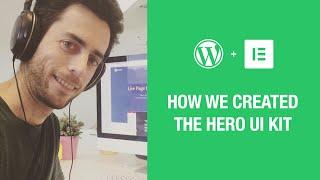
12 FREE Hero Image Examples & Inspiration
Added 108 Views / 0 LikesIn this tutorial we explain how we created 12 stunning hero image and headers, which can be used to create any WordPress page design. Follow us on Facebook: https://www.facebook.com/elemntor, and Twitter: https://twitter.com/elemntor Get the free UI kit By Downloading Elementor: https://elementor.com This kit has recently been added to the template library available for free download on Elementor page builder.
-
01:50
13 - Summary and Conclusions
Added 44 Views / 0 LikesCongratulations on completing this Elementor Pro Course! You are now ready to take it to the next level and explore Elementor's endless possibilities. But first, let's recap what we've learned in this course, and also check out how to use Elementor's Design System Features to update and apply changes globally across your site’s color palette and font styles.
-
02:38

2 - Portfolio Website Overview
Added 40 Views / 0 LikesIn this lesson, we'll go over the portfolio website built, and understand the basics of how it's made. This lesson will provide you with: • An overview of the website homepage • A closer look at all the different pages that make out the website
-
01:28 Popular
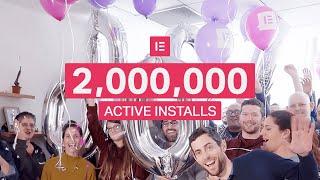
2 Million Active Installs!
Added 118 Views / 0 Likes2,000,000 active installs, what a milestone! Elementors from across the globe - I want to offer my sincere gratitude for being part of this great adventure. Check it out here: https://wordpress.org/plugins/elementor/ Get Elementor Pro: https://elementor.com/pro/
-
02:33

2020 We did it!
Added 39 Views / 0 Likes2020 - we did it! The world may have stopped, but web creators kept going. Before we trash it, take a quick journey with our web creator, Jonathan, through 2020. Then, drop a word below that sums up your year. Check out the full article: https://elementor.com/blog/year-in-review-2020/
-
02:28
3 - Getting Started with Elementor Pro
Added 49 Views / 0 LikesLearn how to set up Hello Theme, and Use the Elementor Theme Builder. In this lesson, you will learn how to: • Install and activate the Hello Theme • Use the Theme Builder to create and manage your site parts
-
09:47 Popular

3 Reasons to Choose Theme Builder Over Themes - Monday Masterclass
Added 115 Views / 0 LikesIn this Monday MasterClass, we examine the advantages of the Elementor Theme Builder and ways that we use it to design and build websites far beyond the limitations of themes in WordPress. This episode covers a lot of valuable web-building information for all levels looking to learn: The difference between Themes and Templates in WordPress How to create headers, single pages and other website elements with Theme Builder How designs built using Theme B
-
00:51

3 Tips for Mobile Responsive Design #shorts
Added 64 Views / 0 LikesNozomi shares three tips for mobile responsive design. 🔔 Subscribe to our channel!🔔 https://www.youtube.com/c/Elementor?sub_confirmation=1 Get Elementor: https://elementor.com Get Elementor Pro: https://elementor.com/pro For more tutorials on this topic: https://elementor.com/academy See Also: Responsive 101: https://youtu.be/EqFxeluk4U4 Optimization: https://elemn.to/optimizationcourse #shorts #elementor #elementorpro #mobile #responsivedesign #mobil
-
45:55

3.13 Beta: First Look (Live Walkthrough)
Added 80 Views / 0 LikesJoin Ashley Whitehair as he takes a first look at the new 3.13 beta edition of Elementor and Elementor Pro. These new versions include: 🤖 Elementor AI (includes a free trial) 📦 Container - CSS Grid (First phrase) 🎨 [Pro] New Styling Capabilities in the Menu Widget 🛠️ Editor UI Revamp - Experiment: Top Bar Updates 📚 [Pro] Post Excerpt widget - New Excerpt Source 🧩 [Pro] Install Elementor Pro with Composer ⚡ Performance Improvements ♿ Accessibility Impr
-
51:05 Popular

3.14 Beta: First Look (Live Walkthrough) with Ashley Whitehair
Added 102 Views / 0 LikesJoin me as I take a first look at the new 3.14 beta edition of Elementor and Elementor Pro. These new versions include: ✅ [Pro] New Carousel Widget for Nesting Elements ✅ [Pro] Loop Grid - Static Item Position ✅ [Pro] Important - Loop Carousel HTML Changes in Pagination and Navigation ✅ Global Styles Preview ✅ Elementor UI and UX Improvements ✅ More Styling Options in Various Widgets ✅ Performance & Accessibility Improvements If you would like learn m
-
11:12
4 - Building the Header, Footer and Design System
Added 59 Views / 0 LikesLearn how to set up a header and footer, and use the Elementor site settings. In this lesson, you will learn how to: • Create a website header with a site logo and navigation menu • Use custom positioning to align elements • Create a website footer • Use social icons • Add display conditions to your site parts • Use global styles to establish a design system
-
04:51
5 - Elementor Overview
Added 57 Views / 0 LikesGet to know the essentials of working with the Elementor Editor. In this lesson, you will learn how to: • Use the Elementor Editor interface to design your website • Get familiar with the basic page structure • Navigate the Elementor panels to manage your site’s settings
-
07:24
![5 Inspirational Examples For Using Nested Tabs [Advanced]](https://video.bestwebhosting.co/uploads/thumbs/c40779f75-1.jpg)
5 Inspirational Examples For Using Nested Tabs [Advanced]
Added 48 Views / 0 Likes👋🏼 Help us improve by answering this short survey: http://elemn.to/survey-time In this video, we'll show you how to organize your website content and make it easy for users to find what they're looking for using Elementor's nested tabs feature. Say goodbye to cluttered and confusing websites and hello to a streamlined and user-friendly browsing experience. Don’t forget to subscribe to our channel! Get Elementor: https://elementor.com Get Elementor Pro
-
06:25

6 - Building Your Homepage
Added 54 Views / 0 LikesLearn how to build a home page with Elementor. In this lesson, you will learn how to: • Set a default width for your website • Add and style widgets to build your home page • Use the slides widget • Integrate Adobe Fonts with Elementor • Set a page to display as the home page
-
04:26
7 - Optimizing Your Website for Mobile Devices
Added 83 Views / 0 LikesLearn how to optimize your website for mobile devices. In this lesson, you will learn how to: • Create responsive layouts for your home page, header, and footer • Save templates
-
05:24

7 Important Benefits of Using WordPress To Build Your Website
Added 65 Views / 0 LikesIn this video, we'll cover the benefits of using WordPress to create your website. From content management to SEO to ownership to flexibility, we’ll review some of the most important reasons you should consider using WordPress for your website. Don’t forget to subscribe to our channel! Get Elementor: https://elementor.com Get Elementor Pro: https://elementor.com/pro Get Elementor Cloud WordPress Website: https://elementor.com/features/cloud See Also:
-
07:27
8 - Building a Template for Your Projects
Added 57 Views / 0 LikesLearn how to build a dynamic template for your project posts. In this lesson, you will learn how to: • Create a single post template • Add dynamic content • Create an anchor • Add posts to your site • Add post navigation
-
09:08
9 - Designing Your Posts with Elementor
Added 66 Views / 0 LikesLearn how to design your WordPress posts with Elementor. In this lesson, you will learn how to: • Add categories, featured images, and excerpts to your posts • Edit and design your posts with Elementor • Use the Pro Gallery widget
-
22:01
90:SEC Live Show! Episode #2
Added 45 Views / 0 Likes#90:SEC #Elementor Join episode #2 of the 90:SEC Live Show! This live event puts YOU in the spotlight. You will ask your questions in the live chat. Make sure they are Elementor “how-to” related. So we can show you how things are done. Our Expert has 90 seconds to solve them. When the time is up, you get to decide whether or not to continue to the next question. So, get your questions ready, and let’s get this show on the road! And that's not all, one
-
25:06
90:SEC Live Show! Episode #3
Added 47 Views / 0 Likes#90:SEC #Elementor Join episode #3 of the 90:SEC Live Show! This live event puts YOU in the spotlight. You will ask your questions in the live chat. Make sure they are Elementor “how-to” related. So we can show you how things are done. Our Expert has 90 seconds to solve them. When the time is up, you get to decide whether or not to continue to the next question. So, get your questions ready, and let’s get this show on the road! And that's not all, one
-
23:11
90:SEC Live Show! Episode #4
Added 77 Views / 0 Likes#90:SEC #Elementor 👋🏼 Help us improve by answering this short survey: https://www.research.net/r/3877XXT Join episode #4 of the 90:SEC Live Show! This live event puts YOU in the spotlight. You will ask your questions in the live chat. Make sure they are Elementor “how-to” related. So we can show you how things are done. Our Expert has 90 seconds to solve them. When the time is up, you get to decide whether or not to continue to the next question. So,
-
26:15
90:SEC Live Show! Episode #5
Added 61 Views / 0 Likes#90:SEC #Elementor 👋🏼 Help us improve by answering this short survey: https://www.research.net/r/3877XXT Join episode #5 of the 90:SEC Live Show! This live event puts YOU in the spotlight. You will ask your questions in the live chat. Make sure they are Elementor “how-to” related. So we can show you how things are done. Our Expert has 90 seconds to solve them. When the time is up, you get to decide whether or not to continue to the next question. So,









