Elegant Themes
-
03:25 Popular

9 Non-Profit Child Themes for Divi
Added 141 Views / 0 LikesIn today’s video, we're going to check out 9 non-profit Divi child themes. Blog post: https://www.elegantthemes.com/blog/resources/non-profit-child-themes-for-divi Like us on Facebook: https://www.facebook.com/elegantthemes/
-
03:24 Popular

What’s the Difference Between Web Hosting and Domain Hosting?
Added 141 Views / 0 LikesIn today’s video, we're going to learn the difference between web hosting and domain hosting. Blog post: https://www.elegantthemes.com/blog/wordpress/whats-the-difference-between-web-hosting-and-domain-hosting Like us on Facebook: https://www.facebook.com/elegantthemes/
-
22:10 Popular
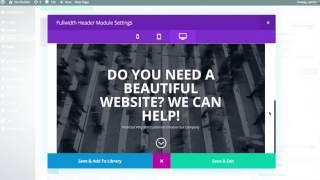
Using The Divi Leads Split Testing
Added 140 Views / 0 Likeshttp://www.elegantthemes.com/gallery/divi/documentation/divi-leads/
-
34:12 Popular

The Benefits of Freelancing for Design Agencies with Amber Weinberg - Divi Nation, Episode 19
Added 140 Views / 0 LikesIn this episode of Divi Nation our host Nathan B. Weller sits down with freelance WordPress front-end developer Amber Weinberg to talk about the benefits of freelancing for design agencies. Read the accompanying blog post: http://goo.gl/JWIBJs Subscribe to our YouTube Channel: https://goo.gl/oxCa4h Subscribe to Divi Nation on iTunes: https://goo.gl/w8fccT Subscribe to Divi Nation via RSS: http://goo.gl/vz04Vc Get Divi Nation on Facebook: https://goo.g
-
09:05 Popular
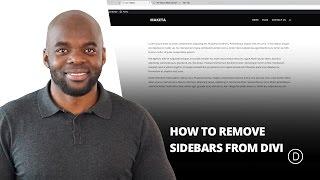
How To Remove Sidebars From Divi
Added 140 Views / 0 LikesRemoving the Sidebar from Divi’s default page template can easily be done when you are using the Divi Builder. However, since the default template still shows on pages like 404’s and archives, you may want to take out the sidebar from you template altogether. Read more: https://www.elegantthemes.com/blog/divi-resources/how-to-remove-sidebars-from-divi
-
37:00 Popular

Learn Divi Deeply with Jason Champagne - The Divi Nation Podcast, Episode 38
Added 140 Views / 0 LikesIn today’s episode of Divi Nation guest Jason Champagne and I trade tips on how we have learned Divi and approach solving design and development problems with the Divi theme. This topic should be something that all of our power users and DIY folks can really benefit from. And if you’re watching or listening wondering how you can become one of the Divi experts or authorities you see around you, this is the episode to pay attention to. View episode on t
-
30:56 Popular

Meet Elegant Themes' New Staff Photographer Joy Boseva - The Divi Nation Podcast, Episode 59
Added 140 Views / 0 LikesIn this episode of Divi Nation we get to meet Elegant Themes' new staff photographer Joy Boseva. We learn about her multi-discipled creative past, passion for photography, the artistic principles that have seen her through her career so far, and we even start to share some of the work she's doing as part of our design team. All that and more in today's episode of Divi Nation. View it on the blog: https://www.elegantthemes.com/blog/divi-resources/meet-
-
04:33 Popular
How To Create A New Project In Divi
Added 140 Views / 0 LikesDivi makes building a project fun and easy. A ‘Projects’ menu item has been added right inside of your Admin Panel so you can create projects as if you were creating a Post or Page. You also have the option to use the basic project structure, or to use the builder to create truly amazing project layouts. View full documentation: https://www.elegantthemes.com/documentation/divi/projects-divi/
-
10:46 Popular
Countdown Timer Module
Added 140 Views / 0 LikesThe Countdown Timer module creates a visual timer that counts down to a specific date. This is great for creating a "coming soon" page to builds anticipation for a new product or service. When combined with a "blank page," this can also be used as a great "coming soon" landing page/maintenance mode page. It is important to be able to let your visitors know when something is going to be launched or an event is going to occur. Simply set the date and ti
-
36:40 Popular
Divi Feature Update LIVE | Introducing Shape Dividers For Divi Sections
Added 140 Views / 0 LikesThe demonstration starts at 2:48 Today we are excited to introduce Shape Dividers to Divi, a brand new option that gives you the ability to add custom shapes and effects to your pages, creating dynamic transitions between blocks of content and adding that extra bit of personal flair to your website. Shape Dividers can be placed above and below each section on your website, allowing you to easily build stunning transition effects between different part
-
02:13 Popular

Divi Feature Sneak Peek: Drag & Drop Files
Added 140 Views / 0 LikesToday we are excited to share with you that work is underway to bring an awesome new drag and drop file uploading system to Divi. Allowing you to add images, videos, galleries, text, code and even full layouts to your website by simply dragging those files onto the page you’re working on in the visual builder. See the whole announcement blog post here: https://www.elegantthemes.com/blog/theme-sneak-peeks/divi-feature-sneak-peek-drag-drop-files Get a D
-
14:42 Popular
How to Replace the Primary Menu Bar with Divi’s Fullwidth Menu Module
Added 140 Views / 0 LikesThe primary menu bar makes navigating for visitors seamless. Apart from the default primary menu bar we're used to in WordPress, you've probably come across the Fullwidth Menu Module that Divi offers as well. Usually, it is used to display other menus on your website that are different from the primary menu you have at the top of each page. But you can also easily use the Fullwidth Menu Module to replace your primary menu bar. This gives you the freed
-
02:59 Popular

How To Restrict Access To Areas Of Your WordPress Website
Added 140 Views / 0 LikesIn today’s video we take a look at how to restrict access to areas of your WordPress website. Blog post: https://www.elegantthemes.com/blog/tips-tricks/how-to-restrict-access-to-areas-of-your-wordpress-website Like us on Facebook: https://www.facebook.com/elegantthemes/
-
02:07 Popular

How to Install WordPress Locally on Your Computer using WAMP
Added 140 Views / 0 LikesIn today’s video we take a look at how to install WordPress locally on your computer using WAMP. Blog post: https://www.elegantthemes.com/blog/wordpress/how-to-install-wordpress#wamp Like us on Facebook: https://www.facebook.com/elegantthemes/
-
02:58 Popular

Introducing The New Divi Builder Experience!
Added 140 Views / 0 LikesLearn More Here: https://www.elegantthemes.com/blog/theme-releases/introducing-the-new-divi-builder-experience Today we are extremely excited to release the brand new Divi Builder experience within the WordPress post editor. This new experience replaces the classic Divi Builder, enhancing the interface in countless ways and enabling tons of new features that were previously only available in the Visual Builder. This update brings the power of the Visu
-
05:18 Popular

The 15 Best Webinar Software Products
Added 140 Views / 0 LikesIn today’s video we take a look at the 15 best webinar software products available. Blog post: https://www.elegantthemes.com/blog/resources/the-15-best-webinar-software-products-from-around-the-web Like us on Facebook: https://www.facebook.com/elegantthemes/
-
01:08 Popular

How to Create a Custom WordPress Login URL
Added 140 Views / 0 LikesIn today’s video we take a look at how to create a custom WordPress login URL. Blog post: https://www.elegantthemes.com/blog/tips-tricks/how-to-create-a-custom-wordpress-login-url Like us on Facebook: https://www.facebook.com/elegantthemes/
-
08:20 Popular

How to Use Gradient Backgrounds as Background Image Masks with Divi
Added 140 Views / 0 LikesIf you’re familiar with image editing software, such as Photoshop, you’re probably familiar with masks as well. Masks help you bring two layers together and create a unique outcome. With Divi, you can get creative and create your own kind of masks inside your pages using gradient backgrounds in combination with background images. In this tutorial, we’ll show you step by step how to create 8 different background masks for any kind of design you’re work
-
43:26 Popular
Divi Feature Update LIVE - Responsive + Hover Editing For Divi
Added 140 Views / 0 LikesMultistreaming with https://restream.io/ We are excited to introduce Responsive Content and Hover Content to Divi, including native SRCSET support for responsive images. This update allows you to serve different content to visitors based on which device they are using to browse your website, giving you even more fine-tuned control over your responsive designs. Responsive editing is now available for all Divi module content settings. This feature also
-
01:01 Popular

The Divi Summer Sale Has Arrived!
Added 140 Views / 0 LikesAccess The Deal Here: https://www.elegantthemes.com/discount/summer-2019/ Once per year, and for a short time, we have our Divi Summer Sale where we double our normal discount and give customers access to the best deal of the year so far. Divi is already such an amazing value when you consider just how powerful it is, and that we don’t restrict website usage, which means you can build unlimited websites for you and your customers. Combined with the Di
-
12:50 Popular
Labeling Image Corners in a Stunning Gallery Grid with Divi
Added 140 Views / 0 LikesLooking for a unique and beautiful way to display images in a gallery on your website? If so, we’re sure you’ll love this post. We’re going to show you how to cut off image corners with Text Modules as part of a beautiful design that remains 100% responsive across all screen sizes. This is a great way to add numbered labels to your images while maintaining an awesome design. You’ll be able to download the JSON file of the design example for free as we
-
05:03 Popular

Exclusive Divi Black Friday Gift #1: A Stunning Landing Page Layout Pack
Added 140 Views / 0 LikesWant this free gift? Shop our Black Friday Deal here: https://www.elegantthemes.com/blackfriday Everyone who purchases a new Elegant Themes Membership or who upgrades their existing Membership will gain access to this free gift in the members area of their new account. Current Lifetime Members can access it right now! Simply go to the new Black Friday Perks page in your members area: https://www.elegantthemes.com/members-area/perks/ Like us on Faceboo
-
12:23 Popular
How To Use Split Testing In Bloom
Added 139 Views / 0 Likeshttp://www.elegantthemes.com/plugins/bloom/ is the best WordPress Email Opt-In Plugin, created by Elegant Themes. Swing by http://www.elegantthemes.com to download it!
-
02:27 Popular

Monarch Social Sharing Plugin For WordPress
Added 139 Views / 0 LikesMonarch is a better social sharing plugin for WordPress built by the team at Elegant Themes. Check it out at http://www.elegantthemes.com/plugins/monarch/
-
17:47 Popular

Developer Thierry Muller on Divi 3.0, Quality Code & WordPress Community - Divi Nation, Ep. 25
Added 139 Views / 0 LikesIn this episode of Divi Nation our host Nathan B. Weller talks with our own Elegant Themes developer Thierry Muller. This is the first interview in a series of internal conversations with the members of the Elegant Themes team bringing you Divi 3.0. We hope you enjoy meeting Thierry and that his story gives you new perspective on who we are as a team and what's in store for the Divi Community in the future. View On Our Blog: http://goo.gl/dcjyPV Subsc
-
05:56 Popular
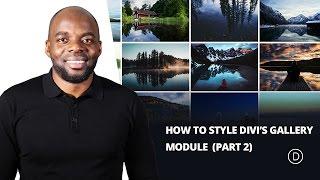
Using the Divi Gallery Module to Create a Tiled Gallery with Custom Padding
Added 139 Views / 0 LikesIn this quick tip, we’re going to create a tight-tiled gallery look with custom padding to add a little white space between each image. Several of my clients spanning across multiple industries seem to LOVE this layout so I’m excited to share it with you! Here is the link to the post: https://www.elegantthemes.com/blog/divi-resources/using-the-divi-gallery-module-to-create-a-tiled-gallery-with-custom-padding
-
07:48 Popular
How to Create a Themed Three Column “Heavy Metal” Audio Section with Divi’s Audio Module
Added 139 Views / 0 LikesToday, we are going to be designing a tri-part audio module that includes space for an audio player, a short bio, and a call-to-action button--in case you want to direct visitors to i-Tunes or Google Play to download your latest hits. Read the blog post and get the code here: https://www.elegantthemes.com/blog/divi-resources/how-to-create-a-themed-three-column-audio-section-with-divis-audio-module
-
07:01 Popular
"Tints n’ Shades": A Divi Audio Module Design Exercise
Added 139 Views / 0 LikesToday, we are going to be creating split-screen design: one side will hold the audio module, while the other side will house a testimonial module, where you can share critical praise of your work. The name of the design--Tints n’ Shades--comes from the subtle contrast we will create using simple opacity settings. Here is the link to the post: https://www.elegantthemes.com/blog/divi-resources/tints-n-shades-a-divi-audio-module-design-exercise