Elegant Themes
-
38:52 Popular

Divi feature update LIVE | Introducing Brand New Text Shadow Options For All Modules
Added 139 Views / 0 LikesToday we are excited to add even more design customizability to Divi with our brand new Text Shadow options that make it incredibly easy to add stunning shadow to any Divi module and to customize those shadows using a simple visual interface.
-
03:45 Popular
Download a Free & Impressive Design Agency Layout Pack for Divi
Added 125 Views / 0 LikesThe free layout pack that we'll be sharing with you today is one that many of you have been waiting for. We're giving you a taste of what your next great design agency website could look like by providing you with a layout pack that has authentic 9 unique pages and high-quality images along with some of Divi's finest design combinations. Get the download here: https://www.elegantthemes.com/blog/divi-resources/download-a-free-impressive-design-agency-l
-
24:55 Popular

How to Create a Scrolling Fashion Catalogue with Divi
Added 110 Views / 0 LikesIn this post, we’ll be showing you how you can create a scrolling fashion catalogue. Using this method will help you connect with your audience as you would by handing them a paper catalogue. Creating an online scrolling fashion catalogue may help increase the results you get from the catalogue. By including direct links to shop items, for example, the buying process will be enhanced as well. Read article: https://www.elegantthemes.com/blog/divi-resou
-
01:54 Popular

Divi Feature Update! Introducing Brand New Text Shadow Options For All Modules
Added 114 Views / 0 LikesLearn more here: https://www.elegantthemes.com/blog/theme-releases/divi-text-shadows Today we are excited to add even more design customizability to Divi with our brand new Text Shadows options that make it incredibly easy to add stunning shadow to any Divi module and to customize those shadows using a simple visual interface. Adding great text shadows to your page is super simple thanks to our shadow presets that can be applied to any text element wi
-
08:31 Popular
How to Create Irregularly Shaped Section Transitions with Divi
Added 135 Views / 0 LikesOne of the best ways to boost the design of your website is by using different section transitions. In a previous post, we’ve shown you how you can do that using the Divi built-in options only. However, if you’re looking to create something a little bit more advanced or personalized, you can create irregularly shaped section transitions as well. Because of their complexity, the best way to approach this is by using images with a transparent border. Re
-
1:01:05 Popular
How to Turn Divi's LMS Layout Pack into a Functioning eCourse Website
Added 123 Views / 0 LikesToday I’ll be showing you how to download, install, and setup a brand new functioning Learning Management or E-Course website using the new Divi Learning Management (LMS) Layout Pack. You can download this layout pack and all of the high resolution images used in the layout for FREE, right now, from our website. Get Layout Pack: https://www.elegantthemes.com/blog/divi-resources/download-a-free-breathtaking-learning-management-lms-layout-pack-for-divi
-
15:05 Popular
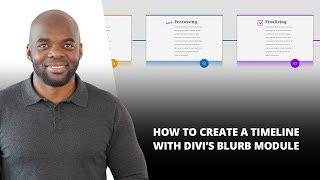
How to Create a Timeline with Divi’s Blurb Module
Added 130 Views / 0 LikesIn this post, we’ll be showing you how you can easily create a simple yet elegant timeline with Divi’s your Blurb Modules. We’ll be combining the different options that modules and rows provide to achieve the result you can view below. The example we’ll be sharing is based on the built-in Divi options only, which means you won’t need to add any additional CSS code! We’re also making sure that it looks good on the desktop as well as on mobile. Read mor
-
40:39 Popular

How to Use Divi's New Font Features
Added 114 Views / 0 LikesIn this live video recording our Divi video tutorial specialist Augustine Mak shows us how to use the new font features from Divi's latest update. For full details on the Divi Release: https://www.elegantthemes.com/blog/theme-releases/divi-font-options-update
-
05:16

Download a Free Breathtaking Learning Management (LMS) Layout Pack for Divi
Added 83 Views / 0 LikesThinking about teaching a course online? Need an upgrade for your current e-course site? This 9 page layout will give you the headstart you need in just a few minutes. And don't forget, this offer includes all those beautiful graphics, icons, and images as a free download as well! Get the download here: https://www.elegantthemes.com/blog/divi-resources/download-a-free-breathtaking-learning-management-lms-layout-pack-for-divi
-
24:46 Popular

How to Create Section Chapters Using Divi’s New Design Options
Added 124 Views / 0 LikesIn today’s Divi tutorial, we’ll be showing you how you can create stunning section chapters for your website. These chapters serve as a guideline for your visitors. It’ll show them when they are entering another section of a page. Usually, chapters are used in combination with one specific background color throughout all of the sections. If you are considering using section chapters on your website, this post might be a nice place to get some inspirat
-
18:55

How to Use Divi’s New Animation Effects Part 6
Added 83 Views / 0 LikesWelcome to part 6 of this 6 part series that will teach you how use Divi’s new Animation options to design awesome page sections. I’m going to be walking you through how to build the different sections of our live demo page in order to show you techniques for adding animations to your website. The Animation features truly are fun and easy to use. And with the Visual Builder, you can see your creation come to life every stage of the way. Come and join
-
02:52 Popular

Divi Feature Update! Huge Font Options Overhaul, Better Heading Controls and Countless More Text Opt
Added 164 Views / 0 LikesLearn more here: https://www.elegantthemes.com/blog/theme-releases/divi-font-options-update We have an amazing Divi update for you today, filled with so many of the features you have been requesting, and so much more too. Today we are launching our brand new font options interface, filled with 600 new fonts, improved font management, custom font uploading, new font styles, better font weight controls, fine tuned heading style management, heading level
-
1:01:31 Popular

Divi Business Layout Pack - Virtual Assistant Use Case
Added 134 Views / 0 LikesToday I’ll be showing you how to download, install, and setup a brand new functioning Virtual Assistant website using the new Divi Business Layout Pack. You can download this layout pack and all of the high resolution images used in the layout for FREE, right now, from our website. https://www.elegantthemes.com/blog/divi-resources/download-an-amazing-free-divi-business-layout-pack
-
12:04

How to Use Divi’s New Animation Effects Part 5
Added 82 Views / 0 LikesWelcome to part 5 of this 6 part series that will teach you how to use Divi’s new Animation options to design awesome page sections. I’m going to be walking you through how to build the different sections of our live demo page in order to show you techniques for adding animations to your website. Today, we are going to be building Section 7 of our animation demo page which is a perfect example for how to use the roll animation effect to add life-like
-
05:00 Popular

Download An Amazing (Free) Divi Business Layout Pack
Added 135 Views / 0 LikesHey Divi Nation, thanks for joining us for the next installment of our weekly Divi Design Initiative; where each week, we give away a brand new, free Divi Layout Pack from our design team to you. This week Kenny and the design team have created a stunning Business Layout Pack with seven different pages that provide you with everything you need to get a professional business website up and running in just a few clicks. Download the layout pack here: ht
-
34:28 Popular

Becoming a Divi Powered Digital Nomad with Noelle Steegs– The Divi Nation Podcast, Episode 64
Added 143 Views / 0 LikesIn this episode I interview Noelle Steegs of noellesteegs.com. Noelle is a freelance web designer living the Digital Nomad lifestyle. In fact, when I caught up with her earlier this week she was out in the African bush using her iPad to join me on Skype. Which, if you ask me, is pretty cool. We’ve had some folks on the show before who have taken their life and businesses on the road in RV’s or vans or campers, but I don’t think we’ve ever talked to so
-
18:02
How to Use Divi’s New Animation Effects Part 4
Added 79 Views / 0 LikesWelcome to part 4 of this 6 part series that will teach you how use Divi’s new Animation options to design awesome page sections. I’m going to be walking you through how to build the different sections of our live demo page in order to show you techniques for adding animations to your website. The Animation features truly are fun and easy to use. And with the Visual Builder, you can see your creation come to life every stage of the way. Come and join
-
10:17 Popular
The Divi Image Module
Added 120 Views / 0 LikesDivi makes it easy to add images anywhere on the page. All images support lazy-loading, and come with 4 different animation styles that make browsing your website fun and engaging. Image modules can be placed in any column that you create, and their size will be adjusted to fit. View full documentation here: https://www.elegantthemes.com/documentation/divi/image/
-
12:23 Popular
The Divi Fullwidth Portfolio Module
Added 111 Views / 0 LikesThe Fullwidth Portfolio module works just like the normal Portfolio module, except that it displays your project in a beautiful Fullwdth fashion. It also comes with some unique new layouts: Grid & Carousel. The module works by displays a list of your most recent Projects, and can be used by designers and artists that want to display a gallery of their most recent work. View full documentation here: https://www.elegantthemes.com/documentation/divi/full
-
09:30 Popular

The Divi Fullwidth Menu Module
Added 121 Views / 0 LikesThe Fullwidth Menu module lets you place a navigation menu anywhere on the page. This could be used to add a secondard menu down the page, or it could be used in conjunction with the Blank Page feature to move your main navigation down the page. For example, you could move your menu down below your first section to greet people with a large splash image. This essentially allow your header navigation to move around the page usig the builder! View full
-
12:25 Popular
The Divi Fullwidth Map Module
Added 110 Views / 0 LikesThe maps modules makes it easy to embed custom Google Maps anywhere on your page. You can even add unlimited pins to the map, and define a custom viewport starting location. The maps modules also comes in a Normal Width format, so be sure to check that out as well! View full documentation here: https://www.elegantthemes.com/documentation/divi/fullwidth-map/
-
14:35 Popular
The Divi Fullwidth Header Module
Added 127 Views / 0 LikesThe fullwidth header module makes it easy to add beautiful, colorful headers to the top of your pages (or anywhere on your page, if you so chose). These modules can only be placed within full width sections. View full documentation here: https://www.elegantthemes.com/documentation/divi/fullwidth-header-new/
-
13:28 Popular
The Divi Filterable Portfolio Module
Added 126 Views / 0 LikesThe Filterable Portfolio allows you to display your most recent projects in either a Grid or Standard fashion. The filterable portfolio looks just like the normal portfolio module, except that it loads new projects using an Ajax request, and it includes options to filter the project list by categories. When a particular category is selected, the list of projects is instantly regenerated with a new list of projects from the selected category. View full
-
10:50 Popular
The Divi Email Optin Module
Added 104 Views / 0 LikesGrowing your mailing list is easy using Divi’s newsletter signup module. This module supports MailChimp, Aweber and Feedburner integration. View full documentation here: https://www.elegantthemes.com/documentation/divi/newsletter/
-
08:18 Popular
The Divi Divider Module
Added 127 Views / 0 LikesThe divider module is perfect for creating either a horizontal line rule, custom vertical spacing, or both. Using this element is great for adding structure and organization to your site. View full documentation here: https://www.elegantthemes.com/documentation/divi/divider/
-
28:00 Popular
The Divi Contact Form Module
Added 128 Views / 0 LikesCommunication is the cornerstone of any business. With Divi, you can easily add contact forms to any part of your website. View full documentation here: https://www.elegantthemes.com/documentation/divi/contact/
-
10:45 Popular

The Divi Comments Module
Added 107 Views / 0 LikesThe comments module allows you to place a comment form anywhere on your page. If you are using a standard page or post without the Divi Builder, comments will always appear below your post content. Once the Divi Builder is enabled, however, you can place the comments module anywhere on your page and the comments form will appear in the location of the module. This gives you a lot more control over your comments! View the full documentation here: https
-
05:34 Popular
The Divi Code Module
Added 126 Views / 0 LikesThe Code Module is a blank canvas that allows you to add code to your page, such as plugin shortcodes or static HTML. If you would like to use a third party plugin, for example a third party slider plugin, you can simply place the plugin's shortcode into a standard or fullwidth code module to display the item unimpeded. View full documentation here: https://www.elegantthemes.com/documentation/divi/code/
-
10:38 Popular

The Divi Circle Counter Module
Added 123 Views / 0 LikesThe circle counter provides you with a beautiful and visually-compelling way to display a single statistic. As you scroll down, the number counts up and the circle graph fills to the percentage based location. Try combining multiple circle counter modules on a single page to give your visitors a fun way to learn about your company or your personal skills. View full documentation here: https://www.elegantthemes.com/documentation/divi/circle-counter/
-
14:30 Popular
The Divi Call To Action Module
Added 137 Views / 0 LikesIt’s always important to give your visitors a clear call to action. Whether you are trying to get them to purchase your product or contact you for a quote, the call-to-action module will get the clicks you need. The CTA module is a simple combination of a title, body text and a button. When combined with a vibrant background color, a CTA can easily catch your visitor’s eye. View full documentation here: https://www.elegantthemes.com/documentation/divi









