Wix.com
-
10:54
Lesson 5: Use Location API | Coding with Velo: Frontend
Added 68 Views / 0 LikesIn this lesson, you'll learn about Velo frontend APIs, specifically wixLocation, which allows you to get information about your URL and helps you navigate to new URLs across the web. Timestamps: 00:00 Intro 00:47 Importing wixLocation to the top of the frontend page 01:07 Navigating to a new page with a button 02:34 Adding an onClick function 04:20 Checking the published version 07:17 Capturing the input value There’s more where this came from. Watch
-
1:01:33
How to Make Your First 10 Online Sales | Wix.com
Added 67 Views / 0 LikesIn this live session, you’ll learn how to start building sales momentum. This is one session in an ongoing series of free eCommerce courses from Wix. Learn everything you need to know about running your eCommerce business from the insiders who built the platform and the merchants who run their businesses on it. Learn more about Wix eCommerce School: https://www.wix.com/ecommerce/school About Wix eCommerce: The Wix eCommerce platform provides businesse
-
03:18

Wix eCommerce | How to Sell Subscription Boxes and Recurring Products
Added 67 Views / 0 LikesIn this video, you'll learn how to sell subscription boxes and recurring products on your Wix online store. Find out how to add a subscription to your online store, customize your subscription product page, and fulfill and manage recurring orders. Sell Subscription Boxes on Your Online Store https://www.wix.com/ecommerce/sell/subscription-boxes About Wix eCommerce: The Wix eCommerce platform provides businesses with all the professional tools and serv
-
03:59

How to Collect & Display User-Generated Content on Your Website | Velo by Wix
Added 67 Views / 0 LikesTo learn more visit: https://www.wix.com/velo?utm_campaign=bd_youtube_velo Watch how you can collect and display user-generated content as comments on your website. In this video, you’ll learn how to create a database to store and manage visitor comments. Then, add user input elements to collect visitor reviews and a repeater element to display them. Finally, see how your repeater automatically updates with visitor reviews, displaying content from you
-
12:42
How to Create an Admin Page to Manage Booking Requests (Part 2/2) | Velo by Wix
Added 67 Views / 0 LikesTo learn more visit: https://www.wix.com/velo?utm_campaign=bd_youtube_velo Learn how to use the Wix Bookings API to create your own admin page, so you can manage all your booking requests. You’ll use two repeaters to view, approve or dismiss booking requests—one for all your pending requests and the other for dismissed requests. Each repeater will be connected to its own dataset with different filter values. This ensures each dataset retrieves only th
-
03:53

Lesson 7: Run programs and challenges | Build your fitness business online
Added 67 Views / 0 LikesIn this lesson, you’ll learn how to combine videos into engaging challenges that will motivate your clients to move. We’ll also cover the privacy levels and pricing options of programs and challenges. Timestamps: 00:00 Intro 00:39 Choosing a challenge 01:43 Setting up your challenge 02:49 Setting the privacy level 03:14 Selecting challenge pricing 03:30 Adding a group to a challenge There’s more where this came from. Watch the full course here: https:
-
02:39

Lesson 6: Filter and Sort Your Content | Get Started with the Content Manager
Added 67 Views / 0 LikesIn this lesson, you’ll learn how to create a manageable and seamless navigation experience for your site visitors. We’ll cover how to filter your content according to what you want your users to see, as well as how to sort your content in a way that is organized for your users. Timestamps: 00:00 Intro 00:27 Filtering content 01:41 Sorting content There’s more where this came from. Watch the full course here: https://www.wix.com/learn/online-course/sit
-
08:47

Lesson 4: Handle events | Coding with Velo: Frontend
Added 67 Views / 0 LikesIn this lesson, you'll learn how to add events to your page elements. We'll cover the difference between static and dynamic event handlers, and then show you how to create both in the frontend. Timestamps: 00:00 Intro 00:23 Static vs. dynamic event handlers 02:36 Creating a static event handler 05:18 Creating a dynamic event handler There’s more where this came from. Watch the full course here: https://www.wix.com/learn/online-course/coding-with-velo/
-
08:01

Lesson 2: Hello world | Coding with Velo: Frontend
Added 67 Views / 0 LikesIn this lesson, you'll learn what the Velo frontend is and is not used for by creating a Hello World element. We'll cover some exceptions and limitations, as well as benefits and frontend APIs. Timestamps: 00:00 Intro 00:52 Understanding the language differences 01:27 Changing the value of text 02:02 Using the text property 02:23 Previewing the changes 02:53 Adding a button 04:16 Customizing the button 05:22 Adding an event handler There’s more where
-
00:51
Social shopping is on . See our 2023 #eCommerce predictions on the Wix eCommerce blog | #shorts
Added 67 Views / 0 Likes -
00:42
Create a Professional Online Presence with the Wix Mobile App
Added 66 Views / 0 LikesCreate and manage your online presence directly from the Wix mobile app. Choose a category, add features, pick a theme and in seconds you’ll have a fully customizable mobile app solution and a website. Create yours today. Download from Google Play: https://play.google.com/store/apps/details?id=com.wix.android&hl=en&gl=US Download from App Store: https://apps.apple.com/us/app/wix-app-website-builder/id1099748482
-
03:28
How to Create and Manage a Menu | Wix Restaurants | Wix.com
Added 66 Views / 0 LikesWant to allow customers to view your menu online and make it easier for them to read about your delicious dishes? In this video, you’ll learn how to create an online menu for your restaurant. You will also learn a few tips and best practices to make sure your menu is optimized for success.
-
02:17

Add Interactions to Your Velo Site | Velo by Wix
Added 66 Views / 0 LikesIn this video, you’ll learn the basics of creating custom interactions on your site using code. Explore ways to trigger different effects when users interact with site elements, such as hovering, clicking, toggling and more. Velo lets you rapidly build, manage and deploy professional web apps. Create your UI with the visual Editor. Then add custom functionality using JavaScript code and Velo APIs in the IDE. Integrate with third-party APIs, create dyn
-
01:47
How to Use Internal Linking for SEO | Wix SEO
Added 66 Views / 0 LikesLearn how to create and structure internal linking on your site to help visitors and search engines navigate your site pages with ease. Your host Carly Ellis, from the Wix SEO Team, will walk you through best practices for adding internal links to your site. Check out all the videos in our SEO series: https://bit.ly/3tmhwQz Learn more about Wix SEO tools: https://www.wix.com/seo https://seoguide.wix.com/en/ http://www.wix.com/ https://twitter.com/wix
-
01:17

Wix eCommerce | How Wix POS Helped Evolve Clothing Gallery Grow
Added 66 Views / 0 LikesCheck out how Evolve Clothing Gallery streamlined their workflow and buyer journey with our sleek retail point of sale system. Get your own powerful Wix POS to accept secure in-person payments and manage your entire business smoothly—in store, online and on the go. Learn more about Wix POS: https://www.wix.com/pos Visit Evolve Clothing Gallery’s website here: https://www.evolveclothinggallery.com/ Start your eCommerce business with Wix: https://www.wi
-
07:56

Lesson 1: Offer packages and get paid | Manage your fitness business online
Added 66 Views / 0 LikesIn this lesson, you'll learn how to set up a seamless payment process. We'll cover different payment methods and membership plans so your clients can choose the options that suit their needs. Timestamps: 00:00 Intro 00:34 Creating a membership plan 02:58 How clients sign up for your plan 03:17 Setting up payments 05:55 Tracking transactions 06:37 Creating coupon codes There’s more where this came from. Watch the full course here: https://www.wix.com/l
-
03:20

Lesson 4: Set policies and team roles | Build your fitness business online
Added 66 Views / 0 LikesIn this lesson, you’ll learn best practices for setting up your booking policies, as well as setting staff permissions so you can better delegate to your team. We’ll also cover how to create a customized booking form that will help you capture the information you need for each service. Timestamps: 00:00 Intro 00:21 Creating cancellation policies 00:53 Creating a booking questionnaire 01:36 Setting up staff roles There’s more where this came from. Watc
-
1:04:32
Webinar: Breaking Down Technical SEO | Wix SEO
Added 66 Views / 0 LikesExperts from Wix and Deepcrawl demonstrate the fundamentals of keeping your website healthy for search engines. Learn how to improve your organic performance with best practices that address common technical SEO issues. Learn more- https://www.wix.com/blog/category/promote-your-site/google-seo/ Discover Wix SEO- https://www.wix.com/seo
-
59:01

Wix | SEO Webinar: Internal Linking Strategies for SEO Success
Added 66 Views / 0 LikesLearn from SEO consultant Cyrus Shepard about using internal links to improve crawlability and drive more traffic to your pages. The full transcription will be available here: https://www.wix.com/seo/learn/resource/internal-linking-webinar In this webinar we cover: - The power of internal linking for SEO - Research insights and best practices - How to optimize your internal links in 2022 00:00 - Intro by Mordy Oberstein 02:42 - Presentation by Cyrus S
-
32:02

Get Started with Wix eCommerce | Full Course | Wix Learn
Added 66 Views / 0 LikesThis course is your guide to laying the foundations of a robust, mobile-optimized online store. Whether you’re starting, scaling or creating for a client, you’ll learn tips that will benefit your business, no matter your industry. From adding products and accepting payments, to tactics and best practices for site navigation, layout and design, these lessons will take you through building a secure website that adapts as your business grows. 00:00 Intro
-
01:26

Join Millions of Users Growing Their Businesses Online | Wix.com
Added 65 Views / 0 LikesEvery day millions of businesses sell their products, services and creations on Wix websites. Go to Wix.com to create a professional website and put your business on the map. http://www.wix.com/ https://www.facebook.com/wix https://twitter.com/wix http://www.pinterest.com/wixcom/ https://www.youtube.com/user/Wix http://en.wikipedia.org/wiki/Wix.com
-
01:03
Sell Online with an Exceptional eCommerce Site
Added 65 Views / 0 LikesBuild a state-of-the-art storefront featuring subscriptions and loyalty programs. Chat with shoppers to boost your sales, streamline your checkout experience and send abandoned cart recovery automations. Then, manage and analyze all your sales from one integrated dashboard. Create your online store today: https://www.wix.com/ecommerce/ About Wix eCommerce: The Wix eCommerce platform provides businesses with all the professional tools and services they
-
04:03

Use Sendgrid to send emails from your Wix Site
Added 65 Views / 0 LikesThis video describes how to integrate your Wix site with the SendGrid service and send emails directly from your site. This tutorial is based on the SendGrid npm. With Velo, you can rapidly build, manage and deploy professional web apps. You can integrate third-party services, create dynamic, data-driven sites and more. SendGrid Example: https://www.wix.com/velo/example/sendgrid-npm-integration Tutorial: https://support.wix.com/en/article/velo-tutoria
-
04:48

Lesson 4: Become a data-driven restaurant | Grow and promote your restaurant online
Added 65 Views / 0 LikesIn this lesson, you’ll learn how to analyze your customers in real ways in order to improve your restaurants. We'll cover a number of helpful reports and insights. Timestamps: 00:00 Intro 00:37 Traffic analytics 01:12 Sales analytics 01:40 People analytics 01:55 Analyzing your reports 03:07 Restaurant conversion funnel 03:36 Orders over time 04:11 Popular order times There’s more where this came from. Watch the full course here: https://www.wix.com/le
-
02:30

Lesson 3: Dive into the data | Manage your fitness business online
Added 65 Views / 0 LikesIn this lesson, you'll learn how to identify and optimize components of your business by analyzing data. We'll cover a number of helpful reports and insights. Timestamps: 00:00 Intro 00:31 Understanding analytics & reports 01:10 Bookings over time report 01:34 Top clients by bookings made report 01:49 Popular class times report There’s more where this came from. Watch the full course here: https://www.wix.com/learn/online-course/fitness-management/man
-
05:47

Lesson 3: Add classes and courses | Build your fitness business online
Added 65 Views / 0 LikesIn this lesson, you'll learn how to use service and management tools that will help you reach your fitness business goals. We'll cover how to create your services and the differences between each option. We’ll also give you some best practices for showcasing those services on your website. Timestamps: 00:00 Intro 00:33 Creating a class 01:40 Connecting to pricing plans 01:48 Connecting to your bookings calendar 02:21 Creating a course 03:42 Adding ses
-
1:01:27

Wix | SEO Webinar: The Power of Keyword Intent for Organic Success
Added 65 Views / 0 LikesLearn from Marcus Tober, Head of Enterprise at Semrush, about how to create effective content for different keyword intents—so you can drive organic traffic. Read the full transcription here: https://www.wix.com/seo/learn/resource/semrush-webinar. In this webinar, you’ll get insights on how to attract the right audience and address their needs at every stage of the customer journey. We’ll discuss the types of keyword intent and how to use them to find
-
00:25
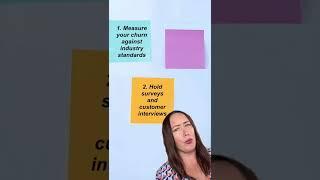
If you’re not measuring churn rates like you do conversion, you’re missing out | #shorts #eComm
Added 65 Views / 0 Likes -
07:05
Lesson 3: Select and use elements | Coding with Velo: Frontend
Added 65 Views / 0 LikesIn this lesson, you'll learn different situations for the $w select function in the Velo frontend. We'll cover using $w with the onReady function, with the whole page acting as an element, as well as the wixAnimations API to show how to use a Velo Package for frontend help. Timestamps: 00:00 Intro 01:09 Using $w to interact with elements 02:15 Using the wixAnimations API 03:53 Using the zoom function with a static event handler There’s more where this
-
00:41

Get your rose-colored glasses on: How online returns can make you more $$$ | #shorts #eComm
Added 65 Views / 0 Likes









