Website Builder
-
01:12

Robust Bookings Solution | Wix
Added 44 Views / 0 LikesDiscover how to sell your services, manage your business, drive more revenue and deliver an unforgettable client experience—right from your site. Streamline your schedule with an industry-leading booking solution that makes every workday breeze. Get started: https://www.wix.com/scheduling-software -- About Wix Bookings: Wix’s scheduling platform lets you manage your calendar, staff, payments and clients anytime— from any device. Offer services like cl
-
58:48

Wix | SEO Webinar: Introduction to Local SEO
Added 44 Views / 0 LikesLet leading expert, Krystal Taing, take you through practical SEO strategies that can help your site get a coveted position in Google’s top local search results. Full transcript will be posted here: https://www.wix.com/seo/learn/resource/webinar-introduction-to-local-seo In this webinar we'll cover: • The key differences between traditional and local SEO • How to put local SEO trends to work for your business • Tried-and-true tips for increasing your
-
57:27
Wix | Webinar: Top Requested Booking Features in Action
Added 44 Views / 0 LikesExplore highly anticipated booking features directly from Wix product experts, who will give you an immersive demo and insider tips on how to instantly use them to cut down on admin work, get more bookings and gain growth opportunities in 2023. -- About Wix Bookings: Wix’s online booking solution lets you offer custom services, manage staff, calendars & multiple locations, build client relationships, and grow your business—all from one place. To learn
-
37:03

Functional Testing Webinar | Velo by Wix
Added 43 Views / 0 LikesLearn how you can trigger and test your backend functions without ever leaving the Code Panel within the Editor — no more unnecessary toggling or writing redundant code. We’ll guide you through some examples step-by-step. Discover how to set parameters if needed, and then click Run to display your function’s output.
-
00:49
Wix eCommerce | 2021 eCommerce Strategy Handbook
Added 43 Views / 0 LikesThe 2021 eCommerce strategy handbook is here. Discover four proven strategies for growth, along with actionable insights from industry leaders and trends in data from over 700,000 Wix stores. Download your copy of the handbook and implement a winning, customer-lead eCommerce strategy for your business. Download Your Handbook Here: https://www.wix.com/ecommerce/strategy-handbook
-
02:56
How to sync your Google calendar with your Wix Bookings calendar | Wix Fit
Added 43 Views / 0 LikesLearn how to sync your personal Google calendar with your Wix Bookings calendar to easily view all of your private and work-related sessions together. Set up everything through your dashboard and choose if you’d like to sync your staff’s calendars —that way, you’ll be able to see all of your team’s classes and training sessions in one place and avoid double bookings. To learn more about Wix Fit, go to: https://www.wix.com/fitness-solution
-
02:42

What Are Keywords and How to Choose the Right Ones | Wix SEO
Added 43 Views / 0 LikesLearn what keywords are and how to choose the right ones for your business’ content strategy. Your host Carly Ellis, from the Wix SEO Team, will walk you through 3 key questions to ask yourself when choosing keywords for your site. Timecodes: 00:00 - Intro 00:17 - What are keywords 01:19 - 3 questions to ask yourself when choosing keywords Check out all the videos in our SEO series: https://bit.ly/3tmhwQz Learn more about Wix SEO tools: https://www.wi
-
04:39

How to set up classes on your Wix site I Wix Bookings
Added 43 Views / 0 LikesLearn how to add recurring services to your site so clients can start booking them online. In this video, we’ll show you how to create a class service, schedule when it’s offered, customize capacity, assign staff members, and connect it to a membership plan or package. To learn more about Wix Bookings visit: https://www.wix.com/scheduling-software
-
03:13
Lesson 1: Get started with repeaters | Coding with Velo: Repeaters
Added 43 Views / 0 LikesIn this lesson, you'll learn what repeaters are and how to use them. We'll cover a repeater example, how it is structured, and the type of data it can accept. Timestamps: 00:00 Intro 00:36 Repeater example 00:57 Adding a button to a repeater 01:07 About a repeater's structure 01:56 Reviewing the data in a repeater There’s more where this came from. Watch the full course here: https://www.wix.com/learn/online-course/coding-with-velo/velo-repeaters And
-
02:09

How Yehuda and Maya Devir Turned Their Comic Into a Successful Business
Added 42 Views / 0 LikesMeet Yehuda and Maya Devir, the creators of One of Those Days, a popular webcomic based on the couple’s everyday lives. After one of their comics went viral, Yehuda and Maya suddenly had a huge opportunity to transform their passion into a successful business and turned to Wix to make it happen. When their fans started asking for merchandise, the Devirs launched their eCommerce store on Wix. In fact, to this day, their main revenue stream comes from t
-
04:31

How to set up a class | Wix Fit
Added 42 Views / 0 LikesLearn how to easily add fitness classes to your website using Wix Fit. Let your clients know what to expect from each class with clear descriptions and empowering images. Add the class schedule, assign trainers from your team and select where the class will be located, be it in person or virtually through Zoom. Discover how to customize your class capacity, choose your payment and booking preferences, and decide if the class will be offered as a singl
-
01:44
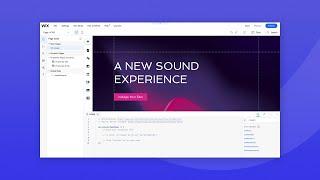
Welcome to Velo
Added 42 Views / 0 LikesWelcome to Velo, Wix’s developer mode. Our developer advocate Joshua Alphonse is happy to introduce you to this powerful product so you can start creating your custom solutions. Velo combines the power of Wix with the power of code. Quickly build complex web apps or add custom functionality to any Wix site, all on one integrated platform. You can create unique features using JavaScript and 100s of Wix APIs in the built-in IDE, integrate third-party se
-
09:49
Lesson 6: Lifecycle- Remove items | Coding with Velo: Repeaters
Added 42 Views / 0 LikesIn this lesson, you'll learn how to remove items from a repeater and use the onItemRemoved functions to perform an action after the item has been removed. Timestamps: 00:00 Intro 00:22 Adding onClick to a remove button 01:31 Creating another variable 02:25 Adding a filter function 04:17 Changing the data of the repeater 05:30 Previewing the change 06:49 Using the onItemRemoved function There’s more where this came from. Watch the full course here: htt
-
02:21

The Power of Wix Infrastructure
Added 42 Views / 0 LikesWix’s infrastructure is engineered with site reliability at its core, with built-in features to help avoid potential outages and handle traffic spikes. Jonathan Israel, Head of Reliability at Wix, explains how we’ve engineered the platform for relentless reliability. Wix maintains an industry-leading 99.98% uptime, gives you virtually limitless scalability and uses multi-cloud hosting to enhance your reliability. With four data centers across three co
-
04:00
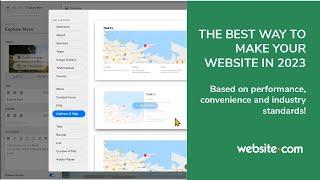
The Best Way To Make A Website in 2023
Added 42 Views / 0 LikesThe best method to make your website in 2023 based on performance, ease of use and results. Make your website for free and try it for yourself: www.website.com
-
01:18
Wix Madefor Typeface | Launch Video
Added 41 Views / 0 LikesIntroducing Madefor, a versatile typographic toolkit with a distinct personality. Designed for your vision — made for you. Explore Madefor: https://www.wix.com/typeface/madefor
-
02:36

Wix eCommerce | How to Connect Your Amazon Store to Your Wix Dashboard
Added 41 Views / 0 LikesIn this video, you’ll learn how to connect your Amazon store to Wix as an integrated sales channel. Find out how to list your Wix Store products for sale on Amazon and manage all your orders and fulfillment from your Wix dashboard. 0:00 Intro 0:21 Add the Amazon integration to Wix 0:50 List your Wix Store Products on Amazon 1:41 Manage orders & fulfillment Learn more about the Wix eCommerce School: https://www.wix.com/ecommerce/school The Wix eCommer
-
05:42

Wix Payments | How to Set Up Your Wix Payments Account
Added 41 Views / 0 LikesIn this video, you’ll learn how to connect Wix Payments, set up an account that suits your business type, and get verified so you can receive payouts. About Wix Payments Wix Payments is the complete online payment solution that allows you to accept debit/credit cards, Apple Pay and other popular payment methods to offer a seamless checkout experience. With our native payment provider, you can manage all of your transactions, payouts and more, right fr
-
03:52
How to create appointments on your Wix site I Wix Bookings
Added 41 Views / 0 LikesLearn how to add private sessions to your site so clients can start booking them online. In this video, we’ll show you how to create an appointment, set up duration and location, select pricing methods, as well as review options for approving booking requests as they come in. To learn more about Wix Bookings visit: https://www.wix.com/scheduling-software
-
08:16

Lesson 2: Populate with static data | Coding with Velo: Repeaters
Added 41 Views / 0 LikesIn this lesson, you'll learn how to populate a repeater with static data. We'll cover the onReady function and move through the index in order to populate the repeater with a list of items. Timestamps: 00:00 Intro 00:51 Getting started 01:48 Breaking down the code 03:46 Populating the data with the onReady function 05:20 Going through the index 07:14 Previewing There’s more where this came from. Watch the full course here: https://www.wix.com/learn/on
-
04:48
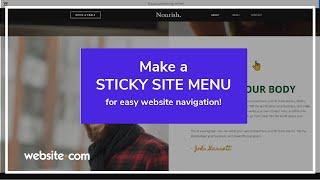
How to Make a Fixed Website Menu
Added 41 Views / 0 LikesIn this video, we'll show you how to make a sticky header so that visitors can always see your site menu, logo, and other header elements when they scroll on your website! Make your free website with Website.com! https://www.website.com/
-
01:45

Mission: Buying a T-Shirt Online with Bradley | Wix Accessibility
Added 40 Views / 0 Likes98% of the world's top visited websites are not accessible to all. We're proud to partner with Wix user @allaccesslife who empowers people with disabilities. Let's make the web a place for everyone. Wix Accessibility Homepage https://www.Wix.com/accessibility All Access Life Website https://www.Allaccesslife.org All Access Life on Youtube https://www.youtube.com/allaccesslife All Access Life Blog Post https://www.allaccesslife.org/post/make-the-web-a-
-
04:31

How to easily add a conferencing tool to your fitness site I Wix Fit
Added 40 Views / 0 LikesLearn how to connect a Zoom account to your bookings, automatically generate unique meeting links, add separate accounts per staff member and run multiple Zoom sessions at the same time. In this video, we’ll also show you how to use a custom link, which will be sent for every booking. Offering your fitness services online is a great way to transport your members to the front row of the studio—wherever they are, whenever they’re ready. To learn more ab
-
58:52
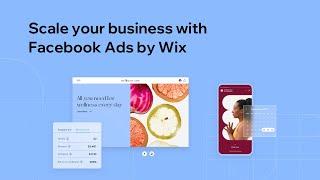
Webinar: Scale Your Business with Facebook Ads by Wix | Wix.com
Added 40 Views / 0 LikesIn this webinar hosted by Facebook and Wix, you can learn about how businesses are using Facebook and Instagram advertising to appeal to the right audiences and grow revenue. Discover how Wix’s integrated Facebook Ads tool uses advanced AI to optimize paid campaigns. Get expert tips on site and ad optimization too. Speakers: Amit Drenger, Product Manager, Wix Reid Howell, Product Marketing Manager, Facebook
-
11:44

Lesson 7: Lifecycle- Update items | Coding with Velo: Repeaters
Added 40 Views / 0 LikesIn this lesson, you'll learn how update items in the repeater. We'll cover creating an onClick event handler, comparing the ID's, and then changing the content. Timestamps: 00:00 Intro 01:00 Creating a variable for the original repeater 02:22 Creating a variable that will capture the updatedIndex 03:24 Swapping out the content 04:13 Formatting the code 05:02 Using idToUpdate 07:02 Breaking down the code 07:50 Changing the content in Preview 08:48 Sett
-
02:35

Introducing Now What? by Wix
Added 39 Views / 0 LikesWhat if you could tune in to a frequency broadcasting from the future? A place to uncover stories from the brightest leaders in business, design, development, and eCommerce, sharing the insights you’ll need to grapple with tomorrow. This is Now What? A new podcast series from Wix, hosted by Rob Goodman, about how technology is changing… everything. Listen to a special preview of the series now. Subscribe and follow the show, and join us for new episod
-
47:50

Wix SEO | Content Strategy for SEO
Added 39 Views / 0 LikesWix and SEOClarity partner to give you insider tips on creating a content strategy around SEO for your site. Join hosts Matthew Kaminsky, from Wix SEO Education, and Mark Traphagen, Vice President for product marketing and training at SEOClarity, as they walk you through their best practices. Learn more about Wix SEO tools: https://www.wix.com/seo http://www.wix.com/ https://twitter.com/wix http://www.pinterest.com/wixcom/ https://www.youtube.com/user
-
03:28

How to Create and Manage a Menu | Wix Restaurants | Wix.com
Added 39 Views / 0 LikesWant to allow customers to view your menu online and make it easier for them to read about your delicious dishes? In this video, you’ll learn how to create an online menu for your restaurant. You will also learn a few tips and best practices to make sure your menu is optimized for success.
-
14:07
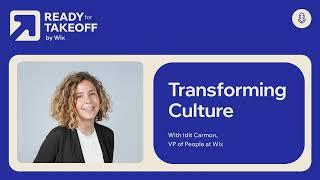
Transforming Culture
Added 39 Views / 0 LikesHow do you maintain and strengthen your company culture as dynamics in the workplace shift so rapidly? Idit Carmon, US Vice President of People at Wix, talks about how to keep people connected during hypergrowth.
-
00:55
Wix Madefor Typeface | Launch Video
Added 38 Views / 0 LikesIntroducing Madefor, a versatile typographic toolkit with a distinct personality. Designed for your vision — made for you. Explore Madefor: https://www.wix.com/typeface/madefor









