Wordpress
-
20:31 Popular

How to Place Hover Tooltips Anywhere on Your Page with Divi
Added 124 Views / 0 LikesMultistreaming with https://restream.io/ Every week, we provide you with new and free Divi layout packs which you can use for your next project. For one of the layout packs, we also share a use case that’ll help you take your website to the next level. This week, as part of our ongoing Divi design initiative, we’re going to show you how to create and place hover tooltips anywhere on your page with Divi. This is a great way to share side-information wi
-
03:50 Popular
How to Use Negative Space to Create Stunning Websites
Added 126 Views / 0 LikesIn today’s video, we're going to learn how to use negative space to create stunning websites. Blog post: https://www.elegantthemes.com/blog/design/how-to-use-negative-space-to-create-stunning-websites Like us on Facebook: https://www.facebook.com/elegantthemes/
-
07:37 Popular
Best Review Plugin for WordPress: Must Have Tool for Your Website
Added 140 Views / 0 LikesWP Product Review is the first plugin in our "best review plugin for WordPress video", and it offers a lot of great features. Download WP Product Review: http://bit.ly/WPProductReview Use this plugin to write thorough reviews for popular products an make money as an affiliate. You can review individual products and grade different details about them. Each product has a list of pros and cons. Also, you get to choose if your users can get involved in vo
-
20:11 Popular

How MalCare Can Fix Hacked WordPress Sites Automatically + Other Features
Added 138 Views / 0 LikesGrab Your Free 17-Point WordPress Pre-Launch PDF Checklist: http://vid.io/xqRL How MalCare Can Fix Hacked WordPress Sites Automatically + Other Features https://youtu.be/Jda2yu3dp6M //* Check out MalCare here: https://www.malcare.com/ Join our private Facebook group today! https://www.facebook.com/groups/wplearninglab //* If you need to fix hacked WordPress sites, or you want to protect yourself in the event of a hack, having a full site backup is alw
-
09:13 Popular
How to Use FOMO on Your WordPress Site to Increase Conversions
Added 117 Views / 0 LikesIf you've heard of FOMO (Fear of Missing Out) or social proof then you may have wondered how to include them on your site. FOMO is a psychology principle to create anticipation and excitement for a product to help customers make a buying decision faster. In this video, we'll show you how to properly use FOMO on your WordPress site to increase conversions. For this tutorial we will be using the TrustPulse plugin found here: https://wordpress.org/plugin
-
11:45 Popular

Adding 3D Effects to GIFs and HTML5 Videos to Display Unique Product Animations in Divi
Added 132 Views / 0 LikesAnimated GIFs and HTML5 videos can be great for animating how a product works on your website. These short animations communicate valuable information to the visitor in a way that is more readily digested than a regular video. Adding these type of GIFs and HTML5 videos can be done pretty easily with Divi. And with a little creativity, you can add 3D effects for unique product animations. In this tutorial, I’m going to show you how to add 3D effects to
-
05:52 Popular

How to Optimize Your Website for Lead Generation - Monday Masterclass
Added 127 Views / 0 LikesThis week we’re covering the basic website setup you’ll need to gain maximum leads for your website. In the video, we cover: • An easy 6-step process for lead generation • The most basic step most website owners ignore • Utilizing Elementor's widgets to get more leads Get Elementor: https://elementor.com Get Elementor Pro: https://elementor.com/pro/ Start optimizing your WordPress websites and get more leads!
-
10:38 Popular
How to Create a Custom Sidebar in WordPress
Added 131 Views / 0 LikesCreating a custom sidebar in WordPress is one of the most sought after skills that most WordPress users want to learn. In this tutorial, we shall be creating a custom sidebar in the 2012 WordPress theme titled 'header' that will display a couple of widgets in the header section of our test website. With the knowledge gained from this tutorial, you will be able to create as many custom sidebars as you want and display their contents anywhere you want o
-
06:17 Popular
How to Edit WordPress Files - with Notepad++
Added 119 Views / 0 LikesUPDATE - Please watch this video - https://www.youtube.com/watch?v=uCIpWOrmxmU to learn how to use the updated version of Notepad++ In this short video, you will learn how to edit WordPress files using a powerful free text editor known as Notepad++. Learn how to use Filezilla to upload files to your website - https://www.youtube.com/watch?v=SDjdFLsqM1c Get your FREE WordPress SEO Course from the Web Monkey Academy - https://thewebmonkeyacademy.com/ Ge
-
13:16 Popular

Mega Menus - How to Create Mega Menus in WordPress
Added 111 Views / 0 LikesIn this video you will learn how to create a mega menu for your WordPress website using a powerful plugin called the Mega Menu plugin by Woo Rockets. Get your FREE WordPress SEO Course from the Web Monkey Academy - https://thewebmonkeyacademy.com/ Get 2 months FREE access to more than 16,000 courses on SkillShare - https://www.skillshare.com/r/profile/Alexander-Oni/6660110 Follow me on Facebook - https://www.facebook.com/thewebmonkeyonline/ Visit my b
-
02:23 Popular

Woo Plugins - A Guide on the Best Plugins for WooCommerce Promo
Added 126 Views / 0 LikesThis is the promo for our latest course ''Woo Plugins - A Guide on the Best Plugins for WooCommerce'. As WordPress users, we all know the incredible power and difference that good plugins can offer our websites. This is why in this course, you will learn how to install and configure over 30 plugins that will boost the functionality and design of your WooCommerce store. All the plugins covered in this course are FREE and are well maintained by their de
-
07:07

Sensational WordPress Theme Review
Added 93 Views / 0 LikesIn this theme review episode, we analyze the 'Sensational' theme developed by MyTheme Shop and decide whether its a theme worth buying or not. Buy the theme today for just $19 - https://mythemeshop.com/?ref=onialex14
-
21:08 Popular

Beaver Builder - How to Build WordPress Pages with Beaver Builder
Added 147 Views / 0 LikesIn this video, you will learn how to use the Beaver Builder page builder plugin to build pages in WordPress. Buy the premium version of Beaver Builder - https://www.wpbeaverbuilder.com/?fla=1196 Get your FREE WordPress SEO Course from the Web Monkey Academy - https://thewebmonkeyacademy.com/ Get 2 months FREE access to more than 16,000 courses on SkillShare - https://www.skillshare.com/r/profile/Alexander-Oni/6660110 Follow me on Facebook - https://ww
-
13:52 Popular

How to Backup and Clone a WordPress Website - 2018
Added 130 Views / 0 LikesIn this video, you are going to learn how to backup and clone a WordPress website using the duplicator plugin. Get your FREE WordPress SEO Course from the Web Monkey Academy - https://thewebmonkeyacademy.com/ Get 2 months FREE access to more than 16,000 courses on SkillShare - https://www.skillshare.com/r/profile/Alexander-Oni/6660110 Follow me on Facebook - https://www.facebook.com/thewebmonkeyonline/ Visit my blog - https://thewebmonkeyonline.com/ B
-
2:48:04
The Complete WordPress Development Course Preview - The First 2.5 Hours
Added 92 Views / 0 LikesThis is a course for anyone serious about WordPress development. In this course, you will learn - How WordPress works behind the scenes to display content on your website - How to build your own custom page templates - How to write WordPress functions - How to work with custom post types and advanced custom fields - How to work with WordPress template tags - How to create and display your very own custom sidebars - and so much more ..... By the end of
-
04:14 Popular

8 Things to Consider Before Choosing a WordPress Theme
Added 112 Views / 0 LikesLearn How to Use 15 of the Best WordPress Plugins FOR FREE - https://the-web-monkey-academy.thinkific.com/courses/super-plugins-a-free-guide-on-the-best-wordpress-plugins Visit our blog - http://thewebmonkeyonline.com/
-
16:16

SocialNow Theme Review
Added 52 Views / 0 LikesBuy SocialNow Theme for just $19 - https://mythemeshop.com/themes/socialnow/?ref=onialex14 Learn How to Use 15 of the Best WordPress Plugins FOR FREE - http://webmonkey.teachable.com/p/super-plugins-a-guide-on-the-best-wordpress-plugins Visit our blog - http://thewebmonkeyonline.com/ Get over 80% discount on all our WordPress courses below WordPress for Beginners - https://www.udemy.com/from-novice-to-ninja-the-complete-wordpress-training-course/?coup
-
14:44

How to Build Slides in WordPress with Soliloquy Plugin
Added 95 Views / 0 LikesBuy Soliloquy - http://soliloquywp.com/ Use coupon code SAVE20 to get 20% off. http://www.wpbeginner.com/best-wordpress-slider/ Get FREE access to 15 different WordPress and Cyber security courses by clicking on this link - https://www.thewebmonkeyacademy.com/bundles/membership-package
-
08:41 Popular

The Top 10 Essential WordPress Plugins for Bloggers in 2017
Added 138 Views / 0 LikesIn this video, we talk about the top 10 essential WordPress plugins for bloggers in the year 2017. Enroll in the FREE online course - http://www.thewebmonkeyacademy.com/courses/super-plugins-a-free-guide-on-the-best-wordpress-plugins Content Views Tutorial - https://www.youtube.com/watch?v=-ougBrqUu6U Smush Tutorial - https://www.youtube.com/watch?v=v-QhZtheMwg List of Plugins: Squirrly - https://my.squirrly.co/go132492 PopUp Domination - https://app.
-
15:09 Popular

How to Install WordPress Locally with XAMPP
Added 117 Views / 0 LikesIn this tutorial, you are going to learn how to install WordPress locally on your computer with XAMPP. Learn How to Use 15 of the Best WordPress Plugins FOR FREE - https://the-web-monkey-academy.thinkific.com/courses/super-plugins-a-free-guide-on-the-best-wordpress-plugins/ Visit our blog - http://thewebmonkeyonline.com/
-
1:01:36 Popular

The Complete Yoast SEO Plugin Tutorial - Master How to Use Yoast SEO Plugin
Added 154 Views / 0 LikesThe Yoast SEO plugin is one of the best WordPress SEO plugins and in this tutorial, you are going to learn how to use this plugin to help you optimize your website for major search engines. 1:26 - Basic Configuration of Yoast SEO 7:48 - Verifying Web Master Tools 10:30 - Writing our Homepage Snippet 17:02 - Adding Dates to our Snippets 20:37 - Indexing with Yoast SEO 25:05 - Creating and Submitting our Sitemap with Yoast SEO 29:11 - Enabling Social Me
-
24:17 Popular

What is the Best Page Builder for WordPress? A Comprehensive Review
Added 125 Views / 0 LikesIn this video, I am going to tell what I think is the best page builder plugin for WordPress. I personally believe that the best 4 page builder plugins are SiteOrigin, Beaver Builder, WP Bakery and Elementor. Learn how to use Elementor - https://www.youtube.com/watch?v=xYrvjaSJH_M Buy Elementor Pro - https://elementor.com/pricing/?ref=2834&campaign=YouTubeDirect Get 2 months FREE access to more than 16,000 courses on SkillShare - https://www.skillshar
-
22:36 Popular

How to Create WordPress Child Themes - The Complete Guide
Added 128 Views / 0 LikesIn this video, I am going to teach you everything you need to know about WordPress child themes. Learn how to use Filezilla - https://www.youtube.com/watch?v=SDjdFLsqM1c Learn how to use Notepad++ - https://www.youtube.com/watch?v=a5Z4YXlqp4c Get your FREE WordPress SEO Course from the Web Monkey Academy - https://thewebmonkeyacademy.com/ Get 2 months FREE access to more than 16,000 courses on SkillShare - https://www.skillshare.com/r/profile/Alexande
-
1:05:26 Popular

How to Create Custom WordPress Page Templates with Custom Post Types & Custom Fields
Added 205 Views / 0 LikesIn this tutorial, you are going to learn how to create a full custom WordPress page template using custom post types and custom fields. We shall be creating a custom post type called Game and also a custom taxonomy titled Genre. We shall also create 4 custom fields attached to this custom post type for displaying different types of content. We will then proceed to create a custom page template for displaying the excerpts of our game reviews and then f
-
21:07 Popular

Who are the Best Web Hosting Company in the World?
Added 160 Views / 0 LikesIn today's episode I will answer a question I get regularly from my students - who are the best web hosts in the world? In all my 9+ years in the web development business, I have worked with several decent web hosting companies but there is one that clearly stands out from the rest. Watch the video to find out who this company is. Buy SiteGround Hosting (Affiliate Link) - https://www.siteground.com/go/you_tube Buy SiteGround Hosting (Non Affiliate Lin
-
13:14 Popular

Build a Cryptocurrency Website with Crypto Theme
Added 130 Views / 0 LikesIn this video I will be reviewing one of the most unique WordPress themes I have ever used - Crypto. This is a theme designed specifically for websites or blogs based on the hot topic of Bitcoin and other Cryptocurrencies. In addition to standard blog theme features, the theme has in built widgets, post types and page templates specially for displaying Cryptocurrency data. Buy Crypto theme - https://mythemeshop.com/themes/crypto/?ref=onialex14&campaig
-
16:13 Popular
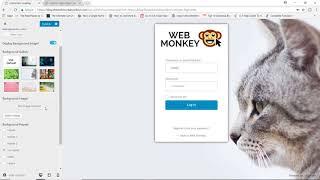
How to Customize the WordPress Login Page
Added 115 Views / 0 LikesIn today's video, you are going to learn how to brand the default WordPress login and registration pages using a very cool plugin called 'LoginPress'. Buy LoginPress - https://wpbrigade.com/ref/T-1000/?campaign=YouTubeDirect Visit our blog - http://thewebmonkeyonline.com/
-
04:14 Popular

Top 5 Ways to Optimize Post Content for SEO
Added 130 Views / 0 LikesThey say content is king which is why in today's video, I am going to give you my top 5 ways to optimize your content for SEO. Yoast SEO Tutorial - https://www.youtube.com/watch?v=9sIzpzleqWo&t=1509s Useful Links: Moz Keyword Tool - https://moz.com/explorer Google Guide on Titles - https://support.google.com/webmasters/answer/35624?hl=en
-
06:10 Popular

Top 5 WordPress Plugin Management Tips
Added 132 Views / 0 LikesIn today's video, you are going to learn the top 5 tips on how best to manage and use WordPress plugins. Learn how to use Beaver Page Builder plugin - https://www.youtube.com/watch?v=7yLwDHogpN8 What is the best page builder plugin for WordPress - https://www.youtube.com/watch?v=XBolTCfARdc Get FREE access to 15 different WordPress and Cyber security courses by clicking on this link - https://www.thewebmonkeyacademy.com/bundles/membership-package
-
12:43 Popular

How to Add SSL Certificate to your WordPress Website
Added 130 Views / 0 LikesIn today's video, I am going to show you how to add an SSL certificate to your WordPress website. Get FREE access to 15 different WordPress and Cyber security courses by clicking on this link - https://www.thewebmonkeyacademy.com/bundles/membership-package Buy Siteground Hosting - https://www.siteground.com/go/you_tube









