Wordpress
-
12:26

How to Create a Unique Overlapping Effect with Background Images
Added 98 Views / 0 LikesWhen designing a website, sometimes it is difficult to find the right balance of creativity. You don’t want your design to be too “over the top” but you don’t want to underwhelm your audience either. A great way to add a subtle, yet creative, aspect to your design is with what I call the image overlapping effect (a creative name I know). This overlapping effect makes image icons appear to be elevated when overlapping another element on the page, like
-
05:15 Popular

How To Create A User In WordPress - WordPress Beginner Tutorial
Added 151 Views / 0 LikesAre you looking to create users in WordPress but don't know how? In this video, we'll walk you through the process step-by-step. You'll learn how to add new users, assign roles and permissions, and even customize user profiles. Plus, you'll get some insider tips on optimizing your WordPress setup for maximum efficiency. Don't wait—watch now to start creating users in WordPress! //* Grab your free 17-Point WordPress Launch Checklist PDF: https://wplear
-
07:31

How to Create a User Registration Form in WordPress
Added 88 Views / 0 Likes-Want to allow users to register to your site on the front end? The default method WordPress allows for registering on your site shows WordPress' branding and can not match your site's theme. In this video we will show you how to create a custom user registration form in WordPress. For this tutorial we will be using the WordPress plugin WPForms: ================================= https://wpforms.com/wpbeginner ================================= --Links-
-
07:30

How to Create a Vertical Header [Advanced]
Added 49 Views / 0 Likes👋🏼 Help us improve by answering this short survey: http://elemn.to/survey-time In this tutorial we learn how to create a vertical header in Elementor. We’ll also explore how to show the default horizontal header on mobile devices only, to ensure a smooth user experience. The tutorial will cover: ✔︎ Creating a header template ✔︎ Repositioning a header to display vertically ✔︎ Adding custom CSS including media queries ✔︎ And much more! Custom CSS: selec
-
16:50
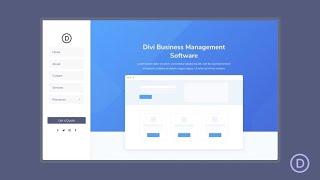
How to Create a Vertical Navigation Menu or Header for Your Divi Website
Added 84 Views / 0 LikesVertical navigation menus can come in handy for certain websites that need more menu items at the forefront. Horizontal menus can be difficult to fit all the menu links needed, especially on smaller browser widths. In this tutorial, we are going to show you how to build a custom vertical navigation menu using the Divi Theme Builder. This will allow you more room for showcasing your WordPress menu items. And you will have full power to add additional D
-
11:41 Popular

How to Create a Vertical Navigation with Divi that Drives Business
Added 139 Views / 0 LikesIn today’s Divi tutorial, we’re going to show you how to create a vertical navigation that drives business for your website. The vertical navigation that we’ll show you how to make will typically be used for businesses that think it’s important to have visitors act right away. For instance, if you own a restaurant that allows customers to order online, you might want your website to help visitors act quickly. Read more: https://www.elegantthemes.com/b
-
06:42

How to Create a Vertical Progress Tracker [Pro]
Added 53 Views / 0 Likes👋🏼 Help us improve by answering this short survey: http://elemn.to/survey-time In this tips & tricks tutorial we learn how to use the Progress Tracker Widget in a vertical position. The tutorial will cover: ✔︎ Using the Progress Tracker ✔︎ Rotating the Progress Tracker ✔︎ Making responsive amendments ✔︎ And much more! Custom code: .elementor-scrolling-tracker.elementor-scrolling-tracker-horizontal { width: 50vh; } @media (min-width: 361px) { .elemento
-
43:14
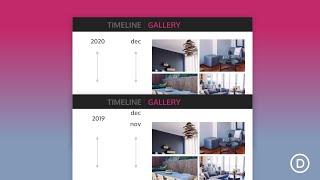
How to Create a Vertical Sticky Timeline Layout in Divi
Added 65 Views / 0 LikesGo to the blog post: https://www.elegantthemes.com/blog/divi-resources/how-to-create-a-vertical-sticky-timeline-layout-in-divi Creating a vertical sticky timeline can be extremely useful for categorizing content by year and/or month as the user scrolls down the page. The sticky date elements remain fixed beside the content for a convenient UX boost that users will appreciate. In this tutorial, we are going to show you how to create a complete vertical
-
14:47 Popular

How to Create a Vibrant CTA Section for Your Next Project with Divi
Added 142 Views / 0 LikesMost, if not all, websites out there exist to make communication between companies or individuals and visitors happen easily. The main force behind this communication are CTAs. And when you combine CTAs with a nice design, you can get an even better response from your visitors. In this Divi tutorial, we'll be showing you how to create a vibrant CTA section using Divi and Photoshop. You can use this design on any website by changing the images and colo
-
13:06 Popular

How to Create a Vibrant Hover Team Page for Your Next Divi Project
Added 152 Views / 0 LikesTeam pages are often underestimated. Before purchasing a product or hiring a service, many users navigate to team or about pages to get a better idea of the company and the people behind it. If your team page leaves a positive first impression, it could lead towards higher conversion rates. Now, there are many ways to create beautiful team pages with Divi, but if you’re searching for some inspiration for your next project, you’re going to love this po
-
02:29 Popular

How to Create a Visual Sitemap in WordPress
Added 124 Views / 0 LikesEver wanted to display a visual sitemap in WordPress? A visual sitemap lets you present a hierarchical layout of your different pages. In this video, we will show you how to create a visual sitemap in WordPress without writing any code. Text version of this tutorial: http://www.wpbeginner.com/plugins/how-to-create-a-visual-sitemap-in-wordpress/ If you liked this video, then please Like and consider subscribing to our channel for more WordPress videos.
-
17:32 Popular

How To Create A Website For Beginners [NO CODING]
Added 120 Views / 0 LikesHow To Create A Website For Beginners [NO CODING] - Hosting Discount Here • https://createwpsite.com/special-deals/ If at some point of your life you wanted to make or just wanted to know how to build a website, then this video will be really useful to you! If you go buy the commercials and the ads for the various platforms you will know that it is very simple to do. Today we’ll show you 3 ways on how you can build your own website for your business o
-
38:42 Popular

How To Create A Website For Business 2019 [WordPress For Beginners]
Added 123 Views / 0 LikesHow To Create A Website For Business 2019 - WordPress For Beginners - Hosting Discount Here • https://createwpsite.com/vid/ How to Create a Website? Are you planning to create a website for your business? That’s a great idea. In this digital world, no business can grow without making an online presence. People love to explore things on the internet, and they place an order on the website directly to get delivery on their doorstep. If you want to serve
-
48:12 Popular

How to Create a Website for Free [Guide For Business]
Added 119 Views / 0 LikesLearn how to create a website for a business with FREE WordPress tools. I’m going to show you how to get started building your very first site. You will walk through everything from buying a domain, to buying hosting to installing a theme and plugins, to importing page templates and then customizing them with Elementor. If you follow along, you’ll have your own website online in no time at all. The tools we used to make this happen: • Neve WordPress t
-
15:12 Popular

How To Create A Website For Your Business (Elementor & Hestia)
Added 120 Views / 0 LikesLet's see how to create a business website for your local business with WordPress using FREE tools like Hestia and Elementor. Download links below • 10+ Things To Do After Launching a WordPress site: https://youtu.be/e1DplwCGM_0 • Anchor link ID for the front page sections: https://bit.ly/2w3W3AB Download Hestia WordPress theme: http://bit.ly/2kZ2rpn Download OrbitFox plugin: https://bit.ly/2B2Qfg8 Download Elementor: http://bit.ly/DownloadElementor •
-
08:22 Popular
How To Create A Website For Your Business In 4 EASY STEPS
Added 152 Views / 0 LikesIt’s easy to create a website with WordPress and it’s not too heavy on the pocket too. This video is a part of a video series that helps you build your own website. Follow the steps below •️•️•️ Step 1 | 0:33 - Choose a hosting provider (skip if you have it) Step 2 | 1:59 - Install WordPress in less than 2 minutes Step 3 | 3:46 - Choose a modern theme Step 4 | 5:29 - Make your website AWESOME Even though in order to create a website with WordPress you
-
14:11 Popular

How To Create A Website In 15 Minutes [2019 Guide]
Added 144 Views / 0 LikesHow To Create A Website In 15 Minutes [2019 Guide] - Hosting Discount Here • https://createwpsite.com/go/ So, you are interested in starting your own blog to impress audience worldwide, wish to establish a business online; or are planning to build a promotion page for your band – no matter what your dream is, the best choice to create your own website online is WordPress. Indeed, it is the most popular and easiest platform to build website these days.
-
06:37 Popular

How to Create a Website Ready for Business in Just 7 Minutes [2020]
Added 145 Views / 0 LikesIn this video, I'll show you how to create a website ready for business in just seven minutes? Get *discount for hosting and domain: http://bit.ly/WPHostingOffer It will include everything you need to know from start to finish, and how to do it step by step. 1. Get a domain name + hosting http://bit.ly/WPHostingOffer 2. Install WordPress 3. Get a fast theme with professional design. 4. Create email account and Facebook page. You will end up building a
-
1:40:36 Popular

How to Create a Website Using WordPress (2018) | Step By Step WordPress Tutorial for Beginners
Added 189 Views / 0 LikesIn this video we'll show you how to create a website using WordPress for 2018. Follow along with the post at: https://ohklyn.com/how-to-create-a-website-using-wordpress-2018/. We'll show you step by step how to create a fully responsive website that looks great on all devices without needing to know anything about coding or design. HOSTING DISCOUNT + WORDPRESS THEME: Discount hosting: https://ohklyn.com/go/bluehost-discount WordPress Theme: https://oh
-
32:19

How to Create a Website Using WordPress [5 Simple Steps]
Added 98 Views / 0 LikesStart Here • https://www.wpwithtom.com/create-a-website/ Watch how to create a website using WordPress - in 5 Simple steps. By following these steps, you can make ANY kind of website, just by using “DRAG & DROP” Steps you need to follow (with timestamp): 1) Domain & Hosting - [00:24] 2) Install WordPress - [03:20] 3) Add a New Theme - [06:32] 4) Install Demo Content - [07:16] 5) Edit the Content - [17:59] We’re going to build our website by following
-
1:11:32

How to Create a Website With WordPress - 2020
Added 74 Views / 0 LikesHow to Create a Website With WordPress - 2020 Biggest Hosting Discount: https://wpwithtom.com/greengeeks Divi Theme Discount: https://wpwithtom.com/divi In this step by step Divi tutorial I cover how to create a website with WordPress. Below are each of the steps with timestamps. 1) Overview of Website Costs [0:39] 2) Getting our Domain Name and Hosting [3:08] 3) Installing WordPress [5:56] 4) Setting up SSL [8:34] 5) Cleaning up our Dashboard Area [9
-
02:08 Popular

How to Create a Welcome Gate in WordPress
Added 111 Views / 0 LikesText version of this tutorial: http://www.wpbeginner.com/wp-tutorials/how-to-create-a-welcome-gate-in-wordpress/ Are you looking to add a welcome gate to your WordPress site? Welcome gates are one of the higher converting list building techniques in the market. In this video, we will show you how to create a welcome gate in WordPress. If you liked this video, then please Like and consider subscribing to our channel for more WordPress videos. Check us
-
17:02 Popular

How To Create A Widget Opt In With Bloom
Added 116 Views / 0 Likeshttp://www.elegantthemes.com/plugins/bloom/ is the best WordPress Email Opt-In Plugin, created by Elegant Themes. Swing by http://www.elegantthemes.com to download it!
-
01:53 Popular

How to Create a Wiki Knowledge Base Using WordPress
Added 120 Views / 0 LikesAre you looking to add a documentation section to your site? There are a few ways to add a wiki knowledge base to your WordPress site. In this video, we will show you how to create a Wiki Knowledge base using WordPress. If you liked this video, then please Like and consider subscribing to our channel for more WordPress videos. Text version of this tutorial: http://www.wpbeginner.com/wp-tutorials/how-to-create-a-wiki-knowledge-base-using-wordpress/ Che
-
15:51 Popular

How to Create a Woocommerce Account Page with a Featured Product Section for Logged In Users
Added 129 Views / 0 LikesDivi’s Woo Modules can be helpful for showcasing a featured product section anywhere on your website, including other WooCommerce pages like the Account Page. This makes it easy to make special offers to users even when they are browsing their account information. In this tutorial, we are going to design an entire WooCommerce Account Page from scratch complete with a handy featured product section using Woo Modules. We’ll even include a few snippets o
-
11:52

How To Create A WooCommerce Single Product - Step by Step
Added 61 Views / 0 LikesThe single product in WooCommerce is the most-used product type and it is also the simplest. If you're just starting out with WooCommerce then this tutorial is a must-watch. Watch this if you need to add custom fields to a product to collect specific information from your customers: https://www.youtube.com/watch?v=2sTjQFTRc3Y&list=PLlgSvQqMfii4RPNBbdpjCdmlJfSJRt6Cw&index=9 //* Always backup your site just in case (or use a staging site), here's how: h
-
02:52

How to Create a WordPress Author Box (3 Best Plugins)
Added 68 Views / 0 LikesIn today's video, we'll learn how to create a WordPress author box. Blog post: https://www.elegantthemes.com/blog/wordpress/how-to-create-a-wordpress-author-box-3-best-plugins •️ Learn more about Divi: https://www.elegantthemes.com/gallery/divi • Like us on Facebook: https://www.facebook.com/elegantthemes/ #AuthorBox #WordPress #ElegantThemes
-
49:30 Popular

How To Create A WordPress Blog (Step By Step Guide)
Added 188 Views / 0 LikesWatch and learn how to create a WordPress blog for free (aside from hosting and a domain name). As far as building the blog goes, we'll use only free tools. You can have your very own blog set up this afternoon! The tools we used to make this happen: • Neve WordPress theme: http://bit.ly/NeveWPTheme • Get professional hosting from Siteground, with discount* - http://bit.ly/WPHostingOffer • Elementor: http://bit.ly/DownloadElementor 1. Domain Wheel - h
-
05:48 Popular

How to Create a WordPress Child Theme
Added 161 Views / 0 LikesAre you looking to create a child theme in WordPress? Not sure how to create a WordPress child theme? Child themes make it easy for you to make WordPress customization without losing any changes on theme updates. In this video, we will show you how to create a child theme in WordPress. If you liked this video, then please Like and consider subscribing to our channel for more WordPress videos. Text version of this tutorial: http://www.wpbeginner.com/wp
-
06:18 Popular

How To Create A WordPress Child Theme SUPER EASY!!!
Added 145 Views / 0 LikesHow-to Create WordPress Child Theme Easily More Info: https://www.wpcrafter.com In this video, I will show you How to create a Wordpress Child Theme and why it is very essential to create one. Hope you enjoy the video. This is the easiest method to create a Child Theme. Update - I have a newly updated video for 2017, Please go check that out as well Link: https://www.youtube.com/watch?annotation_id=annotation_905276787&feature=iv&src_vid=-g30RIyNG_Y&v









