Wordpress
-
44:27
Build A Membership Website With WordPress - Paid Member Subscriptions -Complete Walkthrough Tutorial
Added 75 Views / 0 LikesIn this tutorial we're going to learn how to build a membership site with WordPress using the Paid Member Subscriptions plugin. What's nice about this plugin is that you can create a membership website on an existing site. This plugin will not disturb what you already have going one. Plus Paid Member Subscriptions works with Elementor; it has 4 different Elementor widgets. It also works with shortcodes, so you can use any page builder or the Gutenberg
-
19:49

How To Copyright Blog Content, Posts, Pages, Images, Etc. - CopyrightsWorld BlogPassport
Added 71 Views / 0 LikesGrab your free 17-Point WordPress Launch Checklist PDF: https://wplearninglab.com/get/wordpress-redirects.php?utm_source=youtube&utm_medium=video&utm_campaign=wp_jumpstart&utm_id=17_point_wp_launch_checklist&utm_term=M-e6RuptwVk&utm_content=video_description After a lot of research I learned that any content YOU create for your blog is automatically copyrighted to you, it's your IP (Intellectual Property). You must create the content yourself and it m
-
39:18
Wordpress Business Plan In-A-Box Part 2 of 4 - Use This To Build Your Client Dashboard In 2022
Added 60 Views / 0 LikesIf you've ever thought of building a WordPress business or expanding existing one, this 4 part tutorial series is for you. There are many ways to earn a living online, this video series shows you one of them: managing WordPress client websites. If you already have web design clients then this is a no-brainer to add-on and serve them better. See the first part of this series here: https://www.youtube.com/watch?v=3I87k4rbRxc&list=PLlgSvQqMfii6RR38E0nrg9
-
09:08
Wordpress Business Plan In-A-Box Part 3 of 4 - Use This To Build Your Client Dashboard In 2022
Added 77 Views / 0 LikesIf you've ever thought of building a WordPress business or expanding existing one, this 4 part tutorial series is for you. There are many ways to earn a living online, this video series shows you one of them: managing WordPress client websites. If you already have web design clients then this is a no-brainer to add-on and serve them better. Tutorial Table of Contents: 00:00 Introduction 01:41 WPMUDEV - Backups Tab 05:00 WPMUDEV - Uptime Tab Lock in yo
-
15:41
Wisecut Can't Edit My Videos, But The Transcriptions Are Solid - Wisecut Review For AI Transcription
Added 54 Views / 0 LikesIn this Wisecut review we're going to talk specifically about AI transcription. It turns out my style of video recording doesn't work well with Wisecut. But when I finish editing a video, I upload it to Wisecut and get some pretty solid transcriptions within an hour. These transcriptions can be used for show notes, YouTube CC files or "burned" into the video so you can post it on social media and people catch watch it with the sound off. Wisecut is cu
-
1:24:45

Happy Addons For Elementor Tutorial - See All 45 Free & 51 Pro Widgets + 14 Free & 7 Pro Features
Added 83 Views / 0 LikesHappy Addons for Elementor was one of the first third part Elementor addons to come to market. They have a REALLY solid list of features and widgets, both free and pro. Check out what they have in this in-depth video. Check out Happy Addons for Elementor here: https://wplearninglab.com/go/happyaddons001 Grab your free 17-Point WordPress Launch Checklist PDF: https://wplearninglab.com/get/wordpress-redirects.php?utm_source=youtube&utm_medium=video&utm_
-
13:23
Hostinger Review & Domain Setup For WordPress - Part 1 of 5 - Best Inexpensive Host for 2022?
Added 80 Views / 0 LikesThis Hostinger review is part 1 of 5. It's more of a "how to use everything in Hostinger" series than it is a review. You can find the other parts of this series in the playlist linked below. In this part of the series, I'm going to show you how to get a major discount on your Hostinger account. And then how to claim your free domain name and get it ready to install WordPress and build a site. Check out Hosting here: https://www.hostinger.com/?utm_med
-
23:30

WooCommerce Guided Selling - Product Recommendation Quiz - WP Guidant
Added 47 Views / 0 LikesWhat is Guided Selling? Have you ever read the book Paradox of Choice by Barry Schwartz? In case you haven't, it boils down to this; if you give people too many options they won't be able to decide which one to pick and they'll pick nothing. If you have a large WooCommerce store or a lot of blog posts or a lot of custom options on your site then you may be losing customers becuase you have too many options. That's where WP Guidant shines. You can crea
-
27:38

Wordpress Business Plan In-A-Box Part 4 of 4 - Use This To Build Your Client Dashboard In 2022
Added 61 Views / 0 LikesIf you've ever thought of building a WordPress business or expanding existing one, this 4 part tutorial series is for you. There are many ways to earn a living online, this video series shows you one of them: managing WordPress client websites. If you already have web design clients then this is a no-brainer to add-on and serve them better. Grab your free 17-Point WordPress Launch Checklist PDF: https://wplearninglab.com/get/wordpress-redirects.php?ut
-
20:33

Hexomatic Review + Walkthrough - Scraping + Automation Fire! - Currently On AppSumo
Added 55 Views / 0 LikesThis Hexomatic review is more of a "how it works" tutorial showing you the scraper and automation design process in Hexomatic and going over some use cases. If you do any work with web data like sales, marketing, SEO, paid Google ads or building directory sites you owe it yourself to check out Hexomatic. Hexomatic is a lifetime deal on AppSumo as of this recording and they have a very promising roadmap. Grab your free 17-Point WordPress Launch Checkli
-
19:24
Put Your Country On The Map With This Interactive World Map Plugin For Wordpress
Added 55 Views / 0 LikesThe interactive world map plugin for WordPress that you'll learn about in this video can be used for businesses that have multiple locations, or travel websites, or census websites or many other use cases. You don't need to use the entire world for the map, you can use continents, regions or specific countries. You can add clickable location markers or make entire countries clickable. It's fully interactive. Check out the plugin here: https://wordpres
-
16:07
Taskade Project Management Tutorial - Everything You Need To Get Started Including Free Accounts!
Added 71 Views / 0 LikesIf you're looking for an affordable project management tool that has many of the bell-and-whistles you want, then Taskade is for you. Not only can you manage all your projects with the free-forever version, but the creator is giving 100 free accounts (1 year free) to WPLearningLabbers! Here are just a few of the features you'll love: - Taskade has apps for every major operating system and mobile device. - Taskade allows you to organize visually using
-
17:26

Site Speed Accelerator For Top Speed Wordpress
Added 75 Views / 0 LikesFor a long time on this channel, NitroPack has been the reigning site-speed champion. Today is the day it may have been knocked off its' high horse. Check out the results from this new speed optimization plugin I discovered. //* Checkout the Accelerator Plugin here: https://www.s-sols.com/products/wordpress/accelerator Grab your free 11-Point WordPress Security Checklist PDF: https://wplearninglab.com/get/wordpress-redirects.php?utm_source=youtube&utm
-
47:05
Build A WordPress Site On Hostinger - Part 2 of 5 - Best Inexpensive Host for 2022?
Added 63 Views / 0 LikesIn this second part to our Hostinger series I'm going to show you how to build a WordPress site on Hostinger using popular tools like the Astra Theme, Elemenetor and WooCommerce. If you follow along, you will have a website up and running by the end of this tutorial. //* Check out Hosting here: https://www.hostinger.com/?utm_medium=affiliate&utm_source=aff92555&utm_campaign=48&aff_id=94416&session=102db07fc03e0352442cf3ed50ec6c&aff_sub=%7BtrackID%7D&a
-
19:07
How To Create A Fillable PDF Form For Free - PDF That Can Be Filled Out And Saved
Added 39 Views / 0 LikesGrab your free 17-Point WordPress Launch Checklist PDF: https://wplearninglab.com/get/wordpress-redirects.php?utm_source=youtube&utm_medium=video&utm_campaign=wp_jumpstart&utm_id=17_point_wp_launch_checklist&utm_term=KsNCd-uBuow&utm_content=video_description PDFs have been around for ages. In this tutorial you'll learn how to take your PDFs to the next level. Learning how to create a fillable PDF form for free (or even using premium tools) is a servic
-
37:30
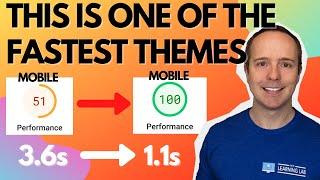
Rishi Wordpress Theme Review + Astonishing Speed Test
Added 79 Views / 0 LikesIn this tutorial, we're taking a look at the lightning-fast Rishi theme. It's one of the most light-weight and fastest themes out there, but it still has a lot of features including many Elementor starter sites. The focus of theme is Web Core Vitals (aka fast websites) and you'll see in this video when we combine Rishi with speed optimization the results are pretty amazing. //* Check out the Rishi Theme here: https://bit.ly/3ILeM8l Video Table Of Cont
-
15:02
How To Set Up Your Custom Business Email On Hostinger
Added 47 Views / 0 LikesIn this third part of our Hostinger series (you can see the whole playlist here: https://www.youtube.com/watch?v=VYzAP2x_dFw&list=PLlgSvQqMfii6sjjyuBy6a0h5wb4h_nlE1 ), you will learn how to create a custom @yourdomain.com email address and a bunch of the settings you have available to you. //* Check out Hosting here: https://www.hostinger.com/?utm_medium=affiliate&utm_source=aff92555&utm_campaign=48&aff_id=94416&session=102db07fc03e0352442cf3ed50ec6c&
-
08:21

How To Make A Signable PDF Document For Free - Electronic Signature PDF
Added 49 Views / 0 LikesGrab your free 17-Point WordPress Launch Checklist PDF: https://wplearninglab.com/get/wordpress-redirects.php?utm_source=youtube&utm_medium=video&utm_campaign=wp_jumpstart&utm_id=17_point_wp_launch_checklist&utm_term=86hfiqxUPII&utm_content=video_description When electronic signature PDF documents were invented they immediately streamed the contract processes of any businesses that used them. But it wasn't cheap. Fast forward to today and you're going
-
07:38
How To Activate An SSL In Hostinger
Added 39 Views / 0 LikesIn this fourth part of our Hostinger series (you can see the whole playlist here: https://www.youtube.com/watch?v=VYzAP2x_dFw&list=PLlgSvQqMfii6sjjyuBy6a0h5wb4h_nlE1 ), you will learn how to add an SSL certificate to your website to make it more reputable and to help with SEO //* Check out Hosting here: https://www.hostinger.com/?utm_medium=affiliate&utm_source=aff92555&utm_campaign=48&aff_id=94416&session=102db07fc03e0352442cf3ed50ec6c&aff_sub=%7Btra
-
12:57
How To Buy A VPS On Hostinger + What's In The Store?
Added 33 Views / 0 LikesIn this fifth part of our Hostinger series (you can see the whole playlist here: https://www.youtube.com/watch?v=VYzAP2x_dFw&list=PLlgSvQqMfii6sjjyuBy6a0h5wb4h_nlE1 ), you will learn how to order your own VPS in Hostinger as well as what's in the Hostinger Store and how it can help you with your business needs. //* Check out Hosting here: https://www.hostinger.com/?utm_medium=affiliate&utm_source=aff92555&utm_campaign=48&aff_id=94416&session=102db07fc
-
08:33

How To Restore Deleted Pages In WordPress
Added 37 Views / 0 LikesGrab your free 11-Point WordPress Security Checklist PDF: https://wplearninglab.com/get/wordpress-redirects.php?utm_source=youtube&utm_medium=video&utm_campaign=wp_security_lockdown&utm_id=11_point_wp_security_checklist&utm_term=WZSrRwqO9dI&utm_content=video_description Deleting a page by accident is the worst. Luckily, there are some ways you can restore deleted pages. In this video I show you 3 different ways to do that progressing from the simplest
-
16:06

MailChimp Automated Email To New Subscribers
Added 60 Views / 0 LikesWhen a new subscriber joins your list they expect to be emailed as soon as possible. So it makes sense to send an automated email to new subscribers that is sent immediately after sign up. In this tutorial, you'll learn how to set it up in your MailChimp account. In this email you can simply say "hi" and "thanks for joining" and/or you can deliver a PDF download and/or a coupon and/or whatever you promised you would send. Grab your free Manuscript - T
-
25:55
WP 301 Redirects Plugin - The ONLY Redirect + 404 Error + Link Quality Checking Plugin You Need
Added 61 Views / 0 LikesIf you want to easily redirect pages, find and fix 404 errors and make sure your site isn't linking to "bad neighbourhood" sites, then this is the plugin for you. You'll learn how to do all those things in this tutorial. Some can be accomplished with the free version of the plugin, the rest with the Pro version. I show you both. //* Check it out on AppSumo: https://wplearninglab.com/go/301redirects Get the free version here: https://en-ca.wordpress.or
-
06:44

MailChimp Audience And How To Use It Properly
Added 55 Views / 0 LikesThe audience is a core concept in your MailChimp account. It is almost the first thing you set up and everything else depends on the audience existing in your account. You'll learn about it in this tutorial. //* Grab your free Manuscript - The 5 Email Sequences Every Business MUST Have: https://wplearninglab.com/get/wordpress-redirects.php?utm_source=youtube&utm_medium=video&utm_campaign=online_marketing&utm_id=5_email_sequences_manuscript&utm_term=ey
-
22:34
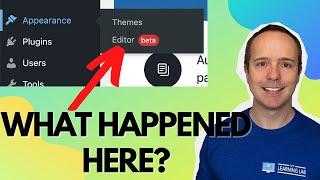
WordPress 5.9 Just Dropped And It Has FULL SITE EDITING!
Added 59 Views / 0 LikesAre you ready for WordPress 5.9? Well, if you're ready or not, it's here! Full site editing is finally here in WordPress Gutenberg. Is Gutenberg going to compete with page builders now? Could be. What do you think? Let me know in the comments below! //* Video Table of Contents 00:00 WordPress 5.9 Changes Overview 01:29 Full Site Editing 02:29 Editing the header in WordPress 5.9 03:54 Using the new Navigation Block 11:55 How to edit the footer 14:35 Wh
-
13:36
MailChimp Tags And How To Use Them
Added 52 Views / 0 LikesAny CRM worth anything will have tags (or a similar function). They help you keep things organized and running smoothly so that your digital marketing runs at its' fullest potential. But if you use tags incorrectly, your MailChimp account will be a bit of a mess. Learn the proper way to use them in this tutorial. //* Video Table of Contents 00:00 Intro 00:30 Why you should tag contacts 4:14 Where to add tags 5:16 How to decide which tags to create 07:
-
08:03
Did The Latest Version Of WordPress Break Elementor?
Added 55 Views / 0 LikesI played around this with for quite a while and I couldn't see a work around. It is possible that newer themes that support WordPress 5.9's menu creation process can't make menus for Elementor. If you know a work around, please let us all know in the comments! //* Grab your free 17-Point WordPress Launch Checklist PDF: https://wplearninglab.com/get/wordpress-redirects.php?utm_source=youtube&utm_medium=video&utm_campaign=wp_jumpstart&utm_id=17_point_wp
-
06:40
MailChimp Audience vs Tags - And How To Use Them Properly
Added 53 Views / 0 LikesThe MailChimp audience is very different from tags in MailChimp. It is important that you know how they're different, what each one does and how to use them to the fullest effect in your MailChimp account. This tutorial will help you with that. //* Grab your free Manuscript - The 5 Email Sequences Every Business MUST Have: https://wplearninglab.com/get/wordpress-redirects.php?utm_source=youtube&utm_medium=video&utm_campaign=online_marketing&utm_id=5_e
-
1:02:00

Add An Affiliate Program To Any WordPress Site With The SliceWP Plugin
Added 54 Views / 0 LikesSliceWP has a powerful free version that will have your affiliate program up and running in no time. You'll see all the features available in the free version in this video. And after that, you'll see all the features of the Pro version of SliceWP in this same video. The Pro version will super-charge your affiliate program! //* Check out the free version of SliceWP here: https://wordpress.org/plugins/slicewp/ Use the coupon code wplearning15 to 15% of
-
11:11
MailChimp Segments And How To Use Them
Added 36 Views / 0 LikesSegments in MailChimp are 1 of 3 ways to segment and organize your contacts. You can think of segments as custom filters that allow you to select specific parts of your audience based on the information you have about them. Once you've created a segment you can email all the people in that segment. You'll learn how to do all of it in this tutorial. //* Grab your free Manuscript - The 5 Email Sequences Every Business MUST Have: https://wplearninglab.co









