Wordpress
-
04:29

Why Contextual Links Matter For SEO | WP Learning Lab
Added 94 Views / 0 LikesGrab Your Free 17-Point WordPress Pre-Launch PDF Checklist: http://vid.io/xqRL Download our exclusive 10-Point WP Hardening Checklist: http://bit.ly/10point-wordpress-hardening-checklist Why Contextual Links Matter For SEO | WP Learning Lab A contextual link is a link that is within your article. It usually has anchor text instead of a plain URL. These links can be used to interlink content on your website or link out to other websites. As far as SEO
-
10:10

11 Reasons Why Hackers Want To Hack Your Site
Added 94 Views / 0 LikesGrab Your Free 17-Point WordPress Pre-Launch PDF Checklist: http://vid.io/xqRL It's no secret, all website technologies are vulnerable to attack. WordPress is one of the most popular platforms in the world which makes it a big target. If you think that because your site doesn't have any traffic or because you have little content on your site, hackers don't want access to it, you'd be wrong. Nearly half of the 11 reason hackers want access to your site
-
00:51

How to Keep Track of Your Post Ideas in WordPress
Added 94 Views / 0 LikesWhen writing a blog ideas can sometimes come at random times. A great solution to keep your ideas with your WordPress blog is to keep them on your blog instead of on something else. In this video, we will show you how to keep track of your post ideas. If you liked this video, then please Like and consider subscribing to our channel for more WordPress videos. Text version of this tutorial: http://www.wpbeginner.com/plugins/how-to-keep-track-of-your-pos
-
00:46

How to Allow User Log In with Email in WordPress
Added 94 Views / 0 LikesPopular sites like Facebook and Twitter allow users to log in with their email address or username unlike standard WordPress.com. You can add the same functionality on your site. In this video, we will show you how to allow user login with email in WordPress. If you liked this video, then please Like and consider subscribing to our channel for more WordPress videos. Text version of this tutorial: http://www.wpbeginner.com/plugins/how-to-allow-user-log
-
59:46

This Week in WordPress (December 9 to 15, 2017)
Added 94 Views / 0 LikesThis Week in WordPress (12-9 to 12-15) Ahoy, Divi Nation! I’m BJ, and I am here to talk to you about everything that went on with WordPress this week! Every week, we here at Elegant Themes round up all the best news, resources, and tutorials that were published this week in WordPress and bring them to you! Remember, say hi in the comments and lets get to know each other. I'll do my best to respond as I can, and if you've got something to share about Y
-
1:01:48
This Week in WordPress (February 3 to 9 2018)
Added 94 Views / 0 LikesMultistreaming with https://restream.io/ This Week in WordPress (January 27 - Feb 2, 2018) Hey, Divi Nation! It's Friday and time for This Week in WordPress, your one-stop afternoon show with all the News, Tutorials, and Resources you need to get your weekend started off right! --NEWS-- Divi Section Dividers are here! https://www.elegantthemes.com/blog/theme-releases/shape-dividers WordPress Update Breaks Future Auto-Updates. Manually Update Now! http
-
05:35

Download a Free & Results-Driven SaaS Layout Pack for Divi
Added 94 Views / 0 LikesHey Divi Nation, thanks for joining us for the next installment of our weekly Divi Design Initiative; where each week, we give away a brand new, free Divi Layout Pack from our design team to you. This week Kenny and his team have created a results-oriented and stunning SaaS Layout Pack with seven different pages that provide everything your average SaaS company will need to get up and running in just a few clicks. Go to the blog post: https://www.eleg
-
14:21

How to Use Text as an Abstract Design Element in Divi
Added 94 Views / 0 LikesUsing text as an abstract design element can be a great way to give a unique look to your site without having to create custom graphics or images. You can use the text for strictly abstract aesthetic appeal or you can have them serve as a creative and subtle message to your viewers. Today, I’m going to show you how you can use Divi’s text module to add any text content you want as an abstract design element on your website. I’m going to include a coup
-
03:47
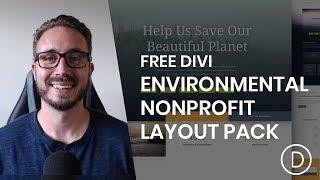
Get a FREE Environmental Nonprofit Layout Pack for Divi
Added 94 Views / 0 LikesHey Divi Nation! Thanks for joining us for the next installment of our weekly Divi Design Initiative; where each week, we give away two brand new, free Divi Layout Packs from our design team to you. For the first layout this week, Kenny and his team have created an Environmental Nonprofit Layout Pack you are going to love. The layout pack is a brilliant solution for any nonprofit looking to impact the online world. It comes with dedicated sections for
-
18:42
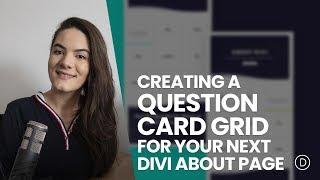
Creating an Interactive Question Card Grid for Your Next About Page with Divi
Added 94 Views / 0 LikesEvery week, we provide you with new and free Divi layout packs which you can use for your next project. For one of the layout packs, we also share a use case that’ll help you take your website to the next level. This week, as part of our ongoing Divi design initiative, we’re going to show you how to create an interactive question card grid for your next about page with Divi. We’ll be using the Internet Service Provider Layout Pack’s about page but you
-
04:08
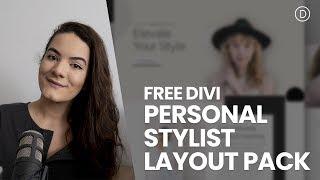
Get a FREE Personal Stylist Layout Pack for Divi
Added 94 Views / 0 LikesLearn more: https://www.elegantthemes.com/blog/divi-resources/get-a-free-personal-stylist-layout-pack-for-divi Hey Divi Nation! Thanks for joining us for the next installment of our weekly Divi Design Initiative where each week, we give away two brand new, free Divi Layout Packs from our design team to you. This time around, Kenny and his team have created a gorgeous Personal Stylist Layout Pack that'll help you get any kind of personal website up and
-
05:59

How to Export a Divi Page Layout that Has Custom Code
Added 94 Views / 0 LikesI love being able to export and import a Divi Page Layout. In just a few clicks, I can have all the design elements in one conveniently packaged json file that can be stored for another project. But what if your page layout depends on custom external code (CSS or Javascript)? Of course, you will want to include that code within your page layout export in order to keep the style and functionality of the page elements in place. In this tutorial, I’m goi
-
03:08
Say Hello to Elementor 1.5 – Our New Magical Editor Interface
Added 94 Views / 0 LikesSay Hello to Elementor 1.5! Our new magical editor interface that will take your workflow experience to the next level. That's not all. This is our most feature-packed release ever! It includes major improvements with Mobile Editing, Z-Index, Version Control and much more. Check it out → https://elementor.com/v150-new-editor-ui/
-
04:56

Best Stock Photo Website – Where to Buy Stock Photos
Added 94 Views / 0 LikesBest Stock Photo Website – Where to Buy Stock Photos For Less In this quick video I cover two different ShutterStock alternatives. One is completely free, and one is paid with a wide variety of images at a fraction of the price when compared to ShutterStock. If you're wondering where to buy stock images for blogs or customer websites this is a great place to start! I hope you enjoy the video. Stock Photo Deal: https://www.wpwithtom.com/photos My Site:
-
04:01

How to Install a WordPress Theme - Both Ways Covered
Added 94 Views / 0 LikesIn this beginners tutorial I show how to install a WordPress theme. I cover how to install a theme from the repository and how to install a premium theme that you purchase within WordPress. Just to be 100% clear this is for WordPress.org hosted websites and not WordPress.com My Website: http://wpwithtom.com/ Best Hosts: SiteGround: https://wpwithtom.com/siteground GreenGeeks: https://wpwithtom.com/greengeeks NameHero: NameHero: https://wpwithtom.com/n
-
1:44:04
How to Make a WordPress Website for Beginners
Added 94 Views / 0 LikesHow to make a WordPress Website for Beginners - In this beginners WordPress tutorial I go step by step through the process of creating a website with a free theme called optimizer. This optimizer theme tutorial is meant for individuals with no previous experience and it contains no coding. The tutorial covers how to make a WordPress blog and much more. You can easily combine bits and pieces of what you learn in this wordpress tutorial with others that
-
05:48

Free Stock Video Websites | Beginners Series
Added 94 Views / 0 Likeshttp://wpwithtom.com/ List of Free Stock Video Websites https://www.videvo.net/ https://www.pexels.com/ https://www.videezy.com/ http://www.wedistill.io/ https://pixabay.com/ http://coverr.co/ https://www.videoblocks.com/ https://videohive.net/?ref=wpwithtom Have you been looking for some for free stock video websites to add a beautiful video background on your website? In this video I cover 8 different websites where you can get free stock videos. Of
-
06:34
Cómo Traducir un Theme en WordPress | WordPress Para Novatos
Added 94 Views / 0 LikesMuchas veces, necesitas instalar un theme o una plantilla en tu WordPress, pero te das cuenta de que muchas de las frases que trae están en su idioma nativo, normalmente inglés. Traducir un theme de Wordpress o una plantilla, es una tarea muy fácil. Para ello únicamente necesitas instalar el plugin "Loco Translate" y seguir los pasos que te explico en este pequeño videotutorial. El plugin de tradcción lo puedes descargar desde el repositorio oficial d
-
09:04

Sorteo Ganador Concurso Cuánto Sabes de #WordPress
Added 94 Views / 0 LikesEnhorabuena al ganador del concurso "Cuánto Sabes de WordPress" que respondió correctamente a las preguntas que aparecían en el blog. Se lleva un pack compuesto por 1 Agenda 2018 + 1 taza + 6 meses de hosting GRATIS. Recuerda que si estás buscando hosting para WordPress y no has tenido la suerte de ser el ganador del concurso, puedes conseguirlo con un 25% de descuento en la siguiente dirección: https://wpnovatos.com/profesionalhosting introduciendo e
-
02:44

How to add a Link in WordPress | Beginners Series
Added 94 Views / 0 LikesHow to add a Link in WordPress - In this beginners tutorial I show you how to easily add a link in WordPress and how to set the link up to be opened in a new tab or open in the current tab you're in. Additionally, I cover how to change the link text that appears on your webpage to viewers. If you have any questions about how to setup a link in WordPress after watching this video please feel free to reach out to me in the comments below! Best Hosts: Si
-
08:12
How to Install WordPress in cPanel STEP BY STEP
Added 94 Views / 0 LikesIn this video, I will show you how to install WordPress in cPanel and create your first website fast. Get 60%OFF for WordPress hosting: http://bit.ly/WPHostingOffer You are free to use any other hosting provider. There are so many possibilities, but from my experience as a WordPress website owner, this is a very good choice. Now you can access your user account and easily install WordPress from cPanel or by using the new interface offered by Sitegroun
-
1:19:04

Divi Cyber Monday Deal Update LIVE (2019)
Added 94 Views / 0 LikesMultistreaming with https://restream.io/ Welcome to Elegant Themes’ biggest, craziest Cyber Monday Sale of all time. Not only are we offering the largest discount we’ve ever offered on Divi, but we’ve got tons of bonus deals, and exclusive gifts for new members, upgrading members, and existing lifetime members. Get our 25% Off Cyber Monday Deal Here: https://www.elegantthemes.com/cybermonday If you’re already a Lifetime Member and want to get straight
-
1:05:24

The Weekly WP Roundup with B.J. Keeton (January 10, 2020)
Added 94 Views / 0 LikesMultistreaming with https://restream.io/ Welcome back to the roundup, Divi Nation. All of the links we talk about in the show are in the description of this video, so be sure to expand that and check them out. Also, we value your contributions to the show, so feel free to take part in live chat, ask any questions you may have, or just say hello. --NEWS Introducing Improved Compatibility With The Gutenberg Editor https://www.elegantthemes.com/blog/them
-
13:47

Using Module Backgrounds to Display Inline Parallax Images with Divi
Added 94 Views / 0 LikesUsing CSS inline parallax backgrounds can really help enhance your website’s look and feel and this tutorial is the perfect example. We’ll use multiple module backgrounds to create a stunning and coherent outcome that shows multiple parts of your background image. You’ll be able to download the JSON file for free as well! Read more: https://www.elegantthemes.com/blog/divi-resources/using-module-backgrounds-to-display-inline-parallax-images-with-divi
-
32:54

How To Create A Survey People Will Actually Want To Fill Out Using SurveySparrow
Added 94 Views / 0 LikesHow To Create A Survey People Will Actually Want To Fill Out Using SurveySparrow https://youtu.be/0Y74HrLwmU8 //* Check out SurveySparrow here (aff): http://wplearninglab.com/go/surveysparrow001 Join our private Facebook group today! https://www.facebook.com/groups/wplearninglab //* In this tutorial I'm going to show you how to create a survey that is short and engaging, which is key for getting people to fill it out. We're going to use SurveySparrow
-
21:16
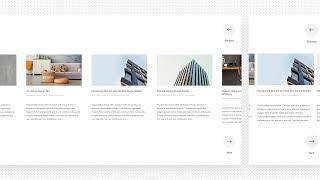
Turning Your Blog Module into an Advanced Draggable/Swipe Carousel with Divi & Slick
Added 94 Views / 0 LikesFor many websites, blogging has become an important part of their SEO strategy. But besides creating high-quality content, it’s also important to simplify the post navigation process for your visitors. That way, they can hop from one post to another and spend more time on your website reading the content you put out there. Within Divi, there’s a Blog Module you can use to dynamically display your blog posts and style them as well. If you’re looking fo
-
11:03
How to Install a WordPress Theme
Added 94 Views / 0 LikesWant to know how to install a WordPress theme? As a beginner you may not be sure how to add a new theme, install a premium theme from another site, or which theme is active at the moment. In this guide, we'll show you how to install a WordPress theme. This video is sponsored by MonsterInsights, a powerful plugin to help you use your analytics information to the fullest, take a look at MonsterInsights here: ================================= https://www
-
03:00
How to Display Trustpilot Reviews on Your WordPress Website
Added 94 Views / 0 LikesIn today's video, we'll learn how to display Trustpilot reviews on your WordPress website. Blog post: https://www.elegantthemes.com/blog/wordpress/how-to-display-trustpilot-reviews-on-your-wordpress-website •️ Learn more about Divi: https://www.elegantthemes.com/gallery/divi • Like us on Facebook: https://www.facebook.com/elegantthemes/ #Trustpilot #WordPress #ElegantThemes
-
47:54
Neve WordPress Theme 2020 - Neve Free vs Pro Features Walkthrough
Added 94 Views / 0 LikesThe Neve WordPress Theme is a great addition to your arsenal. I put it up there with Astra and OceanWP in regards to easy of use, speed and features available. In addition to this complete walkthrough, I have a deep dive on the WooCommerce and Elementor boosters in Neve Pro here: https://www.youtube.com/watch?v=e9ZbLk2qoC4&list=PLlgSvQqMfii5lRh2GBAwXl325coPV4Vd4 In this video, you'll see all the features of the free Neve theme and after that all the f
-
38:16

How To Make A Lightweight Automated Membership Website For Free Using WordPress
Added 94 Views / 0 LikesIn this WordPress tutorial, I will show you how to make a lightweight automated membership website for free. That's right, zero cost because most of what you need you already have. You just need to connect them together. Links From The Video * Automator Plugin -- https://www.wpcrafter.com/automator (SAVE 70%) Table Of Contents 00:00:00 Intro 00:01:36 What a Membership Plugin Does 00:02:22 Choose Hosting 00:03:13 Install Theme 00:05:32 Setup Membership









