Wordpress
-
01:56 Popular

How to Show Latest Videos From a YouTube Channel in WordPress
Added 123 Views / 0 LikesYouTube is one of the largest video hosing sites on the web at the moment. Normally you would add one video at a time to your WordPress blog but there can be an easier way. In this video, we will show you how to show the latest videos from a YouTube channel in WordPress. If you liked this video, then please Like and consider subscribing to our channel for more WordPress videos. Text version of this tutorial: http://www.wpbeginner.com/plugins/how-to-sh
-
01:40 Popular
How to Add Post Attachment as Featured Image in WordPress
Added 123 Views / 0 LikesDepending on your theme WordPress works best when you have either a featured image or a default fallback image. You may want to use a picture from the post you are working on as the fallback featured image. In this video, we will show you how to add a post attachment as your featured image. If you liked this video, then please Like and consider subscribing to our channel for more WordPress videos. Text version of this tutorial: http://www.wpbeginner.c
-
01:10 Popular

How to Automatically Share Your Old WordPress Posts
Added 123 Views / 0 LikesSocial networks are great ways to improve your site's traffic. There are social networks like Twitter and Facebook to help bring attention to older posts that are still useful to your viewers. In this video, we will show you how to automatically share your old WordPress posts. If you liked this video, then please Like and consider subscribing to our channel for more WordPress videos. Text version of this tutorial: http://www.wpbeginner.com/plugins/how
-
01:07 Popular

How to Use Distraction Free Full Screen Editor in WordPress
Added 123 Views / 0 LikesThe visual and text editor in WordPress are great tools for writing but can be a bit overwhelming. Luckily WordPress has a clutter free writing mode to remove the unnecessary menus and boxes. In this video, we will show you how to use distraction free or full screen editor in WordPress. If you liked this video, then please Like and consider subscribing to our channel for more WordPress videos. Text version of this tutorial: http://www.wpbeginner.com/b
-
00:48 Popular

How to Restore the Missing Link Title Field in WordPress
Added 123 Views / 0 LikesIn WordPress 4.2 the link title field in the insert link section was replaced by the link text field. This is slightly disappointing for many users who feel the link title field is useful for SEO. In this video, we will show you how to restore the missing link title field in WordPress 4.2. If you liked this video, then please Like and consider subscribing to our channel for more WordPress videos. Text version of this tutorial: http://www.wpbeginner.co
-
01:12 Popular

How to Add Beautiful Email Templates in WordPress
Added 123 Views / 0 LikesText version of this tutorial: http://www.wpbeginner.com/plugins/how-to-add-beautiful-email-templates-in-wordpress/ Do you want to change the appearance of emails sent by your WordPress site? By default all emails sent by WordPress are sent in plain text and quite dull. In this video, we will show you how to add beautiful email templates in WordPress. If you liked this video, then please Like and consider subscribing to our channel for more WordPress
-
01:00 Popular

How to Remove NoFollow From WordPress Comments
Added 123 Views / 0 LikesText version of this tutorial: http://www.wpbeginner.com/wp-tutorials/how-to-remove-nofollow-from-wordpress-comments/ By default WordPress automatically adds a nofollow tag to all links in the comments. Recently one of our readers asked if it was possible to remove the nofollow from WordPress comments. In this video we will show you how to remove nofollow from WordPress comment links. If you liked this video, then please Like and consider subscribing
-
07:05 Popular
How to Add Google Calendar in WordPress
Added 123 Views / 0 LikesDo you want to add Google Calendar to your WordPress site? Google Calendar is a useful scheduling app for your schedule. In this video we will show you how to add Google Calendar in WordPress. Text version of this tutorial: http://www.wpbeginner.com/plugins/how-to-add-google-calendar-in-wordpress If you liked this video, then please Like and consider subscribing to our channel for more WordPress videos. Check us out on Facebook: https://www.facebook.c
-
04:10 Popular
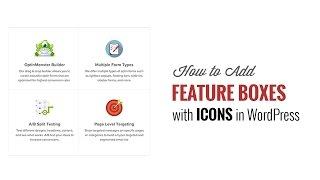
How to Add Feature Boxes With Icons in WordPress
Added 123 Views / 0 LikesDo you want to add a feature box with beautiful icons to your site? Feature boxes are great for showing selling points of your products and services. It can be a great method for presenting products to new customers. Text version of this tutorial: http://www.wpbeginner.com/wp-tutorials/how-to-add-feature-boxes-with-icons-in-wordpress/ If you liked this video, then please Like and consider subscribing to our channel for more WordPress videos. Check us
-
05:12 Popular
How to Add Beautiful Event Timeline in WordPress
Added 123 Views / 0 LikesHave you ever wanted to add an event timeline to your site? They can be useful for displaying a timeline of your site but there normally is not a simple way to add this to your site. In this video, we will show you how to add a beautiful event timeline in WordPress. Text version of this tutorial: http://www.wpbeginner.com/plugins/how-to-add-beautiful-event-timeline-in-wordpress/ If you liked this video, then please Like and consider subscribing to our
-
02:06 Popular
How to Optimize Your WordPress Database with One Click
Added 123 Views / 0 LikesAre you looking to optimize your WordPress database? This can feel complicated for a new user but we're here to make database optimization easier for you. In this video we will show you how to optimize your WordPress database. Text version of this tutorial: http://www.wpbeginner.com/plugins/optimize-your-wordpress-database-with-one-click/ If you liked this video, then please Like and consider subscribing to our channel for more WordPress videos. Check
-
02:43 Popular
How to Create a Multi Page Form in WordPress
Added 123 Views / 0 LikesDo you have large forms that you are wanting to split between multiple pages? Multi part forms allow you to collect more information without the frighteningly large forms that happen when they are on just one page. In this video we will show you how to create a multi-page form in WordPress. Text version of this tutorial: http://www.wpbeginner.com/wp-tutorials/how-to-create-a-multi-page-form-in-wordpress/ If you liked this video, then please Like and c
-
06:37 Popular

How to Upload Your Website To The Internet
Added 123 Views / 0 LikesStart Here • https://websitelearners.com/get-website-online/#start Get awesome HTML templates here • https://1.envato.market/Pv15X Learn how to upload your HTML website live on the internet Basic need to follow this tutorial is your HTML Website files We are going to upload our website in just 4 steps Step 1 : choose your domain name 00:31 Step 2 : get your domain & hosting 00:58 Step 3 : setup your hosting account 02:39 Step 4 : upload your website f
-
10:15 Popular
WordPress 201 - Make Your Website Hack-Proof
Added 123 Views / 0 LikesHacking is one of the worst things that can happen for a WordPress webmaster. Make your website hack proof. See the above video to know more Useful WordPress Themes Links: WordPress Blog Themes - https://mythemeshop.com/theme-category/wordpress-blog-themes/ WordPress Business Themes - https://mythemeshop.com/theme-category/wordpress-business-themes/ WordPress eCommerce Themes - https://mythemeshop.com/theme-category/wordpress-ecommerce-themes/ Free Wo
-
07:39 Popular
WordPress 101 - Creating Navigation Menu
Added 123 Views / 0 LikesCreate Navigation menus on your WordPress website. Watch the tutorial to know more. Useful WordPress Themes Links: Premium WordPress Themes - https://mythemeshop.com/themes/ Free WordPress Themes - https://mythemeshop.com/theme-category/free-wordpress-themes/ Useful WordPress Plugins Links: Premium WordPress Plugins - https://mythemeshop.com/plugins/ Free WordPress Plugins - https://mythemeshop.com/plugin-category/free/ Connect: Facebook - https://www
-
04:25 Popular

How to fix “This site ahead contains harmful programs” error in WordPress?
Added 123 Views / 0 LikesIf you are frequent web user, you might have encountered this problem while visiting a site. Sometimes when you open a website, it shows a message “This site ahead contains harmful programs” and restricts you to further access such website. If the same issue has occurred with your WordPress website, it is possible that your website is either hacked by the hackers who have placed and distributed a malicious code which Google find as harmful for visitor
-
02:29 Popular

How to fix white text and missing buttons in WordPress visual editor?
Added 123 Views / 0 LikesIt is an error which makes the buttons disappear from the WordPress visual dashboard. This may arise due to corrupted TinyMCE files or due to a conflict with the code of another plugin that are installed on the server. Know more about the error and how to resolve it in this step by step video tutorial.
-
14:08 Popular
URL Shortener Free WordPress Plugin by MyThemeShop
Added 123 Views / 0 Likeshttps://mythemeshop.com/plugins/url-shortener/ URL Shortener is the most powerful tool for creating beautiful, short URLs. Hide affiliate links, share long links on social media and make your URLs easier to remember. It’s fast, powerful and perfect for getting more clicks and better engagement! Useful WordPress Themes Links: WordPress Blog Themes - https://mythemeshop.com/theme-category/wordpress-blog-themes/ WordPress Business Themes - https://mythem
-
07:29 Popular
5 Easy Ways To Integrate WordPress With Facebook
Added 123 Views / 0 LikesGet Facebook work for you and improve your presence on Social Media. Start by integrating Facebook with your WordPress website. Despite the competition, Facebook remains the most popular Social Media network. But how to integrate Facebook with WordPress? You may want to add Facebook reactions to WordPress, display your pages feeds or replace the default comments of WordPress with Facebook, in this video we've covered them all. Text version of How to I
-
06:51 Popular

How To Add A Variable Product In WooCommerce (Different Prices&Images)
Added 123 Views / 0 LikesAdd Variable Products in WooCommerce with different prices and images. If you have items that have different product attributes this guide is for you. Wix vs Shopify vs WooCommerce: https://youtu.be/lz_Gv0gbQY4 A variable product can be a t-shirt, for example, which has different sizes and colors, and if you want to set different images and even different prices for each variant. If you want to control the price and images of your variable products in
-
08:23 Popular

WooCommerce Dropshipping Store (Semi-Automated Method)
Added 123 Views / 0 LikesA dropshipping store is wonderful for startups that want to cut costs early. Learn this semi-automated method to create a WordPress dropshipping store. The timestamps are below • 0:31 | Getting Started 1:13 | Install WooCommerce 2:48 | How to Add Products - The Semi-Automated Way 4:03 | Activate EZUSY Chrome Extension 5:09 | Products on AliExpress Although you must work on those steps manually, you can still automatically send out product orders to th
-
50:17 Popular

How To Make A WordPress Website In 2019 [FREE TOOLS]
Added 123 Views / 0 LikesIn 2019, free WordPress tools are so easy to use that you can create a website in a few hours. In this tutorial, you will learn how to make a WordPress website using only free tools (aside from hosting and domain names, which are never free). The tools we used to make this happen: • Neve WordPress theme: http://bit.ly/NeveWPTheme • Get professional hosting from Siteground, with discount* - http://bit.ly/WPHostingOffer • Elementor: http://bit.ly/Downlo
-
04:13 Popular
Free Divi Blog Post Layout Pack
Added 123 Views / 0 LikesIn this video, as part of our Divi 100 Marathon leading up to the release of Divi 3.0, we show you how to install and use our this free new layout pack for Divi Builder powered blog posts. Get the layout pack here: http://www.elegantthemes.com/blog/divi-resources/free-divi-blog-post-layout-pack-will-take-your-builder-powered-articles-to-the-next-level
-
11:32 Popular

Divi Nation Short: First Season Lessons & Season Two Overview
Added 123 Views / 0 LikesIn this episode of Divi Nation our host Nathan B. Weller shares five lessons he learned creating season one of the podcast and offers an overview of what we can expect in season two. Read the accompanying blog post: http://goo.gl/fyVfg8 Subscribe to our YouTube Channel: https://goo.gl/oxCa4h Subscribe to Divi Nation on iTunes: https://goo.gl/w8fccT Subscribe to Divi Nation via RSS: http://goo.gl/vz04Vc Get Divi Nation on Facebook: https://goo.gl/zPFjx
-
17:51 Popular

Using Filters, Hero Sections, and CTA’s to Expand a Minimal Portfolio Homepage
Added 123 Views / 0 LikesIn today’s post, I’m going to show you how to add some alternate styles to the minimal portfolio homepage we built in yesterday’s blog post. My goal is to provide a few simple additions and alternatives that we can test later using Divi’s A/B testing system Divi Leads. Here is the link to the post: https://www.elegantthemes.com/blog/divi-resources/using-filters-hero-sections-and-ctas-to-expand-a-minimal-portfolio-homepage
-
05:38 Popular

How to Create a Gorgeous Seasonal Transparent Countdown Timer in Divi
Added 123 Views / 0 LikesIn this video, I will be showing you how to create impressive countdown timers for your Divi website. As we discussed during day 1, countdown timers can be a very effective way to build anticipation for a new product, website, event, etc. Here is the link to the post: https://www.elegantthemes.com/blog/divi-resources/how-to-create-a-gorgeous-seasonal-transparent-countdown-timer-in-divi
-
04:42 Popular

How to add a floating action menu to Divi with the code module.
Added 123 Views / 0 LikesHow to add a floating action menu to Divi with the code module. Hey, Divi Nation! I’m back with another pen to share with you all that will add a Floating Action Menu to your Divi website. I’m going to show you two different ways to implement it on your site. The first is taking advantage of Divi’s Code Module, something I’m hoping to encourage more of this year, and the second is using Divi’s Theme Options. Read article: https://goo.gl/cibBJq