Wordpress
-
07:38 Popular
How to Blend Images to Create a Custom Background Design in Divi
Added 101 Views / 0 LikesBlending multiple images can be helpful for creating professional background designs for your website. The idea is to take two or three separate images and layer them on top of each other. Then use a blend mode to mix the layers together to create a unified harmonious design. Every Divi builder element has built-in blend mode and filter options to make blending elements easy to do right there in the Divi builder. Of course, you could blend images in p
-
10:44 Popular
How to Blend Your Header & Body Using Divi’s Post Content Module & Section Dividers
Added 127 Views / 0 LikesBy now, we’ve all gotten used to Divi’s built-in section divider. They help add that extra touch to the websites we build. They also serve as a smooth transition between two different sections, but with Divi’s Theme Builder, the approach to creating that transition is slightly different. In this post, we’ll guide you through the steps you have to take to get there. You’ll be able to download the template JSON file for free as well! Read more: https://
-
01:03 Popular

How to Block a WordPress User Without Deleting Their Account
Added 112 Views / 0 LikesDid you ever want to block a user from logging into WordPress? Normally you would delete the profile but you would need to move all the content from that user. In this video, we will show you how to block a WordPress user without deleting their account. If you liked this video, then please Like and consider subscribing to our channel for more WordPress videos. Text version of this tutorial: http://www.wpbeginner.com/plugins/how-to-block-a-wordpress-us
-
04:13 Popular

How To Block and Blacklist Bad IPs via .htaccess - Works On Any Apache Server | WP Learning Lab
Added 172 Views / 0 LikesGrab Your Free 17-Point WordPress Pre-Launch PDF Checklist: http://vid.io/xqRL Download our exclusive 10-Point WP Hardening Checklist: http://bit.ly/10point-wordpress-hardening-checklist How To Block and Blacklist Bad IPs via .htaccess - Works On Any Apache Server | WP Learning Lab # BEGIN Blacklist Undesired IPs (User and Bots) (left pointy bracket)Limit GET POST PUT(right pointy bracket) order allow,deny allow from all deny from 123.456.789.111 (lef
-
32:26 Popular

How To Boost Engagement On Your Blog By Replacing Outdated Comment System - Thrive Comments Review
Added 136 Views / 0 LikesLet's face it, the WordPress comments system is outdated, inconvenient, and inefficient for today's websites. Learn how I doubled engagement on my blog posts with Thrive Comments. More info: https://www.wpcrafter.com/thrive-comments Not only does it Thrive Comments make it easier to leave comments, it also increases website traffic by bringing people back to your website. ~~~~~~~~~~~~~~~~~~~~~ All of my opinions in this video are my own, I was not pai
-
16:09

How to Boost Your CTA with a "Winning Spin" Scroll Effect
Added 51 Views / 0 LikesIt is always fun to win a prize. That’s why companies market their products and services online by giving away free stuff. It could be a coupon for a free dessert with your first order, or a free e-book when you subscribe to an email list. But sometimes, even freebies can get ignored on the web. Adding an elegant “winning spin” scroll effect might be a great way to give your CTA the attention it deserves while creating an engaging interaction for visi
-
25:54
How to Build a Barbershop Website with Divi
Added 81 Views / 0 LikesEvery Barber shop needs a great looking website. And with the power of Divi behind you (and those wonderful free Divi layout packs) you can easily create a website any Barber would be proud to have. Today, I’m going to show you how to build a website for a barber shop using Divi. I’ll be starting things off with the Coffee Shop Layout pack. I’m doing this for a few reasons: 1. The layout offers a great color scheme that fits a barber shop. 2. The page
-
20:23 Popular

How To Build A Chatbot For A Website Using Collect.Chat
Added 134 Views / 0 LikesGrab Your Free 17-Point WordPress Pre-Launch PDF Checklist: http://vid.io/xqRL Check out the free WP & Online Marketing Summit For Beginners. The online event is June 18, 2019: https://events.wplearninglab.com/ How To Build A Chatbot For A Website Using Collect.Chat https://youtu.be/_1fUMEZmOAY Link to get Collect.chat: https://collect.chat#_r_wplearninglab This tutorial will show you how to build a chatbot for a website for free using a great tool ca
-
10:32
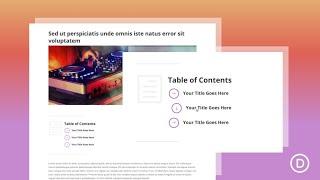
How to Build a Clickable Table of Contents for a Blog Post with the Divi Layout
Added 66 Views / 0 LikesAdding a clickable table of contents to a blog post is a great way to improve user experience. In many cases, a blog post table of contents uses anchor links to help users navigate through the content. And, a table of contents (with anchor links) is really simple to build using basic HTML. However, adding custom design/CSS to customize it can be a challenge. This is where the Divi Layout Block comes in handy. In this tutorial, we are going to design a
-
06:37

How To Build A Coupon Website On WordPress
Added 98 Views / 0 LikesCreate a coupon website on WordPress to diversify the way you monetize it. Everybody is looking for coupons. Start Now! Are you looking to create a coupon site with WordPress? You may want to promote your own deals or create a dedicated coupon site like RetailMeNot, Groupon or The Krazy Coupon Lady and monetize it with affiliate links, here's how to do it in WordPress either by choosing a Coupon WordPress Theme or by adding them to your existing theme
-
21:03 Popular

How to Build a Creative Image Layout with Overlapping and Vertical Text
Added 114 Views / 0 LikesThere is something beautiful about the organization of a good image layout or grid. But sometimes, beauty is found outside the boundaries of perfect symmetry. We’ve all seen examples of this kind of asymmetrical balance used in marketing. You can find them on restaurant menus, brochures, and countless websites with portfolios and galleries. Today I’m going to show you how to build your own creative image layout using Divi. The concepts aren’t earth-sh
-
06:31
How to Build a Custom WordPress Header Using Neve Pro
Added 52 Views / 0 LikesHere's a video demonstrating how to build a custom header using components from the free version of Neve: 👉 https://www.youtube.com/watch?v=TVrIOXTs-r8 In this video, you will learn how to build a professional WordPress header using powerful components from Neve Pro with its Header Builder, using drag and drop functionality. We also explore some additional pro features such as "stick to top" which you can apply to any or all of your header rows (top,
-
12:45
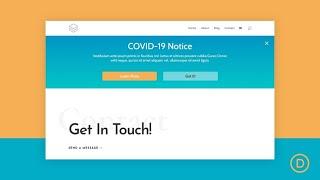
How to Build a Divi Notification Box for COVID 19 Updates FREE Download
Added 42 Views / 0 LikesThere is always a need for notification boxes on a website. They are helpful additions that supply important information to users where they can see it. Unfortunately, the growing COVID-19 epidemic has left many websites with the pressing need to keep their users updated. A notification box is a great way to do it. Today, we are giving away a FREE Divi notification box section layout (complete with all the necessary code/functionality) for you to add
-
51:54

How to Build a Dynamically Positioned Popover with Popper.js and Divi
Added 29 Views / 0 LikesGo to the blog post: https://www.elegantthemes.com/blog/divi-resources/how-to-build-a-dynamically-positioned-popover-with-popper-js-and-divi The popper.js library is a powerful positioning engine for tooltips and popovers. Today, we are going to harness the power of Popper.js in Divi to create a dynamically positioned popover when clicking a button. This will allow anyone to create a popover using Divi elements to display any content they want when cl
-
01:26

How to Build a Fullscreen Footer with Divi
Added 27 Views / 0 LikesFullscreen footers are interesting design elements. The fullscreen aspect of the design gives all of the attention to the footer. The tricky part, though, is making the footer full screen on different screen sizes. It gets even trickier when you consider that many users will view your website at different zoom levels. Fortunately, it’s easy to make a fullscreen Divi footer using the Divi settings. In this article, we’ll see how to make a small footer
-
10:29 Popular

How To Build A Landing Page In WordPress Without A Designer
Added 137 Views / 0 LikesHow to create an awesome landing page with a free drag-and-drop plugin and without a designer's help. Building something like this is really simple with SiteOrigin and Shortcodes Ultimate. The fact that you can create all of that on your own makes those plugins uber-helpful. SiteOrigin Page Builder plugin: https://wordpress.org/plugins/siteorigin-panels/ SiteOrigin additional bundle of widgets: https://wordpress.org/plugins/so-widgets-bundle/ Shortcod
-
33:43 Popular

How To Build A Landing Page With Divi - SkySilk VPS Hosting (Virtual Private Server) For WordPress
Added 144 Views / 0 LikesGrab Your Free 17-Point WordPress Pre-Launch PDF Checklist: http://vid.io/xqRL Check out the free WP & Online Marketing Summit For Beginners. The online event is June 18, 2019: https://events.wplearninglab.com/ VPS hosting with SkySilk is a great way to improve your website's performance with dedicated server resources and without breaking the bank. In this tutorial, I also show you how to build a simple landing page using Divi Builder templates and l
-
01:07

How to Build a Library Collection and Circulation System in WordPress
Added 81 Views / 0 LikesWordPress is usually seen as a blogging platform but it has the power to be used for many more uses. There is even a method to manage a library's collection. In this video, we will show you how to build a library collection and circulation system in WordPress. If you liked this video, then please Like and consider subscribing to our channel for more WordPress videos. Text version of this tutorial: http://www.wpbeginner.com/plugins/how-to-build-a-libra
-
06:17 Popular
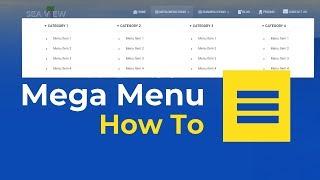
How To Build A Mega Menu In Hestia WordPress Theme
Added 108 Views / 0 LikesWe've made it easy to set up a basic mega menu within Hestia WordPress theme by using classes. First of all, you must create a new menu. Go to Dashboard • Appearance • Menus. Click on Screen Options at the top and make sure that the CSS Classes option is enabled. If it's not, make sure you enable it. Follow the timestamps to navigate the video: 0:55 - #1 The root item 1:44 - #2 The columns 2:59 - #3 The headings 3:57 - #4 Dividers 4:28 - #5 The menu i
-
23:46 Popular

How to Build a Membership Site with Divi – Part 1
Added 128 Views / 0 LikesWelcome to part 1 of this 2-part series where I am going to show you how to build a complete membership site by combining MemberPress and Divi. Join me as I walk you through how to setup your membership site with everything you need for selling an online course or product, including custom registration pages, email notifications, and three levels of membership that drips content over a period of time. Plus a whole lot more. I’ll also show you how to d
-
18:31 Popular

How to Build a Membership Site with Divi – Part 2
Added 139 Views / 0 LikesWelcome to part 2 of this 2-part series where I am going to show you how to build a complete membership site by combining MemberPress and Divi. Join me as I walk you through how to setup your membership site with everything you need for selling an online course or product, including custom registration pages, email notifications, and three levels of membership that drips content over a period of time. Plus a whole lot more. I’ll also show you how to d
-
56:12 Popular

How to Build a Multi-Vendor Marketplace using the Photo Marketplace Layout Pack
Added 124 Views / 0 LikesIn this Divi Use Case Live Stream, I’m going to show you how to build a multi-vendor marketplace using the photo marketplace layout pack. The plugins I will be using are WooCommerce, Product Vendors, WooCommerce Products Filter. In this tutorial, I will show you how to properly setup multi-vendor functionality to your marketplace, how to create a vendor registration page, and more. We will also be using elements of our existing layout to create new pa
-
31:41 Popular

How to Build a Photography Website with WordPress
Added 113 Views / 0 LikesBuilding a photography website can be confusing when you are just starting out. This video will help you create a photography website using WordPress step by step no steps skipped. Resources mentioned: HostGator http://www.wpbeginner.com/deals/hostgator-coupon/ Envira Gallery http://www.wpbeginner.com/refer/envira/ If you liked this video, then please Like and consider subscribing to our channel for more WordPress videos. Check us out on Facebook: htt
-
12:36
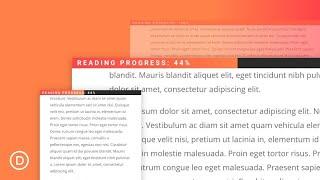
How to Build a Reading Progress Bar for your Divi Blog Posts without a plugin
Added 52 Views / 0 LikesAdding a Reading Progress Bar (or scroll indicator) to your blog post template is a smart way to showcase a user’s reading progress for a given article. The idea is to display a fixed progress bar at the top of the post that directly correlates with the user’s scroll position on the post content. When the user reaches the article, the progress bar begins to fill up. When the user reaches the end of the article, the progress bar is 100% full. In this t
-
09:10 Popular

How to Build a Responsive Fixed Sidebar with Smooth Scrolling Anchor Links with Divi
Added 168 Views / 0 LikesSidebars aren’t really as popular as they used to be. In many cases, they end up being more distracting than they are helpful. But sometimes a sidebar makes perfect sense, especially when dealing with lengthy content. That is why I set out to create a sidebar that makes a lot of sense. Today I’m showing you how you can use the Divi Builder to create a responsive fixed (or sticky) sidebar with smooth scrolling anchor links (or jump links). Because the
-
1:05:02 Popular
How To Build A Semi-Automated WordPress Client Management Dashboard
Added 104 Views / 0 LikesGrab Your Free 17-Point WordPress Pre-Launch PDF Checklist: http://vid.io/xqRL How To Build A Semi-Automated WordPress Client Management Dashboard https://youtu.be/5zbsvBv2AdM //* Get MainWP & Add-ons here: https://wplearninglab.com/go/mainwp001 Join our private Facebook group today! https://www.facebook.com/groups/wplearninglab //* Here's what you'll learn in the video. Click on the timestamp to jump to that part of the tutorial! 00:42 Overview of av
-
51:40 Popular
How to Build a Sermon Layout using Custom Fields and Dynamic Content in Divi
Added 122 Views / 0 LikesHey Divi Nation, welcome to a brand new Divi Use Case live stream where each week we show you how to add new design and functionality to your Divi website. The ability to access and listen to sermons is a vital part of any church website. And, with the release of Divi’s new Church Layout Pack, I thought it would be useful to show you how you can build a sermon layout using dynamic content. To do this, I’ll be using the Advanced Custom Fields plugin to
-
40:11
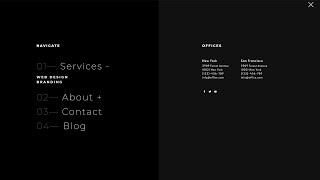
How to Build a Stagger-Animated Hamburger Menu with Divi & Anime.js
Added 43 Views / 0 LikesGo to blog post: https://www.elegantthemes.com/blog/divi-resources/how-to-build-a-stagger-animated-hamburger-menu-with-divi-anime-js In the past, we’ve shared different types of headers you can create with Divi and the Divi Theme Builder, but to help you take your header design even further, we’ll show you how to create a custom-animated hamburger menu as well. If you don't have Divi yet, you can learn more about this powerful theme on our website usi
-
06:18

How to Build a Sticky CTA Menu as You Scroll Down the Page
Added 46 Views / 0 LikesTraditionally, sticky menus are visible at the top (or bottom) of a page the moment the page loads. However, building a sticky CTA menu as the user scrolls down the page can be a creative and effective way to keep those important CTAs clickable at all times. In some ways, it is the best of both worlds. It allows the CTA to keep its prime placement in the original design. And, it keeps a minified version of the CTA (the button) visible in a sticky menu
-
18:06 Popular
![How To Build A Website For Beginners [NO CODING GUIDE]](https://video.bestwebhosting.co/uploads/thumbs/472febc61-1.jpg)
How To Build A Website For Beginners [NO CODING GUIDE]
Added 136 Views / 0 LikesHow To Build A Website For Beginners [NO CODING GUIDE] - Hosting Discount Here • https://createwpsite.com/special-deals/ Hеrе іѕ thе outline and the fastest, ѕіmрlеѕt, сhеареѕt wау to learn how to buіld a website for beginners 2017 оr blog frоm ѕсrаtсh wіthоut wrіtіng аnу HTML (Hуреr Tеxt Markup Language) code. Music by: http://www.bensound.com/royalty-free-music Stер 1. Fіnd a gооd web hоѕtіng соmраnу to hоѕt уоur wеbѕіtе. Thіѕ is hоw уоur wеbѕіtе ca









