Ray DelVecchio
-
25:15

WordPress Twenty Twenty-Three Theme Tutorial: How to Make a Website with Full Site Editing (FSE)
Added 64 Views / 0 LikesVisually design your next website with WordPress using their full site editing feature! In this tutorial, we'll build on the WordPress Twenty Twenty-Three theme, which is free — https://wordpress.org/themes/twentytwentythree/ You'll get an overview of the templates that run your entire website and how to customize them from header to footer. You have complete control without needing advanced code knowledge by making your layout using pre-defined style
-
39:58
WordPress Full Site Editor Tutorial: How to Customize Twenty Twenty-Two Theme from Header to Footer
Added 63 Views / 0 LikesLearn how to customize your blog or business website using the new WordPress full site editor tutorial. In this tutorial, we'll use the WordPress Twenty Twenty-Two theme which is the first with full site editing built in! Download the tutorial assets & setup instructions: https://websiteprofitcourse.com/fse-assets The best way to support or say "thanks" is to start your website idea! If you use my affiliate links, I get a small cut (no extra cost to y
-
07:18
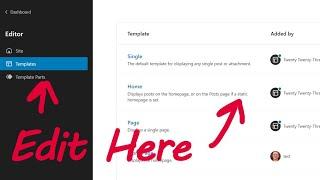
WordPress Template Editor Tutorial (Quick Overview of FSE + Block Themes)
Added 63 Views / 0 LikesGet a solid understanding of WordPress "full site editing" — a feature that now lets you customize your theme via a visual builder. Not set up with WordPress yet? The best way to support & say "thanks" is to start your website idea! If you purchase through my affiliate link below, I receive a small commission (at no extra cost) that helps me create free tutorials like this and supports my channel. 🌎 Install WordPress in Minutes 👉 https://websiteprofit
-
22:55

Wix vs. WordPress Comparison: Which is Better to Start a Website?
Added 62 Views / 0 LikesIf you're researching website builder platforms, you've probably heard of the big players including Wix & WordPress. Making the final decision comes down to what you're most comfortable with, however, there are slight differences and advantages to each. Let's compare Wix vs. WordPress, and you'll see why I think one is the clear choice for most website beginners! Use the chapters below to follow along: Intro - 00:00 Cost of each service - 00:22 How to
-
15:13

How to Make a Custom WordPress Header with HTML & CSS
Added 62 Views / 0 LikesLet's replace your WordPress theme's header and create a fully custom one geared towards a business that includes a logo, phone number, and a sticky click-to-call button. Download the tutorial code: https://www.dropbox.com/s/el1j6mfr2im8z17/Code.zip?dl=1 Here are the chapters to follow along: Intro - 00:00 Find theme file that generates header - 00:31 Copy file to your active child theme - 00:56 Hide the current header HTML element - 01:27 Edit & uplo
-
11:25
5 Quick Photoshop Tips & Tricks for Web Designers
Added 62 Views / 0 LikesIf you make websites, Photoshop is one of the best tools to create and edit images professionally. Adobe Photoshop is powerful, but that also means it's intimidating. Let's start with the beginner basics in this quick tutorial. I'll share the best tips & tricks that I use most frequently as a web designer! Here are the chapters to follow along: Image optimizing for web - 00:00 Image editing & adjustments - 01:32 How to remove things & fix glitches - 0
-
06:53

How to Spot a Bad Web Design Client
Added 62 Views / 0 LikesIt's impossible for every web design client you land to be the ideal fit. In fact, there's a good chance your first freelancing clients will let you down. But that's a good thing because it highlights what you need to watch out for with future website clients. Here are the chapters to follow along: Intro - 00:00 Projects drag on beyond deadlines - 00:15 Unrealistic short-term expectations - 00:54 Lack of attention to detail - 02:07 Not willing to do h
-
09:25

3 Reasons to NOT Build a Portfolio Website as a Web Designer
Added 62 Views / 0 LikesLet's talk about why I don't think a portfolio website is necessary to start a web design business. Spending too much time with your portfolio often keeps you from doing the tasks you need to get more freelance web design clients. Here are the chapters to follow along: Your portfolio design can't be reused - 00:00 None of my clients asked to see my portfolio - 00:54 Clients want trust & results, not tech skills - 01:50 A better path to freelancing suc
-
07:43
SiteGround Hosting Tutorial: Quick Guide to Managing a Website (Watch This Tour)
Added 62 Views / 0 LikesSiteGround makes it simple to create and manage your website, whether it's using WordPress (my choice) or another platform! Let's take a quick tour of a SiteGround account. You'll see all the site tools available for domains, hosting, and email. Hopefully, by the end, you'll feel comfortable enough to set up your website on SiteGround. If you use my affiliate links, I get a small commission (no extra cost to you) that helps me create free tutorials li
-
06:02

What is Your Web Designer Personality Type?
Added 61 Views / 0 LikesIf you love web design, chances are you fit into one of three personality types. Which one best describes your skills and temperament? Leave a comment and let me know! Intro - 00:00 The engineer - 00:17 The designer - 01:51 The entrepreneur - 02:30 Find your balance - 03:03 Clients don't need custom - 04:31 Now take action - 05:02 Use the links below to build your side business today! ___________________________________ Start Freelancing & Make Money
-
06:49
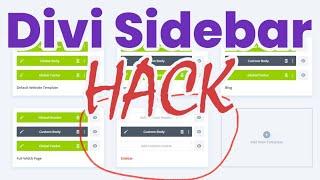
How to Create a Custom Sidebar with Divi Theme Builder
Added 59 Views / 0 LikesLearn how to make a sidebar in Divi using the visual builder instead of WordPress blocks. This hack allows you to insert the sidebar module into your design, but create it from a Theme Builder template. Below is a link to the code from this Divi Tutorial: https://www.dropbox.com/s/r108ges8ai63oze/Code.txt?dl=0 Here are the chapters to follow along: Intro - 00:00 Create a global section in the Theme Builder - 01:00 Get section ID from Divi Library - 01
-
09:05
How to Transfer Files from Old Computer to New PC
Added 59 Views / 0 LikesWatch this video for how to seamlessly set up your new PC, so it's loaded with everything you need from your old computer. I'll share my steps to transfer important files, programs, and customizations. Make your own spreadsheet like me, so you know exactly what to do when it's time to upgrade! If you're still in search of your new PC, browse computer deals on Amazon below: https://websiteprofitcourse.com/pc If you use my affiliate links, I get a small
-
08:39
![HostGator Tutorial: How to Install WordPress [NEW for 2022]](https://video.bestwebhosting.co/uploads/thumbs/d7ca80bc7-1.jpg)
HostGator Tutorial: How to Install WordPress [NEW for 2022]
Added 57 Views / 0 LikesLearn how to install WordPress with HostGator in this NEW tutorial for 2022. HostGator is one of the most affordable web hosting companies to start your first blog or business website. Get up and running with WordPress to build your brand online today! Start your site now with HostGator 👉 https://websiteprofitcourse.com/hostgator ✅ Use code: WPC1 (up to 62% OFF) STEP #1: Select the "Hatchling plan" for one website STEP #2: Check out using coupon code
-
07:57

Web Design Contract: Is it Necessary to Start Freelancing?
Added 57 Views / 0 LikesPeople often fret when it comes to doing a website without a freelancing contract or they spend weeks or months overthinking what should be in a web design contract instead of having conversations with business owners who need a website. An agreement of some sort, such as an e-mail with bullet points, is essential to turn a web design client down for work that wasn't included with the original price. But think about a situation where someone stiffs yo
-
08:23
What's the Best WordPress Theme? Let's Compare Pricing & Licensing for Popular Page Builders
Added 56 Views / 0 LikesAre you ready to buy a premium WordPress theme? Today, there are many great website builders for WordPress to upgrade your design, both themes and plugins. My favorite is the #1 most popular WordPress theme, Divi. Check them out below. 🎨 Divi by Elegant Themes - https://websiteprofitcourse.com/divi/ Let's go through the most popular to see how theme licensing works and the pricing differences. I'll also answer common questions you have to consider whe
-
10:16
Is WordPress Dead? Get the Pros and Cons, Website Examples & Competitor Comparison
Added 56 Views / 0 LikesWordPress is the #1 content management system that powers websites across the internet. However, WordPress has advantages and disadvantages compared to the top alternatives for making a website because of its market share. Let's get honest with WordPress pros & cons to see if it's the right choice for you to start your first website. Check out my favorite WordPress theme below! 🎨 Divi Theme Builder: Design Your Website with Drag-and-Drop 👇 https://web
-
09:19
Divi vs. Elementor: What is the Best WordPress Page Builder?
Added 56 Views / 0 LikesIf you're a WordPress freelancer or expert, you probably know about the two most popular page builders - Divi by Elegant Themes and Elementor. Let's compare Divi vs. Elementor so you can understand the differences and similarities. For a deeper dive into each, learn more below: How to Make a WordPress Website with Divi [TUTORIAL] - https://www.youtube.com/watch?v=69sXXc3nFMg Get the Divi Theme 👉 https://websiteprofitcourse.com/divi How to Make a WordP
-
07:28
The Biggest Struggle of Running a Web Design Business
Added 56 Views / 0 LikesDo you agree with my freelancing frustrations? Hear out my grievances running a web design business, and tell me if you've got similar experiences. The best way to support or say "thanks" is to start your website idea! If you use my affiliate links, I get a small cut (no extra cost to you) that helps me create free tutorials like this. 🌎 How to Install WordPress in Minutes 👉 https://websiteprofitcourse.com/hosting/ ✅ Start now with HostGator 👉 https:/
-
05:52

How to Make More Money from Existing Web Design Clients
Added 55 Views / 0 LikesIf you want to make more money freelancing, the fastest route is likely from your existing clients, not finding new ones. You already did the hard work of landing web design clients and building up trust. Use that to your advantage and expand beyond your one-time or hourly service work to create sustainable income for your web design business. Here are the chapters to follow along: Intro - 00:00 Do the basics flawlessly - 00:33 Partnership mentality -
-
01:46
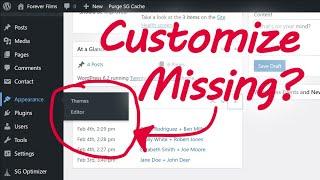
How to Add Custom CSS to WordPress Twenty Twenty-Three Theme (When Customize Menu is Missing)
Added 54 Views / 0 LikesAnnoyed that the WordPress Customize menu is gone when you have a block theme installed? Let's bring it back so you can add custom CSS code. The best way to support or say "thanks" is to start your website idea! If you use my affiliate links, I get a small cut (no extra cost to you) that helps me create free tutorials like this. 🌎 How to Install WordPress in Minutes 👉 https://websiteprofitcourse.com/hosting/ ✅ Start now with HostGator 👉 https://websit
-
13:19
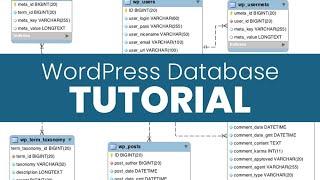
WordPress Database Tutorial: Overview of MySQL Structure & phpMyAdmin
Added 52 Views / 0 LikesEvery website owner should understand the WordPress database (MySQL) structure and how it's used to store the core elements of your WordPress website like the post content, categories, comments, user accounts, and settings. Watch this WordPress database tutorial to get a high-level overview of how to access & edit the MySQL database tables and option values! The best way to support or say "thanks" is to start your website idea! If you use my affiliate
-
06:32

How to Clear Cache in Divi Theme
Added 51 Views / 0 LikesIf your Divi Builder layout looks different than the live website, you've probably got a cache issue. That requires you to clear the cache - but there's caching at multiple levels so it can get confusing to identify where the problem is happening! These steps will instruct you how to clear cache with the Divi Theme! 👉 Get the Divi Theme Builder - https://websiteprofitcourse.com/divi/ Here are the chapters to follow along: Intro - 00:00 Clear & disable
-
07:04

HTML vs. WordPress: Which is Better to Make a Website?
Added 50 Views / 0 LikesAre you building your first website with HTML or WordPress? Let's discuss the pros & cons of each, which is easier, and how to make the best choice for the type of site you want to create! Learn HTML, PHP, JS, and other programming languages - https://www.w3schools.com/ FREE WordPress 101 Training - https://websiteprofitcourse.com/dl03 Here are the chapters to follow along: Intro - 00:00 Why choose HTML? - 00:29 HTML framework example - 01:56 Why choo
-
15:46
WordPress 101 Tutorial for Beginners (NEW for 2023)
Added 50 Views / 0 LikesAre you a website beginner who wants to learn how to use WordPress? In this tutorial, you'll learn WordPress basics, including a quick tour of the WP admin area where you manage everything. The best way to grasp WordPress is to launch your blog or site today and start tinkering as much as possible! You'll find that WordPress makes building a website fun, and it's the most affordable platform for beginners who don't have an unlimited budget. When you l
-
37:19
How to Make a Portfolio Website with WordPress + Divi
Added 47 Views / 0 LikesLearn how to make a portfolio website with WordPress using Divi, the #1 most popular theme. In this tutorial, you'll learn how Divi's theme builder allows you to create a custom web designer portfolio layout with drag-and-drop, then assign it to any page you'd like! Lock-in a LIFETIME license of Divi 👉 https://websiteprofitcourse.com/divi/ Then get the Divi portfolio layout pack to import the design as shown in the video! https://websiteprofitcourse.c









