Elegant Themes
-
05:09 Popular
How to Style a WooCommerce Product to Show Text Instead of an Icon on Hover in Divi
Added 106 Views / 0 LikesIn this post we won’t be going over WooCommerce in detail but a great article about Divi + WooCommerce was just recently published on our blog and you can find it here. Sometimes styling WooCommerce can be a bit tricky, especially if your CSS game is a bit lacking or somewhat non-existent. What we’ll be doing today is changing what users see when they hover over a product. Read article here https://goo.gl/TKIQlq
-
42:07 Popular

The Logistics of Doing a Divi Client Site in 24 Hours Featuring Jake Kramer - Divi Nation, Ep 44
Added 112 Views / 0 LikesIn today's episode of Divi Nation we interview Jake Kramer of Artillery Media, Superfly, and Pageinaday.com. He shares his WordPress/Divi story, gives us an overview of the business he helps run, and then gets into the details and logistics of how they provide a growing stream of customers with 24 hour Divi websites. Enjoy! See the episode or listen to it on our blog: https://www.elegantthemes.com/blog/divi-resources/the-logistics-of-doing-a-divi-clie
-
10:07 Popular
Adding Material Design To Your Website With Divi
Added 120 Views / 0 LikesIn today’s design, I’m using bold colors and images on a white background to entice the user. I’m also adding shadows and movement when hovering over certain elements to further engage the user. I’m adding a button that straddles the line between image and content since both are relevant to the call to action. And lastly, I added a little movement to the button icon which purposefully “points” them in the right direction. All of these elements are con
-
08:14 Popular

How to Create and Use the Ken Burns Effect within Divi
Added 102 Views / 0 LikesThe “Ken Burns Effect” is a great tool for web developers who want to engage their site visitors with visual storytelling. That’s why in today’s post I’m going to show you a way to add this effect to Divi’s full-width header module and fullwidth slider module slides. However, its application extends to the other Divi sections and modules as well. Once you understand the CSS behind the effect, you will have more control over the way your background ima
-
02:55 Popular

The Best Divi Feature Of The Year? Introducing Options Organization & Options Search
Added 112 Views / 0 LikesFind out more here: https://www.elegantthemes.com/blog/theme-releases/options-organization
-
06:25 Popular

How to Insert Ads Above, Inside, and Below Your Divi Blog Post Content
Added 141 Views / 0 LikesDivi makes it easy to insert ads into your blog posts. Built in to Divi Theme Settings, there is a section that allows you to place an “un-widgetized” ad image/banner or adsense code under your blog post content. But, this is somewhat limiting since it only allows you to place the ad in one spot – at the bottom of your posts. Read more: https://www.elegantthemes.com/blog/divi-resources/how-to-insert-ads-above-inside-and-below-your-divi-blog-post-conte
-
39:20 Popular

Establishing Multiple Streams of Recurring Revenue with John Wooten - Divi Nation Podcast, Ep. 43
Added 119 Views / 0 LikesIn this episode of Divi Nation John Wooten of Artillery Media and Superfly shares his freelancer story, his WordPress/Divi story, and then shares some ways in which he has established multiple streams of recurring revenue for his business. Enjoy!
-
06:22 Popular
How to Style Your Divi Blog Module Grid Cards (With 4 Examples)
Added 115 Views / 0 LikesDivi’s Blog Module has a useful grid layout option for your blog posts. The grid template organizes your blog posts into boxes or cards that make it easier to view more posts on your screen than a standard full-width blog layout. The Blog Module Settings allow you to customize the overall design of your grid. You can easily make all of your cards the same background color, font, margins, etc… However, the styling options are limited to the design of t
-
13:56 Popular
How to Style Your Divi Blog Page to Look Like Elegant Themes’ New Design
Added 126 Views / 0 LikesToday I’m going to show you how to design your blog page like the new Elegant Themes blog using Divi’s Blog Module. The three major design modifications include: (1) changing the default three-column blog grid layout to only two columns, (2) placing the featured image below the headline and post meta, and (3) sizing the featured image for the new column width. These are accomplished by adding a few lines of code. Aside from that, the Divi Builder and
-
01:43 Popular

Divi Feature Update! Introducing Divi Wireframe View For The Visual Builder
Added 132 Views / 0 LikesLearn more here: https://www.elegantthemes.com/blog/theme-releases/divi-wireframe-mode This new view mode instantly transforms the Visual Builder into a streamlined block-based builder similar to the classic Divi Builder. Now you can bounce back and forth between both view modes and use the interface the best suits you and your current project.
-
10:50 Popular
How to Style Gravity Forms to Look Like Divi
Added 127 Views / 0 LikesWhen it comes to WordPress form plugins there are quite a few options to choose from. In a previous Elegant Themes tutorial, I shared some CSS snippets for styling the Caldera Forms plugin. Caldera is a great free form builder plugin option, but today we’re going to be sharing some styling tips for Gravity Forms. Gravity Forms is one of the (if not the) most popular premium form builder plugins for WordPress websites. Read more: https://www.elegantthe
-
13:42

6 Microinteractions That Will Make Your Divi Site More Enjoyable
Added 70 Views / 0 LikesMicrointeractions are a great way to enhance user experience as they interact with your site. Slight animations of icons, images, or form fields can cue the user to take action in a fun and purposeful way. There are countless microinteractions you can include on your site, but a good rule of thumb is to keep them “micro”. You don’t want to overdue it. Read more:https://www.elegantthemes.com/blog/divi-resources/6-microinteractions-that-will-make-your-d
-
48:32 Popular

Building the Evol Empire with Divi featuring Andrew Tuzson - The Divi Nation Podcast, Episode 42
Added 259 Views / 0 LikesIn this episode of Divi Nation our guest Andrew Tuzson shares the story of how he started and scaled Evol Empire Creative, the structure the company has adopted as it's grown, and the systems that make what they do possible. And, of course, how Divi fits into all of that. It's a great chat to tune into if you're running your own Divi Agency with the hopes of scaling up to ten, twenty, or even more employees.
-
04:32 Popular
How to Style Divi’s Single Post to Match the New Elegant Themes Post Design
Added 154 Views / 0 LikesToday, I’m going to show you how to design your single blog post like the new Elegant Themes blog posts. This requires a few modifications to the default post template and some custom CSS. After you implement this new design, you will be able to use the default editor or the Divi Builder for you blog post and still keep the same new design. Read more: https://www.elegantthemes.com/blog/divi-resources/how-to-style-divis-single-post-to-match-the-new-ele
-
07:22
How to Make the Background Color of the Divi Menu Different on Every Page
Added 97 Views / 0 LikesMaking your site stand out in the crowd is sometimes easier said than done. Fortunately it can take the smallest bit of creative detail to help you push your site into a more unique territory. In today’s tutorial I’m going to be using one of my favorite features of Divi — the Divi Builder Settings box, and in particular the custom CSS box inside that. https://www.elegantthemes.com/blog/divi-resources/how-to-make-the-background-color-of-the-menu-differ
-
05:35 Popular
How to Create a Full Screen Slider with Divi
Added 102 Views / 0 LikesDivi’s Fullwidth Slider Module comes with some great features including the ability to add sliders with parallax and video background. But, one feature that would make it even more powerful is the ability to expand to a full screen slider. Divi’s Fullwidth Header Module has this full screen option already so we thought it would be a good idea to show you how to add this same functionality to those fullwidth sliders. Read more: https://www.eleganttheme
-
03:07 Popular

Divi Sneak Peek What To Expect From Divi In The Coming Weeks And Months
Added 125 Views / 0 LikesLearn more here: https://www.elegantthemes.com/blog/theme-sneak-peeks/divi-sneak-peek-what-to-expect-from-divi-in-the-coming-weeks-and-months
-
09:05 Popular
How To Remove Sidebars From Divi
Added 140 Views / 0 LikesRemoving the Sidebar from Divi’s default page template can easily be done when you are using the Divi Builder. However, since the default template still shows on pages like 404’s and archives, you may want to take out the sidebar from you template altogether. Read more: https://www.elegantthemes.com/blog/divi-resources/how-to-remove-sidebars-from-divi
-
10:18 Popular
Changing The Length of Your Divi Blog Post Excerpts
Added 120 Views / 0 LikesChanging The Length of Your Divi Blog Post Excerpts. A post excerpt is that shortened version of the post content that shows up under each post title in a blog or archive page. For WordPress users, the use of the term “excerpt” usually refers to one of three different things – manual excerpts, automatic excerpts, or teasers. Read more: https://www.elegantthemes.com/blog/divi-resources/changing-the-length-of-your-divi-blog-post-excerpts
-
26:09 Popular

"Follow Your Joy!" with Kathy Kroll Romana - The Divi Nation Podcast, Episode 41
Added 309 Views / 0 LikesIn today's episode of Divi Nation I interview Kathy Kroll Romana of Viva Design Studio. Kathy shares her WordPress and Divi story and explains how the secret to her success thus far has been to follow her joy (the joy of web design) and not allowing herself to get bogged down by the elements of the job others can do better and she would rather not do at all. Check it out! View the blog post: https://www.elegantthemes.com/blog/divi-resources/follow-you
Featured -
07:02 Popular
How to Add Pull Quotes to Divi Posts and Pages
Added 121 Views / 0 LikesPull quotes have been around for a long time as a useful way for writers and editors to break up the monotony of long copy and capture the attention of the reader with an important quote. Plus, well designed pull quotes add a clean and professional look to the text. Full post: https://www.elegantthemes.com/blog/divi-resources/how-to-add-pull-quotes-to-divi-posts-and-pages-with-5-different-styles
-
10:10 Popular
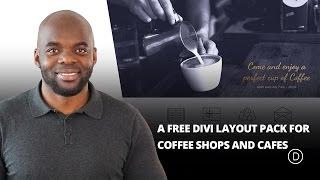
Coffee House A Free Divi Layout Pack for Coffee Shops and Cafes
Added 124 Views / 0 LikesToday, I am excited to share a layout I’ve created for Divi called Coffee House. Coffee House is, as the name would suggest, ideal for cafes, coffee shops, and the like. I’ve made it as versatile as possible so if you like the aesthetic I’m sure you can find many uses for the layout as a whole or its individual sections. Enjoy! Read full article: https://www.elegantthemes.com/blog/divi-resources/coffee-house-a-free-divi-layout-pack-for-coffee-shops-an
-
04:07 Popular

Customizing Divi’s Secondary Menu Bar with a Call to Action
Added 122 Views / 0 LikesThe most important information on your site should exist above the fold (roughly the top 600px of your screen). Divi takes advantage of this concept with their secondary menu bar. The menu bar sits at the very top of your site to showcase important elements like share buttons, a secondary menu, a phone number, and an email address. Users should always be able to find this important information no matter what page they land on and without having to scr
-
48:06 Popular

"Don't Go It Alone" Featuring Carl Heaton - The Divi Nation Podcast, Episode 40
Added 349 Views / 0 LikesIn today's episode Carl shares his story of starting, scaling, and maintaining a thriving information product business. One that uses AND teaches Divi. He's got a lot of battle tested tips for anyone interested in launching their own courses (which seems to be happening a lot in our community!). View on the blog: https://www.elegantthemes.com/blog/divi-resources/dont-go-it-alone-featuring-carl-heaton-the-divi-nation-podcast-episode-40
Featured -
06:57 Popular
How To Fade Out Text On Divi Post Excerpts
Added 133 Views / 0 LikesI’m a big believer that little things can make a big difference, especially when it comes to building websites. My favorite part of building a site is putting those final touches that seems to bring it all together. It could be a button hover effect, changing the font size of the header in the hero section, or even some padding changes (this sometimes makes a big difference). Whatever the change may be, the important thing to remember is to take the t
-
06:53

How To Add A Bio Hover Effect To Team Member Photos In Divi
Added 100 Views / 0 LikesOut of the many kinds of pages you can choose to have on your website, having a page solely dedicated to showing off your team should definitely be towards the top of your list. Not only does a team page show off a bit of your company’s culture, it allows for your clients and visitors to get a glimpse of the men and women working hard behind the scenes of your brand. Read article: https://www.elegantthemes.com/blog/divi-resources/how-to-add-a-bio-hove
-
05:24 Popular

Elegant Authors: A Free Divi Layout for Book Authors
Added 128 Views / 0 LikesToday, we are extremely excited to give an extra helping hand to the authors in our community (or those who have authors as clients) by providing a brand new, free Divi layout that can be used as a homepage or landing page for the book(s). Link to the article: https://www.elegantthemes.com/blog/divi-resources/elegant-authors-a-free-divi-layout-for-book-authors
-
07:40 Popular
How to Style a Beautiful Pricing Table in Divi
Added 109 Views / 0 LikesPricing tables can be a hugely important element for converting a potential customer into a full-fledged buyer. While your pricing table has a very specific role within your site (that of providing information), it also offers the opportunity to catch the eye with its design. Simply put, an attractive pricing table can help to captivate a buyer, and even persuade them to make a purchase. Read more: https://www.elegantthemes.com/blog/divi-resources/how
-
05:47
How to Add More Columns to Your Divi Builder Posts or Pages
Added 95 Views / 0 LikesThe Divi Builder allows you to have up to four columns for page layouts. And, for most websites, four columns is all you need. But sometimes you need to add more columns. Of course, there are plugins that allow you to embed shortcodes to add extra columns to your layout. But, this can be limiting when working with the Divi Builder since shortcodes require that you work from within a module. Read more: https://www.elegantthemes.com/blog/divi-resources/
-
04:42 Popular
How to add a floating action menu to Divi with the code module.
Added 123 Views / 0 LikesHow to add a floating action menu to Divi with the code module. Hey, Divi Nation! I’m back with another pen to share with you all that will add a Floating Action Menu to your Divi website. I’m going to show you two different ways to implement it on your site. The first is taking advantage of Divi’s Code Module, something I’m hoping to encourage more of this year, and the second is using Divi’s Theme Options. Read article: https://goo.gl/cibBJq









