Elegant Themes
-
02:31 Popular

Introducing The New Divi Background Options Interface & Gradient Backgrounds
Added 129 Views / 0 LikesLearn more here! https://www.elegantthemes.com/blog/theme-releases/divi-background-options
-
17:02 Popular
How to Add Custom Templates and Design to Divi’s Blog Post Formats (Part 3)
Added 126 Views / 0 LikesToday is the final day of our series on how to add custom templates and styles to Divi’s blog post formats. This last day of the series is dedicated to design. With our single.php customized and our child theme active, we are ready to add styling to the blog post formats. I will walk you through all six post formats as we add some unique design touches to each one. By the end of this tutorial, you will have six great looking alternatives to the defaul
-
04:06 Popular
How to Add Custom Templates and Design to Divi’s Blog Post Formats (Part 2)
Added 125 Views / 0 LikesYesterday, I walked you through how to use Desktopserver to create a local install of WordPress. I also showed you how to set up a child theme. Both of these are a great foundation for any project you are working on and it is perfect for what we are going to be doing today and tomorrow. Today we are going to be editing some PHP code inside Divi’s single.php file in order to get a completely unique layout for your blog post formats. If you aren’t alrea
-
06:26 Popular
How to Add Custom Templates and Design to Divi’s Blog Post Formats (Part 1)
Added 129 Views / 0 LikesOver the next 3 days, I will walk you through customizing all of Divi’s blog post formats: Standard, Quote, Link, Video, Audio and Gallery. Editing all of those (for the designs I have in mind) requires editing the single.php template file. To do this properly, we must create a Divi child theme that will contain our altered Single.php template file. And before we do that, we should also create a local install of WordPress using Desktopserver. This wil
-
06:44 Popular

How to Create a Direct Single Click Download Button in Divi Using the Download Attribute
Added 141 Views / 0 LikesA direct download link is a link that starts to download the file on click instead of linking to it in your browser window. Creating a direct download link or button usually requires adding advanced PHP on the server side, modifying the .htaccess file, and/or javascript. Unless you know what you’re doing, this may pose some security risks. HTML5 recently introduced the Download Attribute as a more simplified solution for direct downloads. The attribut
-
30:47 Popular

Divi as an Essential Part of an Enterprise Level Operation with Matthew Russo - Divi Nation, Ep. 45
Added 113 Views / 0 LikesIn this episode of Divi Nation I interview Matthew Russo, the Chief Revenue Officer of Gimbal, a mobile ad startup based out of California. Matthew tells us how he and his team inside of Gimbal have used Divi to build their own website, run their own marketing campaigns, and more. If you’re interested in getting your company to use Divi or to partner with a large organization who could benefit from Divi then this episode is for you.
-
05:44 Popular
How to Duplicate Elegant Theme’s Primary Menu with Divi
Added 133 Views / 0 LikesThe new Elegant Themes menu has been a popular request for developers to duplicate on their own sites. The main feature of the menu is the call to action (CTA) button that grabs the attention of visitors by changing colors and animating when scrolling down the page. Having this kind of CTA button on your site will likely increase click rate and conversions. Today I’m going to show you how to duplicate Elegant Theme’s primary menu using Divi. To implem
-
02:05 Popular

Divi Feature Update! Introducing Box Shadow Controls For All Modules, Rows And Sections!
Added 125 Views / 0 LikesLearn more here: https://www.elegantthemes.com/blog/theme-releases/divi-feature-update-introducing-box-shadow-controls-for-all-modules-rows-and-sections Today we are updating Divi with brand new Box Shadow options that give you the power to easily design wonderful shadow effects and apply them to any module, row or section on your page. You can build custom shadows using our new box shadow controls, or you can quickly select from many pre-made shadow
-
11:44
How to Use Divi’s New Animation Effects Part 3
Added 80 Views / 0 LikesWelcome to part 3 of this 6 part series that will teach you how use Divi’s new Animation options to design awesome page sections. I’m going to be walking you through how to build the different sections of our live demo page in order to show you techniques for adding animations to your website. The Animation features truly are fun and easy to use. And with the Visual Builder, you can see your creation come to life every stage of the way. Come and join
-
11:24
How to Use Divi’s New Animation Effects Part 2
Added 77 Views / 0 LikesWelcome to part 2 of this 5 part series that will teach you how use Divi’s new Animation options to design awesome page sections. I’m going to be walking you through how to build the different sections of our live demo page in order to show you techniques for adding animations to your website. The Animation features truly are fun and easy to use. And with the Visual Builder, you can see your creation come to life every stage of the way. Come and join
-
05:55 Popular
Download A Beautiful (Free) Divi Restaurant Layout Pack
Added 151 Views / 0 LikesThis week Kenny and his team have created a beautiful Restaurant Layout Pack with eight different pages that provide everything your average restaurant will need to get up and running in just a few clicks. Get it all on the blog now: https://www.elegantthemes.com/blog/divi-resources/download-a-beautiful-free-divi-restaurant-layout-pack
-
37:34 Popular

Establishing a Divi Powered Side Hustle with Jared McDowell - The Divi Nation Podcast, Episode 63
Added 356 Views / 0 LikesIn this episode I get to interview Jared McDowell of JMAN Designs out of Texas. Jared is a really active community member on the Divi Facebook groups and on the blog. He’s also got a really great story and approach to working with WordPress and Divi. For Jared, web design is a side hustle. It’s not something he wants to become his full time job, but it’s a passion he enjoys and something that earns him extra cash—which is always nice. During the cours
Featured -
23:23
How to Use Divi’s New Animation Effects Part 1
Added 67 Views / 0 LikesWelcome to part 1 of this 6 part series that will teach you how to use Divi’s new Animation options to design awesome page sections. I’m going to be walking you through how to build the different sections of our live demo page in order to show you techniques for adding animations to your website. The Animation features truly are fun and easy to use. And with the Visual Builder, you can see your creation come to life every stage of the way. Come and jo
-
03:20 Popular

Divi Feature Update! Introducing The New Customizable Visual Builder
Added 135 Views / 0 LikesLearn more here: https://www.elegantthemes.com/blog/theme-releases/divi-feature-update-introducing-the-new-customizable-visual-builder When it comes to building the best website builder on the planet, it’s important that we focus on not only what the builder can do, but also on how those things get done. The Divi Builder interface is a place where hundreds of thousands of designers spend their days. Each click, each move of the mouse, every single int
-
28:47 Popular
How to Creatively Use Divi’s New Row Alignment Options
Added 125 Views / 0 LikesIn today’s Divi tutorial, we’re going to show you how you can use the new row alignment options in Divi to your advantage. We’ll be combining the row alignment options with other built-in design options to give you an idea of what is possible with Divi’s Advanced Design Options. The example that we’ll show you how to recreate contains absolutely no additional code, which means anyone of any skill level can achieve this design. Read more: https://www.e
-
16:52 Popular
How to Create Beautiful Section Transitions Using Divi’s New Design Features
Added 223 Views / 0 LikesIn this Divi tutorial, we’re going to show you how to create beautiful section transitions using nothing else than the built-in Divi options. Sections are the foundation of all the content you share on your website. Each section is a chapter and going from one section to the other is part of the storytelling process. Making this transition as smooth as possible will emphasize the message you’re trying to articulate. To help you with that, we’re going
-
11:54 Popular

How to Create Your First Divi Nation Meetup (in Just 4 Steps!) - Divi Nation Short
Added 143 Views / 0 LikesIn this episode I’ll be talking about three things: First, I’ll be providing an update on where our Meetup community is at and what our goals are for the remainder of the year. Second, I’ll explain how you can become a Divi Nation Meetup Event Host. And finally, I’ll walk you through how to go about getting your first Divi Nation Meetup off the ground. Get all the details on our blog: https://www.elegantthemes.com/blog/divi-resources/how-to-create-you
-
03:38 Popular

Big Announcement! Introducing The Divi Design Initiative: Free World Class Divi Layouts And Photos
Added 139 Views / 0 LikesDownload your first free Divi Layout Pack today! https://www.elegantthemes.com/blog/theme-releases/announcing-the-divi-design-initiative-world-class-divi-layouts-and-unique-photos-for-free-every-week Today is an exciting day for me because I get to announce the start of something that we have been working on for quite some time here at Elegant Themes. Today we are announcing the launch of the Divi Design Initiative, a brand new design department at El
-
14:00 Popular
How to Create Beautiful Image Borders using Divi’s New Options
Added 156 Views / 0 LikesIn today’s Divi tutorial, we’re going to show you how to create beautiful image borders on the next website you build. The purpose of this post is to demonstrate how you can create beautiful results that match the images you are using (and the rest of your website as well). With the new Divi options, achieving stunning results is easier than ever. You’ll only have to make some modifications that we’ll show you how to make and you’ll be ready to take y
-
27:59 Popular
10 Fun Ways to Use The Divider Module with The New Divi Options
Added 103 Views / 0 LikesIn today’s Divi tutorial, we’re going to share with you a glimpse of what you can do with the new options that have been added to Divi in the previous updates. More precisely; we’re going to share 10 interesting ways you can style the Divider Module with these new changes. The possibilities are truly endless, but this post might help you find the inspiration you need for your next project. Read more: https://www.elegantthemes.com/blog/divi-resources/1
-
37:47 Popular

Breaking Into the Divi Economy with Jerry Simmons – The Divi Nation Podcast, Episode 62
Added 318 Views / 0 LikesIn this episode I interview Jerry Simmons of Monterey Premier. Jerry is a very active community member, particularly in the Facebook groups. But he’s also known to show up at WordCamps and Meetups (like the most recent one out in Orange County that a large number of Divi Community members attended). Jerry is also one of my favorite types of community members. He’s someone who came to WordPress and Divi from a completely different background (Jerry’s a
Featured -
02:33 Popular

Divi Feature Update! The Email Optin Module Gets 17 New Providers, Success Actions And More
Added 114 Views / 0 LikesDownload today: https://www.elegantthemes.com/blog/theme-releases/divi-feature-update-the-email-optin-module-gets-17-new-providers-and-success-actions Today we are giving the Divi Email Optin module its biggest update ever by introducing support for 17 of the most popular email marketing services, including: ConvertKit, Mailerlite, Mailster, Infusionsoft, Ontraport, iContact, HubSpot, Emma, Madmimi, GetResponse, Feedblitz, ConstantContact, Sendinblue,
-
13:09 Popular
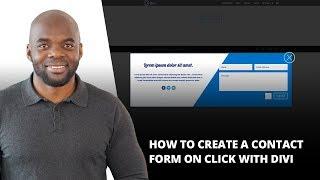
How to Create a Contact Form on Click with Divi
Added 126 Views / 0 LikesIn this Divi tutorial, we’re going to show you how to create a contact form that appears after clicking a button (as an overlay) by using nothing else than Divi, some jQuery code and CSS code. This is a great way to keep your site visitors focused on the action they’ve committed to by clicking a button. It doesn’t take them to a different page but locks them into that action until it’s done. https://www.elegantthemes.com/blog/divi-resources/how-to-cre
-
11:15 Popular
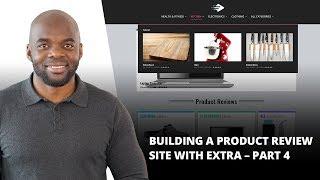
Building a Product Review Site with Extra – Part 4
Added 118 Views / 0 LikesWelcome to part 4 of this 4 part series on how to develop a product review site using Extra. If you are racking your brain on how to get started with developing a product review site, this series is for you. With its built-in review functionality and smart post categorization, Extra is specially equipped to create great looking reviews, product post templates, mega menus, and category layouts in minutes. Join me as we explore the power of Extra. Read
-
17:05 Popular
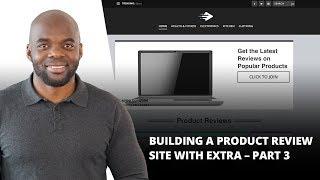
Building a Product Review Site with Extra – Part 3
Added 109 Views / 0 LikesWelcome to part 3 of this 4 part series on how to develop a product review site using Extra. If you are racking your brain on how to get started with developing a product review site, this series is for you. With its built-in review functionality and smart post categorization, Extra is specially equipped to create great looking reviews, product post templates, mega menus, and category layouts in minutes. Join me as we explore the power of Extra. Read
-
53:02 Popular

Using Video to Promote Your WordPress Business – The Divi Nation Podcast, Episode 61
Added 130 Views / 0 LikesIn this episode I interview our very own Augustin Mak. If you’re at all familiar with our blog, our Facebook page, or especially our youtube channel, then Mak’s face is one you’re used to seeing. Man is our resident video tutorial specialist and he’s not only got a lot of experience with WordPress and Divi—but using Divi to promote your business and/or products and services. During our chat we not only get to know Mak a bit better as a person, but he
-
14:19 Popular
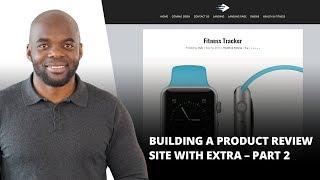
Building a Product Review Site With Extra – Part 2
Added 110 Views / 0 LikesWelcome to part 2 of this 4 part series on how to develop a product review site using Extra. If you are racking your brain on how to get started with developing a product review site, this series is for you. With its built-in review functionality and smart post categorization, Extra is specially equipped to create great looking reviews, product post templates, mega menus, and category layouts in minutes. Join me as we explore the power of Extra. Read
-
02:47 Popular
Divi Feature Update! 1,000 New Foundational Options, Improved Options Usability & Clarity
Added 183 Views / 0 LikesLearn more here: https://www.elegantthemes.com/blog/theme-releases/divi-feature-update-1000-new-foundational-options-improved-options-usability-clarity This is a big, important update that adds 1,000 much-needed Divi options and makes those options easier to use and easier to understand. Divi has gone through quite a few innovations and evolutions. We have added new modules, new options and continually updated the interface to make managing those opti
-
08:35 Popular
Building a Product Review Site with Extra – Part 1
Added 110 Views / 0 LikesWelcome to part 1 of this 4 part series on how to develop a product review site using Extra. If you are racking your brain on how to get started with developing a product review site, this series is for you. With its built-in review functionality and smart post categorization, Extra is specially equipped to create great looking reviews, product post templates, mega menus, and category layouts in minutes. Join me as we explore the power of Extra. Read
-
04:43 Popular
3 Creative Ways to Style Your Divi Vertical Navigation’s Active Link
Added 144 Views / 0 LikesIn this Divi tutorial, we’re going to show you a couple of interesting ways to style the active link in your vertical navigation. This tutorial follows up a previous tutorial where we’ve shown you how to create active links on scroll for one-page Divi websites. So, before you try out the different ways of styling, you should first set up the active links on scroll through the previous article since the code we’ll be using will build further upon that.









