Elegant Themes
-
29:18 Popular

How to Create a Rotated Global Header with Divi’s Theme Builder
Added 114 Views / 0 LikesMultistreaming with https://restream.io/ Ever since the Divi Theme Builder has come out, we’ve tried to guide you through the process of creating your own global headers. We’ll continue doing that by showing you how to create a rotated global header that appears on the left side of your pages and posts. The header’s background color is completely transparent, allowing the page/post content to show through. We’ve made sure that the global header stays
-
26:58 Popular
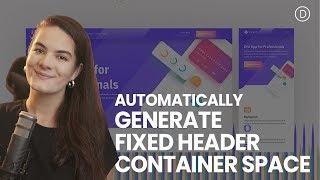
How to Automatically Generate Container Space for Your Fixed Divi Header (Using JQuery)
Added 114 Views / 0 LikesWhen opting for a fixed header on your website, you’ll automatically find yourself using Divi’s built-in position options. The fixed position option inside Divi allows you to stick any element to a specific location on your page. When using a fixed position, however, the container space of your element is removed. The fixed header floats on top of your page content creating an overlap that you don’t necessarily want. To avoid this, you can generate co
-
41:08 Popular
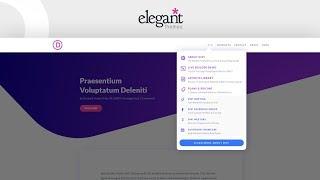
Creating The Advanced Elegant Themes Dropdown Menu with Divi’s Theme Builder
Added 114 Views / 0 LikesEver since Divi’s Theme Builder has come out, the way we design headers and footers throughout our websites with Divi has become easier than ever. Everything can be customized and you can obtain the exact menu you have in mind without ever having to leave the intuitive Divi environment. Now, at a certain point, you might have come across the Elegant Themes dropdown menu on our website. This dropdown menu is a more advanced type of mega menu that creat
-
02:24 Popular

Plugin Highlight 01: Divi Footer Plugin
Added 113 Views / 0 LikesIn this plugin highlight we feature a plugin created by Aspen Grove Studios (David Blackmon’s studio) called Divi Footer Editor. This simple little plugin allows you to make all kinds of creative edits to the footer credit area of Divi with the standard WordPress WYSIWYG editor. Check it out! Watch the full Divi Nation Episode: https://youtu.be/zQyYD1ir_1s Read the accompanying blog post: http://goo.gl/0VhOiz Get Plugin: https://goo.gl/JcSx7L
-
03:18 Popular
Divi Quick Tip 02: How to Manually Edit the Divi Footer Credits
Added 113 Views / 0 LikesIn this Divi Quick Tip I show you two different methods for manually editing the footer credits of Divi--the proper way; so that they stay changed. This is something that you'll probably want to do on every single Divi website you operate, so don't miss this tip! Watch the full Divi Nation Episode: https://youtu.be/zQyYD1ir_1s Read the accompanying blog post: http://goo.gl/0VhOiz Tools & Resources Mentioned: The Divi Child Theme Builder - http://goo.g
-
06:10 Popular

How to Add Links to Divi Fullwidth Slider Images
Added 113 Views / 0 LikesIn this episode of Divi Nation I show you step by step how to make images on your full width sliders clickable. The tip is very easy to achieve and requires CSS code. What the CSS code does is, it hides the button and the text but allowing to to link the image to the desired page. Here is the code: font-size: 0px; background-color: rgba(0, 0, 0, 0.0) !important; top: -1000px; right: -1000px; height: 5000px; width: 5000px; position: absolute;
-
09:58 Popular
How to Style Divi’s Post Slider Module like Brit + Co's Post Slider
Added 113 Views / 0 LikesIn today’s video, I show you to Style Divi’s Post Slider Module to look like Brit + Co's Post Slider. The project demonstrates how to customize the Divi Post Slider module using CSS to display (or hide) and style very specific post elements. Here is the link to post: https://www.elegantthemes.com/blog/divi-resources/how-to-style-divis-post-slider-module-like-brit-cos-post-slider
-
09:47 Popular
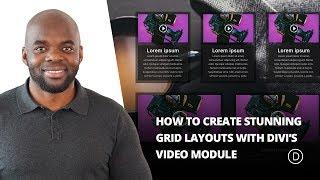
How to Create Stunning Grid Layouts with Divi’s Video Module (Part 1)
Added 113 Views / 0 LikesHow to Create Stunning Grid Layouts with Divi’s Video Module. To begin this series, I’m going to show you how to create a grid layout for your videos much like a blog grid layout using a combination of video module stacked on top of a blurb module. This tutorial will include both a dark and a light version of the grid design. The great thing about this layout design is that it is super easy to implement and I’ve tried to give you a lot of visuals to h
-
27:09 Popular
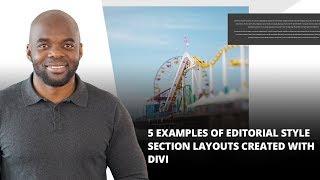
5 Examples of Editorial Style Section Layouts Created with Divi
Added 113 Views / 0 LikesThe new Divi options offer tons of possibilities. Modules, rows and columns, more than ever, empower one another on the road towards stunning and user-friendly web design. One of the things it can do is create remarkable editorial style sections. And that’s exactly what we’ll be showing you in this post; 5 different editorial style section layouts that you can use within different websites. The best part? The post is made by using the right settings f
-
19:20 Popular
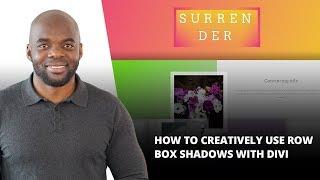
How to Creatively Use Row Box Shadows with Divi
Added 113 Views / 0 LikesOne of the most recent Divi updates was long-awaited; the integration of box shadows into sections, rows and modules. In this post, we’ll be focusing on how row box shadows can improve the overall look and feel of your website. To illustrate the depth box shadows can bring to your website, we’ve created an example that we’ll show you how to recreate step by step. Read the article here: https://www.elegantthemes.com/blog/divi-resources/how-to-creativel
-
01:54 Popular

Divi Feature Update! Introducing Brand New Text Shadow Options For All Modules
Added 113 Views / 0 LikesLearn more here: https://www.elegantthemes.com/blog/theme-releases/divi-text-shadows Today we are excited to add even more design customizability to Divi with our brand new Text Shadows options that make it incredibly easy to add stunning shadow to any Divi module and to customize those shadows using a simple visual interface. Adding great text shadows to your page is super simple thanks to our shadow presets that can be applied to any text element wi
-
21:59 Popular
Divi Keyboard Shortcuts
Added 113 Views / 0 LikesThe Divi Builder comes packed with a long list of very useful keyboard shortcuts. Once mastered, they will save you a ton of design time. Actions that might normally take 2, 3 or 4 clicks can often be accomplished in just a few keystrokes. The Divi Builder has hotkeys for just about everything! View the full documentation: https://www.elegantthemes.com/documentation/divi/keyboard-shortcuts/
-
05:08 Popular
How to Update the Divi Theme
Added 113 Views / 0 LikesUpdating the Divi theme is easy once you have set up your API key. In this video, we will show you how. View The Full Documentation Page: https://www.elegantthemes.com/documentation/divi/update-divi/
-
16:42 Popular
The Divi Sidebar Module
Added 113 Views / 0 LikesDivi lets you create an unlimited number of widget ready areas on the fly. Sidebars can then be added to any page, allowing you to create unique sidebars for different section of your website. View The Full Documentation Page: https://www.elegantthemes.com/documentation/divi/sidebar-divi/
-
08:53 Popular
The Divi Number Counter Module
Added 113 Views / 0 LikesThe number counter is a great way to display numbers in a fun and engaging way. This module is commonly used to display statistics about yourself or your company. For example, display your customer count or Facebook followers is a great way to showcase social proof. View the full documentation here: https://www.elegantthemes.com/documentation/divi/number-counter/
-
04:53 Popular

Download a Free & Magnificent Software Marketing Layout Pack for Divi
Added 113 Views / 0 LikesHey Divi Nation! Thanks for joining us for the next installment of our weekly Divi Design Initiative; where each week, we give away a brand new, free Divi Layout Pack from our design team to you. This week Kenny and his team have created an intriguing software marketing layout pack with nothing less than 9 different pages. The overall look and feel of this layout pack is supported by professional illustrations and elaborated pages that provide everyth
-
17:40 Popular
How to Use Divi’s Selective Sync to Customize Your Entire Grid Layout with A Few Clicks
Added 113 Views / 0 LikesDesigning an impressive grid layout can be tricky. Whether you are showcasing your portfolio or featuring products online, you want that grid layout to be distinct and catch the visitor’s eye. Because a grid has repetitive blocks of content, one small modification can drastically impact the overall design. That’s why it helps to have a design tool like Divi’s visual builder. With the power of global library items and selective sync, perfecting the des
-
22:15 Popular
How to Fill Text with Images for Creative Backgrounds using Divi
Added 113 Views / 0 LikesIn this tutorial, I’m going to show you how to use the screen blend mode to add colorful image-filled text backgrounds using Divi. I’ll also show you how to add dividers that match the design of your background text and sections that transition smoothly between dividers. Read the full tutorial here: https://www.elegantthemes.com/blog/divi-resources/how-to-fill-text-with-images-for-creative-backgrounds-using-divi
-
08:33 Popular

How to Make Any Divi Page Element Sticky
Added 113 Views / 0 LikesKnowing how to make any Divi page element sticky (or fixed) is one of those handy skills that web designers can use in a number of ways. If you’re not familiar with the term “sticky”, it simply refers to an element on a web page that remains “fixed” as the user scrolls down the page. A popular example of a sticky element is a fixed navigation menu. Divi has a fixed (or sticky) navigation functionality available by default. So when the user scrolls dow
-
03:04 Popular

The Weekly WP Roundup with B.J. Keeton (October 28, 2018)
Added 113 Views / 0 LikesEvery Friday, we bring you the top news, tutorials, and resources that we could find during week. From beginners to WordPress pros, we want to make sure that your tabs are full and your fingers are clicking links. REMINDER: We Accept Open Submissions to the Elegant Themes Blog https://www.elegantthemes.com/blog/community/elegant-themes-blog-submissions --NEWS WordPress 5.0 is HERE! https://wordpress.org/news/2018/10/wordpress-5-0-beta-1/ Divi Life Mem
-
03:56 Popular

Get a FREE Soccer Club Layout Pack for Divi
Added 113 Views / 0 LikesLearn more: https://www.elegantthemes.com/blog/divi-resources/get-a-free-soccer-club-layout-pack-for-divi Hey Divi Nation! Thanks for joining us for the next installment of our weekly Divi Design Initiative; where each week, we give away two brand new, free Divi Layout Packs from our design team to you. For the second layout this week, Kenny and his team have created a fun and professional Soccer Club Layout Pack. This layout will help you ease commun
-
38:32 Popular

How to Add Your Best Customer Reviews to Divi's Exclusive Cyber Monday Furniture Sale Landing Page L
Added 113 Views / 0 LikesMultistreaming with https://restream.io/ Hey Divi Nation, welcome to a special live stream featuring an exclusive Divi Layout only available to Lifetime Members and those who take advantage of our Cyber Monday sale. In this livestream we are going to show you how to add your best customer reviews to our stunning Furniture Sale Landing Page layout. If you’re a new customer during the Black Friday and Cyber Monday sale or an existing Lifetime Member you
-
03:56 Popular

Get a FREE Risk Management Layout Pack for Divi
Added 113 Views / 0 LikesLearn more: https://www.elegantthemes.com/blog/divi-resources/get-a-free-risk-management-layout-pack-for-divi Hey Divi Nation! Thanks for joining us for the next installment of our weekly Divi Design Initiative where each week, we give away two brand new, free Divi Layout Packs from our design team to you. This time around, Kenny and his team have created a stunning risk management layout pack that holds a modern and professional design style.
-
09:17 Popular
How to Create Flip Cards with Any Module in Divi Without a Plugin
Added 113 Views / 0 LikesFlip Cards are a fun way for users to interact with your website. Not only does it provide a cool flip animation, it also allows you to offer additional information in one concise location. In this tutorial, I’m going to show you how to turn Divi Modules into flip cards without using a plugin! With this method, you will be able to use one Divi module as the front of a card and another Divi module as the back of a card. You can even design each module
-
02:08 Popular

How to Create Reusable Blocks in WordPress
Added 113 Views / 0 LikesIn today’s video, we cover how to create reusable blocks in WordPress. Blog post: https://www.elegantthemes.com/blog/wordpress/wordpress-reusable-blocks Like us on Facebook: https://www.facebook.com/elegantthemes/
-
11:19 Popular
How to Add Vertical Slider Elements to Divi’s Slider Module for a Unique Header Design
Added 113 Views / 0 LikesDivi’s slider module is packed with design options that make it easy to think outside the box and create stunning slider designs. So today, we are going to turn some things around (literally). In the post that follows, we are going to add vertical slider elements to Divi’s slider module. Having a slider with vertical elements (like title text and slide controls) allow visitors to see more slide content and background images in narrower columns (especi