Elegant Themes
-
10:47
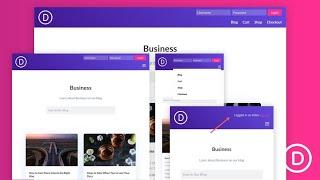
How to Design an Inline Login Form for a Custom Global Header in Divi
Added 98 Views / 0 LikesCreating an inline login form for your header can be a wonderful boost to user experience. They are perfect for membership sites and online stores because it makes it really easy for users to login at any time or on any page of the site. In this tutorial, we are going to show you how to design an inline login form for a custom header user the Divi Theme Builder. To do this, we will build a simple responsive global header and then design a compact inli
-
18:10
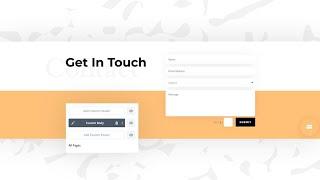
How to Automatically Add a Bottom Page Contact Form to All Pages with Divi’s Theme Builder
Added 98 Views / 0 LikesWhen you’re busy setting up all pages you want to include on your website, chances are high you’ll want to include a contact form at the end of each page to make your visitors’ journey easier. With Divi, you can, of course, add a contact form to the page itself, but if you’d rather streamline the process, that’s possible as well. In today’s Divi tutorial, we’ll show you how to automatically add a bottom-page contact form to all your pages at once. We’
-
04:41

7 Best Browser-based, Online Code Editors for Web Developers
Added 98 Views / 0 LikesIn today's video, we'll check out the 7 best browser based, online code editors for web developers Blog post: https://www.elegantthemes.com/blog/wordpress/7-best-browser-based-online-code-editors-for-web-developers •️ Learn more about Divi: https://www.elegantthemes.com/gallery/divi • Like us on Facebook: https://www.facebook.com/elegantthemes/ #OnlineCodeEditors #WordPress #ElegantThemes
-
09:36
How to Use OBS Studio to Livestream
Added 98 Views / 0 LikesIn today's video, we'll learn how to use OBS Studio to live stream. Blog post: https://www.elegantthemes.com/blog/marketing/how-to-use-obs-studio-to-livestream •️ Learn more about Divi: https://www.elegantthemes.com/gallery/divi • Like us on Facebook: https://www.facebook.com/elegantthemes/ #OBSStudio #Marketing #ElegantThemes
-
03:39

When to Use HTTP 301 and 302 Redirects for the Best Results
Added 98 Views / 0 LikesIn today's video, we'll learn about HTTP 301 + 302 redirects and when you should use them. Blog post: https://www.elegantthemes.com/blog/wordpress/when-to-use-http-301-and-302-redirects-for-the-best-results •️ Learn more about Divi: https://www.elegantthemes.com/gallery/divi • Like us on Facebook: https://www.facebook.com/elegantthemes/ #HTTPRedirects #WordPress #ElegantThemes
-
12:58
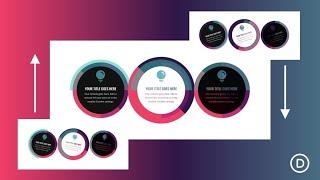
Creative ways to Combine Rotation Scroll Effects with Circular Elements in Divi
Added 98 Views / 0 LikesWe are always looking for new and creative ways to showcase featured items (like products and services) when designing a new website. And, with Divi’s scroll effects, new doors have been opened to take your blurb layouts to a whole new level. In this tutorial, we are going to show you how to create a blurb module layout with rotating circular elements on the scroll. This unique layout features a clever use of color combinations with multiple circular
-
01:11
Divi Site Makeover 01 (Call for Submissions)
Added 97 Views / 0 LikesWith the launch of Divi 2.5 there is very little the average WordPress user can’t do. So we thought it might be the perfect time to make a call for our first ever Divi Site Makeover. The concept is very simple. Take a before screenshot of your website or a client website running a different theme. Re-design with Divi, take another screenshot, and submit both images (plus a link) for review. In a month’s time we’ll show off our favorites on the podcast
-
35:23

Geno Quiroz Interview - Building a Divi Consultancy
Added 97 Views / 0 LikesIn this interview our host Nathan B. Weller talk to Geno Quiroz about what exactly a Divi Consultant is and how to be successful as one.
-
1:17:59
Divi Nation, Episode 13 - Following Your Bliss with Dave Cahill
Added 97 Views / 0 LikesIn this episode of Divi Nation we sit down with Dave Cahill of River Net Computers in Frenchtown, New Jersey to talk about following your bliss. What do we mean by that? We mean identifying what makes you happy, what makes you laugh, what piques your interest and then following that trail in your work to unlock a way of life that's true to you. Read the accompanying blog post: http://goo.gl/Onxl1e Subscribe to our YouTube Channel: https://goo.gl/oxCa4
-
05:46
Free Divi Download: Wireframe Kit Vol 1
Added 97 Views / 0 LikesIn this video we show you how to install and use the new Divi Wireframe Layout Kit Vol. 01. To get the free download please visit the link below. http://www.elegantthemes.com/blog/divi-resources/free-divi-download-the-new-multipurpose-wireframe-kit-vol-1
-
05:32
How Divi Can Help You Guide Visitors Through Long Web Pages
Added 97 Views / 0 LikesIn-page navigation is essential in two main scenarios: long-form content in general and one-page websites in particular. As the landscape has shifted towards long-form content in the last few years, proper structuring and organization of that content has become more important than ever. Attention spans are declining, and if people have to trudge through too much information to get to what they’re looking for, chances are you’ll lose them. In-page navi
-
07:22
How to Make the Background Color of the Divi Menu Different on Every Page
Added 97 Views / 0 LikesMaking your site stand out in the crowd is sometimes easier said than done. Fortunately it can take the smallest bit of creative detail to help you push your site into a more unique territory. In today’s tutorial I’m going to be using one of my favorite features of Divi — the Divi Builder Settings box, and in particular the custom CSS box inside that. https://www.elegantthemes.com/blog/divi-resources/how-to-make-the-background-color-of-the-menu-differ
-
11:21

Divi Nation LIVE from WordCamp US 2017 #1
Added 97 Views / 0 LikesLive from WordCamp US 2017 here in Nashville Tennessee with several members of the Divi Nation.
-
09:03

Top 6 Booking Plugins For WordPress
Added 97 Views / 0 LikesHere is our list for the top 6 booking plugins for WordPress. Blog post: https://www.elegantthemes.com/blog/resources/top-6-booking-plugins-for-wordpress Like us on Facebook: https://www.facebook.com/elegantthemes/
-
59:02
The Weekly WP Roundup with B.J. Keeton (December 14, 2018)
Added 97 Views / 0 LikesMultistreaming with https://restream.io/ The holidays are near, and WordPress isn’t slowing down one bit. Every week, we bring you the very best news, tutorials, and resources that we can find so that your upcoming week can be the best it can be. ONLY 6 Days Left on Cyber Monday 25% Off https://www.elegantthemes.com/cyber-monday-2018/ --NEWS WordPress 5.0.2 to Bring Major Performance Improvements, Scheduled for December 19 https://wptavern.com/wordpre
-
04:00
Get a FREE Wedding Engagement Layout Pack for Divi
Added 97 Views / 0 LikesHey Divi Nation! Thanks for joining us for the next installment of our weekly Divi Design Initiative; where each week, we give away a brand new, free Divi Layout Pack from our design team to you. For this week, Kenny and his team have created an exciting new Wedding Engagement Layout Pack. This layout pack has elegant and unique page layouts that are going to be super helpful for getting your wedding engagement site up and running. These include a Gal
-
10:06
How to Create a 3D Sign Post with Hover Effects in Divi
Added 97 Views / 0 LikesWe all know that a good website makes it easy for visitors to find what they are looking for quickly and efficiently. And, it always helps if you can make your content more engaging. In this tutorial, I'm going to show you how to design a 3D sign post that will engage users and make it easy for them to find what they are looking for in a unique way. To do this, we'll be using Divi's transform options and the perspective css property on multiple blurb
-
54:37

The Weekly WP Roundup with B.J. Keeton (December 13, 2019)
Added 97 Views / 0 LikesMultistreaming with https://restream.io/ Welcome to the Weekly WP Roundup where we discuss the best news, tutorials, and resources about WordPress we could find. Feel free to chat and ask questions, and expand the video description to check out all the links we are going to discuss. --NEWS Gutenberg 7.1 Includes Welcome Modal, Improves Multi-Block Selection, and Adds Drag-and-Drop Featured Images https://wptavern.com/gutenberg-7-1-includes-welcome-mod
-
02:25

The New Divi Layers View!
Added 97 Views / 0 LikesLearn more here: https://www.elegantthemes.com/blog/theme-releases/divi-layers-view Today we are excited to introduce Divi Layers View, a brand new editing panel in the builder that allows you to quickly view, navigate, organize and edit your pages inside a nested layers interface. You can explore your content inside the layers panel while at the same time editing your page visually. This brings the simplicity and efficiency of block-based editing and
-
03:53
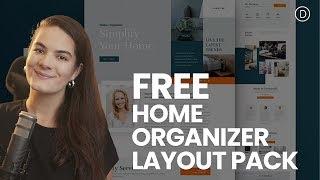
Get a FREE Home Organizer Layout Pack for Divi
Added 97 Views / 0 LikesLearn more: https://www.elegantthemes.com/blog/divi-resources/get-a-free-home-organizer-layout-pack-for-divi Hey Divi Nation! Thanks for joining us for the next installment of our weekly Divi Design Initiative where each week, we give away brand new, free Divi Layout Packs from our design team to you. This time around, Kenny and his team have created an amazing Home Organizer Layout Pack that focuses on combining visualities with written content in an
-
08:47
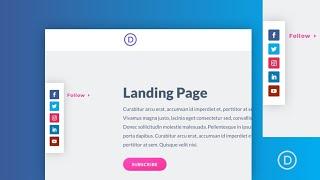
How to Design a Pop Out Social Media Follow Buttons Bar to your Page Template in
Added 97 Views / 0 LikesSocial Media Follow buttons continue to be a popular addition to any website. Companies and individuals use these links to redirect users to their social media pages in hopes that visitors will follow them or subscribe to their channel. Normally, you see these buttons in a contact page, sidebar or at the footer of a website. In this tutorial, we are going to show you how to design a pop out social media follow buttons bar to a page template in Divi. T
-
14:18
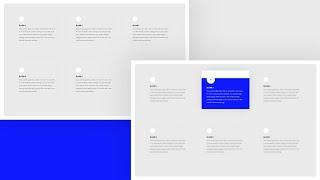
How to Highlight a Hovered Blurb Module by Blurring the Other Ones with Divi
Added 97 Views / 0 LikesWhatever kind of website you’re building, chances are high that at some point, you’ll want to display a list of different services, steps, and more. One of the easiest ways to approach creating such a list attractively is using Divi’s Blurb Module. Blurb Modules allow you to structure list content beautifully while providing you with endless design possibilities. In today’s tutorial, we’ll take it one step further and show you how to highlight a hover
-
09:39

How to Stack and Animate Text using Divi Scroll Effects
Added 97 Views / 0 LikesUsing Divi’s scroll effects to stack and animate text on scroll is a unique design technique that can be used to bring life to your page headings. The trick is to use Divi’s position options to stack letters absolutely so that they sit directly on top of each other. Then you can move the letters horizontally and vertically using the scroll effects. Read more: https://www.elegantthemes.com/blog/divi-resources/how-to-stack-and-animate-text-using-divi-sc
-
03:16

How to Show Images From Multiple Instagram Accounts in the Same Feed on WordPress
Added 97 Views / 0 LikesIn today's video, we'll learn how to show images from multiple Instagram accounts in the same feed on WordPress. Blog post: https://www.elegantthemes.com/blog/wordpress/how-to-show-images-from-multiple-instagram-accounts-in-the-same-feed-on-wordpress •️ Learn more about Divi: https://www.elegantthemes.com/gallery/divi • Like us on Facebook: https://www.facebook.com/elegantthemes/ #Instagram #WordPress #ElegantThemes
-
24:42
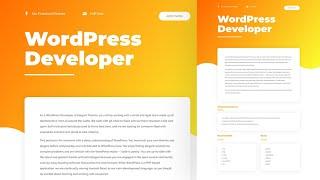
How to Create a Dynamic Job Opening Post Template with Divi’s Theme Builder & ACF
Added 97 Views / 0 LikesWhen you’re using the Divi Theme Builder in combination with dynamic content, you’ll quickly find yourself replacing plugins with self-made templates. In today’s tutorial, we’ll show you how to create a completely dynamic job opening post template using the Divi Theme Builder and an ACF fields group. This dynamic job opening post template is fully customizable and you’ll be able to download the JSON file for free as well! Read more: https://www.elegan
-
17:34

This Week in WordPress 02
Added 96 Views / 0 LikesThis week in WordPress Melissa and I talk about three really interesting articles that delve into neuroscience, content experiences, and whether or not we’ll all be blogging on Facebook in the near future. Watch the full Divi Nation Episode: https://youtu.be/F0oBFZjjpoU Read the accompanying blog post: http://goo.gl/b0hnO3 Subscribe to our YouTube Channel: https://goo.gl/oxCa4h Subscribe to Divi Nation on iTunes: https://goo.gl/w8fccT Subscribe to Div
-
20:43
The Free Divi Wireframe Kit Layout Design Tutorial
Added 96 Views / 0 LikesIn this video we walk you through how to use our Divi Wireframe Kit to create any number of impressive Divi pages. Get all the files you need to follow along in the accompanying blog post. Get the free files here: https://www.elegantthemes.com/blog/divi-resources/how-to-use-the-divi-wireframe-kit-to-create-professional-landing-pages
-
06:36
How to Make The Bloom Opt In Form Pop up When Clicking a Button
Added 96 Views / 0 LikesIn today’s tutorial, we’ll show you how exactly you can make use of these click triggers in some of the most important parts of your website. Once you’ve managed to include the click on trigger option, don’t forget to measure the results it brings you to see if it helps you make progress. Read the article: https://goo.gl/XMDjdU
-
11:48
The Divi Search Module
Added 96 Views / 0 LikesUsing the search module, you can place a search form anywhere on your site. This search form will allow your visitors to search through all of your website’s content, including all pages and blog posts. This gives you the functionality of the WordPress search widget along with the flexibility of the Divi Builder. Not only can you control the search forms location on the page, you can also customize its design. View The Full Documentation Page: https:/