Elegant Themes
-
07:30 Popular

How to Easily Add Vertical Social Sharing Buttons to Your Web Page in Divi
Added 135 Views / 0 LikesSocial sharing buttons have become a standard component of a website due to the huge rise of social media. And with Divi, you can easily add those social sharing buttons using the social media follow module. However, by default, the buttons will align horizontally. This is perfect for most sites. But if you are looking for a vertical layout of your icons, you can easily do this with a few simple adjustments to the module. In this tutorial, I’m going t
-
05:05 Popular

How to Easily Change the Author in WordPress
Added 128 Views / 0 LikesIn today’s video, we're going to learn how to change the author in WordPress. Blog post: https://www.elegantthemes.com/blog/wordpress/how-to-easily-change-the-author-in-wordpress Create redirects: https://www.elegantthemes.com/blog/tips-tricks/how-to-create-redirects-with-wordpress Remove author: https://www.youtube.com/watch?v=U_O322lTtmw Like us on Facebook: https://www.facebook.com/elegantthemes/
-
03:45

How to Edit a Podcast in Audacity - Amplify & Normalize
Added 61 Views / 0 LikesIn part three of a four part series, we cover how to use Amplify and Normalize. Blog post: https://www.elegantthemes.com/blog/marketing/how-to-edit-a-podcast-in-audacity Chapters: 0:00 Intro 0:08 Amplify vs. Normalize 0:36 Amplify 2:10 Normalize •️ Learn more about Divi: https://www.elegantthemes.com/gallery/divi • Like us on Facebook: https://www.facebook.com/elegantthemes/ #Podcast #Audacity #ElegantThemes
-
05:06
How to Edit a Podcast in Audacity - Compression & EQ
Added 57 Views / 0 LikesIn part four of a four part series, we cover how to use compression and equalization. Blog post: https://www.elegantthemes.com/blog/marketing/how-to-edit-a-podcast-in-audacity Chapters: 0:00 Intro 0:09 Compression 1:09 Auphonic.com 2:00 Chris's Dynamic Compressor 2:21 Equalization 3:35 EQ Guides 4:20 Outro Resources: Auphonic: https://auphonic.com/ Chris's Dynamic Compressor: https://manual.audacityteam.org/man/chris_s_dynamic_compressor.html TheAudac
-
03:40
How to Edit a Podcast in Audacity - Presets & Noise Reduction
Added 57 Views / 0 LikesIn part two of a four part series, we cover user presets and how to apply noise reduction. Blog post: https://www.elegantthemes.com/blog/marketing/how-to-edit-a-podcast-in-audacity Chapters: 0:00 Intro 0:10 Presets 1:01 Noise Reduction •️ Learn more about Divi: https://www.elegantthemes.com/gallery/divi • Like us on Facebook: https://www.facebook.com/elegantthemes/ #Podcast #Audacity #ElegantThemes
-
07:02

How to Edit a Podcast in Audacity - The Basics
Added 57 Views / 0 LikesIn part one of a four part series, we cover the basics you need to know when it comes to editing a podcast in Audacity. Blog post: https://www.elegantthemes.com/blog/marketing/how-to-edit-a-podcast-in-audacity Chapters: 0:00 Intro 0:25 Mono vs. Stereo 1:15 Splitting a stereo track 2:05 Deleting a section 3:35 Generate silence 4:18 Time shift tool 5:00 Podcast music •️ Learn more about Divi: https://www.elegantthemes.com/gallery/divi • Like us on Faceb
-
14:27 Popular
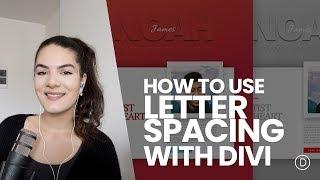
How to Effectively Use Letter Spacing to Create a Stunning Design with Divi
Added 129 Views / 0 LikesHave you ever tried experimenting with font families and letter spacing at the same time? Let me tell you that it can bring eye-catching results. It gives an abstract feeling to your design and it also matches design trends in 2018. Not only can you add extra letter spacing to your text, you can also use negative letter spacing to bring your characters closer to each other. In this tutorial, that is inspired by one of Roney Gibson's designs, we're goi
-
25:09
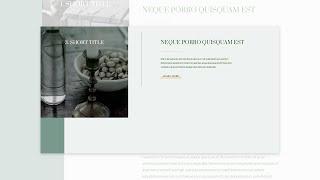
How to Effortlessly Combine Scroll Effects & Sticky Options in Your Divi Design
Added 61 Views / 0 LikesLearn more: https://www.elegantthemes.com/blog/divi-resources/how-to-effortlessly-combine-scroll-effects-sticky-options-in-your-divi-design The more you get familiar with Divi, the more you realize how far the built-in features can go. Sometimes, it might even become tempting to start combining them. But as with everything in design, harmony should be prioritized. Using features such as scroll effects and sticky options works best if they don’t overbu
-
41:35 Popular
How to Embed Divi Galleries into Toggles to Create a Custom Restaurant Menu
Added 118 Views / 0 LikesMultistreaming with https://restream.io/ Hey Divi Nation, welcome to a brand new Divi Use Case live stream where each week we show you how to add new design and functionality to your Divi website. In this live stream tutorial, I’m going to show you how create a restaurant menu with intuitive and mobile friendly toggles using Divi toggles and galleries. I’ll even show you how to optimize your toggles for mobile and embed Divi image galleries inside of
-
01:45 Popular

How to Embed Your Twitch Stream on WordPress
Added 121 Views / 0 LikesIn today’s video, we're going to learn how to embed your Twitch stream onto your WordPress website. Blog post: https://www.elegantthemes.com/blog/tips-tricks/how-to-embed-your-twitch-stream-on-wordpress Like us on Facebook: https://www.facebook.com/elegantthemes/
-
09:40 Popular
How to Emphasize Your Image's Colors Using Patterns (Download 7 Free Patterns!)
Added 117 Views / 0 LikesWhen you're including images on your website, you want them to draw attention at first sight. One of the things that can bring your image to life is using patterns that emphasize the colors that are being used within the image itself. Not only will it emphasize your image's colors, it will also take your design up a notch. In the blog post, you'll be able to download 7 different patterns for free and use them on any of your designs without restriction
-
08:59

How to Emphasize Your Sticky Button in a Gorgeous CTA Section with Divi
Added 59 Views / 0 LikesWhen the Divi sticky options feature was released, the release post on our blog was accompanied by live demos that show you the versatility of this new feature. To help you understand sticky options better, and start using them in your design, we’ll show you how to recreate one of the live demo designs in this tutorial. The design we’re recreating focuses on emphasizing your sticky button. It’s is a text-based CTA section that allows you to highlight
-
02:19

How to Enable GZIP on WordPress
Added 72 Views / 0 LikesIn today's video, we'll learn how to enable GZIP on your WordPress website. Blog post: https://www.elegantthemes.com/blog/wordpress/how-to-enable-gzip-on-wordpress •️ Learn more about Divi: https://www.elegantthemes.com/gallery/divi • Like us on Facebook: https://www.facebook.com/elegantthemes/ #GZIP #WordPress #ElegantThemes
-
05:59
How to Export a Divi Page Layout that Has Custom Code
Added 94 Views / 0 LikesI love being able to export and import a Divi Page Layout. In just a few clicks, I can have all the design elements in one conveniently packaged json file that can be stored for another project. But what if your page layout depends on custom external code (CSS or Javascript)? Of course, you will want to include that code within your page layout export in order to keep the style and functionality of the page elements in place. In this tutorial, I’m goi
-
01:38 Popular
How To Export And Import Opt In With Bloom
Added 147 Views / 0 Likeshttp://www.elegantthemes.com/plugins/bloom/ is the best WordPress Email Opt-In Plugin, created by Elegant Themes. Swing by http://www.elegantthemes.com to download it!
-
15:36 Popular
How to Extend Modules to Create Unique Column Layouts in Divi
Added 169 Views / 0 LikesEvery new page you design with the Divi Builder is structured using a number of different column layouts. Divi includes built-in column layouts for each row ranging from one column all the way to six columns. But, sometimes, you may feel the need to adjust these columns for even more unique layouts. Today, I'm going to show you a creative way to do just that. In this tutorial, I'm going to show you a simple design technique that allows you to extend m
-
06:57 Popular
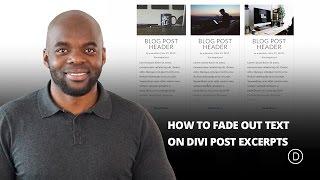
How To Fade Out Text On Divi Post Excerpts
Added 133 Views / 0 LikesI’m a big believer that little things can make a big difference, especially when it comes to building websites. My favorite part of building a site is putting those final touches that seems to bring it all together. It could be a button hover effect, changing the font size of the header in the hero section, or even some padding changes (this sometimes makes a big difference). Whatever the change may be, the important thing to remember is to take the t
-
15:48 Popular

How to Fan Out Images on Scroll to Promote an Image Gallery in Divi
Added 128 Views / 0 LikesKnowing how to fan out images with Divi’s scroll effects can be a subtle and impressive design element to help promote an image gallery on a landing page. The idea is to engage users as they scroll down the page by fanning out images like a hand of playing cards. In this tutorial, we are going to create a clean section layout for promoting an image gallery that includes a collection of images that fan out on scroll. You can use any images you want wit
-
22:15 Popular
How to Fill Text with Images for Creative Backgrounds using Divi
Added 115 Views / 0 LikesIn this tutorial, I’m going to show you how to use the screen blend mode to add colorful image-filled text backgrounds using Divi. I’ll also show you how to add dividers that match the design of your background text and sections that transition smoothly between dividers. Read the full tutorial here: https://www.elegantthemes.com/blog/divi-resources/how-to-fill-text-with-images-for-creative-backgrounds-using-divi
-
03:44

How to Find a Good WordPress Developer for your Project
Added 83 Views / 0 LikesIn today's video, we'll check out different ways to find a good WordPress developer for your project. Blog post: https://www.elegantthemes.com/blog/wordpress/how-to-find-a-good-wordpress-developer-for-your-project •️ Learn more about Divi: https://www.elegantthemes.com/gallery/divi • Like us on Facebook: https://www.facebook.com/elegantthemes/ #Developer #WordPress #ElegantThemes
-
04:00
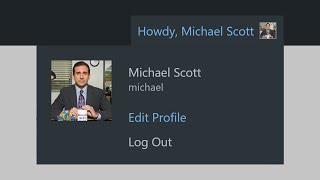
How to Find and Edit the WordPress User Profile
Added 69 Views / 0 LikesIn today's video, we'll learn how to find and edit the WordPress user profile. Blog post: https://www.elegantthemes.com/blog/wordpress/wordpress-user-profile ➡️ Learn more about Divi: https://www.elegantthemes.com/gallery... 🔵 Like us on Facebook: https://www.facebook.com/elegantthemes/ #Profile #WordPress #ElegantThemes
-
02:03

How to Find Out Who Is Hosting Any Website
Added 49 Views / 0 LikesIn today's video, we'll show you how to find out who is hosting any website. Blog post: https://www.elegantthemes.com/blog/wordpress/how-to-find-out-who-is-hosting-any-website •️ Learn more about Divi: https://www.elegantthemes.com/gallery/divi • Like us on Facebook: https://www.facebook.com/elegantthemes/ #Hosting #WordPress #ElegantThemes
-
02:49

How to Find Your WordPress Login Page and Sign In
Added 51 Views / 0 LikesIn today's video, we'll learn how to find your WordPress login page and sign in. Blog post: https://www.elegantthemes.com/blog/wordpress/wordpress-login ➡️ Learn more about Divi: https://www.elegantthemes.com/gallery... 🔵 Like us on Facebook: https://www.facebook.com/elegantthemes/ #Tuutorial #WordPress #ElegantThemes
-
03:28 Popular

How to Fix HTTP Error Code 410
Added 102 Views / 0 LikesIn today's video, we'll learn how to fix HTTP error code 410. Blog post: https://www.elegantthemes.com/blog/wordpress/how-to-fix-http-error-code-410 •️ Learn more about Divi: https://www.elegantthemes.com/gallery/divi • Like us on Facebook: https://www.facebook.com/elegantthemes/ #Error410 #WordPress #ElegantThemes
-
03:48 Popular

How to Fix RSS Feed Errors in WordPress
Added 101 Views / 0 LikesIn today's video, we'll learn how to fix RSS feed errors in WordPress. Blog post: https://www.elegantthemes.com/blog/wordpress/how-to-fix-rss-feed-errors-in-wordpress •️ Learn more about Divi: https://www.elegantthemes.com/gallery/divi • Like us on Facebook: https://www.facebook.com/elegantthemes/ #RSSFeed #WordPress #ElegantThemes
-
02:43 Popular

How to Fix The 403 Forbidden Error in WordPress
Added 115 Views / 0 LikesIn today’s video we take a look at how to fix the 403 Forbidden Error in WordPress. Blog post: https://www.elegantthemes.com/blog/tips-tricks/how-to-fix-403-forbidden-error-in-wordpress Like us on Facebook: https://www.facebook.com/elegantthemes/
-
03:41

How to Fix the 404 Error for WordPress Websites
Added 84 Views / 0 LikesIn today's video, we'll learn how to fix 404 errors on your WordPress website. Blog post: https://www.elegantthemes.com/blog/wordpress/how-to-fix-404-error-for-wordpress-websites Child theme tutorial: https://www.elegantthemes.com/blog/divi-resources/divi-child-theme Custom 404 page: https://www.elegantthemes.com/blog/tips-tricks/creating-custom-wordpress-404-error-pages Divi 404 page: https://www.elegantthemes.com/blog/divi-resources/how-to-create-a-
-
04:57 Popular

How to Fix the 500 Internal Server Error on WordPress
Added 124 Views / 0 LikesLearn how to fix the 500 Internal Server Error on your WordPress blog! Blog post: https://www.elegantthemes.com/blog/tips-tricks/how-to-fix-the-500-internal-server-error-on-your-wordpress-website How to Debug WordPress: https://www.elegantthemes.com/blog/tips-tricks/using-the-wordpress-debug-log Like us on Facebook: https://www.facebook.com/elegantthemes/
-
04:37 Popular
How to Fix the 502 Bad Gateway Error in WordPress
Added 122 Views / 0 LikesIn today's video, we learn how to fix the 502 bad gateway error in WordPress. Blog post: https://www.elegantthemes.com/blog/wordpress/how-to-fix-the-502-bad-gateway-error-in-wordpresshttps://www.elegantthemes.com/blog/wordpress/how-to-fix-the-502-bad-gateway-error-in-wordpress •️ Learn more about Divi: https://www.elegantthemes.com/gallery/divi/ • Like us on Facebook: https://www.facebook.com/elegantthemes/ #BadGateway #WordPress #ElegantThemes
-
02:47

How to Fix the HTTP 304 Not Modified Status Code
Added 58 Views / 0 LikesIn today's video, we'll learn how to fix the HTTP 304 Not Modified status code. Blog post: https://www.elegantthemes.com/blog/wordpress/http-304-not-modified-status-code ➡️ Learn more about Divi: https://www.elegantthemes.com/gallery... 🔵 Like us on Facebook: https://www.facebook.com/elegantthemes/ #Tutorial #WordPress #ElegantThemes









