Elegant Themes
-
10:41 Popular

How to Design a Scrollable Recent Posts Widget Area in Divi
Added 131 Views / 0 LikesDivi’s sidebar module is an extremely useful tool for integrating custom widget areas into your design. This allows you to display any WordPress widget inside a Divi layout. In this tutorial, I’m going to show you how to create a scrollable recent posts widget area in Divi. I’ll be designing a “From our Blog” section with the recent posts widget area to the right side of a blog module. This will be perfect for showcasing a few of your most recent blog
-
18:32 Popular

How to Design a Standout Work Experience section for Your Freelancer Site with Divi
Added 137 Views / 0 LikesShowcasing work experience and skills online is a great way to set yourself apart as a freelancer. With Divi, you can create a unique timeline to display your work history in a way that is both clean and professional. And, by getting a little creative with Divi’s circle counter module, you can also add an animated infographic to highlight your skills. In this tutorial, I’m going to show you how you can use the Divi Builder to design a standout work ex
-
03:59
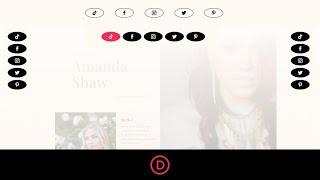
How to Design a Sticky Social Media Follow Module in Divi
Added 60 Views / 0 LikesWith Divi’s built-in sticky options allow, you can easily design a sticky social media follow module that will keep those social network icons at the forefront as the user scrolls down the page. Plus, by adding custom styling to the module in the sticky state, we can create unique design transitions when engaging the sticky state on scroll. So, if you are looking for complete control over the design of your sticky social media follow buttons, this tut
-
21:27 Popular

How to Design a Unique Diagonal Layout with Divi
Added 126 Views / 0 LikesCreating a diagonal layout for your page content can be a little tricky to pull off, especially in responsive web design. But, with the Divi Builder, I’ve found that it can actually be fun. With the right combination of section dividers, column spacing, and vw length units, you can add a diagonal layout to any Divi section. And surprisingly, this design technique will scale nicely on different browser sizes. In this tutorial, I’m going to show you how
-
33:17 Popular

How to Design a Unique Featured Products Section with Our Exclusive Boutique Sale Landing Page
Added 145 Views / 0 LikesMultistreaming with https://restream.io/ Hey Divi Nation, welcome to a special live stream featuring an exclusive Divi Layout only available to Lifetime Members and those who take advantage of our Cyber Monday sale. In this livestream we are going to show you how to design a unique featured products section with Divi & our exclusive Boutique Sale Landing Page. If you’re a new customer during the Black Friday and Cyber Monday sale or an existing Lifeti
-
35:45
How to Design a Welcome Gate for Your Page in Divi
Added 96 Views / 0 LikesMultistreaming with https://restream.io/ Hey Divi Nation, welcome to a brand new Divi Use Case live stream where each week we show you how to add new design and functionality to your Divi website. In this tutorial, we are going to show you a quick and easy way to add a custom welcome gate to your web page without using a plugin. This may come in handy for boosting the conversions of your CTAs on landing pages. Check it out! You can read the post for t
-
21:28

How to Design Abstract Lines to Frame Your Content in Divi
Added 95 Views / 0 LikesDivi allows you to create abstract lines in many different ways using the Visual Builder. Dividers, Borders, Background Gradients, and Box Shadows all have the options you need. And if you get a little creative with the spacing, you can use a combination of all these elements to frame your content in creative ways. In this tutorial, I’m going to show you how to easily transform a section of your layout into a unique design using lines. Read the articl
-
12:05

How to Design an Animated Clock with Divi’s Scroll Effects
Added 99 Views / 0 LikesThe web is full of sites that need design accents related to time (speed optimization, upcoming events, etc.). In most cases, a clock icon or graphic can work great. But, creating an animated clock design will definitely give a unique “spin” to the design of your website. With all of the built-in design options available in Divi, we can create an awesome animated clock design from scratch. In this tutorial, we are going to create an animated clock tha
-
16:27 Popular

How to Design an Attractive Subscribe Section for Any Kind of Website With Divi
Added 122 Views / 0 LikesOne of the main reasons people create websites is to find a new way to approach their target audience. Once you take that first step and start building a website, you start wondering how exactly you’ll be able to get in touch with your potential clients. One of the things that have proven to help a lot of website owners is list building. It’s all about collecting email addresses from visitors, turning them into leads (and eventually customers) with em
-
10:47
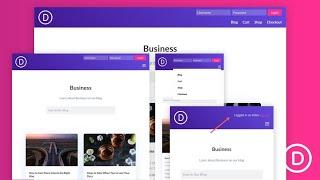
How to Design an Inline Login Form for a Custom Global Header in Divi
Added 98 Views / 0 LikesCreating an inline login form for your header can be a wonderful boost to user experience. They are perfect for membership sites and online stores because it makes it really easy for users to login at any time or on any page of the site. In this tutorial, we are going to show you how to design an inline login form for a custom header user the Divi Theme Builder. To do this, we will build a simple responsive global header and then design a compact inli
-
59:44
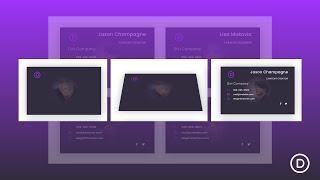
How to Design Business Cards with Flip Animation on Click to Showcase Your Team in Divi
Added 48 Views / 0 LikesLearn more: https://www.elegantthemes.com/blog/divi-resources/how-to-design-business-cards-with-flip-animation-on-click-to-showcase-your-team-in-divi Business cards are already a familiar and intuitive method for supplying concise information about a person working for a company. So it makes sense to offer that same design on the web. Plus, the information provided on each card can become even more dynamic and interactive, allowing the user to copy in
-
11:37 Popular
How to Design Custom Full Screen Page Layouts in Divi
Added 126 Views / 0 LikesFull-Screen page layouts can really come in handy in the world of web design. One main benefit of a full-screen page layout is visibility. With full-screen pages, all your page content remains within the browser window. In a world where users are quick to scroll, having all of your content contained within the browser viewport from the start can be refreshing for the viewer and could also help with conversions. If you are familiar with Divi, you shoul
-
59:18

How to Design Custom Image Overlays in Divi
Added 63 Views / 0 LikesHey Divi Nation, welcome to a brand new Divi Use Case live stream where each week we show you how to add new design and functionality to your Divi website. Image overlays have been around for a long time in web design. They are great for engaging visitors by revealing additional content and design elements when hovering over the image. In this tutorial, we are going to show you how to design custom image overlays in Divi. These overlays will change an
-
31:17
How to Design Eye-Catching Book Reviews for Your Divi Ebook Landing Page
Added 95 Views / 0 LikesEvery week, we provide you with new and free Divi layout packs which you can use for your next project. For one of the layout packs, we also share a use case that’ll help you take your website to the next level. This week, as part of our ongoing Divi design initiative, we’re going to show you how to design eye-catching book reviews for your upcoming ebook landing page using Divi’s Ebook Layout Pack and Divi’s built-in options only. This is a great way
-
04:31

How to Design Floating Cards Using Divi’s Blog Module
Added 59 Views / 0 LikesToday, we are going to show you a creative way to showcase blog posts as floating cards in Divi. Every blog or website should seek to have great content that is attractive and, perhaps just as important, accessible. One way to make sure content stays accessible to users is to float it on the page. This is also known as making an element fixed (or sticky). And for the bloggers out there, we’re going to show you how to showcase your blog posts as floati
-
09:54 Popular

How to Design Reflections for Images and Text in Divi
Added 107 Views / 0 LikesDesigning reflections for images and text is a classic design technique that can be used to spice up the content of a web page. And, Divi makes it easy to create these reflections right from the Divi Builder without having to use a photo editor. In this tutorial, I’m going to show you how to design reflections for images and text in Divi. The key to making reflections is to use Divi’s transform scale option to create a mirrored version of the element.
-
10:20
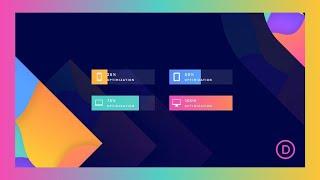
How to Design Scroll Animated Bar Counters with Divi
Added 57 Views / 0 LikesBar counters are used throughout the web to effectively illustrate data or metrics with subtle color animation that represents a certain value. Divi has a dedicated bar counter module that can be used to generate animated bar counters with ease. They are popular additions to about pages, service pages, and case studies Most bar counters seem to animate as they come into view and can be hard to customize. However, in this tutorial, we are going to show
-
45:26 Popular
How to Design Sticky Bars for Product Pages with Divi’s Woo Modules
Added 111 Views / 0 LikesMultistreaming with https://restream.io/ Hey Divi Nation, welcome to a brand new Divi Use Case live stream where each week we show you how to add new design and functionality to your Divi website. In this use case, we are going to design sticky bars for WooCommerce products using Divi’s Woo Modules. We are going to create one sticky bar that includes the “Add to Cart” and another that shows the Cart Notice once an item has been added to the cart. Thes
-
05:10 Popular

How to Determine the Best Blogging Platform for You
Added 121 Views / 0 LikesIn today’s video we take a look at how to determine the best blogging platform for you. Blog post: https://www.elegantthemes.com/blog/marketing/best-blogging-platform Like us on Facebook: https://www.facebook.com/elegantthemes/
-
02:35 Popular

How to Disable WordPress Plugins Through Your Database
Added 111 Views / 0 LikesIn today’s video, we're going to check out how to disable WordPress plugins through your database. Blog post: https://www.elegantthemes.com/blog/wordpress/how-to-disable-wordpress-plugins-through-your-database Like us on Facebook: https://www.facebook.com/elegantthemes/
-
02:44
How to Disable/Deactivate WordPress Plugins (3 Methods)
Added 50 Views / 0 LikesIn today's video, we'll learn how to disable and deactivate WordPress plugins. Blog post: https://www.elegantthemes.com/blog/wordpress/disable-wordpress-plugins ➡️ Learn more about Divi: https://www.elegantthemes.com/gallery/divi 🔵 Like us on Facebook: https://www.facebook.com/elegantthemes/ #Plugins #WordPress #ElegantThemes
-
04:18

How to Disavow Backlinks to Your Website
Added 88 Views / 0 LikesIn today's video, we'll learn about alt tags and how you should use them. Blog post: https://www.elegantthemes.com/blog/marketing/how-to-disavow-backlinks-to-your-website •️ Learn more about Divi: https://www.elegantthemes.com/gallery/divi • Like us on Facebook: https://www.facebook.com/elegantthemes/ #Disavow #Marketing #ElegantThemes
-
02:46 Popular

How to Display Highlighted Code Snippets on Your WordPress Site
Added 139 Views / 0 LikesIn today’s video, we're going to learn how to display highlighted code snippets on your WordPress site. Blog post: https://www.elegantthemes.com/blog/wordpress/how-to-display-highlighted-code-snippets-on-your-wordpress-site Like us on Facebook: https://www.facebook.com/elegantthemes/
-
38:07
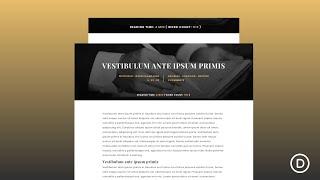
How to Display Post Estimated Reading Time and Word Count in Divi (with ReadingTime.js)
Added 55 Views / 0 LikesGo to the blog post: https://www.elegantthemes.com/blog/divi-resources/how-to-display-post-estimated-reading-time-and-word-count-in-divi-with-readingtime-js In this tutorial, we are going to show you a quick and easy way to add an estimated reading time and word count to your Divi blog posts. The readingTime.js library we are going to use is simple, lightweight, and easy to implement on your Divi site. Plus you can have more control over the style and
-
57:19 Popular

How to Display Real-Time Cryptocurrency Data on your Website
Added 117 Views / 0 LikesMultistreaming with https://restream.io/ In this use case tutorial, I’m going to show you an easy way to add real-time cryptocurrency data to your Divi site. To do this, I’ll be using the Premium Cryptocurrency Widgets plugin to embed real-time coin data using customizable widget shortcodes. I’ll also show you a great way to use these shortcodes with Divi to match the design of the Cryptocurrency Layout Pack. Here is a link to the plugin I'll be using
-
03:00

How to Display Trustpilot Reviews on Your WordPress Website
Added 94 Views / 0 LikesIn today's video, we'll learn how to display Trustpilot reviews on your WordPress website. Blog post: https://www.elegantthemes.com/blog/wordpress/how-to-display-trustpilot-reviews-on-your-wordpress-website •️ Learn more about Divi: https://www.elegantthemes.com/gallery/divi • Like us on Facebook: https://www.facebook.com/elegantthemes/ #Trustpilot #WordPress #ElegantThemes
-
04:27 Popular
How to download and use Divi's Wireframe UI kit
Added 107 Views / 0 LikesDivi 100. In this video, I show you how to download and use Divi's Wireframe UI kit to create high fidelity wireframes to prototype your website before you go into full development. Here is a link to download Wireframe UI kit: http://www.elegantthemes.com/blog/divi-resources/free-divi-download-multipurpose-wireframe-ui-kit-vol-2
-
05:44 Popular

How to Duplicate Elegant Theme’s Primary Menu with Divi
Added 133 Views / 0 LikesThe new Elegant Themes menu has been a popular request for developers to duplicate on their own sites. The main feature of the menu is the call to action (CTA) button that grabs the attention of visitors by changing colors and animating when scrolling down the page. Having this kind of CTA button on your site will likely increase click rate and conversions. Today I’m going to show you how to duplicate Elegant Theme’s primary menu using Divi. To implem
-
14:01 Popular

How to Dynamically Create a Simple UX Friendly Blog Post Template with Divi
Added 134 Views / 0 LikesWhen sharing new blog posts on your website, it’s important to make the reading experience as easy as possible for your visitors. That means getting rid of as many distractions as possible, while still matching the branding on of your website. It’s also important to allow visitors to control the text size through their browser, that’s where the relative rem font unit comes in handy. It allows people to adjust the size of the font that is displayed ins
-
06:23 Popular

How to easily add and organize documentation on your Divi website
Added 110 Views / 0 LikesNeed to add documentation to one of your Divi websites? Documentation allows you to provide all kinds of helpful information to your readers and customers. But because documentation is its own content type, you probably don’t want to intermingle documentation content with regular WordPress posts or pages. In this video, I’m going to give you a quick tutorial on how to use a new free plugin called DocuPress. Read article here: https://goo.gl/Onim5j









