Website Builder
-
03:38 Popular
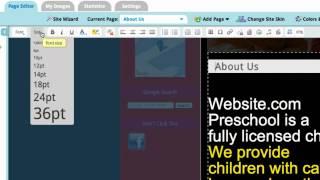
Web Design 101: Text & Typography Tips
Added 113 Views / 0 LikesA professionally designed website projects a positive impression on viewers! In this video series of Web Design 101, we will talk about different aspects of website designs. This first video will be focusing on the text and typography. Enjoy! Build your website in 4 easy steps: 1. Choose your own domain 2. Pick a template 3. Add your content 4. Click "Publish" Your website is LIVE!! Start creating your website Website.com! http://www.website.com/ For
-
02:17 Popular
Web Design 101: The Logo
Added 134 Views / 0 LikesA logo can be the most important graphic element of a web design. In this video, we will talk about a few elements that you should consider when uploading your logo! Build your website in 4 easy steps: 1. Choose your own domain 2. Pick a template 3. Add your content 4. Click "Publish" Your website is LIVE!! Start creating your website Website.com! http://www.website.com/ For more questions, please contact us through our live chat support, support tick
-
03:50 Popular
Web Design 101: Tips on Colours
Added 104 Views / 0 LikesIn this 2nd video of our Web Design 101 Tutorial Series, we will share some important tips on the choice of selecting colours on your website. Build your website in 4 easy steps: 1. Choose your own domain 2. Pick a template 3. Add your content 4. Click "Publish" Your website is LIVE!! Start creating your website Website.com! http://www.website.com/ For more questions, please contact us through our live chat support, support ticket system, or telephone
-
1:04:32

Webinar: Breaking Down Technical SEO | Wix SEO
Added 64 Views / 0 LikesExperts from Wix and Deepcrawl demonstrate the fundamentals of keeping your website healthy for search engines. Learn how to improve your organic performance with best practices that address common technical SEO issues. Learn more- https://www.wix.com/blog/category/promote-your-site/google-seo/ Discover Wix SEO- https://www.wix.com/seo
-
28:59

Webinar: Get Started with Wix | Wix ADI
Added 57 Views / 0 LikesLearn the basics of creating your online presence from Yoav Cohen, Wix Hub Head of Training, who will guide you through setting up and customizing your website using Wix ADI. Timecodes: 00:00 Intro 02:54 Setting up your website with Wix ADI 07:27 Navigating the Wix ADI interface 10:43 Learning your page structure 12:01 Customizing your site design 14:20 Adding sections 15:09 Customizing images, text & links 24:34 Adding pages 25:21 Editing your site m
-
31:01

Webinar: Get Started with Wix | Wix Editor
Added 54 Views / 0 LikesLearn the basics of creating your online presence from Yoav Cohen, Wix Hub Head of Training, who will guide you through your first steps on the Wix platform and teach you how to set up and customize your website. Timecodes: 00:00 Intro 03:57 Choosing a template 06:20 Navigating the Editor 10:07 Learning your page structure 14:02 Customizing colors, fonts & images 17:38 Customizing your text 19:57 Customizing, adding & deleting sections 25:05 Adding pa
-
37:07

Webinar: Meet Dine by Wix | Wix Restaurants
Added 50 Views / 0 LikesLearn how to deliver a seamless ordering & reservations experience that brings your customers back for more, all on the commission-free mobile app. Join Dine by Wix: https://www.dinebywix.com/
-
58:52

Webinar: Scale Your Business with Facebook Ads by Wix | Wix.com
Added 40 Views / 0 LikesIn this webinar hosted by Facebook and Wix, you can learn about how businesses are using Facebook and Instagram advertising to appeal to the right audiences and grow revenue. Discover how Wix’s integrated Facebook Ads tool uses advanced AI to optimize paid campaigns. Get expert tips on site and ad optimization too. Speakers: Amit Drenger, Product Manager, Wix Reid Howell, Product Marketing Manager, Facebook
-
01:11 Popular

Website Builder
Added 102 Views / 0 LikesMake your free website using Wix.com, a free website builder. With Wix.com you can create your stunning website in just minutes! It's easy, fun & no programming skills are needed! Wix.com is a free do-it-yourself website builder, that allows users to create a stunning online presence. With an intuitive drag 'n drop editor, everyone is able to create a professional and beautiful website. To get started, simply choose a website template you love, click
-
02:32 Popular

Website Sections
Added 129 Views / 0 LikesYour website is divided into 3 sections: the header, content, and footer areas. Here's a quick overview of these sections, as well as tips about website element placement. Start creating your website with Website.com! http://www.website.com/
-
00:46 Popular

Website.com $10 Web Design | Little Marketer Commercial
Added 113 Views / 0 LikesWeb design for just $10? There's no catch. Follow along as Brian shows you how it's done. About Website.com: A drag and drop site builder which also offers web design services, custom emails, and much more! You need a website. You need Website.com. http://www.website.com/ca/
-
00:46 Popular

Website.com $10 Web Design | Little Marketer Commercial
Added 116 Views / 0 LikesWeb design for just $10? There's no catch. Follow along as Brian shows you how it's done. About Website.com: A drag and drop site builder which also offers web design services, custom emails, and much more! You need a website. You need Website.com. http://design.website.com
-
03:17 Popular
Website.com: All About SEO
Added 103 Views / 0 LikesIn this video, we explain what SEO is. In paritcular, we'll explain how to improve SEO by modifying your site's titles and descriptions, and increasing the number of back-links to your site by using our Website Editor. Build your website in 3 easy steps: 1. Select template 2. Customize 3. Click "Publish" Your website is LIVE!! Start creating your website with Website.com! http://www.website.com/ For more questions, please contact us through our live c
-
01:30

Website.com: All About SEO Part 2
Added 94 Views / 0 LikesIn this second SEO video, we'll show you where to input your verification meta tag to set up a Google Webmasters account, as well as where to insert a Google Analytics tracking code in our website editor. Feel free to follow the links in the video to check out our first round of SEO tips! Build your website in 3 easy steps: 1. Select template 2. Customize 3. Click "Publish" Your website is LIVE!! Start creating your website with Website.com! http://ww
-
04:15 Popular

Website.com: Blog Settings, Comments and Tags
Added 109 Views / 0 LikesIn this video, we show you the steps for blog settings. This video also demonstrates how to view, approve, and disapprove comments on your blog. Another great feature on our blog which is covered in this video is "Tag". With tags, you can create a better browsing experience for your viewers by grouping different posts together with the same tag. Check out this video on how to create a blog: http://www.youtube.com/watch?v=Zkpyv8QZqR4 Build your website
-
06:42 Popular
Website.com: Creating a Web Page using the Website Builder
Added 105 Views / 0 LikesIn this video, we show you how to create a web page and customize it with text, images, apps, and carousel using our website builder. Build your website in 4 easy steps: 1. Choose your domain 2. Pick a template 3. Add your content 4. Click "Publish" Your website is LIVE!! Start creating your website with Website.com! http://www.website.com For more questions, please contact us through our live chat support, support ticket system, or telephone. Or visi
-
06:48 Popular
Website.com: Customizing The Standard Page and Creating an External Link Page
Added 111 Views / 0 LikesIn this video, we show you how to customize your standard page with text, images, and files as well as how to add an external link to your site menu! Build your website in 4 easy steps: 1. Choose your domain 2. Pick a template 3. Add your content 4. Click "Publish" Your website is LIVE!! Start creating your website with Website.com! http://www.website.com For more questions, please contact us through our live chat support, support ticket system, or te
-
06:23 Popular
Website.com: Customizing Your Website Template
Added 111 Views / 0 LikesIn this tutorial, we show you how to create a whole new look for your site by customizing your template with images, colours, and styles. Build your website in 4 easy steps: 1. Choose your domain 2. Pick a template 3. Add your content 4. Click "Publish" Your website is LIVE!! Start creating your website with Website.com http://www.website.com/ For more questions, please contact us through our live chat support, support ticket system, or telephone. Or
-
07:38 Popular
Website.com: Getting Started
Added 128 Views / 0 LikesIn this video tutorial, we are going to showcase how easy it is to start building your website with our Website Builder. http://www.website.com/ For more questions, please contact us through our live chat support, support ticket system, or telephone. Our in-house support team is here to help! Or visit this page for more details: http://www.website.com/contact-us/ Start creating your website with Website.com!
-
06:49 Popular
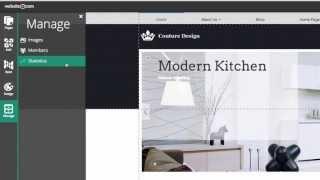
Website.com: How it Works
Added 151 Views / 0 LikesWebsite.com is a website builder and hosting service that gives you everything you need to get your website online. Whether you need a website for a wedding, a restaurant, a clinic, or whatever else you have in mind, our website builder will allow you to create a professional looking website with ease. In this video, we will show you some of the great features such as one-page dashboard, drag-and-drop element, photo gallery, product catalog, blog, e-c
-
05:18 Popular
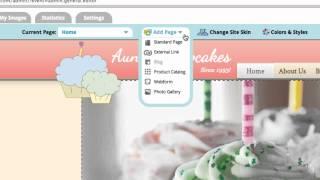
Website.com: How it Works
Added 155 Views / 0 LikesIn this video, we will show you some of the great features with Website.com! Build your website in 4 easy steps: 1. Choose your domain 2. Pick a template 3. Add your content 4. Click "Publish" Your website is LIVE!! Start creating your website with Website.com! http://www.website.com/ For more questions, please contact us through our live chat support, support ticket system, or telephone. Or visit this page for more details: http://www.website.com/con
-
09:29 Popular
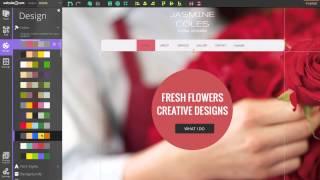
Website.com: How it Works
Added 143 Views / 0 LikesWebsite.com is a website builder and hosting service that gives you everything you need to get your website online. Whether you need a website for a wedding, a restaurant, a clinic, or whatever else you have in mind, our website builder will allow you to create a professional looking website with ease. In this video, we will show you some of the great features such as one-page dashboard, drag-and-drop element, photo gallery, product catalog, blog, e-c
-
05:51
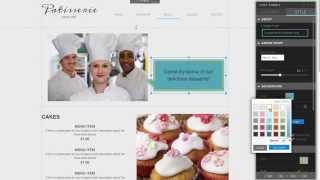
Website.com: How to Add a Chat Bubble to Your Website
Added 100 Views / 0 LikesThe Chat Bubble is a shape that can be easily added to a web page. It's a great tool to show dialogue on your web pages as though someone is speaking. This handy tool is also great for showing testimonials in a fun way, or making an announcement. In this video, we show you how to easily add a chat bubble to your website using our Website Editor. Build your website in 3 easy steps: 1. Select template 2. Customize 3. Click "Publish" Your website is LIVE
-
01:41 Popular
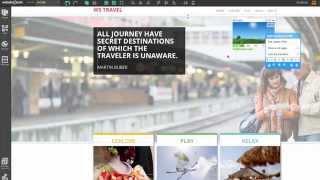
Website.com: How to Add a Custom HTML Widget
Added 102 Views / 0 LikesThis video tutorial teaches you how to add a custom HTML widget to your website. With this widget, you can easily generate income for your website by putting advertisement through Google AdSense Program, or insert a 3rd party plugin to your website. In this video, we added a weather widget to showcase the local weather info. Build your website in 3 easy steps: 1. Select template 2. Customize 3. Click "Publish" Your website is LIVE!! Start creating you
-
02:48 Popular
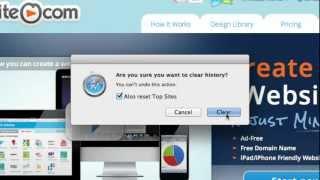
Website.com: How to Clear the Browser Cache
Added 131 Views / 0 LikesThis video tutorial teaches you how to clear the browser cache so that you can view your most recent changes of your website. Build your website in 4 easy steps: 1. Choose your own domain 2. Pick a template 3. Add your content 4. Click "Publish" Your website is LIVE!! Start creating your website Website.com! http://www.website.com/ For more questions, please contact us through our live chat support, support ticket system, or telephone. Or visit this p
-
04:38 Popular
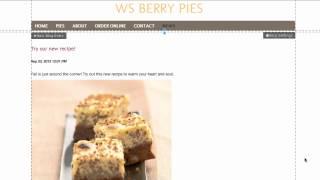
Website.com: How to Create a Blog
Added 117 Views / 0 LikesIn this video, we show you how to create a blog! Build your website in 3 easy steps: 1. Select template 2. Customize 3. Click "Publish" Your website is LIVE!! Start creating your website with Website.com! http://www.website.com/ For more questions, please contact us through our live chat support, support ticket system, or telephone. Or visit this page for more details: http://www.website.com/contact-us/
-
04:32 Popular

Website.com: How to Create a Facebook Page
Added 124 Views / 0 LikesIn this video, we show you how to create a Facebook page for a local cupcake company!! Build your website in 4 easy steps: 1. Choose your domain 2. Pick a template 3. Add your content 4. Click "Publish" Your website is LIVE!! Start creating your website with Website.com! http://www.website.com/ For more questions, please contact us through our live chat support, support ticket system, or telephone. Or visit this page for more details: http://www.websi
-
04:03 Popular

Website.com: How to Create a Twitter Page
Added 139 Views / 0 LikesIn this video, we show you how to create a Twitter page for a local cupcake company!! Build your website in 4 easy steps: 1. Choose your domain 2. Pick a template 3. Add your content 4. Click "Publish" Your website is LIVE!! Start creating your website with Website.com! http://www.website.com/ For more questions, please contact us through our live chat support, support ticket system, or telephone. Or visit this page for more details: http://www.websit
-
05:02 Popular
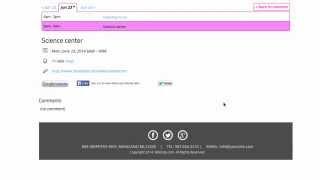
Website.com: How to Create an Event Calendar Page
Added 153 Views / 0 LikesIn this video, we show you how to create an event calendar page! A calendar can be a useful tool if you own an online store and you want to let your clients know about upcoming sales. Another example would be having a wedding website, and you want to let your wedding party and guests know about upcoming events. Build your website in 3 easy steps: 1. Select template 2. Customize 3. Click "Publish" Your website is LIVE!! Start creating your website with
-
03:10 Popular
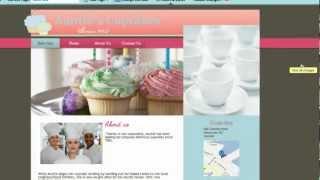
Website.com: How to customize the Header area & upload logos
Added 139 Views / 0 LikesIn this video, we show you how to customize the Header area & upload logos. Build your website in 4 easy steps: 1. Choose your domain 2. Pick a template 3. Add your content 4. Click "Publish" Your website is LIVE!! Start creating your website with Website.com! http://www.website.com/ For more questions, please contact us through our live chat support, support ticket system, or telephone. Or visit this page for more details: http://www.website.com/cont









