Website Builder
-
05:59 Popular
Website.com: How to customize the Sidebar
Added 103 Views / 0 LikesIn this video, we show you how to customize the Sidebar! And within the sidebar, you can install useful web apps such as Google Search Box, Google Map, PayPal Donate button, just to name a few!! Build your website in 4 easy steps: 1. Choose your domain 2. Pick a template 3. Add your content 4. Click "Publish" Your website is LIVE!! Start creating your website with Website.com! http://www.website.com/ For more questions, please contact us through our l
-
06:17 Popular
Website.com: How to make a website with Site Wizard
Added 105 Views / 0 LikesIn this video tutorial, we are going to showcase how easy it is to start building your website with our Site Wizard and Website Builder. Build your website in 4 easy steps: 1. Choose your own domain 2. Pick a template 3. Add your content 4. Click "Publish" Your website is LIVE!! Start creating your website with Website.com! http://www.website.com/ For more questions, please contact us through our live chat support, support ticket system, or telephone.
-
03:24 Popular

Website.com: How to Position Web Elements and Maintain Your Page Layout
Added 113 Views / 0 LikesIn this video, we will showcase one of our latest handy features: the ability to drag multiple objects at once with a single click of a button while maintaining the page layout. With this tool, it is very easy to insert a web element in the middle of a web page by moving all the existing content further down and creating more space to accommodate the newly added web element. The tool will also help you increase the overall height of the section accord
-
04:19 Popular
Website.com: How to Set Up a Domain Email Account on Android Device
Added 145 Views / 0 LikesIn this video, we show you how to set up a domain email account on your Android device! We were using a Samsung Galaxy Tab and we configured IMAP settings over SSL. Build your website in 4 easy steps: 1. Choose your domain 2. Pick a template 3. Add your content 4. Click "Publish" Your website is LIVE!! Start creating your website with Website.com! http://www.website.com/ For more questions, please contact us through our live chat support, support tick
-
04:36 Popular

Website.com: How to Set Up a Domain Email Account on iPhone
Added 154 Views / 0 LikesIn this video, we show you how to set up a domain email account on your iPhone! Build your website in 3 easy steps: 1. Select template 2. Customize 3. Click "Publish" Your website is LIVE!! Start creating your website with Website.com! http://www.website.com/ For more questions, please contact us through our live chat support, support ticket system, or telephone. Or visit this page for more details: http://www.website.com/contact-us/
-
03:34 Popular

Website.com: How to Set up an Email Account in Thunderbird
Added 122 Views / 0 LikesIn this video, we show you how to set up an email account in Thunderbird Build your website in 4 easy steps: 1. Choose your own domain 2. Pick a template 3. Add your content 4. Click "Publish" Your website is LIVE!! Start creating your website with Website.com! http://www.website.com/ For more questions, please contact us through our live chat support, support ticket system, or telephone. Or visit this page for more details: http://www.website.com/con
-
03:16 Popular
Website.com: How to Set up an Email Account with Mac Mail
Added 141 Views / 0 LikesIn this video, we show you how to set up an email account with Mac Mail Build your website in 4 easy steps: 1. Choose your own domain 2. Pick a template 3. Add your content 4. Click "Publish" Your website is LIVE!! Start creating your website with Website.com! http://www.website.com/ For more questions, please contact us through our live chat support, support ticket system, or telephone. Or visit this page for more details: http://www.website.com/cont
-
03:43 Popular
Website.com: How to Set up an Email Account with Windows Live Mail
Added 146 Views / 0 LikesIn this video, we show you how to set up an email account with Windows Live Mail Build your website in 4 easy steps: 1. Choose your own domain 2. Pick a template 3. Add your content 4. Click "Publish" Your website is LIVE!! Start creating your website with Website.com! http://www.website.com/ For more questions, please contact us through our live chat support, support ticket system, or telephone. Or visit this page for more details: http://www.website
-
03:45 Popular
Website.com: How to Upload Files for Download
Added 156 Views / 0 LikesThis video tutorial teaches you how to upload files on your website for download. Build your website in 3 easy steps: 1. Select template 2. Customize 3. Click "Publish" Your website is LIVE!! Start creating your website with Website.com! http://www.website.com/ For more questions, please contact us through our live chat support, support ticket system, or telephone. Or visit this page for more details: http://www.website.com/contact-us/
-
02:17 Popular
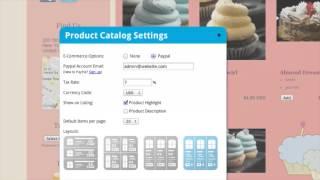
Website.com: New Product Catalog Layouts
Added 128 Views / 0 LikesWe're excited to announce the release of 3 new Product Catalog layouts. Now you can have more options to showcase your products. Build your website in 4 easy steps: 1. Choose your own domain 2. Pick a template 3. Add your content 4. Click "Publish" Your website is LIVE!! Start creating your website with Website.com! http://www.website.com/ For more questions, please contact us through our live chat support, support ticket system, or telephone. Or visi
-
04:18 Popular
Website.com: Password Protected & Members-Only Pages
Added 175 Views / 0 LikesIn this video, we show you how to create password protected and members-only pages! With our Page Protection feature, you can allow exclusive access to your website pages. Build your website in 3 easy steps: 1. Select template 2. Customize 3. Click "Publish" Your website is LIVE!! Start creating your website with Website.com! http://www.website.com/ For more questions, please contact us through our live chat support, support ticket system, or telephon
-
03:59 Popular
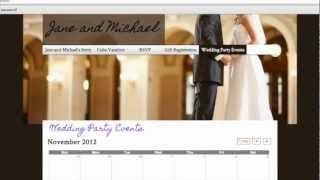
Website.com: Password Protected Page
Added 154 Views / 0 LikesWe're excited to talk about our new feature - Page Protection! Now you can allow exclusive access to your website pages by creating a password protected page, or requiring members to sign in with an email and unique password. Get your domain name for FREE with Website.com http://www.website.com/ Build your website in 4 easy steps: 1. Choose your domain 2. Pick a template 3. Add your content 4. Click "Publish" Your website is LIVE!! Start creating your
-
04:49 Popular
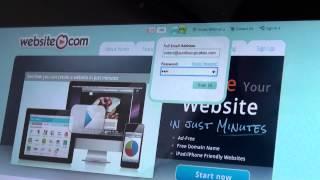
Website.com: Setting up an Email Account on Microsoft Surface
Added 139 Views / 0 LikesIn this video, we show you how to set up a domain email account on your Microsoft Surface! We configure IMAP settings over SSL. Build your website in 4 easy steps: 1. Choose your domain 2. Pick a template 3. Add your content 4. Click "Publish" Your website is LIVE!! Start creating your website with Website.com! http://www.website.com/ For more questions, please contact us through our live chat support, support ticket system, or telephone. Or visit thi
-
03:02 Popular

Website.com: Site Title, Description & Favicon
Added 133 Views / 0 LikesIn this video, we show you the steps for customizing your website title, description & favicon! Build your website in 4 easy steps: 1. Choose your domain 2. Pick a template 3. Add your content 4. Click "Publish" Your website is LIVE!! Start creating your website with Website.com! http://www.website.com/ For more questions, please contact us through our live chat support, support ticket system, or telephone. Or visit this page for more details: http://
-
04:49 Popular

Website.com: SmarterMail Disk Storage Settings
Added 106 Views / 0 LikesIn this video, we show you the disk storage settings for SmarterMail! Build your website in 4 easy steps: 1. Choose your domain 2. Pick a template 3. Add your content 4. Click "Publish" Your website is LIVE!! Start creating your website with Website.com! http://www.website.com/ For more questions, please contact us through our live chat support, support ticket system, or telephone. Or visit this page for more details: http://www.website.com/contact-us
-
03:26 Popular
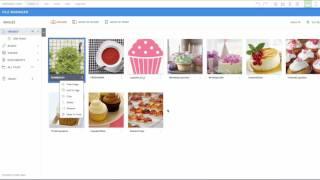
Website.com: The File Manager
Added 113 Views / 0 LikesIn this video, we show you how to upload and manage your files in the File Manager within the Website.com website builder. Build your website in 3 easy steps: 1. Select template 2. Customize it with your content 3. Click "Publish" Your website is LIVE!! Start creating your website with Website.com! http://www.website.com/
-
06:28 Popular
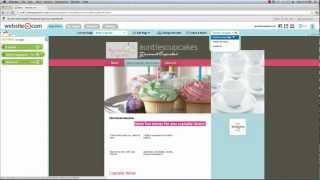
Website.com: The Toolbar Editor
Added 116 Views / 0 LikesThis video tutorial teaches you how to customize your website with our Toolbar Editor! Build your website in 4 easy steps: 1. Choose your own domain 2. Pick a template 3. Add your content 4. Click "Publish" Your website is LIVE!! Start creating your website Website.com! http://www.website.com/ For more questions, please contact us through our live chat support, support ticket system, or telephone. Or visit this page for more details: http://www.websit
-
04:20 Popular

Website.com: Viewing and Analyzing Website Statistics
Added 128 Views / 0 LikesIn this video, we show you the steps for viewing and analyzing website statistics (page view count, unique visitor count, traffic sources such as direct traffic, referring traffic, and search engine referral traffic, top content page, etc.)! Analyzing your website stats can help you with your marketing strategy, as you can see your most popular pages and find out more about your visitors. Build your website in 3 easy steps: 1. Select template 2. Custo
-
03:41 Popular

Website.com: Webform Settings and Viewing Data
Added 121 Views / 0 LikesIn this video, we show you the steps for webform settings and viewing data! Build your website in 3 easy steps: 1. Select template 2. Customize 3. Click "Publish" Your website is LIVE!! Start creating your website with Website.com! http://www.website.com/ For more questions, please contact us through our live chat support, support ticket system, or telephone. Or visit this page for more details: http://www.website.com/contact-us/
-
00:36 Popular

Website.com: Your Website is Open for Business All Year Round
Added 134 Views / 0 LikesYou can create professional websites with Fancy Shapes, powered by Website.com. With Fancy Shapes, your website is open for business ALL YEAR ROUND! With our website builder, you can easily create your website with NO coding experience. Customize your site with your content and images within our easy-to-use website builder. No installations or downloads of any program is required! Once you are done with customizing, simply hit "publish" and your site
-
07:46

Website.com: Your Website Menu Overview
Added 98 Views / 0 LikesIn this video, we showcase the steps to customize your website menu using our Website Editor. The website menu is where your visitors will click in order to access the different pages of your website. It is very essential for your website navigation purposes. Build your website in 3 easy steps: 1. Select template 2. Customize 3. Click "Publish" Your website is LIVE!! Start creating your website with Website.com! http://www.website.com/ For more questi
-
03:03 Popular

WebsiteBuilder.com Review: Poor Billing Practices
Added 110 Views / 0 LikesTry WebsiteBuilder.com: https://www.sitebuilderreport.com/try/websitebuildercom?utm_source=youtube&utm_campaign=websitebuildercom_review Full Review: https://www.sitebuilderreport.com/websitebuildercom-review?utm_source=youtube&utm_campaign=websitebuildercom_review Guide to Website Builders: https://www.sitebuilderreport.com/?utm_source=youtube&utm_campaign=websitebuildercom_review
-
03:46

Weebly Review: Perfect for those looking for something easy to use.
Added 99 Views / 0 LikesTry Weebly: https://www.sitebuilderreport.com/try/weebly?utm_source=youtube&utm_campaign=weebly_review Full Review: https://www.sitebuilderreport.com/weebly-review?utm_source=youtube&utm_campaign=weebly_review Guide to Website Builders: https://www.sitebuilderreport.com/?utm_source=youtube&utm_campaign=weebly_review
-
07:24 Popular

Weebly Review: Very Easy to Use!
Added 140 Views / 0 LikesTry Weebly: https://www.sitebuilderreport.com/try/weebly?utm_source=youtube&utm_campaign=weebly_review&l=video Full Review: https://www.sitebuilderreport.com/weebly-review?utm_source=youtube&utm_campaign=weebly_review Weebly is the easiest website builder to use— everything feels simple and straightforward. It's what I recommend to anyone who doesn't feel tech savvy. Even though Weebly is easy to use, it's not basic— it's actually quite flexible and i
-
01:25 Popular
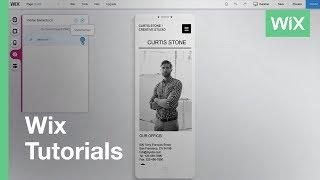
Welcome to the Mobile Editor | Wix.com
Added 122 Views / 0 LikesWelcome to the Wix Mobile Editor! Learn how to customize your website’s mobile view, so your site looks great on the go. About Wix Wix.com lets everyone create a professional website for free. Choose a template, customize anything, and get online today!
-
02:25
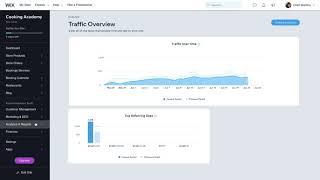
Welcome to the Wix Dashboard | Wix.com
Added 55 Views / 0 LikesIn this video, you’ll learn where you can find all the tools you need to manage your website, grow your business, drive site traffic and more. https://www.wix.com/
-
01:44
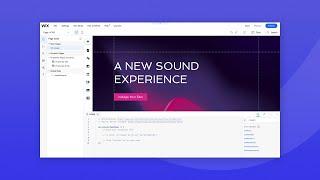
Welcome to Velo
Added 42 Views / 0 LikesWelcome to Velo, Wix’s developer mode. Our developer advocate Joshua Alphonse is happy to introduce you to this powerful product so you can start creating your custom solutions. Velo combines the power of Wix with the power of code. Quickly build complex web apps or add custom functionality to any Wix site, all on one integrated platform. You can create unique features using JavaScript and 100s of Wix APIs in the built-in IDE, integrate third-party se
-
01:27
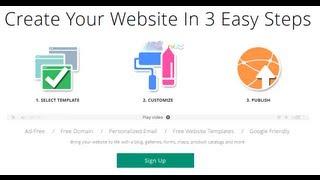
Welcome to Website.com
Added 95 Views / 0 LikesWebsite.com is a website builder and hosting service that gives you everything you need to get your website online. Whether you need a website for a wedding, a restaurant, a clinic, or whatever else you have in mind, our website builder will allow you to create a professional looking website with ease. With our website builder, you can easily create your website with NO coding experience. Customize your site with your content and images within our eas
-
01:01
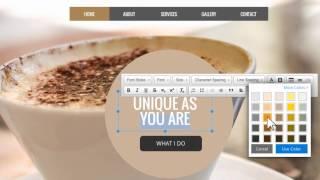
Welcome to Website.com
Added 89 Views / 0 LikesWebsite.com is a website builder and hosting service that gives you everything you need to get your website online. Whether you need a website for a wedding, a restaurant, a clinic, or whatever else you have in mind, our website builder will allow you to create a professional looking website with ease. With our website builder, you can easily create your website with NO coding experience. Customize your site with your content and images within our eas
-
01:16 Popular
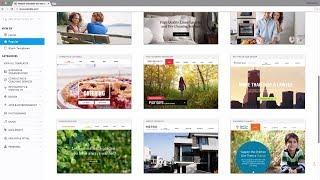
Welcome to Website.com
Added 101 Views / 0 LikesWith Website.com, just drag and drop your way to an incredible website. No coding. No experience needed. Add images, Google maps, webforms, and even eCommerce options almost instantly. Get started now! https://www.website.com/









