Website Builder
-
06:02 Popular
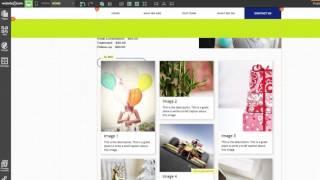
Anchor Tool
Added 153 Views / 0 LikesAnchor tools let you link to a specific place within a web page, or between pages. Anchor tools let you make long, "one pager" websites, "back to top" buttons, and more! You need a website. You need Website.com. www.website.com
-
03:25

Using the Smart Column Tool
Added 92 Views / 0 LikesCreate beautiful, perfectly proportioned columns with a single click using the Smart Column tool. Easily build your website with no coding experience with Website.com! http://www.website.com/
-
02:18 Popular
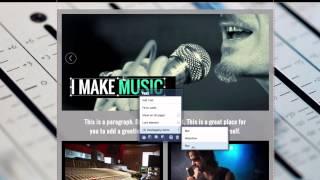
Overlapping Elements Tool
Added 114 Views / 0 LikesWith this tool, easily see and click on items that are layered below your selected element. Create and publish a website with no coding experience, using the Website.com site builder! http://www.website.com/
-
20:23 Popular
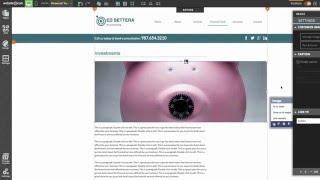
How to Build an Accounting Website Step by Step
Added 111 Views / 0 LikesIn this video, we'll show you how to easily build your own accounting website with no coding knowledge necessary! We'll also show you how to easily create a mobile version of your site so you can have maximum visibility. http://www.website.com/ You can view more of our accounting website themes by visiting this page: http://accountant.website.com/
-
17:39 Popular
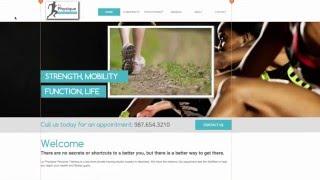
How to Make a Personal Trainer Website Step by Step
Added 125 Views / 0 LikesBeing a personal trainer can be a rewarding experience, and a website is a crucial element of your business. Make a website that will help clients find you, promote your services, and provide resources for your clients. No coding or website experience required! http://www.website.com/ You can view more of our personal trainer website themes by visiting this page: http://fitnesstraining.website.com/
-
03:33 Popular
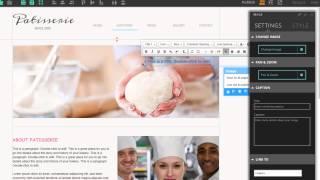
Font Styles
Added 115 Views / 0 LikesCustomize fonts quickly and keep consistency of fonts across pages with the font styles tool!
-
04:54 Popular

Hacks and Tricks: Part 2
Added 109 Views / 0 LikesFind out more tips and tricks to make your website shine! Tips in this video: -copy and paste across pages -multi-select items -move elements precisely with arrow keys -align elements with alignment tool -create circular images Start creating your website with Website.com! http://www.website.com/
-
04:40

Hacks and Tricks: Part 1
Added 99 Views / 0 LikesDo you know these simple tricks? Some of these tips will make your website stand out, some tips will make your website building experience easier: -make the background image scroll with page -make slideshows stand out by adding shadows -adjust parallax scrolling speed -adjust line spacing of text Start creating your website with Website.com! http://www.website.com/
-
03:27
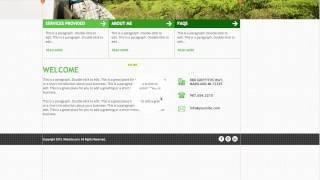
Coordinate and Sizing Tool
Added 84 Views / 0 LikesIn the panel box, you can input coordinates or a pixel height and width to precisely move and resize your website elements.
-
05:44
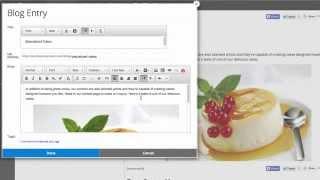
All About SEO
Added 97 Views / 0 LikesSite Engine Optimization will help your website rank higher on search engines like Google, Bing and Yahoo. In this video, we'll talk about a few SEO tips, such as changing your meta descriptions, customizing a blog to increase traffic, and more. We'll show you how to put together a website to prepare for the big day without any coding experience. We walk you through how to add bios about the wedding members, create a blog to keep guests up to date on
-
02:32 Popular

Website Sections
Added 129 Views / 0 LikesYour website is divided into 3 sections: the header, content, and footer areas. Here's a quick overview of these sections, as well as tips about website element placement. Start creating your website with Website.com! http://www.website.com/
-
16:54 Popular
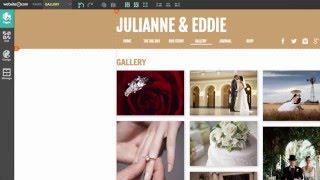
Create a Wedding Website: Step by Step Tutorial
Added 111 Views / 0 LikesWe'll show you how to put together a website to prepare for the big day without any coding experience. We walk you through how to add bios about the wedding members, create a blog to keep guests up to date on exciting news, and add an RSVP so you have one less thing to worry about. Start creating your website with Website.com! http://www.website.com/
-
06:01 Popular

Height and Width Customizations
Added 139 Views / 0 LikesYou can easily increase and decrease the width and height of each section of your website. Just drag the icons on the guidelines or input a number for precision. Start creating your website with Website.com! http://www.website.com/
-
03:08 Popular
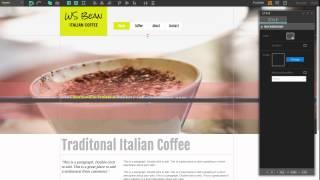
Design Tips for Using Strips
Added 114 Views / 0 LikesIn this video, check out how to make strips transparent to highlight your text and incorporate strips into your web design. Start creating your website with Website.com! http://www.website.com/
-
05:41 Popular
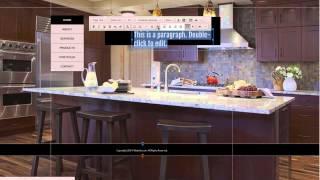
How To Edit Text
Added 124 Views / 0 LikesAdding and editing text on your webpages is very simple. Just like with any word processor, play around with the text font, style, size, and more. Start creating your website with Website.com! http://www.website.com/
-
05:34 Popular
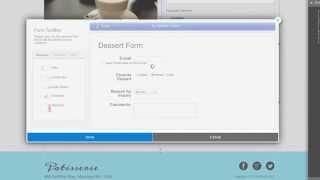
Online Form Part 2: View Form Data and Customize Settings
Added 108 Views / 0 LikesNow that you've created your online form, you can view your form data and and customize your webform settings. Start creating your website with Website.com! http://www.website.com/
-
04:15 Popular
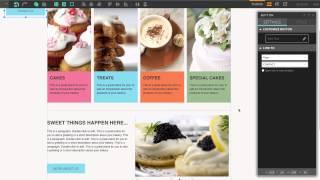
How to Add Links to Your Webpage
Added 101 Views / 0 LikesAdd links to buttons, images, slideshows and text to take your visitors to external sites, specific webpages, or even your social media pages. Start creating your website with Website.com! http://www.website.com/
-
22:42 Popular

How to Build a Daycare Website - Step by Step Tutorial
Added 131 Views / 0 LikesA daycare website can be a great resource for both existing and potential clients. Follow along as we build a custom website for a daycare with ease, using our drag and drop website builder. No coding or technical experience is required! Build your website in 3 easy steps: 1. Select template 2. Customize 3. Click "Publish" Your website is LIVE!! Start creating your website with Website.com! http://www.website.com/ You can view more of our day care web
-
03:38
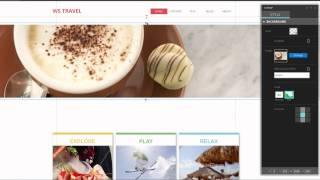
Image Strips and Parallax Scrolling
Added 89 Views / 0 LikesIncorporate image strips in your web design to create a dynamic background. You can enable parallax scrolling to add one of the top web trends right into your website. Build your website in 3 easy steps: 1. Select template 2. Customize 3. Click "Publish" Your website is LIVE!! Start creating your website with Website.com! http://www.website.com/ For more questions, please contact us through our live chat support, support ticket system, or telephone. O
-
24:39 Popular

How to Build a Café Website - Step by Step Tutorial
Added 126 Views / 0 LikesBuilding a website may not be as difficult as it first appears. With the website builder powered by Website.com, anyone can build a professional website in approximately 20 minutes with NO coding experience required. In this video, we show you how to easily create a café website, with NO skipped steps. Build your website in 3 easy steps: 1. Select template 2. Customize 3. Click "Publish" Your website is LIVE!! Start creating your website with Website.
-
03:24 Popular
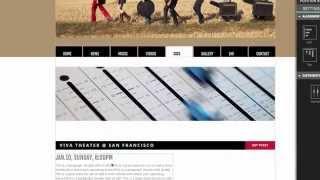
Website.com: How to Position Web Elements and Maintain Your Page Layout
Added 113 Views / 0 LikesIn this video, we will showcase one of our latest handy features: the ability to drag multiple objects at once with a single click of a button while maintaining the page layout. With this tool, it is very easy to insert a web element in the middle of a web page by moving all the existing content further down and creating more space to accommodate the newly added web element. The tool will also help you increase the overall height of the section accord
-
09:12 Popular
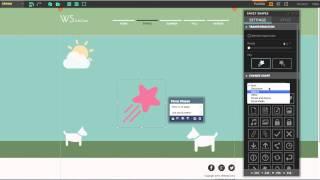
Behind the Scenes:Your Website is Open for Business All Year Round
Added 131 Views / 0 LikesHave you watched our recent video "Your Website is Open for Business All Year Round" (https://www.youtube.com/watch?v=4LZPzd3HvsE)? Check out this "Behind the Scenes" Video to learn how we make our website with Fancy Shapes, powered by Website.com. In this video, we showcase how to adjust the heights and widths of your Website using the gridlines of our Website Editor. Build your website in 3 easy steps: 1. Select template 2. Customize 3. Click "Publi
-
00:36 Popular

Website.com: Your Website is Open for Business All Year Round
Added 134 Views / 0 LikesYou can create professional websites with Fancy Shapes, powered by Website.com. With Fancy Shapes, your website is open for business ALL YEAR ROUND! With our website builder, you can easily create your website with NO coding experience. Customize your site with your content and images within our easy-to-use website builder. No installations or downloads of any program is required! Once you are done with customizing, simply hit "publish" and your site
-
07:46

Website.com: Your Website Menu Overview
Added 98 Views / 0 LikesIn this video, we showcase the steps to customize your website menu using our Website Editor. The website menu is where your visitors will click in order to access the different pages of your website. It is very essential for your website navigation purposes. Build your website in 3 easy steps: 1. Select template 2. Customize 3. Click "Publish" Your website is LIVE!! Start creating your website with Website.com! http://www.website.com/ For more questi
-
20:32 Popular

How to Build a Professional Website - Step by Step Tutorial
Added 131 Views / 0 LikesBuilding a website may not be as difficult as it first appears. With the website builder powered by Website.com, anyone can build a professional website in approximately 20 minutes with NO coding experience required. In this video, we show you how to easily create a professional website, with NO skipped steps. Build your website in 3 easy steps: 1. Select template 2. Customize 3. Click "Publish" Your website is LIVE!! Start creating your website with
-
00:22 Popular
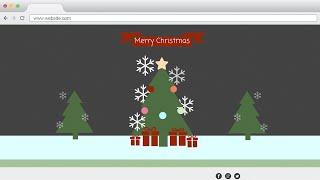
Christmas greetings from Website.com
Added 114 Views / 0 LikesChristmas greetings from Website.com! Help spread the holiday cheer by using the new Fancy Shape tools in our Website Editor. You too can create a fancy animation to liven up your website, using our easy-to-use Website Editor. No coding experience required. Once again, Merry Christmas to all of you! The Fancy Shape is a Scalable Vector Graphics (SVG) image. Since the images are scalable, there won't be any image quality loses when you enlarge the imag
-
05:51
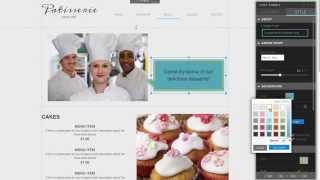
Website.com: How to Add a Chat Bubble to Your Website
Added 100 Views / 0 LikesThe Chat Bubble is a shape that can be easily added to a web page. It's a great tool to show dialogue on your web pages as though someone is speaking. This handy tool is also great for showing testimonials in a fun way, or making an announcement. In this video, we show you how to easily add a chat bubble to your website using our Website Editor. Build your website in 3 easy steps: 1. Select template 2. Customize 3. Click "Publish" Your website is LIVE
-
04:38 Popular

Jumpstart Your Website: Adding & Customizing Web Pages
Added 135 Views / 0 LikesIn this video, we are going to showcase how easy it is to jumpstart your website. With our Website Builder, you can jumpstart your website by choosing a website template. Once you have chosen your template, you can further fine-tune your website by adding and customizing the web page. http://www.website.com/ For more questions, please contact us through our live chat support, support ticket system, or telephone. Our in-house support team is here to he
-
09:29 Popular
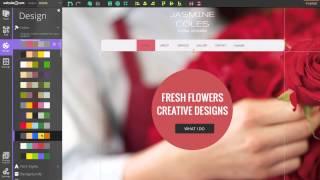
Website.com: How it Works
Added 143 Views / 0 LikesWebsite.com is a website builder and hosting service that gives you everything you need to get your website online. Whether you need a website for a wedding, a restaurant, a clinic, or whatever else you have in mind, our website builder will allow you to create a professional looking website with ease. In this video, we will show you some of the great features such as one-page dashboard, drag-and-drop element, photo gallery, product catalog, blog, e-c
-
04:44 Popular

Social Media Web Apps: Facebook, Pinterest, Twitter
Added 138 Views / 0 LikesWith Website.com, you can easily create any website you want with powerful apps and features, such as eCommerce apps, social media share buttons, image galleries, blogs, and much more. In this video, we're going to showcase how to add Facebook Like, Follow and Share Button, Pinerest Button, and Twitter Follow and Tweet Button to your Website. Build your website in 3 easy steps: 1. Select template 2. Customize 3. Click "Publish" Your website is LIVE!!









