Wordpress
-
20:12 Popular
How To Use Triggers In Bloom
Added 119 Views / 0 Likeshttp://www.elegantthemes.com/plugins/bloom/ is the best WordPress Email Opt-In Plugin, created by Elegant Themes. Swing by http://www.elegantthemes.com to download it!
-
02:59 Popular

The Divi Builder Plugin
Added 119 Views / 0 LikesLearn more here: http://www.elegantthemes.com/plugins/divi-builder/
-
01:30 Popular

Divi 3 Create a Single Page Faster Than Ever Before
Added 119 Views / 0 LikesWith the latest Divi 3 you can create a single page faster than ever before from scratch. Give it a try https://www.elegantthemesdemo.com/?et_fb=1
-
00:53 Popular

Divi 3.0: Add Gorgeous Video Backgrounds in Seconds
Added 119 Views / 0 LikesWith the latest Divi 3 you can add gorgeous video backgrounds in seconds. Give it a try https://www.elegantthemesdemo.com/?et_fb=1
-
05:23 Popular

Ultimate Guide to Using Parallax With Divi
Added 119 Views / 0 LikesUltimate Guide to Using Parallax With Divi. Today, I’m going to dive deep into the ways parallax works with Divi. I’ll explain exactly what happens when you use the two different parallax methods, what size image is best, and I’ll even throw in some custom CSS hacks to position your images just how you want them. Read more: https://goo.gl/iW667m
-
27:44 Popular
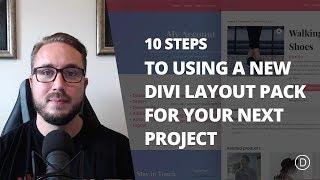
10 Steps to Using a New Divi Layout Pack for your Next Project
Added 119 Views / 0 LikesAs a part of Elegant Themes' Divi Design Initiative, Kenny and the design team have been spoiling us with brand new FREE Divi layout packs every week. The layout packs can be downloaded from the blog post featuring the layout pack. Many of you have used the layout packs to build brand new websites in a very small fraction of the time it would normally take you. In today's post, I'm going to show you how to get the most out of these layouts by offering
-
25:19 Popular
How to Add Resume Downloads & Typing Effects to Divi’s Copywriter Layout Pack
Added 119 Views / 0 LikesHelping you get a website up and running without a lot of effort is the main goal of our Layout Pack Use Cases initiative. And this time, we’re helping you set up a copywriter website with the free Copywriter Layout Pack for Divi. Although this layout pack already has most of the elements your copywriter website needs, in this use case tutorial, we’re going to help you take it a step further by showing you how to add resume downloads and typing effect
-
11:37 Popular

How to Create a Blurb Infographic with Divi
Added 119 Views / 0 LikesWhen you have a bunch of information to share with your visitors, and you want to make them see the bigger picture, using infographics is highly recommended. They make absorbing information a little easier because of their structure and interactivity. The first thing that pops into mind when needing an infographic is using Photoshop to create one and add it to an Image Module afterwards. However, this limits us. It, for instance, takes away the possib
-
18:57 Popular

How to Design a Creative Navigation Header with Divi
Added 119 Views / 0 LikesToday’s post is about combining two very important elements on your website: header and navigation. This unique design organizes multiple buttons inside your header to serve as a navigation menu that is both functional and attractive. This design would work great for personal sites that want to keep things simple and blogs that need to showcase categories in a fresh way. If anything, I hope this will inspire you to build another great design with Divi
-
38:13 Popular
How to Use Divi to Create Different Color Scheme Mockups of your Pages
Added 119 Views / 0 LikesMultistreaming with https://restream.io/ Hey Divi Nation, welcome to a brand new Divi Use Case live stream. Creating color scheme mockups for your clients is an important step in the web design process. With Divi, you can easily change the color scheme of any given page layout using design features like Find & Replace and Color suggestions within the visual builder. And you can also create multiple versions of a page (with different color schemes) for
-
03:06 Popular

Introducing Bulk Editing And Multiselect For Divi
Added 119 Views / 0 LikesLearn more here: https://www.elegantthemes.com/blog/uncategorized/introducing-bulk-editing-and-multiselect-for-divi Today we are introducing Multiselect and Bulk Editing for Divi, an incredible new feature that gives you the power to build websites with a new found speed and efficiency. You can now select multiple items at the same time, and perform bulk actions to the entire group of elements. You can drag, drop, copy, paste, delete and even edit the
-
30:06 Popular
5 Ways to Get Creative with Divi’s Person Module
Added 119 Views / 0 LikesAll the new Divi feature updates that have happened over the last couple of months have undeniably expanded the range of possibilities you have when designing websites. For this tutorial, we’ve created 5 different ways to get creative with the Divi Person Module without using any additional CSS code. The main goal of this post is to inspire you before starting your next Divi project. The Person Module is often used to share more information about team
-
41:35 Popular
How to Embed Divi Galleries into Toggles to Create a Custom Restaurant Menu
Added 119 Views / 0 LikesMultistreaming with https://restream.io/ Hey Divi Nation, welcome to a brand new Divi Use Case live stream where each week we show you how to add new design and functionality to your Divi website. In this live stream tutorial, I’m going to show you how create a restaurant menu with intuitive and mobile friendly toggles using Divi toggles and galleries. I’ll even show you how to optimize your toggles for mobile and embed Divi image galleries inside of
-
1:00:19 Popular
The Weekly WP Roundup with B.J. Keeton (May 3, 2019)
Added 119 Views / 0 LikesMultistreaming with https://restream.io/ Welcome to May! Another month has passed, but that just means we have even more WP-related news, tutorials, and resources to share. All of the links we discuss in the show can be found in the description of the video, and we try to have an interactive show, so chime in and let’s all get to know each other and have a conversation! --NEWS WP 5.0 Retrospective https://make.wordpress.org/updates/2019/04/26/5-0-rele
-
03:09 Popular
7 Best HTML5 Player Plugins for WordPress
Added 119 Views / 0 LikesIn today’s video, we're going to check out the 7 best HTML5 player plugins for WordPress. Blog post: https://www.elegantthemes.com/blog/wordpress/best-html5-player-plugins-for-wordpress Like us on Facebook: https://www.facebook.com/elegantthemes/
-
08:27 Popular
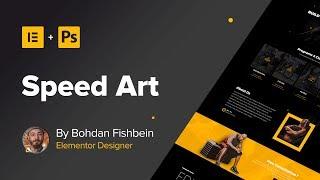
Web Design Speed Art #2 - Homepage (#Elementor, #Photoshop)
Added 119 Views / 0 LikesIn this video, you can see how you can use Photoshop and Elementor together to create a stunning, top notch homepage. Once you utilize the image design capabilities of Photoshop and the fast page layout design of Elementor you can create pixel-perfect websites in record-breaking speed. == Tools Used == Elementor FREE Forever: https://elementor.com Elementor Pro: https://elementor.com/pro Photoshop: http://www.adobe.com/products/photoshop.html
-
07:59 Popular

WordPress Header & Footer Design #1: Business Website
Added 119 Views / 0 LikesIn this Speed Art Series, Elementor's designer David Markus creates beautiful headers & footers using Elementor's Theme Builder. Chapter #1 - Business & Law Firm Design. Create a stylish header & footer for a law firm or a business website. Subscribe to our Youtube channel and be the first to get the upcoming videos of our Headers & Footers Series. Use Dynamic Content, as well as many other features that will help you edit and customize every part of
-
09:55 Popular

How to Create GIF Stickers to Boost Your Instagram Stories
Added 119 Views / 0 LikesThis week we’re looking at Instagram, its growing potential as a marketing platform, and share how to create and use your own story stickers on Instagram to expand your own reach and business potential. Instagram has become the New World of social media marketing. Not because of the number of users but because of their behavior. It’s this behavior that has made Instagram a major influencer in its own right. Over 60% of users log into Instagram daily,
-
10:43 Popular

How to Create Epic Blog Posts - Monday Masterclass
Added 119 Views / 0 LikesSimply writing long form content is not enough to create engaging and successful content. In this post, we show how visual elements can compliment your blog posts and improve your readers’ experience. This is a must-see video for marketers, bloggers or designers who spend time and effort writing long-form content, and want to get more results. You'll learn how to: •︎ Create epic long form content (like leading brands do) •︎ Build visual and engaging l
-
02:09 Popular
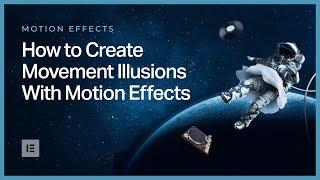
How to Create an Image Movement Illusion in Elementor
Added 119 Views / 0 LikesIn this tutorial, we’ll create a cool image movement illusion with motion effects that you can add to your WordPress website using Elementor. You'll learn how to: •︎ Use position absolute •︎ Set a custom width to an image •︎ Add a horizontal scroll motion effect Read more on Motion Effects here: https://elementor.com/blog/introducing-motion-effects/ Get Elementor Pro: https://elementor.com/pro/
-
05:51 Popular
Add Brushes In Adobe Photoshop CS6 And Organize Them
Added 119 Views / 0 LikesAdd Brushes In Adobe Photoshop CS6 And Organize Them Build Your Own Website (2019 Guide) • https://www.youtube.com/watch?v=QDVoXI1yyJo Wordpress Tutorial (2019 Guide) • https://www.youtube.com/watch?v=oB6b5P6bcZg • FOLLOW ME HERE FOR UPDATES Twitter: • https://twitter.com/createwpsite Facebook: • https://www.facebook.com/createwpsite Pinterest: • https://www.pinterest.com/createwpsite/ • OTHER VIDEOS WordPress Tutorial (500K+ Views) • https://www.yout
-
04:07 Popular
How To Display Content On Multiple Pages In WordPress
Added 119 Views / 0 LikesHow To Display Content On Multiple Pages In WordPress Wordpress Tutorial (2019 Guide) • https://www.youtube.com/watch?v=oB6b5P6bcZg Build Your Own Website (2019 Guide) • https://www.youtube.com/watch?v=QDVoXI1yyJo • FOLLOW ME HERE FOR UPDATES Twitter: • https://twitter.com/createwpsite Facebook: • https://www.facebook.com/createwpsite Pinterest: • https://www.pinterest.com/createwpsite/ • OTHER VIDEOS WordPress Tutorial (500K+ Views) • https://www.you
-
06:17 Popular
How to Edit WordPress Files - with Notepad++
Added 119 Views / 0 LikesUPDATE - Please watch this video - https://www.youtube.com/watch?v=uCIpWOrmxmU to learn how to use the updated version of Notepad++ In this short video, you will learn how to edit WordPress files using a powerful free text editor known as Notepad++. Learn how to use Filezilla to upload files to your website - https://www.youtube.com/watch?v=SDjdFLsqM1c Get your FREE WordPress SEO Course from the Web Monkey Academy - https://thewebmonkeyacademy.com/ Ge
-
41:24 Popular

Wordpress SEO verbessern und Suchmaschinen Optimierung für Google 2017 deutsch
Added 119 Views / 0 LikesWir haben ein revolutionäres eigenes WordPress und WooCommerce Theme veröffentlicht. Jetzt Video dazu anschauen: https://callanerd.help/wordpress-theme Mehr zu diesem Video auf https://callanerd.help/seo In diesem Video über das Wordpress SEO verbessern geht es darum, wie du deine Webseite bei Google möglichst auf Platz 1 bekommst. Zunächst zeige ich dir, warum eine gute Platzierung so wichtig ist, dann gehe ich auf die einzelnen Themenbereiche ein, d
-
04:22 Popular

How to connect your WordPress blog to Social Media | Day #15 || 31 Videos in 31 Days
Added 119 Views / 0 LikesI share my favorite ways to connect your WordPress blog or website with Social Media via Sharing Links, sharing buttons, automatic publish on social media and social widgets. What ways do you recommend to connect WordPress to social media? I would love to hear your tips, just write me a comment below. Thanks so much! --- Recommended Plugins and features: - https://srd.wordpress.org/plugins/jetpack/ - https://jetpack.com/support/sharing/ - https://jetp
-
13:19 Popular

Tutorial WPForms en Español para crear Formularios | WordPress Para Novatos
Added 119 Views / 0 LikesSi necesitas instalar algún addon extra, puedes descargarte la versión Premium con un 50% de descuento desde aquí https://wpnovatos.com/cupones/wpforms/ +++++++++ Puedes descargar el plugin desde aquí: https://goo.gl/mJfG3Z WPForms es el plugin ideal para la creación de formularios de todos aquellos que no saben utilizar etiquetas html para su creación a través de, por ejemplo, Contact Form 7. Amarás este plugin! Este fantástico plugin, basado en el "
-
15:23 Popular

Cómo instalar Plantillas en WordPress + 1 Truco Extra | WordPress para Novatos
Added 119 Views / 0 LikesEn la clase de hoy aprenderás cómo se instala una plantilla o un theme en tu WordPress, tanto desde el repositorio de WordPress como externamente, por medio de un fichero comprimido .zip Aparte te enseño un truco muy importante para poder traducir el tema, en el caso de que vengan palabras o términos en un idioma y quieras ponerlos en otro distinto. Si quieres buscar una plantilla para WordPress entre más de 8.000, te recomiendo que visites https://th
-
1:50:37 Popular

Programa 6 | Plugins, mantenimiento y Visual Studio Code #WPLIVE6
Added 119 Views / 0 LikesEn el programa de hoy, hablamos sobre la utilización del "modo noche" en muchas herramientas. Además, en la sección "Vivir de WordPress", David Perálvarez nos cuenta una nueva idea para poder ganarte la vida utilizando WordPress. También entrevistamos a Antonio Madera, un desarrollador WordPress, con el que hablaremos sobre plugins, WooCommerce y muchas cosas más. Fernando García será el encargado de mostrarnos algunas extensiones para Visual Studio C