Wordpress
-
01:47 Popular
How to Manage Content Progress on Multi Author WordPress Blogs
Added 119 Views / 0 LikesManaging a multi author blog can be difficult. If you want a quick and easy way to help organize post information then you should use Content Progress. In this video, we will show you how to manage content progress on multi author blogs. If you liked this video, then please Like and consider subscribing to our channel for more WordPress videos. Text version of this tutorial: http://www.wpbeginner.com/plugins/manage-content-progress-multiauthor-wordpre
-
05:18 Popular
How to Create Compact Archives in WordPress
Added 119 Views / 0 LikesAfter a few years of blogging, you will see how a WordPress archive can quickly get out of hand. In this video, we show you how to create compact archives in WordPress which looks pretty and is user friendly. If you liked this video, then please Like and consider subscribing to our channel for more WordPress videos. Text version of this tutorial: http://www.wpbeginner.com/plugins/how-to-create-compact-archives-in-wordpress/ Follow us on Twitter: http:
-
01:36 Popular

How to Do 301 Redirects in WordPress with Quick PagePost Redirect
Added 119 Views / 0 LikesThere are times when a website will require users to be redirected to a new location using a 301 redirect to send them to the correct place. This may be to point them toward a newer version of the product, showing a newer article, or pointing them to a retraction page. In this video, we will show you how to quickly redirect posts and pages in WordPress. If you liked this video, then please Like and consider subscribing to our channel for more WordPres
-
02:55 Popular
How to Install and Setup W3 Total Cache for Beginners
Added 119 Views / 0 LikesThere are a few ways to improve load speed one of which being caching. We use W3 Total Cache to handle our caching needs. In this video, we will show you how to set up W3 Total Cache for beginners. If you liked this video, then please Like and consider subscribing to our channel for more WordPress videos. Text version of this tutorial: http://www.wpbeginner.com/plugins/how-to-install-and-setup-w3-total-cache-for-beginners/ Follow us on Twitter: http:/
-
04:10 Popular

How to Easily Create a Responsive WordPress Slider with Soliloquy
Added 119 Views / 0 LikesSliders are commonly used to show images on the front page of a website. There are many slider plugins out there that can be complicated but there is at least one that is not. In this video, we will show you how to easily create a responsive WordPress slider with Soliloquy. If you liked this video, then please Like and consider subscribing to our channel for more WordPress videos. Text version of this tutorial: http://www.wpbeginner.com/plugins/how-to
-
01:09 Popular

How to Add New Users and Authors to Your WordPress Blog
Added 119 Views / 0 LikesAdding multiple authors may seem like you are handing over all of the controls of your site over to a different user. WordPress comes with built in roles to let you add users and have control over how much control they actually have on your site. In this video, we will show you how to add new users and authors to your WordPress blog. If you liked this video, then please Like and consider subscribing to our channel for more WordPress videos. Text versi
-
01:03 Popular
How to Customize WordPress Login Page No HTML or CSS Required
Added 119 Views / 0 LikesDo you want a customized login page for your WordPress site? It can be great for multi-user sites but normally requires HTML or CSS knowledge. In this video, we will show you how to customize your login page without any HTML or CSS. Start by installing and activating the Custom Login Page Customizer plugin. Go to Appearance, Customize to add customizations to your login page. You can upload a logo, change the background, styling and more. After you ha
-
00:51 Popular
How to Clean Up Your WordPress Database for Improved Performance
Added 119 Views / 0 LikesIf you have been using WordPress for a while there is a good chance that you need to clean up your WordPress site. Doing regular clean ups allow you to reduce your database size to make smaller backup files. In this video, we will show you how to clean up your WordPress database for improved performance. If you liked this video, then please Like and consider subscribing to our channel for more WordPress videos. Text version of this tutorial: http://ww
-
00:57 Popular

How to Add a Post Creation Limit for WordPress Users
Added 119 Views / 0 LikesText version of this tutorial: http://www.wpbeginner.com/plugins/how-to-add-a-post-creation-limit-for-wordpress-users/ Have you wanted to limit the number of posts a user can publish or submit for review? This can be helpful for a multitude of uses. In this video, we will show you how to add a post creation limit for WordPress users. If you liked this video, then please Like and consider subscribing to our channel for more WordPress videos. Check us o
-
31:41 Popular

How to Build a Photography Website with WordPress
Added 119 Views / 0 LikesBuilding a photography website can be confusing when you are just starting out. This video will help you create a photography website using WordPress step by step no steps skipped. Resources mentioned: HostGator http://www.wpbeginner.com/deals/hostgator-coupon/ Envira Gallery http://www.wpbeginner.com/refer/envira/ If you liked this video, then please Like and consider subscribing to our channel for more WordPress videos. Check us out on Facebook: htt
-
01:59 Popular

How to Display Facebook Events on Your WordPress Site
Added 119 Views / 0 LikesAre you looking to add Facebook Events on your WordPress site? Adding these events lets you promote them while using the power of Facebook. In this video we will show you how to display Facebook events on your WordPress site. Facebook Page Plugin: https://developers.facebook.com/docs/plugins/page-plugin Text version of this tutorial: http://www.wpbeginner.com/plugins/how-to-display-facebook-events-on-your-wordpress-site/ If you liked this video, then
-
18:42 Popular

How to Make a Blog - Quick & Easy!
Added 119 Views / 0 LikesStart here • https://websitelearners.com/make-a-blog/#start Get the best tools for your Blog • https://websitelearners.com/tools/ This video shows you how to make a blog in the fastest and the easiest way possible. 00:00 Intro 00:50 Step 1: Choosing a name for your Blog 01:04 Step 2: Getting your Domain and Hosting 02:33 Setting up Hosting 03:32 Step 3: Installing a New Theme 04:51 Step 4: Adding content to your Blog (with 12 different items) 05:03 It
-
00:53 Popular
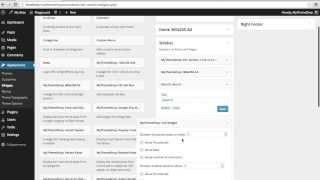
How to Add Widgets to a Theme in WordPress
Added 119 Views / 0 LikesThis quick video will show you how to add widgets to not only a MyThemeShop but any WordPress theme. Useful WordPress Themes Links: Premium WordPress Themes - https://mythemeshop.com/themes/ Free WordPress Themes - https://mythemeshop.com/theme-category/free-wordpress-themes/ Useful WordPress Plugins Links: Premium WordPress Plugins - https://mythemeshop.com/plugins/ Free WordPress Plugins - https://mythemeshop.com/plugin-category/free/ Connect: Faceb
-
07:22 Popular
WordPress 201 - User Management
Added 119 Views / 0 LikesDo you know that you can create different types of user on your WordPress website? Learn how to create different types of users like Admin, author, contributor, subscriber etc from the above step-by-step tutorial. Useful WordPress Themes Links: WordPress Blog Themes - https://mythemeshop.com/theme-category/wordpress-blog-themes/ WordPress Business Themes - https://mythemeshop.com/theme-category/wordpress-business-themes/ WordPress eCommerce Themes - h
-
02:29 Popular
How To Upload Images In WordPress Theme Options Panel
Added 119 Views / 0 LikesIn this video you will learn how to upload Logo, Favicon and other images in your MyThemeShop theme. Useful WordPress Themes Links: WordPress Blog Themes - https://mythemeshop.com/theme-category/wordpress-blog-themes/ WordPress Business Themes - https://mythemeshop.com/theme-category/wordpress-business-themes/ WordPress eCommerce Themes - https://mythemeshop.com/theme-category/wordpress-ecommerce-themes/ Free WordPress Themes - https://mythemeshop.com
-
47:05 Popular
Ad-Sense Premium WordPress Theme Setup Tutorial
Added 119 Views / 0 LikesMore Details & Demo: https://mythemeshop.com/themes/ad-sense/ If you have even wanted to earn more money from ads on your website, Ad-Sense theme is the one you should get. It is the most ad friendly theme in the market and comes with features like better ad management, ad placement, ad blocker detection and content locking for adblock users. Simply put, this theme helps show ads to users who don't want to see the ads. Useful WordPress Themes Links: P
-
02:57 Popular
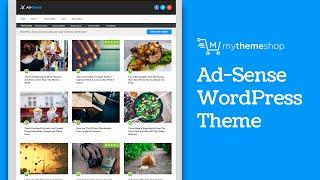
Ad-Sense Premium WordPress Theme
Added 119 Views / 0 LikesMore Details & Demo: https://mythemeshop.com/themes/ad-sense/ If you have even wanted to earn more money from ads on your website, Ad-Sense theme is the one you should get. It is the most ad friendly theme in the market and comes with features like better ad management, ad placement, ad blocker detection and content locking for adblock users. Simply put, this theme helps show ads to users who don't want to see the ads. Useful WordPress Themes Links: W
-
00:54 Popular

Zac Johnson Recommend MyThemeShop Themes & Plugins
Added 119 Views / 0 Likeshttps://mythemeshop.com/ A self taught entrepreneur, Zac’s been making money online for nearly 20 years. One of Zac’s many successes includes his story of “How I Made $860,538.38 Profit in 4 Months!” from one web site. He also owns blogging.org and bloggingtips.com Useful WordPress Themes Links: WordPress Blog Themes - https://mythemeshop.com/theme-category/wordpress-blog-themes/ WordPress Business Themes - https://mythemeshop.com/theme-category/wordp
-
08:15 Popular

WordPress Forum: 6 Best Forum Plugins For Your Website
Added 119 Views / 0 LikesA quick guide about how to add a forum in WordPress to diversify your website and build a community. Whether you are looking to build a Community around your website, add user generated content or want to have support questions and answers publicly displayed, then you need to know How to Add a Forum in WordPress. For this, we've selected and compared the Best Forum Plugins for WordPress, all you have to do is select the one that best fits your needs.
-
06:50 Popular

WordPress Blog Typography: WHY and HOW To Improve It
Added 119 Views / 0 LikesChanging your WordPress blog typography styles is one of the quickest and easiest ways to alter the mood of your website: http://bit.ly/2mH67Nr Whether you accomplish it through your theme settings, the WordPress Live Customizer tool, or a free plugin like Styleguide or WP Google Fonts here is how you can do it Do you use one of these plugins to customize your WordPress blog typography or do you have another favorite? Please share in the comments belo
-
01:12 Popular

Revive Old Post: How to Shorten Links With bit.ly
Added 119 Views / 0 LikesStep-by-step guide to setup your bit.ly account with Revive Old Post WordPress plugin. You will want to grab your Oauth Access Token, which you can find in ‘Advanced Settings’ below ‘API Support’. To find your username and API key, navigate to the menu button and select ‘Settings’ from the drop down. On the ‘Advanced Settings’ tab locate ‘API Support’ where you will find your API key. To reset your API key, select ‘Reset API Key’ located below your AP
-
02:57 Popular

How To Install Demo Content For Belise WordPress Theme
Added 119 Views / 0 LikesBelise is a premium WordPress theme for restaurants, bistros, pubs, cafes, tea houses…anything related to food and drink! It has a minimalist and welcoming design, with white and beige color accents. The layout and the overall appearance are elegant and allow you to put the focus on your beautiful food and drinks. With Belise, you can show people your best food via beautiful photo galleries or the portfolio section, keep your customers up to date abou
-
05:20 Popular
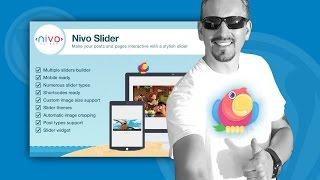
WordPress Slider Plugin Free: How To Get Started With Nivo Slider
Added 119 Views / 0 LikesMake your posts and pages interactive with a stylish slider Beautiful transition effects. Get the demos here: http://bit.ly/2qV9gv5 The Nivo Slider WordPress plugin makes it super easy to create and manage multiple sliders on your WordPress sites. Using the WordPress backend you can create as many sliders as you need and include them in your posts and pages using a simple shortcode. You don’t need to touch any code! Nivo Slider offers 16 transition ef
-
04:27 Popular

How To Install The Facebook Pixel On WordPress
Added 119 Views / 0 LikesThe easy way to install Facebook Pixel on WordPress with a free plugin that lets you easily create custom audiences and manage conversion goals. No matter which method you choose, we'll give you a beginner-friendly tutorial! If you’re running any type of Facebook ads, using Facebook Pixel is essential to help you optimize your ad campaigns. If you’re planning to use custom audiences and conversion goals, I recommend that you use the plugin method. But
-
01:44 Popular

Orbit Fox: WordPress Plugin To Extend Your Website Functionality
Added 119 Views / 0 Likes• Download Orbit Fox https://goo.gl/PaMwBK • Check the live demo: https://goo.gl/E66yLm Orbit Fox is a swiss-knife plugin that extends your website functionalities with modules like Elementor templates and extra-widgets, Uptime Monitor, Google Analytics integration, Menu Icons, Social Sharing and much more. Leverage the true flexibility of WordPress with all-purpose modules that extend your website: Uptime Monitor Easily set up email alerts to help yo
-
56:13 Popular

Elementor Pro Tutorial: How To Recreate The Outlook.com Homepage [NEW]
Added 119 Views / 0 LikesIn this Elementor pro tutorial, we're going to recreate the Outlook.live.com homepage. We'll be using the free Neve theme and Elementor for the project. I won't be skipping any steps, so I can almost guarantee that you'll learn something. The tools we used to make this happen: • Neve WordPress theme: http://bit.ly/NeveWPTheme • Get professional hosting from Siteground, with discount* - http://bit.ly/WPHostingOffer • Elementor: https://elementor.com/?r
-
48:12 Popular

How to Create a Website for Free [Guide For Business]
Added 119 Views / 0 LikesLearn how to create a website for a business with FREE WordPress tools. I’m going to show you how to get started building your very first site. You will walk through everything from buying a domain, to buying hosting to installing a theme and plugins, to importing page templates and then customizing them with Elementor. If you follow along, you’ll have your own website online in no time at all. The tools we used to make this happen: • Neve WordPress t