Wordpress
-
16:49 Popular

My Ultimate WordPress Marketing Tech Stack - Best Tools For Anyone With A Product Or Service To Sell
Added 118 Views / 0 LikesIn this video, I am going to share what I believe is the ultimate marketing tech stack for all online marketers. Anyone with a product or service to sell. Here is the list: - WordPress - Cloudways https://www.wpcrafter.com/cloudways - Siteground https://www.wpcrafter.com/siteground - Astra Theme https://www.wpcrafter.com/astra - Elementor https://www.wpcrafter.com/elementor - CartFlows https://www.wpcrafter.com/cartflows - WPFusion https://www.wpcraft
-
20:27 Popular

Getting Started With Gutenberg WordPress Tutorial - You Might Just Like It!
Added 118 Views / 0 LikesGutenberg is here! Learn how to use WordPress Gutenberg in this tutorial. After you spend some time with it, I am sure you are going to like it. You can find me at https://www.wpcrafter.com ~~~~~~~~~~~~~~~~~~~~~ All of my opinions in this video are my own, I was not paid to make this video. Whenever there is a link in any of my videos, if there is an affiliate program available, it's safe to assume that you are clicking on an affiliate link. Please ch
-
20:34 Popular

WordPress 5.2 Released Today - Find Out What New
Added 118 Views / 0 LikesMultistreaming with https://restream.io/ In this live broadcast, I just want to say thank you!
-
05:31 Popular

WordPress Installation Form & Logging In For The First Time | WP Learning Lab
Added 118 Views / 0 LikesDownload our exclusive 10-Point WP Hardening Checklist: http://bit.ly/10point-wordpress-hardening-checklist WordPress Installation Form & Logging In For The First Time | WP Learning Lab In previous videos in this series I showed you how to create your MySQL database credentials and edit your wp-config.php file. In this video we will be installing the WordPress site and logging in for the first time. After you've finished editing your wp-config.php fil
-
06:12 Popular

WPBakery Page Builder Gallery Makes Building Good Looking Sites Easy- WPBakery Tutorials Part 11
Added 118 Views / 0 LikesGrab Your Free 17-Point WordPress Pre-Launch PDF Checklist: http://vid.io/xqRL WPBakery Page Builder Gallery Makes Building Good Looking Sites Easy- WPBakery Tutorials Part 11 https://youtu.be/gTrVIUkMh2k The WPBakery Page Builder gallery element helps you create good-looking photo galleries in just a few minutes work. This used to take hours of fiddling and fine-tuning your CSS code. Exclusive for WPLearningLab viewers, up to 50% off hosting: https:/
-
09:47 Popular
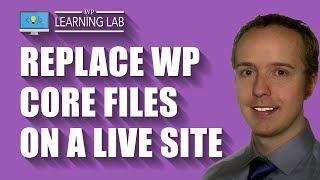
WordPress Core Files Replacement Done Manually On A Live Site
Added 118 Views / 0 LikesGrab Your Free 17-Point WordPress Pre-Launch PDF Checklist: http://vid.io/xqRL WordPress Core Files Replacement Done Manually On A Live Site https://youtu.be/AWs4v7yG-wY Exclusive for WPLearningLab viewers, up to 50% off hosting: https://wplearninglab.com/wordpress-hosting-offer/ I'm going to show you how you can replace the WordPress core files on a live site quickly and safely. This is also considered the "manual" way of updating WordPress. This is
-
23:52 Popular

Clean Hacked WordPress Sites - Step-by-Step
Added 118 Views / 0 LikesGrab Your Free 17-Point WordPress Pre-Launch PDF Checklist: http://vid.io/xqRL Clean Hacked WordPress Sites - Step-by-Step https://youtu.be/fyWEohiGtqY Join our private Facebook group today! https://www.facebook.com/groups/wplearninglab To clean hacked WordPress sites is not difficult once you know the steps.First, call the host to get your site unsuspended. Next, backup all your site files (yes, the compromised files). Then, replace the core files wi
-
36:42 Popular

Visual Composer Website Builder For Wordpress
Added 118 Views / 0 LikesGrab Your Free 17-Point WordPress Pre-Launch PDF Checklist: http://vid.io/xqRL Check out the free WP & Online Marketing Summit For Beginners. The online event is June 18, 2019: https://events.wplearninglab.com/ Visual Composer Website Builder For Wordpress https://youtu.be/37Yu31ZIJ70 Check out the Visual Composer website: visualcomposer.io Join our private Facebook group today! https://www.facebook.com/groups/wplearninglab We are going to use this co
-
02:20 Popular

[SOLVED] Wordpress Destination Folder Already Exists Error
Added 118 Views / 0 LikesGrab Your Free 17-Point WordPress Pre-Launch PDF Checklist: http://vid.io/xqRL Check out the free WP & Online Marketing Summit For Beginners. The online event is June 18, 2019: https://events.wplearninglab.com/ [SOLVED] Wordpress Destination Folder Already Exists Error https://youtu.be/nYe9f7HhgJ4 Join our private Facebook group today! https://www.facebook.com/groups/wplearninglab The WordPress destination folder already exists error is easily fixed.
-
02:54 Popular

How to Create A Question and Answers Site in WordPress
Added 118 Views / 0 LikesOnline question and answer communities are great places for users to ask questions and receive answers. Some people may want to have an entire site dedicated to questions and answers or simply want a section of their site. In this video, we will show you how to create a question and answer section on your site. If you liked this video, then please Like and consider subscribing to our channel for more WordPress videos. Text version of this tutorial: ht
-
01:06 Popular

How to Add a Currency Converter in WordPress
Added 118 Views / 0 LikesTo do business in the online world it will sometimes will involve multiple currencies. When a user sees a product on your site, they may want to know how much it would be in their currency. In this video, we will show you how to add a currency converter in WordPress. If you liked this video, then please Like and consider subscribing to our channel for more WordPress videos. Text version of this tutorial: http://www.wpbeginner.com/plugins/how-to-add-a-
-
01:27 Popular

Adding a Post Rating System in WordPress with WP PostRatings
Added 118 Views / 0 LikesThere are multiple post rating systems you can add to your site through plugins or other methods. We found one that may be good for sites to use. In this video, we will show you how to add a post rating system in WordPress. If you liked this video, then please Like and consider subscribing to our channel for more WordPress videos. Text version of this tutorial: http://www.wpbeginner.com/plugins/adding-a-post-rating-system-in-wordpress-with-wp-postrati
-
01:02 Popular

How to Display WordPress Widgets in Columns
Added 118 Views / 0 LikesChanging the display of your widgets can seem like a daunting task if you do have any coding knowledge. There is a way to show your widgets in columns without any HTML or CSS changes. In this video, we will show you how to display WordPress widgets in columns. If you liked this video, then please Like and consider subscribing to our channel for more WordPress videos. Text version of this tutorial: http://www.wpbeginner.com/plugins/how-to-display-wordp
-
01:03 Popular

How to Block a WordPress User Without Deleting Their Account
Added 118 Views / 0 LikesDid you ever want to block a user from logging into WordPress? Normally you would delete the profile but you would need to move all the content from that user. In this video, we will show you how to block a WordPress user without deleting their account. If you liked this video, then please Like and consider subscribing to our channel for more WordPress videos. Text version of this tutorial: http://www.wpbeginner.com/plugins/how-to-block-a-wordpress-us
-
02:08 Popular

Why You Should Always Use the Latest Version of WordPress
Added 118 Views / 0 LikesEvery time a new WordPress update comes out it can be frightening for some users to update your site. Some users even ask if it is safe to update your site. In this video, we will show you why you should always use the latest version of WordPress. If you liked this video, then please Like and consider subscribing to our channel for more WordPress videos. Text version of this tutorial: http://www.wpbeginner.com/beginners-guide/why-you-should-always-use
-
04:10 Popular
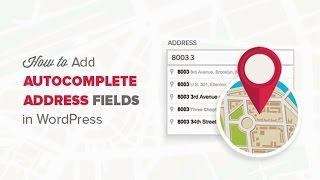
How to Add Autocomplete for Address Fields in WordPress
Added 118 Views / 0 LikesUsers have asked us how to add autocomplete for address fields in their WordPress forms. Autocomplete allows your visitors to quickly select an address form suggestions generated in realtime as they type. In this video we'll show you how to add autocomplete for address fields in WordPress using the Google Places API. Text version of this tutorial: http://www.wpbeginner.com/plugins/how-to-add-autocomplete-for-address-fields-in-wordpress/ If you liked t
-
07:52 Popular

How to Create an Image Gallery in WordPress
Added 118 Views / 0 LikesDo you have a large number of pictures you are looking to add to your site but it is not displaying how you want? Most people want to have their images grouped in columns and rows with the ability to upload multiple images at once. In this video we will show you how to create an image gallery in WordPress to make your photos look even better. For the first method we will use the built in WordPress gallery system. Start by editing the post or page that
-
27:56 Popular

How to Make a Website in 2019 (Step by Step)
Added 118 Views / 0 LikesLooking to make your website in 2019? With the new year, many people are looking to create their own website. Having helped 130,000+ people make a website with WordPress, we have decided to create the most comprehensive step by step guide on how to make a website without learning how to code. == Link to BlueHost signup == http://wpbeginner.com/refer/bluehost In this video we will walk you through how to make a website (step by step): - Purchase hostin
-
03:48 Popular

How to Install a WordPress Theme - MyThemeShop
Added 118 Views / 0 LikesThis walkthrough will show you how to download and install a MyThemeShop (https://mythemeshop.com) theme properly. For any further assistance, please head over to our Support forum: http://community.mythemeshop.com Useful WordPress Themes Links: Premium WordPress Themes - https://mythemeshop.com/themes/ Free WordPress Themes - https://mythemeshop.com/theme-category/free-wordpress-themes/ Useful WordPress Plugins Links: Premium WordPress Plugins - http
-
00:58 Popular

Sensational WordPress Theme - Logo Uploading Tutorial
Added 118 Views / 0 LikesSensational premium WordPress theme by MyThemeShop. Logo uploading tutorial using easy to use inbuilt options panel. Useful WordPress Themes Links: WordPress Blog Themes - https://mythemeshop.com/theme-category/wordpress-blog-themes/ WordPress Business Themes - https://mythemeshop.com/theme-category/wordpress-business-themes/ WordPress eCommerce Themes - https://mythemeshop.com/theme-category/wordpress-ecommerce-themes/ Free WordPress Themes - https:/
-
11:01 Popular
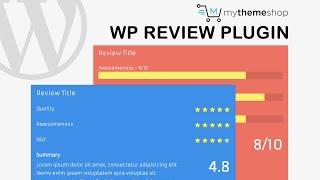
WP Review Detailed Setup Including Support Forums
Added 118 Views / 0 Likeshttps://mythemeshop.com/plugins/wp-review-pro/ WP Review plugin is a customizable and lightweight way to create reviews, using stars, percentage or point rating, and it includes support for translation, WPMU, Google rich snippets and unlimited colors. Just install it and follow the simple configuration instructions to place it in your desired location. Useful WordPress Themes Links: WordPress Blog Themes - https://mythemeshop.com/theme-category/wordpr
-
06:33 Popular
WordPress 101 - Managing Comments
Added 118 Views / 0 LikesManage the comments on your WordPress website. Watch the above tutorial to learn more. Useful WordPress Themes Links: Premium WordPress Themes - https://mythemeshop.com/themes/ Free WordPress Themes - https://mythemeshop.com/theme-category/free-wordpress-themes/ Useful WordPress Plugins Links: Premium WordPress Plugins - https://mythemeshop.com/plugins/ Free WordPress Plugins - https://mythemeshop.com/plugin-category/free/ Connect: Facebook - https://
-
04:28 Popular
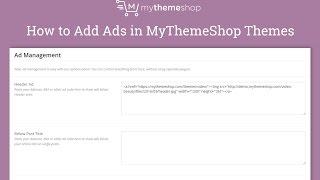
How to Add Ads in MyThemeShop Themes HD
Added 118 Views / 0 LikesStart monetizing by adding ads to your WordPress website. use the above step-by-step tutorial and see how to add advertisements to your WordPress website. Useful WordPress Themes Links: WordPress Blog Themes - https://mythemeshop.com/theme-category/wordpress-blog-themes/ WordPress Business Themes - https://mythemeshop.com/theme-category/wordpress-business-themes/ WordPress eCommerce Themes - https://mythemeshop.com/theme-category/wordpress-ecommerce-t
-
06:05 Popular

How To Customize Oblique Free WordPress Theme
Added 118 Views / 0 LikesOblique is a free Masonry WordPress Theme and in this video, you'll see how you can set it up. Some example websites built with Oblique Pro: https://themeisle.com/themes/oblique-pro/?utm_medium=description&utm_source=youtube&utm_campaign=youtubevideos Oblique is a creative masonry theme that works great for fashion or general bloggers. Amongst the features you will find a a parallax header image, full color control with unlimited color variations, eas
-
11:21 Popular

10+ Things To Do AFTER LAUNCHING A WordPress Site
Added 118 Views / 0 Likes“I've just launched my new WordPress site… Now what?” – you’re thinking. Here are 10 things I wish I knew when I launched my website. Video: Non-obvious FREE WordPress plugins: https://youtu.be/gvUUixBO6cg There are a handful of things that you should do right after launching a WordPress site to set yourself up for success. So your site is finally available to the world, and that’s great! You can start using it to further your goals, and eventually gr
-
03:51 Popular

How To Use Monarch Overide Settings
Added 118 Views / 0 LikesMonarch is a better Social Sharing plugin for WordPress created by Elegant Themes. Download it today: http://www.elegantthemes.com/plugins/monarch/
-
05:00 Popular

How to Add More Social Icons to Divi's Header & Footer Sections
Added 118 Views / 0 LikesIn this video we show you how to manually add new social media icons to Divi's header and footer sections. This tutorial requires a child theme and a small php code snippet which we have provided via the link below. Get the code snippet: http://www.elegantthemes.com/blog/divi-resources/how-to-add-more-social-media-icons-divi FTP Clients: http://www.elegantthemes.com/blog/resources/best-ftp-clients-for-wordpress-users