Wordpress
-
1:15:33 Popular

How to Create an Online Store with WordPress in 2023 (Step by Step)
Added 104 Views / 0 LikesStarting an online store can be a daunting task, especially if you're not tech-savvy. But don't worry - we can help you out! This video will show you in step-by-step detail how to start an online store in 2023. We'll cover everything from choosing the right hosting to installing WordPress and WooCommerce. We will also add products and set up payment processing too. Our goal is to make the process as easy and painless as possible, so you can get your s
-
20:38 Popular

How to Create an Open Job Position Layout with Divi (Free Download!)
Added 112 Views / 0 LikesEvery week, we provide you with new and free Divi layout packs which you can use for your next project. For one of the layout packs, we also share a use case that’ll help you take your website to the next level. This week, as part of our ongoing Divi design initiative, we’re going to show you how to create a stunning open job position layout that matches Divi’s Digital Marketing Layout Pack. This layout is an addition to the careers layout that’s alre
-
02:53

How to Create an Organizational Intranet with WordPress
Added 59 Views / 0 LikesIn today’s video we take a look at how to create an organizational intranet with WordPress. Blog post: https://www.elegantthemes.com/blog/tips-tricks/how-to-create-an-organizational-intranet-or-extranet-with-wordpress Use a domain instead of an IP: https://www.siteground.com/kb/how_to_use_the_hosts_file/ Like us on Facebook: https://www.facebook.com/elegantthemes/
-
08:44 Popular
How To Create Anchor Tags Or Anchor Links In WordPress
Added 153 Views / 0 LikesGrab Your Free 17-Point WordPress Pre-Launch PDF Checklist: http://vid.io/xqRL Check out the free WP & Online Marketing Summit For Beginners. The online event is June 18, 2019: https://events.wplearninglab.com/ How To Create Anchor Tags Or Anchor Links In WordPress https://youtu.be/z2w4Y-0_KdU Join our private Facebook group today! https://www.facebook.com/groups/wplearninglab Here's how to easily create anchor tags in WordPress pages. There is some c
-
07:23

How To Create And Restrict Google Maps API Key [2022 Guide]
Added 55 Views / 0 LikesLearn how to create a Google Maps API key for your projects and set restrictions to prevent unauthorized use. Download Otter → https://themeisle.com/plugins/otter-blocks/ Chapters: 0:00 Intro 0:18 Creating A Google Cloud Account 1:48 Creating A New Project 2:20 Enabling APIs & Services 4:06 Creating API Credentials 4:26 API Restrictions 6:20 Applying API Key To Test Project Website → https://themeisle.com WordPress Articles → https://themeisle.com/blo
-
23:36

How to Create and Sell Online Courses with WordPress Step by Step
Added 76 Views / 0 LikesAre you wanting to create a successful online course with WordPress? Selling online courses is a popular business idea that you can start with a very small investment and technical knowledge. In this video, we will walk you through the steps involved in creating a successful online course in WordPress. To start, if you don't have a hosting provider yet, we would recommend BlueHost. We have our affiliate/referral link below where we will receive a comm
-
13:04 Popular

How to Create and Use Custom Post Types in WordPress
Added 153 Views / 0 LikesStep by step guide that walks you through creating and utilizing custom post types in WordPress 3.0.
-
08:14 Popular

How to Create and Use the Ken Burns Effect within Divi
Added 102 Views / 0 LikesThe “Ken Burns Effect” is a great tool for web developers who want to engage their site visitors with visual storytelling. That’s why in today’s post I’m going to show you a way to add this effect to Divi’s full-width header module and fullwidth slider module slides. However, its application extends to the other Divi sections and modules as well. Once you understand the CSS behind the effect, you will have more control over the way your background ima
-
09:41 Popular

How to Create Animated Background Colors with Divi
Added 105 Views / 0 LikesDivi’s animation options can quickly turn an already beautiful page into an engaging one as well. By now, we’ve all gotten used to the different animations that are built into the various design elements that Divi provides you with. But did you know you can use these animations to highlight one specific design option as well? In this tutorial, we’ll focus on creating animated background colors. To accomplish the desired outcome, we’re going to use a D
-
11:33 Popular

How to Create Animated Border Overlaps to Highlight Content with Divi
Added 136 Views / 0 LikesLooking for a unique way to put a specific part of your page in the spotlight? Keep on reading! Today, we’re going to show you how to create animated border overlaps to highlight content on your page. We’ll create three different animated border overlaps on the App Developer Layout Pack‘s landing page, but you can use this technique for any kind of website you’re building. It’ll definitely help you add an extra dimension to your page. We hope this tut
-
04:37 Popular

How To Create Animated GIFs & BOOST Your Social Media Engagement
Added 127 Views / 0 LikesAnimated GIFs are one of the most popular communication tools in social media •️ In this video, you'll see how to make animated GIFs with one of the popular tools to boost your social media engagement and how to stay ahead of the pack. • Click on the timestamps to navigate the video: 0:37 | Why make animated GIFs 1:55 | Important rules to make GIFs 2:25 | Step-by-Step Guide to make GIFs It is actually pretty easy to make animated GIFs, and you can inc
-
29:46 Popular

How to Create Animated Page Transitions with Divi’s Theme Builder
Added 120 Views / 0 LikesMultistreaming with https://restream.io/ Normally, when visitors navigate from page to page on your Divi website, the transition happens instantly. Now, what if there’s a way to animate these page transitions? With Divi’s Theme Builder there sure is, without the need for any custom code! As soon as your visitors leave a page to enter another one, you can make an animation apply. In today’s tutorial, we’ll show you how to create these animated page tra
-
17:44
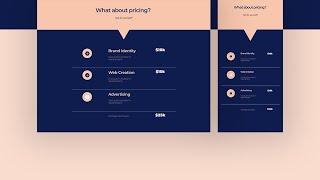
How to Create Automatic Price Calculations with Divi Using JQuery
Added 61 Views / 0 LikesSome people are hesitant to feature their service prices on their website. But as much as it can scare some visitors, it also shows confidence and expertise. Being transparent with your pricing helps you attract the right clients with a budget you can work with. In today’s tutorial, we’re going to show you how to create a stunning price calculation design that you can use for your next Divi project. You’ll be able to download the JSON file for free as
-
13:26 Popular
How to Create Background Image Border Designs in Divi
Added 126 Views / 0 LikesBorders and Background images continue to be popular design assets when building websites. Using the right background images can add personality and style to your site without having to spend time and money on custom graphics. And borders are helpful for adding structure to your content. Today, we are going to bring these two assets together by designing background images as borders. Divi has a useful set of options for customizing background images w
-
16:03 Popular
How to Create Background Textures with Divi’s Section Dividers
Added 121 Views / 0 LikesSection dividers take your website design to the next level. They allow you to make your website extra appealing and they give that sophisticated factor to it as well. Taking advantage of Divi's built-in options in a creative way can help you save a lot of time using image editing software. One of those creative approaches is using section dividers to create background textures for your website. The best way to learn how to do this is practicing. We'l
-
19:29 Popular

How to Create Beautiful & Engaging Dynamic Blog Post Hero Sections with Divi
Added 153 Views / 0 LikesEvery time a new update comes out, the design possibilities you have increase. Combining dynamic content and hover options, for instance, can bring stunning results. To demonstrate that, we’ll show you how to create 3 stunning dynamic blog post hero sections using Divi’s built-in options only. We’ll guide you step by step through each one of the examples that will inspire you to create your own variations as well. Read more: https://www.elegantthemes.
-
12:35 Popular

How to Create Beautiful Blurred Backgrounds with Divi
Added 181 Views / 0 LikesGradient backgrounds are nowadays part of almost every modern website you come across. But as soon as you want to create a more complex gradient, you’re probably tended to reach for image editing software. With Divi, there’s an alternative. Thanks to the many built-in options Divi has, you can turn Image Modules into blurred backgrounds. We’ll blur the backgrounds up to a point where only the colors show through and thus form a gradient. We’ll recreat
-
10:46 Popular

How to Create Beautiful Coming Soon Pages in WordPress
Added 146 Views / 0 LikesAre you wanting to create a beautiful coming soon page for your WordPress site? This allows you to build anticipation, create hype, and spread the word even before the launch of your main website. In this video, we'll show you how to easily create a beautiful coming soon page in WordPress. For this article we will be using SeedProd: https://www.seedprod.com/ Discount: wpbeginner25 With the plugin installed and connected you will want to enable it unde
-
13:03 Popular

How to Create Beautiful Footer Scroll Reveals Below Divi’s Section Dividers
Added 143 Views / 0 LikesThroughout all the design trends, footers remain essential. People have gotten so used to them, which in turn makes them highly user-friendly. They help visitors organize their stay on your website and navigate to the precise page they’re looking for. With Divi, you can easily create any kind of footer in one single section. Now, if you’re looking to give your footer some extra dimension and interaction, you’re going to love this post. We’ll creativel
-
19:37 Popular
How to Create Beautiful Gradient Background Hover Transitions with Divi
Added 126 Views / 0 LikesRecently, some additional hover options have been added to Divi–allowing you to create even more cool effects without having to touch one single line of code. You can now, for instance, create amazing gradient background hover transitions. By combining column, row and section gradients, you can achieve unique designs. In this tutorial, we’ll show you exactly how to do that. We’ll start off by going through some general steps. Once that’s done, we’ll f
-
14:00 Popular

How to Create Beautiful Image Borders using Divi’s New Options
Added 156 Views / 0 LikesIn today’s Divi tutorial, we’re going to show you how to create beautiful image borders on the next website you build. The purpose of this post is to demonstrate how you can create beautiful results that match the images you are using (and the rest of your website as well). With the new Divi options, achieving stunning results is easier than ever. You’ll only have to make some modifications that we’ll show you how to make and you’ll be ready to take y
-
16:52 Popular
How to Create Beautiful Section Transitions Using Divi’s New Design Features
Added 223 Views / 0 LikesIn this Divi tutorial, we’re going to show you how to create beautiful section transitions using nothing else than the built-in Divi options. Sections are the foundation of all the content you share on your website. Each section is a chapter and going from one section to the other is part of the storytelling process. Making this transition as smooth as possible will emphasize the message you’re trying to articulate. To help you with that, we’re going
-
06:25 Popular

How to Create Blob Shapes for Elementor - No Plugins
Added 120 Views / 0 LikesHow to Create Blob Shapes for Elementor - No Plugins Blob Maker: https://www.blobmaker.app/ In this quick video I show you how to make blob shapes for Elementor for free. This tool makes simple blobs easy. I really hope you enjoy the video. If you do please give it a like and subscribe for more WordPress related tutorials! Get WordPress Help on Fiverr: https://www.wpwithtom.com/wp-fixes My Site https://www.wpwithtom.com Best Hosts: GreenGeeks: https:/
-
13:31 Popular

How To Create Block Patterns To Speed Up Website Building
Added 117 Views / 0 LikesIn this WordPress tutorial, I'll teach you how to build your own library of block patterns to drastically speed up your workflow and deliver more consistent results for yourself and your clients. The best part is there is nothing to purchase, this is all native WordPress. Grab the code here https://www.wpcrafter.com/block-patterns • ----- Important Links ----- • * SiteGround -- https://www.wpcrafter.com/siteground * BuddyBoss -- https://www.wpcrafter.
-
05:10

How to Create Business Cards in Minutes
Added 75 Views / 0 LikesHow to Create Business Cards In this video I show you how to make business cards by using the NameCheap business card creator. This tool allows us to choose from a number of designs to find one that fits our business in a matter of minutes. I hope you enjoy this tutorial and create some wonderful business cards! NameCheap Business Card Maker: https://www.namecheap.com/business-cards/ Fiverr: https://www.wpwithtom.com/fiverr My Site: https://www.wpwith
-
15:46 Popular

How to Create Business Email & Use it with Gmail for Free
Added 121 Views / 0 LikesCheck the price of your domain here • https://websitelearners.com/get/domainEmail Get the best tools for your website • https://websitelearners.com/tools/ Make a Website (compatible with business email) • https://youtu.be/YWA-xbsJrVg After creating the website, you can follow the steps shown in this video to create your business email. Both the website & email will work together. In this video, we show you, how you can create your Business Email Addre
-
03:07 Popular

How To Create Buttons From Your WordPress Menu Items (Fast & Easy)
Added 130 Views / 0 LikesCreating buttons from your WordPress menu items is pretty simple. The first step you need to do is to go to your WordPress Dashboard, navigate to Appearance and then click on Menus. Ensure the CSS Classes option is enabled by opening the screen options and see if the CSS classes box is checked. A new option should now show up in your menus. Right there, enter a class of your choice and then click save menu. I will choose hestia-btn, for example. You c
-
06:02 Popular

How to Create Buttons in Gutenberg Using Otter's Button Group Block [2022]
Added 125 Views / 0 LikesIn this video, we will explore Otter's button group block options. As a result, we will create a quick and easy Neubrutalism-styled button in the WordPress editor (Gutenberg) using the block's robust color, border, and shadow options. Otter is a lightweight, dynamic collection of page building blocks and templates for the WordPress block editor. Download Otter → https://themeisle.com/plugins/otter-blocks/ Documentation → https://docs.themeisle.com/art
-
00:53 Popular

How to Create Chat Rooms using WordPress for your Users
Added 103 Views / 0 LikesNormally when communities want to chat they use Twitter or IRC. But there is a plugin that uses WordPress' interface to create a chat. In this video, we will show you how to create chat rooms using WordPress for your users. If you liked this video, then please Like and consider subscribing to our channel for more WordPress videos. Text version of this tutorial: http://www.wpbeginner.com/plugins/how-to-create-chat-rooms-using-wordpress-for-your-users/
-
03:21 Popular

How to Create Clickable Links in WordPress [2 Types]
Added 126 Views / 0 LikesHow to Create Clickable Links in WordPress In this video I show how to create links that you can open in a new tab as well as clickable links that you can open in the current tab or window. This is a basic skill anyone using WordPress needs to know how to do. I hope this video helps you learn how to create WordPress links for whatever project you might be working on! Thanks for viewing! My Site: https://www.wpwithtom.com/ Best Hosts: SiteGround: https









