Wordpress
-
05:33 Popular

How to Use the Divi Library's Selective Sync Feature
Added 117 Views / 0 LikesIn this video, let’s take a moment to go over how the Divi Library's Selective Sync feature works. The Divi Builder (which is available as a stand-alone plugin, as well as being integrated into the Divi and Extra themes) includes the Divi Library. This feature allows you to save any of the Divi modules you've customized for reuse elsewhere on your site. Selective Sync allows you to save just some of the settings for a given page layout, section, row,
-
05:43 Popular

How to Create a Countdown Timer with an Animated Gradient Background
Added 117 Views / 0 LikesIn today’s post, I’m going to show you how to create a gorgeous countdown timer with a subtle animated gradient background. Whatever you may be counting down to, or building suspense for, this countdown is sure to impress your website visitors. Here is the link to the post: https://www.elegantthemes.com/blog/divi-resources/how-to-create-a-countdown-timer-with-an-animated-gradient-background
-
09:18 Popular
How to Add Parallax Elements and a Slide-Down Transition to the Divi Slider Module
Added 117 Views / 0 LikesIn today’s slider tutorial we’re going to change the slider animation so that the text and button slide down from the top. We’ll also be styling it using parallax settings so the transparent images we’re using appear to “float” above the background. It’s an appealing effect when done correct and draws the eyes to your call to action. Here is the link to the post: https://www.elegantthemes.com/blog/divi-resources/how-to-add-parallax-elements-and-a-slid
-
54:55 Popular

This Week in WordPress (11-4 to 11-10)
Added 117 Views / 0 LikesThis Week in WordPress (11-4 to 11-10) will cover the best news, resources, and tutorials that are worth talking about. We here at Elegant Themes want to make sure you're as up-to-date on what's happening the WP world as you can be, so you can tune in here every Friday at 3pm EST to get your TWIW on! News WordPress 4.9 Field Guide https://wpshout.com/links/wordpress-4-9-field-guide/ Divi Feature Update: Border Control https://www.elegantthemes.com/blo
-
08:53 Popular

Adjusting Divi Button Styles In The Theme Customizer
Added 117 Views / 0 LikesChange the look and feel of your buttons to give your site a unique look. View full documentation: https://www.elegantthemes.com/documentation/divi/customizer-buttons/
-
23:41 Popular

How to Use the Cyber Monday Artist Layout Pack to Create a Multi-Step Form for Quote Requests
Added 117 Views / 0 LikesHey Divi Nation (and future Divi Nation Members!). In this live stream, I’ll be showing you how you can add a multi-step form for quote requests to the exclusive Cyber Monday Artist layout pack. The Artist Layout pack is, along with 5 other exclusive layout packs, part of our Cyber Monday 25% OFF deal. If you become a member, upgrade your membership or if you’re already a lifetime member; you’ll get all of the layout packs for free. So make sure you c
-
07:36 Popular
How to Use Divi’s New Filter Options to Beautify Your Images
Added 117 Views / 0 LikesOne of Divi’s new updates is one that’ll come in handy when designing all kinds of websites. The new filter options, effects and blend options make using Photoshop while designing your next website almost unnecessary. To help you get started with them, we’re going to show you how you can beautify your images within Divi itself by using the new filter options in particular. These options allow you to see, in real time, how your image works with the res
-
01:37 Popular
Divi Blank Page Template
Added 117 Views / 0 LikesThe blank page template disabled your header and footer and a specific page, leaving only what is built with the builder visible. This is a great way to create unique landing pages that are separate from the rest of your website. For example, you might create a sales landing page, a coming soon page, a newsletter optin page, or a maintenance mode page.When you create a new page, you will notice a settings box on the side of your screen called “Page At
-
06:19 Popular
How to Create Pop Out Sections with Divi’s Boxed Layout
Added 117 Views / 0 LikesIn this tutorial, I’ll be showing you how to use Divi’s box layout and the Divi Builder to create pop out sections and rows on your website. All it takes is a small amount of custom CSS that extends the section or row past the page container. You can then make additional adjustments and styling using the Divi Builder. Watch the video here: https://www.elegantthemes.com/blog/divi-resources/how-to-create-pop-out-sections-with-divis-boxed-layout
-
04:25 Popular
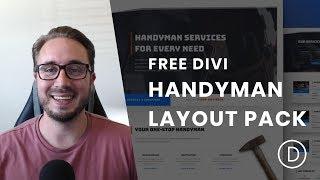
Get a FREE and Professional Handyman Layout Pack for Divi
Added 117 Views / 0 LikesHey Divi Nation! Thanks for joining us for the next installment of our Divi Design Initiative; where each week, we give away two brand new, free Divi Layout Packs from our design team to you. For the first layout pack of this week, Kenny and his team have created a professional and practical Handyman Layout Pack. This layout pack includes 7 beautifully-designed layouts and each one of these focuses on finding what visitors are looking for and offering
-
02:58 Popular

Divi Feature Update! Design Initiative 2 0 Doubling Down On Great Design
Added 117 Views / 0 LikesLearn More Here: https://www.elegantthemes.com/blog/theme-releases/design-initiative-2-0 We are always looking for ways to over-deliver, to surprise and delight you with even more value and to prove just how special the Divi membership is. Several months ago we launched our Divi Design Initiative and built a new design team to provide the community with a steady stream of stunning Divi layout packs every single week. Today, we are announcing the Desig
-
09:40 Popular
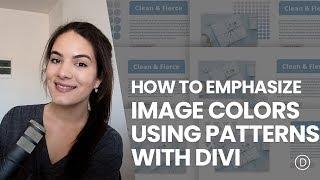
How to Emphasize Your Image's Colors Using Patterns (Download 7 Free Patterns!)
Added 117 Views / 0 LikesWhen you're including images on your website, you want them to draw attention at first sight. One of the things that can bring your image to life is using patterns that emphasize the colors that are being used within the image itself. Not only will it emphasize your image's colors, it will also take your design up a notch. In the blog post, you'll be able to download 7 different patterns for free and use them on any of your designs without restriction
-
03:42 Popular

Get a FREE Business Coach Layout Pack for Divi
Added 117 Views / 0 LikesHey Divi Nation! Thanks for joining us for the next installment of our weekly Divi Design Initiative; where each week, we give away two brand new, free Divi Layout Packs from our design team to you. For the first layout this week, I'm excited to introduce a professional Business Coach Layout Pack. Complete with an events page and a services page, the layout pack is a perfect fit for business coaches ready to book speaking engagements (or workshops) an
-
03:33 Popular

Get a FREE Cleaning Company Layout Pack for Divi
Added 117 Views / 0 LikesHey Divi Nation! Thanks for joining us for the next installment of our weekly Divi Design Initiative; where each week, we give away two brand new, free Divi Layout Packs from our design team to you. For the first layout this week, our team has designed a delightful Plant Nursery Layout Pack. There are few layout packs with design as fresh and lively as the Plant Nursery Layout Pack. And with dedicated pages for showcasing plant services and selling pr
-
12:01 Popular
How to Create a Pop-up Demo Video on Click with Divi’s Cyber Monday Software Release Layout
Added 117 Views / 0 LikesHey Divi Nation, welcome to a special live stream featuring an exclusive Divi Layout only available to Lifetime Members and those who take advantage of our Cyber Monday sale. In this video, we are going to show you how to use the free Software Release Landing Page Layout to create a pop-up demo video on click. If you’re a new customer during the Cyber Monday sale or an existing Lifetime Member you can download this new layout by clicking the link belo
-
04:22 Popular
10 Best Programming Fonts to Save you from Eyestrain
Added 117 Views / 0 LikesIn today’s video, we cover the 10 best programming fonts to save you from eyestrain. Blog post: https://www.elegantthemes.com/blog/wordpress/best-programming-fonts Like us on Facebook: https://www.facebook.com/elegantthemes/
-
03:05 Popular
How to Safely Use Vector Images with WordPress
Added 117 Views / 0 LikesIn today’s video, we're going to learn how to safely use vector images with WordPress. Blog post: https://www.elegantthemes.com/blog/wordpress/how-to-safely-use-vector-images-with-wordpress Like us on Facebook: https://www.facebook.com/elegantthemes/
-
08:03 Popular

How to Wrap Text Around Images in Divi (3 ways)
Added 117 Views / 0 LikesWrapping text around images is a common design technique most commonly found in print media like magazines and newspapers. But you can also find this being used on the web, especially for blog posts. Wrapping text around an image is actually a pretty standard part of WordPress involving a simple alignment adjustment on the WYSIWYG editor. The only problem is that it is difficult to customize the style of your page using the default WordPress editor. T
-
04:52 Popular
How to Add YouTube Videos to WordPress with Elementor
Added 117 Views / 0 LikesDownload Elementor Page Builder, FREE Forever: https://elementor.com Follow us on Facebook: https://www.facebook.com/elemntor, and Twitter: https://twitter.com/elemntor Need to add a YouTube video using Elementor Page Builder for WordPress? In this video I will show you how to use the video widget on the Elementor page builder for WordPress. To learn more about using Elementor's many widgets and features, subscribe to this channel or visit docs.elemen
-
25:15 Popular

How We Redesigned the Nokia 3310 Site with Elementor Page Builder & Zerif Lite
Added 117 Views / 0 LikesIn this video, Yoni shows how he used Elementor Page Builder and the Zerif Lite Theme, to recreate the recently launched Nokia 3310 site on a WordPress site. Get Elementor FREE: https://elementor.com Get Zerif Lite FREE: https://themeisle.com/themes/zerif-lite/ He also does a nice redesign of the site, adding shape dividers to create a more streamlined visual effect.
-
02:19 Popular

Elementor Page Builder - The New AMAZING Way To Design Your WordPress
Added 117 Views / 0 LikesCreate amazing WordPress websites without coding. Elementor is the fastest live page builder for WordPress. Get it FREE for WordPress: https://elementor.com Follow us on Facebook: https://www.facebook.com/elemntor, and Twitter: https://twitter.com/elemntor This is a great WordPress design solution for both professional designers as well as newbies. We know this video is fast paced, but our goal is to get all users to this level and beyond, so if you h
-
20:37 Popular

Build & Optimize the Perfect Sales Funnel - Monday Masterclass
Added 117 Views / 0 LikesWant to increase your sales and conversions with great funnels? Find out how in our new Monday Masterclass! You'll learn how to: •︎ Create a sales funnel using Elementor •︎ Connect your subscribe form to ActiveCampaign •︎ Run A/B tests using Google Optimize Read the full post: https://elementor.com/blog/build-sales-funnel/ Get Elementor: https://elementor.com/ Get Pro: https://elementor.com/pro
-
04:58 Popular

How to Create Conversational Forms in WordPress (Typeform Alternative)
Added 117 Views / 0 LikesDo you want your forms to have a more human feel? Many people look for conversational forms to give their users a one question at a time experience. In this video, we will show you how to create a conversational form in WordPress. This video brought to you by WPFormstake a look at their site here: ================================= https://wpforms.com/ ================================= For the discount, use our code: WPBVIP For this guide, we will be u
-
21:00 Popular

WordPress Tutorial For Beginners [NO CODING]
Added 117 Views / 0 LikesWordPress Tutorial For Beginners [NO CODING] - Hosting Discount Here • https://createwpsite.com/special-deals/ Business field is always challenging. Businessmen should work hard to be able to compete against others. The simplest way to stand firm against such harsh competition is by creating a website. Is that important? First of all, our business can earn credibility with a website. More people take advantage of the internet to look for the services
-
09:06 Popular

Learn How to Optimize Your WordPress Images - With WP Smush Plugin
Added 117 Views / 0 LikesHow to Optimize WordPress Images - In this video, you are going to learn how to speed up your website by optimizing your WordPress images. You will do so by learning how to use the WP Smush plugin. Get your FREE WordPress SEO Course from the Web Monkey Academy - https://thewebmonkeyacademy.com/ Get 2 months FREE access to more than 16,000 courses on SkillShare - https://www.skillshare.com/r/profile/Alexander-Oni/6660110 Follow me on Facebook - https:/
-
15:09 Popular

How to Install WordPress Locally with XAMPP
Added 117 Views / 0 LikesIn this tutorial, you are going to learn how to install WordPress locally on your computer with XAMPP. Learn How to Use 15 of the Best WordPress Plugins FOR FREE - https://the-web-monkey-academy.thinkific.com/courses/super-plugins-a-free-guide-on-the-best-wordpress-plugins/ Visit our blog - http://thewebmonkeyonline.com/
-
09:13 Popular
How to Use FOMO on Your WordPress Site to Increase Conversions
Added 117 Views / 0 LikesIf you've heard of FOMO (Fear of Missing Out) or social proof then you may have wondered how to include them on your site. FOMO is a psychology principle to create anticipation and excitement for a product to help customers make a buying decision faster. In this video, we'll show you how to properly use FOMO on your WordPress site to increase conversions. For this tutorial we will be using the TrustPulse plugin found here: https://wordpress.org/plugin
-
30:54 Popular

SEO 2019 Neue Tipps und Trends Deutsch
Added 117 Views / 0 LikesInhaltsverzeichnis: 1:37 SEO ist Tod !? 3:40 Statistiken zu SEO 7:23 Skyescraper Seiten 11:48 Multimedia Inhalte wie Videos, Podcasts, Bilder 16:12 Mobile first und Ladezeit Optimierung 19:03 Sprachsuche 21:00 Rich Snippets 24:30 Google MyBusiness Meine wichtigsten SEO Tipps für 2019 SEO oder auch Suchmaschinenoptimierung ist auch im Jahr 2019 weiterhin ein wichtiges Thema. Wenn man Wert darauflegt, dass die eigene Webseite in den Suchergebnissen von
-
11:07 Popular

8 Most Common WordPress Terms explained | Day #7 || 31 Videos in 31 Days
Added 117 Views / 0 LikesToday I explain the most common WordPress terms for WordPress beginners. Starting out with WordPress there are a number of terms you will come across that you might not completely understand right away. To help you get started with WordPress I explain the most common ones here in this video. Do you have more terms you don't understand in WordPress or that you want me to explain? Please let me know in the comments below. Thanks so much! --- Our Website
-
07:05 Popular

WordPress Themes: A Color Palette for Gutenberg
Added 117 Views / 0 LikesLearn how to add a custom color palette for your WordPress theme in the new Gutenberg editor. Do you like the tutorial? Then please subscribe to our channel and leave a comment to let me know your ideas for future videos. I would love to hear your feedback and ideas. Links from the video: Gutenberg handbook: https://wordpress.org/gutenberg/handbook/designers-developers/developers/themes/theme-support/ Have a look at the new WordPress editor: https://w









