Wordpress
-
05:52 Popular
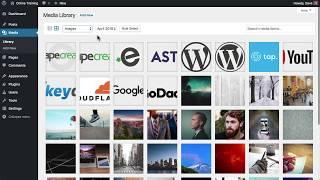
WordPress Media Library Basics: What It Is & How to Use It
Added 117 Views / 0 LikesLearn all about the WordPress Media Library: what it is, how to navigate it and the beginner steps to editing images in WordPress. This WordPress mini course will take you through 3 aspects of the Media Library: - A basic overview of what it is used for - How to upload images (and other media) to WordPress - The basics of the "Edit Image" screen After this, you'll be ready to edit images directly in WordPress, before you add them to your site. WRITTEN
-
04:56 Popular

How to Embed a YouTube Playlist in WordPress
Added 117 Views / 0 LikesHow do you embed a YouTube playlist in WordPress? You’ll be happy to know it’s quite easy, and the process is not that much different from embedding a single video. I'll walk you through 3 different ways to embed a YouTube playlist in WordPress: 0:32 - Using WordPress oEmbed (copy/paste) 1:46 - Using YouTube's iframe embed code (more customization) 3:27 - YouTube playlist in a WordPress sidebar Starting at 0:32, I show you how to get your YouTube play
-
04:05 Popular

WordPress Media Library: How to Add an Image | WP Learning Lab
Added 117 Views / 0 LikesDownload our exclusive 10-Point WP Hardening Checklist: http://bit.ly/10point-wordpress-hardening-checklist WordPress Media Library: How to Add an Image | WP Learning Lab Images are a great way to make your website more visually appealing for your visitors and customers. Other benefits of using images on your website is that they can convey emotions and attitudes and they can also display things that are difficult to explain in words. To get started a
-
04:56 Popular
WordPress Media Library: How to Add a Video | WP Learning Lab
Added 117 Views / 0 LikesDownload our exclusive 10-Point WP Hardening Checklist: http://bit.ly/10point-wordpress-hardening-checklist WordPress Media Library: How to Add a Video | WP Learning Lab Videos are a great way to engage your visitors and customers. Some benefits of using videos on your website are: they're often faster and easier for visitors to consume, your viewers get to your brand's personality and connect on a deeper level, you can more easily showcase your produ
-
04:18 Popular

SQL Injection Hack Explained - Better WordPress Security | WP Learning Lab
Added 117 Views / 0 LikesGrab Your Free 17-Point WordPress Pre-Launch PDF Checklist: http://vid.io/xqRL Download our exclusive 10-Point WP Hardening Checklist: http://bit.ly/10point-wordpress-hardening-checklist SQL Injection Attack Explained - Better WordPress Security | WP Learning Lab #1 Biggest Security Threat Facing WordPress this year: http://bit.ly/WordPress-Security3 What is an SQL Injection? A hacker gains access to your site's database by submitting SQL commands via
-
03:14 Popular

Keyword Density Is Still Relevant For SEO - Find Out How To Easily Calculate It | WP Learning Lab
Added 117 Views / 0 LikesGrab Your Free 17-Point WordPress Pre-Launch PDF Checklist: http://vid.io/xqRL Download our exclusive 10-Point WP Hardening Checklist: http://bit.ly/10point-wordpress-hardening-checklist Keyword Density Is Still Relevant For SEO - Find Out How To Easily Calculate It | WP Learning Lab Keyword Density is one of the most abused aspects of SEO. Marketers used to add their keyword over and over on the page in order to help rank the page. This is called key
-
06:38 Popular
Add Font Awesome Icons To WordPress Using A Plugin
Added 117 Views / 0 LikesGrab Your Free 17-Point WordPress Pre-Launch PDF Checklist: http://vid.io/xqRL Add Font Awesome Icons To WordPress Using A Plugin https://youtu.be/qtznhGeAhow Download your exclusive 10-Point WP Security Checklist: http://bit.ly/10point-wordpress-hardening-checklist Font Awesome Icons, also known as fa icons, are a quick and easy way to add simple pictures to your WordPress. There are nearly 700 different icons to choose from as of the recording of th
-
10:04 Popular
WordPress Two Factor Authentication For WordPress Super Security
Added 117 Views / 0 LikesGrab Your Free 17-Point WordPress Pre-Launch PDF Checklist: http://vid.io/xqRL WordPress Two Factor Authentication For WordPress Super Security https://youtu.be/abR0NmK1WAI Download your exclusive 10-Point WP Security Checklist: http://bit.ly/10point-wordpress-hardening-checklist Two factor authentication is a method of login security that requires you to enter your regular user and password followed by a special code that changes every time you log i
-
05:34 Popular

WordPress Admin CSS Can Be Used To Customize Your WordPress Dashboard
Added 117 Views / 0 LikesGrab Your Free 17-Point WordPress Pre-Launch PDF Checklist: http://vid.io/xqRL WordPress Admin CSS Can Be Used To Customize Your WordPress Dashboard https://youtu.be/dbhjUBEI7Wo Exclusive for WPLearningLab viewers, up to 50% off hosting: https://wplearninglab.com/wordpress-hosting-offer/ WordPress codex article on Stylesheet URI: https://developer.wordpress.org/reference/functions/get_stylesheet_directory_uri/ Blog post link that contains the code: ht
-
12:24 Popular

MailChimp Merge Tags - Personalize Your Landing Pages For Higher Conversions
Added 117 Views / 0 LikesGrab Your Free 17-Point WordPress Pre-Launch PDF Checklist: http://vid.io/xqRL MailChimp Merge Tags - Personalize Your Landing Pages For Higher Conversions https://youtu.be/pWFVV6g8xdI Join our private Facebook group today! https://www.facebook.com/groups/wplearninglab MailChimp merge tags cheat sheet: https://kb.mailchimp.com/merge-tags/all-the-merge-tags-cheat-sheet Blog post with JavaScript code: https://wplearninglab.com/mailchimp-merge-tags/ How
-
16:19 Popular
Use WP Rocket To Speed Up Your Slow Page Builder Sites
Added 117 Views / 0 LikesGrab Your Free 17-Point WordPress Pre-Launch PDF Checklist: http://vid.io/xqRL In this tutorial, we're going to take an un-optimize Elementor page from a 4.9 second load time to a 1.1 second load time. We're going to do this with WP Rocket. I'm going to show you all of its settings and how easy it is to set up. WP Rocket is my plugin of choice for speeding up my websites. It's simple to set up and easy to maintain. Check out WPRocket here (aff): https
-
01:38 Popular

How to Add a Floating Social Share Bar in WordPress
Added 117 Views / 0 LikesStep by step guide on how to add a floating horizontal social share bar in WordPress by using the floating social bar plugin. http://www.wpbeginner.com/floating-social-bar/ Floating social bar is the best social media plugin for WordPress that allows you to maximize your social media visibility without impacting your site speed. This an extremely light-weight plugin that allows you to add social media buttons to WordPress without slowing down your sit
-
01:09 Popular
How to Create Custom Admin Color Schemes in WordPress
Added 117 Views / 0 LikesMost users enjoy the admin user interface for WordPress as it allows you to customize it as you please for colors. This can be done for ease of viewing or just to add some customization to your admin area. In this video, we will show you how to create a custom admin color scheme in WordPress. If you liked this video, then please Like and consider subscribing to our channel for more WordPress videos. Text version of this tutorial: http://www.wpbeginner
-
01:05 Popular

How to Manage, Track, and Control File Downloads in WordPress
Added 117 Views / 0 LikesSometimes a site gives away freebies to their readers and it is becoming a common practice. It would be better if you could track and monitor your downloads more efficiently. In this video, we will show you how to manage, track, and control file downloads. If you liked this video, then please Like and consider subscribing to our channel for more WordPress videos. Text version of this tutorial: http://www.wpbeginner.com/plugins/how-manage-track-control
-
00:55 Popular

How to Allow Users to Report Inappropriate Comments in WordPress
Added 117 Views / 0 LikesThere are a large number of antispam programs out there that work wonderfully but, sometimes they do not catch all of the problem comments. Some trolls or spammers will always try to find a way around the blocks. In this video, we will show you hot to allow users to report inappropriate comments. If you liked this video, then please Like and consider subscribing to our channel for more WordPress videos. Text version of this tutorial: http://www.wpbegi
-
01:01 Popular
How to Notify Users When Their Comment is Approved in WordPress
Added 117 Views / 0 LikesComment moderation is a great tool to keep discussions on your site safe and helps to avoid spam. The downside to this is there is no easy way to inform users when their comment has been approved. In this video, we will show you how to notify users when their comment is approved. If you liked this video, then please Like and consider subscribing to our channel for more WordPress videos. Text version of this tutorial: http://www.wpbeginner.com/plugins/
-
01:22 Popular

What is Markdown and How to Use Markdown in WordPress
Added 117 Views / 0 LikesMarkdown is something that users may have heard from others talking about the Ghost blogging platform. Markdown is a simple markup language that converts plain text into HTML. In this video, we will show you how to use markdown in WordPress. If you liked this video, then please Like and consider subscribing to our channel for more WordPress videos. Text version of this tutorial: http://www.wpbeginner.com/plugins/what-is-markdown-how-to-use-markdown-in
-
02:56 Popular
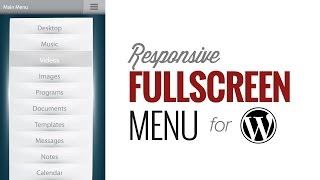
How to Add a Fullscreen Responsive Menu in WordPress
Added 117 Views / 0 LikesEvery theme has its own way to display menus for your site and some themes do not have a responsive option. There is a way to add a fullscreen responsive menu to any site you have using a plugin. In this video, we will show you how to add a fullscreen responsive menu in WordPress. Text version of this tutorial: http://www.wpbeginner.com/plugins/how-to-add-a-fullscreen-responsive-menu-in-wordpress/ If you liked this video, then please Like and consider
-
01:29 Popular
How to Completely Remove Comments From Your WordPress Site
Added 117 Views / 0 LikesDo you want to completely remove comments from your WordPress website? Some websites want to remove comments completely to avoid any issues that they could run into from comment moderation. In this video, we will show you how to completely remove comments from your WordPress site. Text version of this tutorial: http://www.wpbeginner.com/plugins/how-to-completely-remove-comments-from-your-wordpress-site/ If you liked this video, then please Like and co
-
01:49 Popular

How to Install WordPress in Other Languages
Added 117 Views / 0 LikesAre you wanting your WordPress site to be in a language other than english? Don't worry, we've helped many users fix this problem and install wordPress in another language. Not everyone speaks English which is why WordPress added the ability to change the language for your site in cases where you start out with one language and can change it for another. There are over 160 languages currently being translated for WordPress so you can have your site in
-
02:34 Popular

How to Add a Background Image in WordPress
Added 117 Views / 0 LikesAre you looking to add a background image to your site? Background images can be used to make your website look more inviting or engaging for your users as well as aesthetically pleasing. In this video, we will show you how to easily add a background image to your WordPress site. Text version of this tutorial http://www.wpbeginner.com/beginners-guide/how-to-add-a-background-image-in-wordpress/ If you liked this video, then please Like and consider sub
-
00:52 Popular
How To Set a Featured Image In A WordPress Article
Added 117 Views / 0 LikesWatch the above tutorial to set up featured image for posts on your WordPress website. Useful WordPress Themes Links: WordPress Blog Themes - https://mythemeshop.com/theme-category/wordpress-blog-themes/ WordPress Business Themes - https://mythemeshop.com/theme-category/wordpress-business-themes/ WordPress eCommerce Themes - https://mythemeshop.com/theme-category/wordpress-ecommerce-themes/ Free WordPress Themes - https://mythemeshop.com/theme-categor
-
04:13 Popular
WordPress 101 - Creating Links in Post Content
Added 117 Views / 0 LikesWatch the tutorial to learn how to create links from the post content on your WordPress website. Useful WordPress Themes Links: Premium WordPress Themes - https://mythemeshop.com/themes/ Free WordPress Themes - https://mythemeshop.com/theme-category/free-wordpress-themes/ Useful WordPress Plugins Links: Premium WordPress Plugins - https://mythemeshop.com/plugins/ Free WordPress Plugins - https://mythemeshop.com/plugin-category/free/ Connect: Facebook
-
04:17 Popular
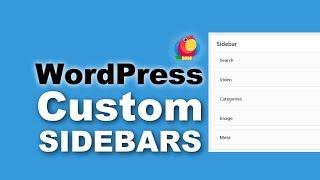
Custom WordPress Sidebar: How To Create One And Why You Need It
Added 117 Views / 0 LikesA custom WordPress sidebar is a perfect way to make your site stand out from the crowd. Learn how to easily create one and design it just the way you want. There’s no need to recycle the same sidebar structure for all your content, particularly when WordPress offers plenty of alternatives. Creating a custom sidebar can enable you to shake up your site’s design and add unique elements depending on which page your users are browsing. Plus, it can make n
-
06:17 Popular
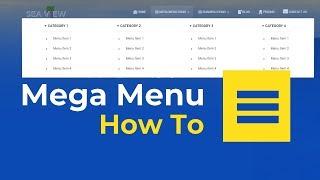
How To Build A Mega Menu In Hestia WordPress Theme
Added 117 Views / 0 LikesWe've made it easy to set up a basic mega menu within Hestia WordPress theme by using classes. First of all, you must create a new menu. Go to Dashboard • Appearance • Menus. Click on Screen Options at the top and make sure that the CSS Classes option is enabled. If it's not, make sure you enable it. Follow the timestamps to navigate the video: 0:55 - #1 The root item 1:44 - #2 The columns 2:59 - #3 The headings 3:57 - #4 Dividers 4:28 - #5 The menu i
-
05:39 Popular
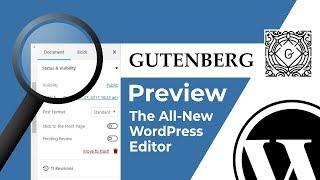
Gutenberg Demo: The NEW EDITOR Experience In WordPress 5.0
Added 117 Views / 0 LikesGutenberg is the upcoming replacement to the WordPress TinyMCE editor (the current editor where you write your posts and pages). In this demo, we will take a look at the new editor in WordPress 5.0 • Ultimate Page Builder Comparison: https://youtu.be/eYI8TVNPCu4 Gutenberg is going to completely change the editing experience by moving to a block-based approach to content (more on exactly what blocks are in a second!). While the current focus is on cont
-
14:52 Popular
Using The Social Sharing Popup In Monarch
Added 117 Views / 0 LikesMonarch is a better Social Sharing plugin for WordPress created by Elegant Themes. Download it today: http://www.elegantthemes.com/plugins/monarch/
-
02:43 Popular

Extra WordPress Theme
Added 117 Views / 0 LikesThe ultimate WordPress magazine theme, powered by the Divi Builder: http://www.elegantthemes.com/gallery/extra/