Wordpress
-
02:40 Popular
Meet Media Carousel: Create Image & Video Carousels and Sliders in WordPress
Added 111 Views / 0 LikesWe are excited to introduce a powerful and visual widget for showcasing your images and videos: The Media Carousel Widget. Get Media Carousel: https://elementor.com/pro/ The Media Carousel widget will take your images and videos to the next level of design. This widget comes with 3 skins to choose from: Carousel, for displaying several slides for each view, Slideshow, showing a primary slide and small image thumbnails underneath, and Coverflow, showin
-
03:04 Popular

Blockquote Widget: Easily Add & Customize Click to Tweet Quote Boxes
Added 124 Views / 0 LikesThe Blockquote widget lets you add designed quote boxes to your posts and pages on WordPress, and design every element of the blockquote: the quote, author, click to tweet button, and username. You can also choose from 4 different pre-designed skins. Read the full post: https://elementor.com/blockquote-click-to-tweet/ Download Elementor Pro, now with Blockquote: https://elementor.com/pro
-
07:32
How to Use Elementor's Nav Menu Widget to Design WordPress Menus
Added 98 Views / 0 LikesIn this video, you will learn how to use Elementor's Nav Menu widget to customize WordPress menus. Change colors of the menu items, create mobile menus, customize the submenu and other important points you should know about this highly customizable widget. Get Elementor Pro with Nav Menu Widget: https://elementor.com/pro
-
08:27 Popular

Web Design Speed Art #2 - Homepage (#Elementor, #Photoshop)
Added 119 Views / 0 LikesIn this video, you can see how you can use Photoshop and Elementor together to create a stunning, top notch homepage. Once you utilize the image design capabilities of Photoshop and the fast page layout design of Elementor you can create pixel-perfect websites in record-breaking speed. == Tools Used == Elementor FREE Forever: https://elementor.com Elementor Pro: https://elementor.com/pro Photoshop: http://www.adobe.com/products/photoshop.html
-
01:56 Popular
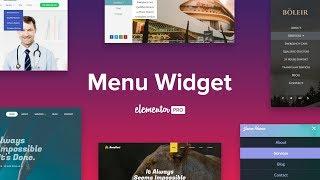
Introducing Menu Widget: The Most Powerful Menu Builder For WordPress
Added 147 Views / 0 LikesThe Menu widget allows you to create stunning, professional menus in minutes, without having to edit CSS. Design every aspect of the menu visually, including the menu layout, spacing, pointers, animations, and other settings. See It In Action: https://elementor.com/introducing-nav-menu
-
07:22 Popular
Web Design Speed Art - Contact Page (#Elementor, #Photoshop)
Added 125 Views / 0 LikesThis video is different, We wanted to inspire you to new levels of design, by showing you how you can combine working with Photoshop and Elementor to create a stunning real estate contact page that has a modern and stylish look. There is no easier way to go from PSD to WordPress than to use Elementor. == Tools Used == Elementor FREE Forever: https://elementor.com Elementor Pro: https://elementor.com/pro Photoshop: http://www.adobe.com/products/photosh
-
04:31 Popular

How To Add Facebook Like Button, Page, Post, Video & Comments Plugins on WordPress
Added 113 Views / 0 LikesWe've launched a powerful new set of Elementor Pro Features: the Facebook Widgets! https://elementor.com/pro Facebook Widgets allow you to get more shares, likes, comments and interactions on social media. It's great for getting more traffic and generating more engagement on your site. Read the full post to learn more about the new widgets and see them in action: https://elementor.com/introducing-facebook-widgets In this video, we show how to embed th
-
20:40 Popular

Skyrocket Your Avada WordPress Theme With Elementor page builder
Added 159 Views / 0 LikesWe wanted to demonstrate just how better Avada gets if you combine Elementor with it. Read More: https://elementor.com/avada-with-elementor/ Get Elementor Page Builder: https://elementor.com Get Avada Theme: https://avada.theme-fusion.com This is why we decided to recreate a complete homepage design from the Phoenix Startup UI kit by designer Dima Blover: https://dribbble.com/shots/3251020-Phoenix-Startup-UI-Kit-Samples In the video, we use Avada and
-
01:29 Popular
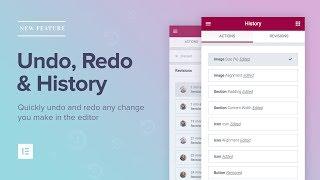
Elementor History: Easily Undo & Redo Changes in the Editor
Added 116 Views / 0 LikesElementor Undo, Redo and History make it easier to design and make changes in the editor. Read more: https://elementor.com/undo-redo-history/ The newest feature release for Elementor (v1.7) adds redo / undo capabilities, letting you trace back your actions, allowing to design faster, never worrying about making a mistake. Get Elementor FREE: https://elementor.com
-
01:20 Popular

Animated Headline: The New & Visual Way to Grab Your Visitor's Attention
Added 122 Views / 0 LikesGet Animated Headline in Elementor Pro: https://elementor.com/pro In any website, the main headline has a tremendous influence over effectively delivering the message across to the visitor. Headlines should draw the visitor in, convincing them to either read more or opt-in to your service. Top brands use creative animated and highlighted headlines to further draw the attention of the visitor to the headline. Now, you too can add animated and highlight
-
04:06 Popular
How to Use Animated Headline In Elementor Pro
Added 109 Views / 0 LikesGet Animated Headline in Elementor Pro: https://www.elementor.com/pro Read the full post: https://elementor.com/introducing-animated-headline/ Today we are introducing a new Pro Widget: Elementor Animated Headline. Create attention grabbing headlines that highlight or rotate the most important part of the headline, delivering your main message in the clearest and most effective way.
-
18:51 Popular

Elementor Interview With Neil Patel
Added 156 Views / 0 LikesWatch Elementor CMO Ben Pines talk to Neil Patel, one of the top online marketing experts in the world. The interview includes some insights into digital marketing from Neil Patel, the Founder of CrazyEgg, QuickSprout, KissMetrics, Marketing School, and a host of many successful startups and businesses. Watch Neil and Ben as they discuss the ins and outs of running a successful online business. Visit Neil Patel's Blog: http://neilpatel.com/ For more i
-
02:49 Popular

How to Add Image Lightbox to WordPress Using Elementor
Added 103 Views / 0 LikesNo more lightbox plugins needed! Watch the simple and free way to create an image lightbox in WordPress using Elementor page builder. Download FREE: https://elementor.com You can use this feature to create image lightbox, gallery lightbox, slider lightbox and video lightbox, all without a dedicated plugin.
-
03:29 Popular

Introducing Image & Gallery Lightbox: Easily Pop Up Images on WordPress!
Added 122 Views / 0 LikesMeet the easiest way to pop up a lightbox for your images and videos! Read the full post: https://elementor.com/v160-image-lightbox/ We have now released the Lightbox feature, letting you open images, galleries, carousels and videos in a lightbox, ZERO setup needed! See Lightbox in action, as well as other useful new features we've added: - Text Shadow effect - Bulk Elementor template upload - Color & size controls for the video play button - Faster l
-
00:47
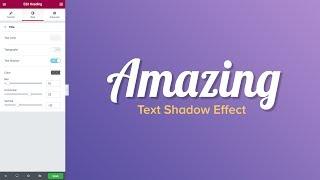
Text Shadow Sneak Peek: Design Stunning Headlines That Stick Out!
Added 98 Views / 0 LikesNew Sneak Peek! Watch the upcoming FREE & Exclusive design feature in Elementor: WordPress Text Shadow. Add a shadow outline to your headlines to make them pop out and look spectacular. Make your text shadow blur, glow and move easily & visually - the Elementor way! Coming soon to Elementor Page Builder Get it here: https://elementor.com
-
32:17 Popular

How to Create a WordPress Website for Beginners
Added 125 Views / 0 LikesIf you want to create a WordPress website from scratch, there's a new method to pay attention to. Read full post: https://elementor.com/create-wordpress-website/ Here is another in-depth guide on the same subject: https://elementor.com/blog/create-website-with-wordpress/ And if you follow this method, you can create a complete & unique website from scratch, in much less time than before. Now, there are a lot of videos on this subject. What makes this
-
05:32
How to Add Hover Effects to WordPress Using Elementor
Added 85 Views / 0 LikesIn this tutorial we show how to add hover effects to WordPress using Elementor's hover feature. With this feature, you can add hover effects for color, gradient, image and video background. You can also add border and box shadow hover effects. This is a feature that is available both on the free and Pro versions of Elementor.
-
01:08 Popular
Elementor Hover Effects Sneak Peek
Added 159 Views / 0 LikesCheck out the easiest way to add hover effects to every element of the website. Explore how to add hover effects to background colors, images, and videos. You can also add unique border and box shadow hover effects Get Elementor for FREE: https://elementor.com
-
03:08
Say Hello to Elementor 1.5 – Our New Magical Editor Interface
Added 94 Views / 0 LikesSay Hello to Elementor 1.5! Our new magical editor interface that will take your workflow experience to the next level. That's not all. This is our most feature-packed release ever! It includes major improvements with Mobile Editing, Z-Index, Version Control and much more. Check it out → https://elementor.com/v150-new-editor-ui/
-
06:37 Popular

Header & Footer Design #4: Travel Website
Added 129 Views / 0 LikesIn this Speed Art Series, Elementor's designer David Markus creates beautiful headers & footers using Elementor's Theme Builder. Learn how to create them yourself and how to customize your design to mobile. 02:10 - Header mobile editing. 05:37 - Footer mobile editing. Subscribe to our Youtube channel and be the first to get the upcoming videos of our Headers & Footers Series. Use Dynamic Content, as well as many other features that will help you edit
-
07:22 Popular

How to Customize WooCommerce Product & Product Archive Pages Via Elementor
Added 174 Views / 0 LikesIn this tutorial learn how you can build the WooCommerce single and archive product page templates using Elementor's WooCommerce Builder. You'll learn how to: • Use WooCommerce with Elementor • Create a custom design for your products and archive • Save a single and archive template with conditions by category Subscribe to our Youtube channel and be the first to get our AWESOME videos! Get Elementor: https://elementor.com/ Join Pro: https://elementor.
-
07:54 Popular
Header & Footer Design #3: Yacht Rental
Added 112 Views / 0 LikesIn this Speed Art Series, Elementor's designer David Markus creates beautiful headers & footers using Elementor's Theme Builder. Learn how to create them yourself and how to customize your design to mobile. 03:05 - Header mobile editing. 06:53 - Footer mobile editing. Subscribe to our Youtube channel and be the first to get the upcoming videos of our Headers & Footers Series. Use Dynamic Content, as well as many other features that will help you edit
-
08:18 Popular
Header & Footer Design #2: Building Company
Added 127 Views / 0 LikesIn this Speed Art Series, Elementor's designer David Markus creates beautiful headers & footers using Elementor's Theme Builder. Learn how to create them yourself and how to customize your design to mobile. 02:32 - Header mobile editing. 07:23 - Footer mobile editing. Subscribe to our Youtube channel and be the first to get the upcoming videos of our Headers & Footers Series. Use Dynamic Content, as well as many other features that will help you edit
-
07:59 Popular

WordPress Header & Footer Design #1: Business Website
Added 119 Views / 0 LikesIn this Speed Art Series, Elementor's designer David Markus creates beautiful headers & footers using Elementor's Theme Builder. Chapter #1 - Business & Law Firm Design. Create a stylish header & footer for a law firm or a business website. Subscribe to our Youtube channel and be the first to get the upcoming videos of our Headers & Footers Series. Use Dynamic Content, as well as many other features that will help you edit and customize every part of
-
35:45 Popular

Advanced Custom Fields Tutorial: Create a WordPress Movie Review Website
Added 144 Views / 0 LikesIn this tutorial, we combine Elementor and ACF (Advanced Custom Fields plugin) to create a dynamic movie review website on WordPress: https://elementor.com/blog/create-movie-review-website/ You'll learn how to: • Use dynamic content • Create custom post types with CPT UI • Create custom fields with ACF • Build an archive template with Elementor • Build a single template with Elementor Subscribe to our Youtube channel and be the first to get our AWESOM
-
02:19 Popular
Envato Elements: A Promising New Plugin for Elementor Templates
Added 121 Views / 0 LikesIn case you missed it, Envato, the company behind the leading theme marketplace themeforest, developed a free new plugin, called elements. If you are looking to integrate the kind of WordPress landing page templates you can find in ThemeForest, Elements can be your solution. This plugin offers a long list of Elementor templates that you can use to create stunning pages right from your wordpress dashboard. Today I want to share 5 things that I personal
-
11:25 Popular

Create a Sticky Scrolling Effect Using Elementor
Added 287 Views / 0 LikesIn this tutorial, we'll see how to create a cool sticky scrolling effect, showing 3 interchanging mobile images that scroll into one another. You will learn how to: • Make an image widget sticky • Use the z-index • Add animation • Create a SUPER COOL effect Get Elementor: https://elementor.com Join Pro: https://elementor.com/pro/
-
33:50 Popular

Create a WordPress Movie Review Website with Elementor and Toolset
Added 138 Views / 0 LikesIn this tutorial, we combine Elementor and Toolset to create a dynamic movie review website on WordPress. You'll learn how to: * Use dynamic content * Create custom post types with Toolset * Create custom fields with Toolset * Build an archive template with Elementor * Build a single template with Elementor To learn more about Elementor and Custom Post Types: https://elementor.com/custom-post-types-and-elementor/ Use Dynamic Content, as well as many o
-
10:25 Popular

Web Design Speed Art - Sticky Scrolling & Layered Carousel Effects Using Navigator
Added 106 Views / 0 LikesThis speed art displays some of the capabilities of the new Navigator feature in Elementor. When you combine Navigator, multiple layers and minus margins, you can achieve two of the stylish and unique effects presented in the video: 02:55 Sticky scrolling effect: Showing 3 interchanging mobile images that scroll into one another 07:14 Image carousel, with the mobile images being surrounded by a static mobile screen frame (using two separate layers)
-
01:44
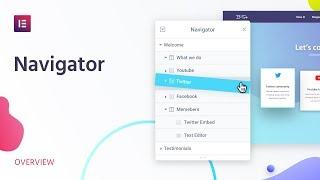
Introducing Navigator: Manage Your Entire Layout From One Place
Added 93 Views / 0 LikesElementor now brings a new FREE solution for managing complex and long page content. Introducing Navigator, a new display offering a full overview and easy access to all elements on your page. Navigator allows you to build a faster and more optimized workflow. Read more in the full post: https://elementor.com/introducing-navigator/ Get Elementor, Navigator included: https://elementor.com









