Wordpress
-
02:54

Getting Started With Elementor - 3 minutes Overview
Added 98 Views / 0 LikesWant to learn how to use Elementor? Getting started with Elementor is easy, just follow this short tutorial. Ready to create your first section? click here: https://youtu.be/Em8oIBGy6bs Get Elementor Free: https://elementor.com Join Pro: https://elementor.com/pro/
-
08:40 Popular
Build Your First Page With Elementor Page Builder for WordPress 2018
Added 157 Views / 0 LikesWelcome to our FIRST STEPS tutorial. I’m gonna walk you through the first steps of page-building. In this tutorial, you’ll learn the secrets of: - How a page is built - Use pre-designed Page templates and Blocks - Playing with editing tools to design your text and images - AND create your first stunning section all from scratch. Get Elementor Free: https://elementor.com Join Pro: https://elementor.com/pro/ - - - To learn more about Mobile responsive e
-
40:36 Popular

Create a Real Estate WordPress Website Using ACF & Elementor
Added 126 Views / 0 LikesIn this tutorial, we combine Elementor, ACF and CPT UI to create a dynamic real estate website on WordPress. To get early access to ACF version 5+ click here: https://www.advancedcustomfields.com/resources/upgrade-guide-version-5/ Use Dynamic Content, as well as many other features that will help you edit and customize every part of your WordPress website: https://elementor.com/theme-builder/
-
02:14 Popular

Build a Mobile CTA with Elementor - Step-by-Step
Added 112 Views / 0 LikesCall to Action (CTA) buttons can have a real impact on your sites' conversion rate. In this tutorial, we'll demonstrate a very useful tip for creating a "floating" mobile CTA that show up on your entire site. Get Elementor: https://elementor.com Join Pro: https://elementor.com/pro/
-
33:01 Popular

Build a Landing Page with Elementor: Step-by-Step
Added 141 Views / 0 LikesIn this tutorial, we'll be building a stylish landing page with Elementor. Made 100% in Elementor, in this A to Z tutorial you'll learn: * Creating a page * Building a WordPress menu * Using sections and columns * Adding widgets * Build a complete landing page! • Subscribe: https://goo.gl/rTEfkv Get Elementor: https://elementor.com Join Pro: https://elementor.com/pro/
-
02:16 Popular
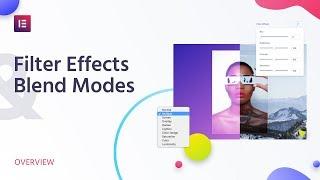
Introducing Filter Effects & Blend Modes
Added 103 Views / 0 LikesDesigners & photographers, your secret weapon is here: https://elementor.com/introducing-filter-blend-mode/ Instantly create spectacular visuals, using Filter Effects & Blend Modes. All effects are 100% made in Elementor, no CSS or Photoshop needed. Creating a strong visual impression on visitors is something every web designer aspires to do. Today, I am eager to show you a brand new set of capabilities that will allow you to create a wide range of vi
-
01:46 Popular
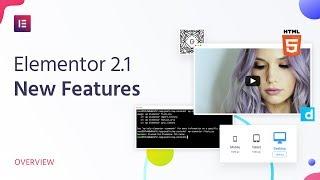
Elementor 2.1: Revamped Video Features & Custom Breakpoints
Added 121 Views / 0 LikesIn this video, we go over several new features of Elementor v2.1, including support for Dailymotion and self-hosted videos, start and end time for videos, modest branding for YouTube videos, custom breakpoints and WP-CLI integration. Read more about v.21: https://elementor.com/2-1-new-features/ Download Elementor: https://elementor.com
-
03:41 Popular

How to Use the Template Library
Added 126 Views / 0 LikesElementor Template Library gives you access to over 100 designer-made page layouts, and 100's of pre-made blocks. In this video, I'm going to show you how to use Elementor Template Library. Get Elementor: https://elementor.com/
-
04:00 Popular

Elementor 2.1: UI Improvements
Added 112 Views / 0 LikesThe new version of Elementor (Free and Pro) introduces several important UI improvements, that are sure to speed up your entire workflow. Copy Style, Copy Paste Elements, Collapsible Category Panel and many other improvements are waiting for every Elementor user to explore. Read more about v2.1: https://elementor.com/introducing-copy-paste Download Elementor 2.1: https://elementor.com
-
02:15 Popular
Introducing Copy Paste
Added 140 Views / 0 LikesWe wanted to release one of the top most requested features, for free: Copy Style & Copy Paste. Copy Style will save you hours of work, allowing you to quickly copy any style from one element to another with a single click. Copy Paste Elements lets you copy widgets, columns and sections and paste it anywhere on the page. Copy Paste Between Pages takes it a step further, and bring the ability to take any style or element from one page, and paste it ins
-
28:52 Popular

How to Design a WordPress Blog Using Elementor
Added 139 Views / 0 LikesIn this video, Elementor educator & designer Dave Foy shows step-by-step how to recreate the popular Flywheel blog. Dave Foy teaches non-coder designers how to build their businesses faster and more profitably with Elementor. Check out Dave's website for a BONUS extra tip we didn't have time to fit into the main video: https://www.designbuildweb.co/elementor-single-builder/
-
09:58 Popular

Web Design Speed Art - Studio Website (#Elementor, #Photoshop)
Added 143 Views / 0 LikesWeb design studios and agencies sometimes have a hard time creating the right look for their website. In this speed art video, we show how to create a beautiful homepage for such a design agency. What's special about this homepage is that it uses elaborate curved images to create a unique fluid style. It shows how easy it is to combine Photoshop and Elementor to create any desired and original design you can think of. Get Elementor Pro: https://elemen
-
01:37 Popular

Add Post Navigation to WordPress Posts
Added 113 Views / 0 LikesUsing Elementor, you can easily add Post Navigation to your blog, helping site visitors to easily navigate between your posts. In this video, we show how to add Post Navigation to any blog post in WordPress, using Elementor. Get Elementor : https://elementor.com/
-
02:31 Popular

Create a Promotion Box for Your WordPress Blog
Added 124 Views / 0 LikesIn this video, you will learn how to create a beautiful promo box for your website using Elementor. Use the promo box to promote your sales, special offers and anything else you want to highlight and bring focus to.
-
02:14 Popular

How To Change and Style Your Site Logo & Site Title
Added 118 Views / 0 LikesIn this video I'm going to show you how to change and style of your site logo & site title using Elementor theme builder. Learn how to use dynamic content to work smarter, not harder. https://elementor.com/theme-builder/
-
03:13 Popular
How to Design the Archive Template in WordPress
Added 111 Views / 0 LikesThe Archive Template in Elementor Theme Builder lets you create WordPress archive pages, including main blog pages, visually and without code. The content is created dynamically, using Elementor's Dynamic Content feature. Get Elementor Theme Builder: https://elementor.com/theme-builder/
-
02:45 Popular
Add an Author Box Widget to WordPress Posts
Added 116 Views / 0 LikesUsing Elementor, you can easily add an author box to your blog posts, showing bio and links of the post's author. In this video, we show how to add an author box to any blog post dynamically in WordPress, using Elementor's Theme Builder. Get Elementor Theme Builder: https://elementor.com/theme-builder/
-
01:24 Popular

How to Add Breadcrumbs to Your WordPress site
Added 101 Views / 0 LikesElementor makes it easy to add breadcrumbs to your website. Breadcrumbs are the links that let your visitors navigate through the hierarchical structure of your site. Elementor integrates to Yoast SEO's breadcrumbs. You can then easily add the breadcrumbs to any Elementor global template, and add the breadcrumbs across your site with one click. Get Yoast SEO: https://yoast.com/wordpress/plugins/seo/ Get Elementor Pro: https://elementor.com/pro/
-
04:20 Popular

Design Your WordPress Blog Posts With Elementor's Single Post Template
Added 175 Views / 0 LikesIn this post, you will learn how to create a single post template visually, using Elementor Theme Builder. Design spectacular blog posts and define different designs per category, author or tag. Get Elementor Theme Builder, built-in to Elementor Pro: https://elementor.com/theme-builder/ Learn more about the single & archive templates: https://elementor.com/single-archive-builder/
-
02:02 Popular
How to Create a Single Page Template
Added 141 Views / 0 LikesEvery page in WordPress gets its layout from the Single Page template. Using Elementor Theme Builder, you can easily customize that template and affect many pages all at once. Get Elementor Pro: https://elementor.com/theme-builder/
-
02:20 Popular

Introducing Single & Archive Builder: The Visual Way to Design Blogs in WordPress
Added 126 Views / 0 LikesCreate stylish blogs faster and better than ever before. Learn more: https://elementor.com/single-archive-builder/ Now you can create the perfect experience for your Visitors, completely code-free. Thought you needed coding skills for blog design? Not anymore, build your blog posts and main blog page visually, and complete web design projects much faster.
-
01:31 Popular

How to Customize Search Results Pages
Added 156 Views / 0 LikesA search results page is an archive that lists the relevant results according to the visitors search query. Using Elementor Theme Builder, you can quickly customize your site's search results page and add relevant widgets that will improve the page's user experience. Get Elementor Pro: https://elementor.com/theme-builder/ Learn about the Archive Template: https://www.youtube.com/watch?v=7rDIS1Li4jM The Archive tutorial: https://www.youtube.com/watch?v
-
00:57 Popular

Role Manager: How to Restrict Certain User Roles to Only Edit Content
Added 150 Views / 0 LikesIn this video, we show how to use the Role Manager settings to restrict user roles access to Elementor. This way, you can restrict users from either accessing Elementor altogether, or only allow them to edit content. They won't be able to drag and drop, delete or add widgets, only to change the content of existing widgets. This is quite a helpful feature when you want to hand off your work to the client but you don't want that client to mess up your d
-
45:05 Popular

Interview With WPElevation CEO Troy Dean
Added 161 Views / 0 LikesIn this video, we chat with Troy Dean, CEO of WPElevation, and discuss topics related to growing your business as a WordPress professional. For more information about WPElevation's courses: https://wpelevation.com
-
01:10 Popular

Introducing Elementor 404 Page Template
Added 126 Views / 0 LikesEvery website owner knows it's important to have a well designed 404 page. This way, when visitors reach a page that no longer exists, or when they enter a wrong URL, you offer a better user experience and guide them back to the relevant areas of your site. Elementor's 404 Page Template lets you set up a beautiful 404 page in no time. Start with a pre-designed block, or create the entire page from scratch. It only takes a few minutes, and instantly im
-
01:05 Popular

How to Create a Custom 404 Page
Added 116 Views / 0 LikesWhen your creating a new website, it's important to set up a well-crafted 404 error page. 404 is the standard response code that tells the user they reached a page that is unavailable. It's very frustrating for the visitor, but with Elementor's 404 page template, you can design an alluring and creative 404 page that will turn the user's frown into a smile. Incorporating humor, UX and originality is easy using Elementor's intuitive editor. Most brands
-
01:11 Popular
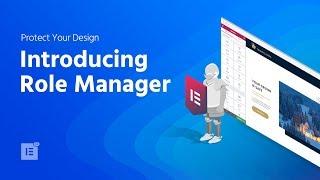
Introducing Role Manager - Protect Your Design
Added 133 Views / 0 LikesGet Elementor Pro, Now with Role Manager: https://elementor.com/pro/ ----- Role Manager is a new feature in Elementor Pro, allowing you to restrict access for certain user roles and never worry about a client ruining your design. Learn more: https://elementor.com/role-manager/
-
06:42 Popular

Building an Interactive Tourism Website on WordPress (100% Elementor)
Added 130 Views / 0 LikesWhile this is not a tutorial, you can certainly slow down the video, and observe as Elementor designer David Markus builds a one page tourism website using Elementor Page Builder for WordPress. This speed art web design video features the recently released Elementor Theme Builder, and shows how to create the header and the footer of the site without code. If you notice, the sticky header feature is also displayed, so the header follows the visitors as
-
02:01 Popular

Create WordPress Header Templates With Elementor Theme Builder
Added 136 Views / 0 LikesGet Elementor header footer builder for WordPress: https://elementor.com/header-footer-builder/ Get Elementor Pro Theme Builder with Header Templates: https://elementor.com/theme-builder/ There is a new way to design WordPress header template, one that requires no coding and works on any theme. Meet Elementor's Header template. Design any header you can imagine in a new, visual and code-free way.
-
01:20 Popular
How to Create a WordPress Footer Using Elementor Theme Builder
Added 135 Views / 0 LikesYou can now fully customize your footer area, no matter which WordPress theme you are using. It's all done in a visual, code free way, using Elementor Theme Builder. Experience what it's like to design footers however you like, while viewing the result while making the changes. You won't ever want to customize footers any other way. Determine exactly where in your site the footer template will appear, using Elementor's unique display conditions. Get E









