Wordpress
-
05:35 Popular

Technical Support: Your changes do not appear online? Here's what to do
Added 115 Views / 0 LikesSometimes changes you make in Elementor’s editor don’t appear online on your live page. In this video, we'll learn how to troubleshoot and fix the issue step by step, so we can get back to designing with Elementor in no time. For more information visit our Docs: https://docs.elementor.com/ Get Elementor: https://elementor.com/ Get Pro: https://elementor.com/pro
-
12:26 Popular
How to Use Custom Positioning Units For Best Mobile Responsive Behavior
Added 115 Views / 0 LikesLearn how to use the custom positioning units (px.%, VH, VW) with responsive behavior in mind. You will learn: •︎ The difference between px, %, VH & VW •︎ How to properly use these values •︎ Best positioning practices for mobile responsive behavior Learn more about custom positioning here: https://www.youtube.com/watch?v=RA0T52VB2Os Learn More: https://elementor.com/blog/introducing-flexible-layout/ Get Elementor Pro: https://elementor.com/pro/
-
16:13 Popular
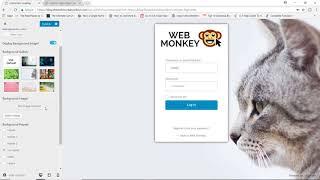
How to Customize the WordPress Login Page
Added 115 Views / 0 LikesIn today's video, you are going to learn how to brand the default WordPress login and registration pages using a very cool plugin called 'LoginPress'. Buy LoginPress - https://wpbrigade.com/ref/T-1000/?campaign=YouTubeDirect Visit our blog - http://thewebmonkeyonline.com/
-
02:01 Popular

WordPress Theme Demo Video - Das Call a Nerd Theme
Added 115 Views / 0 LikesKostenloses Call a Nerd Theme jetzt ausprobieren. Mehr Infos auf https://callanerd.help/wordpress-theme/
-
06:06 Popular

Den WordPress Gutenberg Editor deaktivieren - so funktioniert's
Added 115 Views / 0 LikesIn Kürze wird WordPress einen neuen Editor mit dem Projektnamen Gutenberg bekommen. Wenn du noch nicht sicher bist, ob deine Webseite für Gutenberg vorbereitet ist und du den neuen Editor noch nicht oder nur teilweise nutzen möchtest, kannst du das ganz einfach mit Hilfe eines Plugins tun. Ich zeige dir im Video wie du den Gutenberg Editor ganz einfach deaktivieren oder nur teilweise nutzen kannst. Links aus dem Video: - Classic Editor Plugin: https:/
-
05:11 Popular

WordPress Dashboard Overview [Series]
Added 115 Views / 0 LikesIn this video within our WordPress dashboard tutorial for beginners series we do a quick overview of the WordPress dashboard area. This area is sometimes referred to as the WordPress admin area as well. Within this series you'll get a great intro into the WordPress dashboard and its features. I hope you enjoy it! My Website: http://wpwithtom.com/ Best Hosts: SiteGround: https://wpwithtom.com/siteground GreenGeeks: https://wpwithtom.com/greengeeks Name
-
03:44 Popular

Get a FREE Ice Cream Shop Layout Pack for Divi
Added 115 Views / 0 LikesLearn more: https://www.elegantthemes.com/blog/divi-resources/get-a-free-ice-cream-shop-layout-pack-for-divi Hey Divi Nation! Thanks for joining us for the next installment of our weekly Divi Design Initiative where each week, we give away brand new, free Divi Layout Packs from our design team to you. This time around, Kenny and his team have created a trendy Ice Cream Shop Layout Pack with amazing images and a colorful design style that matches the l
-
02:43 Popular

¿Cómo poner WordPress en modo mantenimiento GRATIS? | WordPress Para Novatos
Added 115 Views / 0 LikesEn este vídeo te explico cómo poner WordPress en modo mantenimiento de una forma muy sencilla. Se trata únicamente de instalar un plugin en WordPress y cumplimentar una serie de campos para personalizar los textos que quieras que muestre. También puedes hacer que aparezcan tus iconos de redes sociales, un boletín de suscripción para que avises a tus lectores cuando tu blog esté online y, por si fuera poco, un contador regresivo avisando del tiempo que
-
2:17:40 Popular

Programa 7 | Mantenimiento WordPress, backups y ACF #WPLIVE7
Added 115 Views / 0 LikesEn este programa hablamos de algo tan importante como el mantenimiento de un sitio WordPress, recibimos una masterclass de ACF y recomendamos lugares interesantes para visitar en Madrid. Tener un sitio web implica muchas responsabilidades, no solo es añadir contenido y publicar la página, sino que tenemos que estar pendientes de muchos aspectos importantes para evitar dolores de cabeza en el futuro. En este programa, charlamos con Carlos Martínez, CEO
-
03:27 Popular

What Is A Web Server?
Added 115 Views / 0 LikesWeb servers make the entire web work, but what are they really? We'll go over what it is, how it works, and how you can safely experiment with one. - Interested in learning even more about WordPress. Check out https://winningwp.com for all kinds of tips, tricks, beginner guides, deals and resources! - Guide to Choosing the Best WordPress Hosting: https://winningwp.com/best-wordpress-hosting/ - Beginner WordPress Guides: https://winningwp.com/guides/ -
-
06:09 Popular
How to Use the NextGen Gallery Plugin for Wordpress - 2013
Added 115 Views / 0 Likeshttp://www.wpsculptor.com This video is a follow up video to my How to Create a Custom WordPress Website - BEGINNERS found here: http://www.youtube.com/watch?v=sPR_I00comE When I published the original video, the section on how to use the NextGen Gallery plugin is no longer up to date. With several updates to the plugin since then, it was time to do a quick video on how to use the current version of NextGen Gallery.
-
05:14 Popular

Easily add Unsplash photos to your WordPress blog | Unsplash WP Plugin
Added 115 Views / 0 LikesHere's how to add awesome free photos from Unsplash.com right into your WordPress post or media library. This plugin is easy to use and as straight forward as it comes.Install the plugin, and start searching from the amazing collection of photos from Unsplash. Great for bloggers, place holder images or content marketing efforts. Learn more: https://plugintut.com Subscribe! https://plugintut.com/subscribe Follow us! http://twitter.com/plugintut Like us
-
01:37 Popular

WordPress tutorials & training videos!
Added 115 Views / 0 Likeshttps://plugintut.com/subscribe Welcome to the channel! Learn more: https://plugintut.com Subscribe! https://plugintut.com/subscribe Follow us! http://twitter.com/plugintut Like us! http://facebook.com/plugintut
-
1:26:17 Popular

Wordpress Website Erstellen -2019- Tutorial in 20 EINFACHEN Schritten | (Deutsch|German)
Added 115 Views / 0 LikesLerne wie du eine Webseite in nur 20 einfachen Schritten erstellen kannst. Schritt für Schritt Tutorial • WordPress Hosting https://www.webseitenmachen.de/siteground * (50% Rabatt) (Über den Link unterstützt du mich :) ) • Siteground Review : https://webseitenmachen.de/review/ Inhaltsübersicht : 1.) Einführung - 00:00:00 2.) Domain Name & Hosting bekommen – 00:02:40 (denk bitte an meinen Link wenn du mich unterstützen möchtest : www.webseitenmachen.de
-
12:11 Popular

Elementor Pro Gallery widget vs Envira Gallery vs The WORLD!
Added 115 Views / 0 LikesElementor Pro continues it's dominance and release cycle of exciting new features, this time taking on the WordPress gallery plugin space. Elementor Pro gallery widget is shaping up to be a pretty powerful solution for website creators without the need to install another plugin....maybe? Check out today's video to get my thoughts on the new features and how it stacks up to traditional plugins. GET ELEMENTOR PRO: https://plugintut.com/go/elementor Lear
-
01:53 Popular
Introducing Pro Gallery: The Best Gallery Solution for WordPress
Added 115 Views / 0 LikesNEW! Pro Gallery Widget: https://elementor.com/blog/introducing-pro-gallery/ Forget WordPress gallery plugins! Elementor's Pro Gallery is the best responsive gallery for your website. Gain more control over every small aspect of your gallery design, and showcase your images beautifully. The Pro Gallery widget comes with a lightweight library we developed, masonry and justified layouts, hover and sequence animations and much more. Get Elementor Pro: h
-
06:29 Popular

Download the Sixth FREE Theme Builder Pack for Divi
Added 115 Views / 0 LikesLearn more: https://www.elegantthemes.com/blog/divi-resources/download-the-sixth-free-theme-builder-pack-for-divi Get 10% Discount: Join - https://www.elegantthemes.com/discount/today/ Renew - https://www.elegantthemes.com/members-area/renew/?discount=10 Upgrade - https://www.elegantthemes.com/members-area/membership/discount/ Hey Divi Nation, thanks for joining us in a very special installment of our ongoing Divi design initiative. As a part of our D
-
08:29 Popular

Google Site Kit Plugin For WordPress - It's Out of Beta!
Added 115 Views / 0 LikesGrab Your Free 17-Point WordPress Pre-Launch PDF Checklist: http://vid.io/xqRL Google Site Kit Plugin For WordPress - It's Out of Beta! https://youtu.be/QckmtjgAIp4 //* Join our private Facebook group today! https://www.facebook.com/groups/wplearninglab //* This is great for yourself and for your clients: Google Site Kit plugin for WordPress is out of Beta. In this tutorial I show you how to install it on your site and how to find/use the data dashboa
-
23:41 Popular

Divi Black Friday Deal Final Update LIVE (2019)
Added 115 Views / 0 LikesMultistreaming with https://restream.io/ Welcome to Elegant Themes’ biggest, craziest Black Friday Sale of all time. Not only are we offering the largest discount we’ve ever offered on Divi, but we’ve got thousands of prizes, bonus deals, and exclusive gifts for new members, upgrading members, and existing lifetime members. Get our 25% Off Black Friday Deal Here: https://www.elegantthemes.com/blackfriday If you’re already a Lifetime Member and want to
-
09:47 Popular

3 Reasons to Choose Theme Builder Over Themes - Monday Masterclass
Added 115 Views / 0 LikesIn this Monday MasterClass, we examine the advantages of the Elementor Theme Builder and ways that we use it to design and build websites far beyond the limitations of themes in WordPress. This episode covers a lot of valuable web-building information for all levels looking to learn: The difference between Themes and Templates in WordPress How to create headers, single pages and other website elements with Theme Builder How designs built using Theme B
-
02:03 Popular

Introducing The Divi Layout Block For Gutenberg
Added 115 Views / 0 LikesLearn more here: https://www.elegantthemes.com/blog/theme-releases/introducing-improved-compatibility-with-the-gutenberg-editor Today we are improving Divi’s integration with Gutenberg, WordPress’s new post editor, with the introduction of the Divi Layout Block. The Divi Layout Block brings the power of Divi to Gutenberg, allowing you to load Divi layouts or build new Divi layouts right inside the Gutenberg editor. This means you don’t always need to
-
01:45 Popular

[COMING SOON] Elementor Pro 2.9 is Almost Here. Get Ready For an Extra-Global Release!
Added 115 Views / 0 LikesElementor Pro 2.9 is just around the corner. In this special BETA sneak peek you'll see all the new features: • Full Site Editing - Design any part of your site all from one screen, header to footer. • Dynamic Colors - Embed dynamic color values globally in widgets that have color fields. • Global Custom CSS - Add custom CSS rules that apply to your entire site. • Semantic HTML Tags - Assign HTML tags to your site parts. Elementor Pro v2.9 adds more a
-
20:16 Popular

How to Create a Minimal Product Page with Divi’s WooCommerce Modules
Added 115 Views / 0 LikesDivi’s new WooCommerce Modules update has been long-awaited and now that it’s here, the possibilities to customize product pages have become endless. Today, we’ll show you how to use Divi’s built-in options and the new WooCommerce Modules to create a customized minimal product page that you can reuse for all your product pages. You’ll be able to download the JSON file for free as well! Read more: https://www.elegantthemes.com/blog/divi-resources/how-t
-
04:45 Popular

How to Install Facebook Pixel on WordPress in 2020 (3 easy steps)
Added 115 Views / 0 LikesIn this video, I will show you how to install a Facebook Pixel on your WordPress website, in 3 easy steps. If you do Facebook Ads and you are serious about that you would definitely want to target people that are already visiting your site and the Facebook Pixel will help you do just that and even more. Table of contents: Step 1: Go to your Business Settings 0:26 Step 2: Create a new Pixel and install it 1:32 Step 3: Create Custom Audiences 3:27 It wi
-
26:58 Popular

How to Automatically Generate Container Space for Your Fixed Divi Header (Using JQuery)
Added 115 Views / 0 LikesWhen opting for a fixed header on your website, you’ll automatically find yourself using Divi’s built-in position options. The fixed position option inside Divi allows you to stick any element to a specific location on your page. When using a fixed position, however, the container space of your element is removed. The fixed header floats on top of your page content creating an overlap that you don’t necessarily want. To avoid this, you can generate co
-
1:03:01 Popular

Webinar w/ Noah Kagan: Business Success During Crisis
Added 115 Views / 0 LikesNoah Kagan, founder of 2 multi-million dollar businesses: AppSumo and Sumo.com, discusses how to ‘recession proof’ your business. From profitable Ecommerce opportunities to downsizing and budgeting tips, Noah shares tips that are specifically targeted towards web creators, freelancers and agencies who want to grow their business during this crisis. Become an Elementor Experts: https://experts.elementor.com/ Get Elementor: https://elemn.to/get-elemento
-
11:41 Popular

Increase Sales Using Login Funnels [NINJA TACTIC] - WooCommerce Tutorial
Added 115 Views / 0 LikesIn this tutorial, I'll show you how to increase your store's revenue by adding simple login funnels to your online store. This is so easy to start using on your WooCommerce website and there is nothing to buy. To get the snippet of code visit this link on my website https://www.wpcrafter.com/login-funnels Here is the link to the full setup tutorial for CartFlows and WooCommerce https://www.youtube.com/watch?v=cagYPks1LLk • WordPress Deals May 2020 • *
-
00:45 Popular

Global Settings ️ Coming Soon [Sneak Peek]
Added 115 Views / 0 LikesIt's almost here, and it's going to have a substantial impact on your web design workflow! Here's a little sneak peek of what's coming soon to Elementor. Web creators will be able to implement their design system and work smarter instead of harder. Let us know in the comments if you've been expecting our Global Typography and Global Colors features.
-
33:43 Popular

Huge WordPress Update Coming v5.5 - Everything Is About To Get A Whole Lot Better
Added 115 Views / 0 LikesIn this WordPress tutorial, I'll reveal everything coming to WordPress 5.5 that may change how you use WordPress forever, for the good. In the video, I used the FREE Kadence Theme and Kadence Blocks, here is how to get them. Kadence Theme https://www.wpcrafter.com/kadence * Theme will be in the repo soon, there is a pro version coming, coupon down below Kadence Blocks https://wordpress.org/plugins/kadence-blocks/ Table Of Contents 00:00:00 WordPress 5
-
20:44 Popular
Add A Custom Testimonials Loop Anywhere Using Elementor, CPT UI, ACF & Elementor Section Shortcode
Added 115 Views / 0 LikesPost loops are a lot of fun when you're using them to create a nice template to display your posts. Even better is creating custom post loops using the Elementor Custom Skin plugin to make them completely customized. Even better is creating a custom loop for a custom post type containing advanced custom fields data and putting that custom loop into an Elementor section. Then using the section shortcode to add that custom loop to ANYWHERE on your site









