Wordpress
-
08:56 Popular

GeneratePress Block Elements | Custom footers with Gutenberg & more!
Added 115 Views / 0 LikesBlock Elements for GeneratePress are going to push GP into a full site building experience. Once you leverage the dynamic display conditions, your e-commerce & membership sites are going to a whole new level. I'm impressed with what the team at GP is doing recently with Gutenberg and GenerateBlocks Pro in the future. Stay tuned for more! Get GeneratePress Pro: https://plugintut.com/go/generatepress 00:01 Introduction 01:00 Elements section for footers
-
05:42 Popular

How to Undo Changes in WordPress with Post Revisions
Added 115 Views / 0 LikesAre you looking to undo changes on your WordPress site? WordPress has a built-in feature that allows you to undo changes and go back to a previous version of a post when you make changes that are saved when publishing a post. In this video, we will show you how to easily undo changes in WordPress with post revisions. This video is sponsored by MonsterInsights, a powerful plugin to help you use your analytics information to the fullest, take a look at
-
17:46 Popular
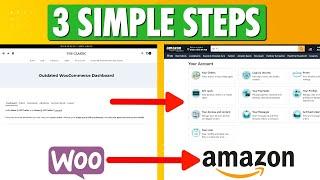
Customize Ugly WooCommerce My Account Dashboard To Look Like Amazon
Added 115 Views / 0 LikesLet's face it, the My Account page in WooCommerce is ugly. It's always been ugly, but the great news is, it's easy to replace it with something awesome. In this video I am going to show you how to replace the WooCommerce my account page in 2 simple steps. Table Of Contents 00:00:00 What We Are Doing 00:01:14 Step 1 Design Your New Dashboard 00:11:50 Step 2 Hide The Navigation 00:13:05 Step 3 Change Visibility Settings 00:15:46 Use My Template Grab the
-
07:07 Popular

How To Use Any WordPress Page Builder With Genesis Theme From Studiopress
Added 114 Views / 0 LikesHow To Use Any WordPress Page Builder With Genesis Theme From Studiopress More inf: https://www.wpcrafter.com Easily integrate any page builder with Genesis in 3 mouse clicks. Use popular page builders like Beaver Builder, Elementor, and even Divi 3. Table of Contents: 00:22 Why its essential to integrate page builder with your theme 00:44 Standard Genesis theme 01:22 Plugins Area - Genesis Dambuster 01:38 Problems with Genesis Dambuster 02:32 Easy th
-
25:27 Popular

VooPlayer Review After Using It For 4 Years To Host Sales & Course Videos
Added 114 Views / 0 LikesIn this VooPlayer review, I will share my experiences using it since 2015 to host my sales videos and course lesson videos. More info https://www.wpcrafter.com/vooplayer The main highlights are the video HLS security. The video player customizations. And more. ~~~~~~~~~~~~~~~~~~~~~ All of my opinions in this video are my own, I was not paid to make this video. Whenever there is a link in any of my videos, if there is an affiliate program available, it
-
33:25 Popular

How To Make A Free Chatbot For Your Website And Facebook Page
Added 114 Views / 0 LikesIn this tutorial, I'll show you how to make a free chatbot and add it to your website. There are so many great uses for chatbots and after watching this video you will be able to create as many as you want. More Info: https://www.wpcrafter.com/mobilemonkey
-
31:21 Popular

Best Free Helpdesk Ticket System - Freshdesk Setup Tutorial, How I Use It, Why You Should....
Added 114 Views / 0 LikesIn this video, i'll show you how I use the free Freshdesk plan to be more productive and more organized in my business. It is the single best tool I have started using this year. More info: https://www.wpcrafter.com/freshdesk
-
03:16 Popular

WordPress SEO - Add A No Follow Attributes To Main Navigation Links | WP Learning Lab
Added 114 Views / 0 LikesGrab Your Free 17-Point WordPress Pre-Launch PDF Checklist: http://vid.io/xqRL Download our exclusive 10-Point WP Hardening Checklist: http://bit.ly/10point-wordpress-hardening-checklist WordPress SEO - Add A No Follow Attributes To Main Navigation Links | WP Learning Lab In this tutorial I'm going to show you how to add nofollow links in WordPress navigation menus. In case you're not familiar with nofollow links, the may be important for your WordPre
-
03:25 Popular

Set As Homepage Any Page In WordPress | WP Learning Lab
Added 114 Views / 0 LikesGrab Your Free 17-Point WordPress Pre-Launch PDF Checklist: http://vid.io/xqRL Set As Homepage Any Page In WordPress | WP Learning Lab You can set as homepage any page on your WordPress site. It's quick and easy to set a homepage in the WordPress settings. By setting a page as the homepage or frontpage, it will be the page that loads when someone visits your root domain name (for example, www.YourDomain.com) To make this work, you first have to create
-
04:34 Popular

WordPress Autosave - How To Change The Autosave Time Frame | WP Learning Lab
Added 114 Views / 0 LikesGrab Your Free 17-Point WordPress Pre-Launch PDF Checklist: http://vid.io/xqRL Download our exclusive 10-Point WP Hardening Checklist: http://bit.ly/10point-wordpress-hardening-checklist WordPress Autosave - How To Change The Autosave Time Frame | WP Learning Lab define( 'AUTOSAVE_INTERVAL', X ); In this tutorial you will learn how to change the autosave time frame that WordPress uses when you are creating your pages and posts. By default WordPress au
-
18:22 Popular

Create A Google Form [2017] Complete Walkthrough
Added 114 Views / 0 LikesCreate A Google Form [2017] Complete Walkthrough https://youtu.be/Fqig1Sq27zk Make sure you join the facebook group: https://www.facebook.com/groups/wplearninglab Create A Google Form The first step to create a google form is to make sure you have a Google Drive account. If you don’t, go to drive.google.com to create one. As with most Google products, it’s free. Your Google Drive account will be associated with your Gmail account. If you do not have o
-
03:37 Popular

Add A Custom WordPress Child Theme Thumbnail
Added 114 Views / 0 LikesGrab Your Free 17-Point WordPress Pre-Launch PDF Checklist: http://vid.io/xqRL Add A Custom WordPress Child Theme Thumbnail https://youtu.be/k27am4ofH6w WordPress child theme thumbnails help you add an extra bit of custom polish to your themes. This is important if you're doing work for clients or making your own professional themes. Download your exclusive 10-Point WP Security Checklist: http://bit.ly/10point-wordpress-hardening-checklist Subscribe t
-
06:23 Popular

How To Embed Amazon S3 Player In WordPress Without A Plugin for 2018
Added 114 Views / 0 LikesGrab Your Free 17-Point WordPress Pre-Launch PDF Checklist: http://vid.io/xqRL How To Embed Amazon S3 Player In WordPress Without A Plugin for 2018 https://youtu.be/_567eK-CMQw Exclusive for WPLearningLab viewers, up to 50% off hosting: https://wplearninglab.com/wordpress-hosting-offer/ Blog post with embed code: https://wplearninglab.com/amazon-s3-video-embed-code/ The easiest Amazon S3 player for WordPress is the HTML5 video player. All you need is
-
02:45 Popular
How To Create A Discount Code With Paid Membership Pro
Added 114 Views / 0 LikesGrab Your Free 17-Point WordPress Pre-Launch PDF Checklist: http://vid.io/xqRL How To Create A Discount Code With Paid Membership Pro https://youtu.be/diDUtYRbTCk You can entice more people to join your membership by providing discount codes. But you have make sure that your membership provides great value otherwise they won't stick around. Stop brute force attacks before they happen with this workshop: https://wplearninglab.com/brute-force-eliminator
-
06:19 Popular

Wordpress Media Library Folders - Better Media Organization
Added 114 Views / 0 LikesGrab Your Free 17-Point WordPress Pre-Launch PDF Checklist: http://vid.io/xqRL Wordpress Media Library Folders - Better Media Organization https://youtu.be/5Q73CNfV9tI Join our private Facebook group today! https://www.facebook.com/groups/wplearninglab WordPress media library folders you will help you organize your media library a lot more than you can with default #WordPress tools. The media library is almost always a dumping ground for images, and s
-
07:06 Popular

How To Find Out What Theme A Website Is Using - WhatWPThemeIsThat.com
Added 114 Views / 0 LikesGrab Your Free 17-Point WordPress Pre-Launch PDF Checklist: http://vid.io/xqRL How To Find Out What Theme A Website Is Using https://youtu.be/n6G0mrH7k04 Join our private Facebook group today! https://www.facebook.com/groups/wplearninglab WhatWPThemeIsThat: http://whatwpthemeisthat.com/ There are to ways to find out what theme a website is using: automatic and manual. The automatic way using a website like "What Theme Is That". If successful it will t
-
09:43 Popular

Contact Form 7 Get Value From URL Using Javascript & Autofill Fields Dynamically
Added 114 Views / 0 LikesGrab Your Free 17-Point WordPress Pre-Launch PDF Checklist: http://vid.io/xqRL Contact Form 7 Get Value From URL Using Javascript & Autofill Fields Dynamically https://youtu.be/2nUOQl4E9HY Blog post with code: https://wplearninglab.com/contact-form-7-get-value-from-url/ Join our private Facebook group today! https://www.facebook.com/groups/wplearninglab How to prefill contact form 7 fields with values from the URL. This method works with all types of
-
10:40 Popular

Screaming Frog SEO Spider - Find Broken Internal Links
Added 114 Views / 0 LikesGrab Your Free 17-Point WordPress Pre-Launch PDF Checklist: http://vid.io/xqRL Check out the free WP & Online Marketing Summit For Beginners. The online event is June 18, 2019: https://events.wplearninglab.com/ In this tutorial, we're going to use Screaming Frog to find broken internal links on our site. These are links that link from one page on your site to another, but for whatever reason, the destination page doesn't exist, so it gives a 404 error
-
21:57 Popular

How To Auto Post WordPress To Social Networks With FS Poster
Added 114 Views / 0 LikesGrab Your Free 17-Point WordPress Pre-Launch PDF Checklist: http://vid.io/xqRL We've all been there, manually posting blog posts to our social media accounts. The process is so painful that we stop doing it shortly after we start. Or we post to just one social network and tell ourselves we'll post to the others when we get around to it. A better solution, we use the magic of computers and automate our social posting. There are lots of options to help
-
01:12 Popular

How to Disable Directory Browsing in WordPress
Added 114 Views / 0 LikesIf your webserver does not find an index file it automatically displays an index page showing the contents of the directory. This makes your site vulnerable to hacks by showing the information needed to get into your theme or a plugin. In this video, we will show you how to disable directory browsing in WordPress. If you liked this video, then please Like and consider subscribing to our channel for more WordPress videos. Text version of this tutorial:
-
01:03 Popular

How to Set Expire Date for Widgets in WordPress
Added 114 Views / 0 LikesWidgets are a great way to add personality to your sidebars or widget-ready areas. You can customize the display, hide the titels, or even display them in post or page content. In this video, we will show you how to set an expire date for widgets in WordPress. If you liked this video, then please Like and consider subscribing to our channel for more WordPress videos. Text version of this tutorial: http://www.wpbeginner.com/plugins/how-to-set-expire-da
-
01:15 Popular

How to Add a Beautiful Gallery Carousel in WordPress without Jetpack
Added 114 Views / 0 LikesSome users want to add photos to their site and show them off well like Jetpack does. The only problem is Jetpack wants you to connect to WordPress.com for it to keep the features. In this video, we will show you how to add a gallery carousel in WordPress without Jetpack. If you liked this video, then please Like and consider subscribing to our channel for more WordPress videos. Text version of this tutorial: http://www.wpbeginner.com/plugins/how-to-a
-
00:57 Popular

How to Display Your Top Commenters in WordPress Sidebar
Added 114 Views / 0 LikesSome blogs display the top commentators on their site to show who is commenting the most on their site. This can improve interaction in your comments section for some sites. In this video, we will show you how to display your top commenters in your WordPress sidebar. If you liked this video, then please Like and consider subscribing to our channel for more WordPress videos. Text version of this tutorial: http://www.wpbeginner.com/plugins/how-to-displa
-
01:42 Popular

9 Most Popular Free Responsive WordPress Slider Plugins
Added 114 Views / 0 LikesThere are many options for WordPress sliders available for WordPress. We compared the three best WordPress slider plugins, but it is always good to know some of the options out there. In this video, we will show you the 9 most popular free responsive WordPress slider plugins. If you liked this video, then please Like and consider subscribing to our channel for more WordPress videos. Text version of this tutorial: http://www.wpbeginner.com/showcase/9-m
-
01:07 Popular

How to Add Facebook Style Autocomplete for WordPress Posts
Added 114 Views / 0 LikesFacebook's auto complete functionality is handy for mentioning things you want to tag. You can mention older articles using this method with a plugin. In this video, we will show you how to add Facebook Style auto complete for posts. If you liked this video, then please Like and consider subscribing to our channel for more WordPress videos. Text version of this tutorial: http://www.wpbeginner.com/plugins/how-to-add-facebook-style-autocomplete-for-word
-
01:16 Popular

How to Add Featured Video Thumbnails in WordPress
Added 114 Views / 0 LikesSome sites you may want to have a video as your post's thumbnail instead of a featured image. Normally WordPress would not allow this to be done but there is a plugin for that. In this video, we will show you how to add featured video thumbnails in WordPress. If you liked this video, then please Like and consider subscribing to our channel for more WordPress videos. Text version of this tutorial: http://www.wpbeginner.com/plugins/how-to-add-featured-v
-
01:53 Popular

How to Avoid Accidental Publishing in WordPress
Added 114 Views / 0 LikesAccidentally publishing a post is something you definitely want to avoid on your site. Even the most experienced bloggers have accidentally published their post or page. In this video we will show you how to easily avoid accidental publishing in WordPress. Text version of this tutorial: http://www.wpbeginner.com/plugins/how-to-avoid-accidental-publishing-in-wordpress/ If you liked this video, then please Like and consider subscribing to our channel fo
-
06:09 Popular
How to Add Underline and Justify Text Buttons in WordPress
Added 114 Views / 0 LikesThere are a few methods for adding the underline and justify buttons in the WordPress post editor. These buttons were removed in WordPress 4.7 but there are ways to add them back. In this video we will show two methods for adding the buttons. Text version of this tutorial: http://www.wpbeginner.com/plugins/how-to-add-underline-and-justify-text-buttons-in-wordpress/ If you liked this video, then please Like and consider subscribing to our channel for m
-
04:35 Popular

How to Deactivate All Plugins When Not Able to Access WP Admin
Added 114 Views / 0 LikesDoes your site have an error that is preventing you from reaching your wp-admin? Some sites will ask that you disable all of your plugins which if you do not have access to your admin area can seem confusing to a new user but we're here to help remove that confusion. In this video, we will show you how to deactivate all plugins when not able to access your wp-admin. For the first method we are recommending using an FTP, if you do not know what that is
-
18:17 Popular

How to Add a Variable Product to Your Ecommerce Website
Added 114 Views / 0 LikesGet the Premium Plugin here : https://getwooplugins.com/?ref=2575 Get the best tools for your website • https://websitelearners.com/tools/ Learn How to add variable product to your E-commerce Website By adding a variable product , you can display your products in different variations. So after watching this video You will know How to add your product variations How to add specific price & image for your variations How to add two set of variations to t









