Wordpress
-
35:45
How to Design a Welcome Gate for Your Page in Divi
Added 96 Views / 0 LikesMultistreaming with https://restream.io/ Hey Divi Nation, welcome to a brand new Divi Use Case live stream where each week we show you how to add new design and functionality to your Divi website. In this tutorial, we are going to show you a quick and easy way to add a custom welcome gate to your web page without using a plugin. This may come in handy for boosting the conversions of your CTAs on landing pages. Check it out! You can read the post for t
-
28:52 Popular

How to Design a WordPress Blog Using Elementor
Added 139 Views / 0 LikesIn this video, Elementor educator & designer Dave Foy shows step-by-step how to recreate the popular Flywheel blog. Dave Foy teaches non-coder designers how to build their businesses faster and more profitably with Elementor. Check out Dave's website for a BONUS extra tip we didn't have time to fit into the main video: https://www.designbuildweb.co/elementor-single-builder/
-
21:28

How to Design Abstract Lines to Frame Your Content in Divi
Added 96 Views / 0 LikesDivi allows you to create abstract lines in many different ways using the Visual Builder. Dividers, Borders, Background Gradients, and Box Shadows all have the options you need. And if you get a little creative with the spacing, you can use a combination of all these elements to frame your content in creative ways. In this tutorial, I’m going to show you how to easily transform a section of your layout into a unique design using lines. Read the articl
-
12:05

How to Design an Animated Clock with Divi’s Scroll Effects
Added 100 Views / 0 LikesThe web is full of sites that need design accents related to time (speed optimization, upcoming events, etc.). In most cases, a clock icon or graphic can work great. But, creating an animated clock design will definitely give a unique “spin” to the design of your website. With all of the built-in design options available in Divi, we can create an awesome animated clock design from scratch. In this tutorial, we are going to create an animated clock tha
-
16:27 Popular

How to Design an Attractive Subscribe Section for Any Kind of Website With Divi
Added 122 Views / 0 LikesOne of the main reasons people create websites is to find a new way to approach their target audience. Once you take that first step and start building a website, you start wondering how exactly you’ll be able to get in touch with your potential clients. One of the things that have proven to help a lot of website owners is list building. It’s all about collecting email addresses from visitors, turning them into leads (and eventually customers) with em
-
15:12 Popular

How to Design an eCommerce Website With Elementor, WooCommerce & Storefront
Added 151 Views / 0 LikesUPDATE: We just released a new tutorial on the subject: https://www.youtube.com/watch?v=F2gyAeZdU9s Get Elementor Pro with WooCommerce widgets: https://elementor.com/pro In this video, you will learn how to design a complete eCommerce hompage and contact page, using Elementor, WooCommerce and StoreFront. Storefront is the free and official theme for WooCommerce, the most popular eCommerce store solution for WordPress. By utilizing the visual design ca
-
10:47
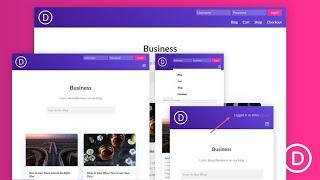
How to Design an Inline Login Form for a Custom Global Header in Divi
Added 98 Views / 0 LikesCreating an inline login form for your header can be a wonderful boost to user experience. They are perfect for membership sites and online stores because it makes it really easy for users to login at any time or on any page of the site. In this tutorial, we are going to show you how to design an inline login form for a custom header user the Divi Theme Builder. To do this, we will build a simple responsive global header and then design a compact inli
-
09:51

How To Design Awesome Product Pages With Gutenberg In WooCommerce
Added 75 Views / 0 LikesIn this WooCommerce tutorial, I am going to show you how to make impressive product pages simply by adding a small snippet of code to your website. Say goodbye to boring and hello to exciting product pages that drive conversions. Code Snippet // enable gutenberg for woocommerce function activate_gutenberg_product( $can_edit, $post_type ) { if ( $post_type == 'product' ) { $can_edit = true; } return $can_edit; } add_filter( 'use_block_editor_for_post_t
-
59:44
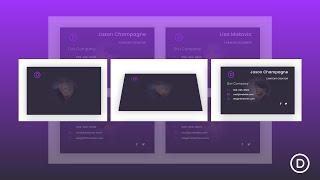
How to Design Business Cards with Flip Animation on Click to Showcase Your Team in Divi
Added 48 Views / 0 LikesLearn more: https://www.elegantthemes.com/blog/divi-resources/how-to-design-business-cards-with-flip-animation-on-click-to-showcase-your-team-in-divi Business cards are already a familiar and intuitive method for supplying concise information about a person working for a company. So it makes sense to offer that same design on the web. Plus, the information provided on each card can become even more dynamic and interactive, allowing the user to copy in
-
01:00

How to Design Buttons The Right Way! #shorts
Added 50 Views / 0 LikesIn this short video, Nozomi shares 4 tips to design better looking buttons in Elementor. 🔔 Subscribe to our channel!🔔 https://www.youtube.com/c/Elementor?sub_confirmation=1 Get Elementor: https://elementor.com Get Elementor Pro: https://elementor.com/pro For more tutorials on this topic: https://elementor.com/academy/ #shorts #elementor #elementorpro #uxui
-
11:37 Popular

How to Design Custom Full Screen Page Layouts in Divi
Added 127 Views / 0 LikesFull-Screen page layouts can really come in handy in the world of web design. One main benefit of a full-screen page layout is visibility. With full-screen pages, all your page content remains within the browser window. In a world where users are quick to scroll, having all of your content contained within the browser viewport from the start can be refreshing for the viewer and could also help with conversions. If you are familiar with Divi, you shoul
-
59:18

How to Design Custom Image Overlays in Divi
Added 63 Views / 0 LikesHey Divi Nation, welcome to a brand new Divi Use Case live stream where each week we show you how to add new design and functionality to your Divi website. Image overlays have been around for a long time in web design. They are great for engaging visitors by revealing additional content and design elements when hovering over the image. In this tutorial, we are going to show you how to design custom image overlays in Divi. These overlays will change an
-
17:40 Popular

How to Design Effective Buttons for WordPress - Monday Masterclass
Added 131 Views / 0 LikesIn this Monday MasterClass, we look at designing effective buttons for WordPress pages, going beyond our basic understanding of what they are, what they can do, and what they should look like. We explore the versatility of buttons, in both design and function and introduce “The Plus Addons”, a wonderful plugin designed to integrate and expand the variety of options in Elementor even further. This episode covers a lot of valuable web-building informat
-
31:17

How to Design Eye-Catching Book Reviews for Your Divi Ebook Landing Page
Added 95 Views / 0 LikesEvery week, we provide you with new and free Divi layout packs which you can use for your next project. For one of the layout packs, we also share a use case that’ll help you take your website to the next level. This week, as part of our ongoing Divi design initiative, we’re going to show you how to design eye-catching book reviews for your upcoming ebook landing page using Divi’s Ebook Layout Pack and Divi’s built-in options only. This is a great way
-
04:31

How to Design Floating Cards Using Divi’s Blog Module
Added 60 Views / 0 LikesToday, we are going to show you a creative way to showcase blog posts as floating cards in Divi. Every blog or website should seek to have great content that is attractive and, perhaps just as important, accessible. One way to make sure content stays accessible to users is to float it on the page. This is also known as making an element fixed (or sticky). And for the bloggers out there, we’re going to show you how to showcase your blog posts as floati
-
13:48 Popular

How to Design Navigation Menus for WordPress - Monday Masterclass
Added 132 Views / 0 LikesHOW TO DESIGN NAVIGATION MENUS FOR WORDPRESS WEBSITES: https://elemn.to/2NIzT0q In this Monday Masterclass we look at the Navigation Menus (nav. menus), why we need them, and a list of the do’s and don’ts we should be considering when we design these valuable assets for our WordPress sites. This episode covers a lot of valuable web-building information for all levels looking to learn: The importance of navigation menus, their effect on user experience
-
09:54 Popular

How to Design Reflections for Images and Text in Divi
Added 107 Views / 0 LikesDesigning reflections for images and text is a classic design technique that can be used to spice up the content of a web page. And, Divi makes it easy to create these reflections right from the Divi Builder without having to use a photo editor. In this tutorial, I’m going to show you how to design reflections for images and text in Divi. The key to making reflections is to use Divi’s transform scale option to create a mirrored version of the element.
-
10:20

How to Design Scroll Animated Bar Counters with Divi
Added 58 Views / 0 LikesBar counters are used throughout the web to effectively illustrate data or metrics with subtle color animation that represents a certain value. Divi has a dedicated bar counter module that can be used to generate animated bar counters with ease. They are popular additions to about pages, service pages, and case studies Most bar counters seem to animate as they come into view and can be hard to customize. However, in this tutorial, we are going to show
-
45:26 Popular
How to Design Sticky Bars for Product Pages with Divi’s Woo Modules
Added 111 Views / 0 LikesMultistreaming with https://restream.io/ Hey Divi Nation, welcome to a brand new Divi Use Case live stream where each week we show you how to add new design and functionality to your Divi website. In this use case, we are going to design sticky bars for WooCommerce products using Divi’s Woo Modules. We are going to create one sticky bar that includes the “Add to Cart” and another that shows the Cart Notice once an item has been added to the cart. Thes
-
03:13 Popular
How to Design the Archive Template in WordPress
Added 111 Views / 0 LikesThe Archive Template in Elementor Theme Builder lets you create WordPress archive pages, including main blog pages, visually and without code. The content is created dynamically, using Elementor's Dynamic Content feature. Get Elementor Theme Builder: https://elementor.com/theme-builder/
-
08:59 Popular
How to Design Your WordPress Theme with Elementor Theme Style
Added 124 Views / 0 LikesInstead of having to edit CSS code, or struggle with different theme customizers, you can now change different global style settings straight from the Elementor panel. In this video, you'll learn how to set default: • Backgrounds • Body text, Headings, and Links • Form Fields • Buttons • Images • And much more! This is not just for theme styles, but for plugin styles as well. Set your Contact Form 7, WooCommerce, and other WordPress plugins. Don't for
-
01:21

How to Detect AdBlock Users in WordPress
Added 100 Views / 0 LikesAre you looking for a way to detect AdBlock users in WordPress? Many sites rely on ad revenues to support their websites. In this video, we will show you how to detect and stop adblock users in WordPress. If you liked this video, then please Like and consider subscribing to our channel for more WordPress videos. Text version of this tutorial: http://www.wpbeginner.com/plugins/how-to-detect-and-stop-adblock-in-wordpress/ Check us out on Facebook: https
-
05:10 Popular

How to Determine the Best Blogging Platform for You
Added 121 Views / 0 LikesIn today’s video we take a look at how to determine the best blogging platform for you. Blog post: https://www.elegantthemes.com/blog/marketing/best-blogging-platform Like us on Facebook: https://www.facebook.com/elegantthemes/
-
00:58 Popular

How to Disable Automatic Updates in WordPress
Added 138 Views / 0 LikesWordPress can automatically update your website including plugins and themes. Despite the fact they use this mainly for security there is a way to disable this so your site only updates when you're ready. In this video, we will show you how to disable automatic updates in WordPress. If you liked this video, then please Like and consider subscribing to our channel for more WordPress videos. Text version of this tutorial: http://www.wpbeginner.com/wp-tu
-
07:05 Popular
How To Disable Automatic Updates In WordPress
Added 128 Views / 0 LikesAre you wanting to avoid automatic updates on your WordPress site to prevent any issues down the road? Despite the security bonuses, there is a small chance for these updates to break your website. In this video, we'll show you how to disable automatic updates on your WordPress site. This video is sponsored by MonsterInsights, a powerful plugin to help you use your analytics information to the fullest, take a look at MonsterInsights here: ============
-
01:16 Popular
How to Disable Comments in WordPress
Added 129 Views / 0 LikesLooking for an easy way to disable comments in WordPress? When a normal page is created in WordPress Comments are enabled by default. This can get to be a tedious process to do if you post a large number of pages you do not want comments on. In this video, we will show you how to turn off or disable comments in WordPress pages. If you liked this video, then please Like and consider subscribing to our channel for more WordPress videos. Text version of
-
04:30 Popular

How To Disable Comments In WordPress Pages And Posts
Added 163 Views / 0 LikesHow To Disable Comments In WordPress Pages And Posts More info: https://www.wpcrafter.com Disabling comments in WordPress is simple to do but not that obvious. I get asked this question a few times a week so I thought I would make a video on it. How To Disable Comments In WordPress Pages And Posts https://www.youtube.com/watch?v=pDj1B0k0gzI In this video, I will show you how to Disable Comments in Wordpress pages and posts. 00:40 Selecting your Post i
-
01:12 Popular
How to Disable Directory Browsing in WordPress
Added 114 Views / 0 LikesIf your webserver does not find an index file it automatically displays an index page showing the contents of the directory. This makes your site vulnerable to hacks by showing the information needed to get into your theme or a plugin. In this video, we will show you how to disable directory browsing in WordPress. If you liked this video, then please Like and consider subscribing to our channel for more WordPress videos. Text version of this tutorial:
-
00:58

How to Disable Emojis in WordPress 4 2
Added 92 Views / 0 LikesRecently WordPress 4.2 was released and it came with the new Emoji feature that allowed you to use the new Emojis in WordPress. This feature may be fun for some, but some business owners simply do not need or want Emojis on their site. In this video, we will show you how to disable Emojis in WordPress 4.2. If you liked this video, then please Like and consider subscribing to our channel for more WordPress videos. Text version of this tutorial: http://
-
01:00
How to Disable Gravatars in WordPress
Added 86 Views / 0 LikesAvatars allow users to give their online profiles a bit of customization. WordPress uses gravatars to show the same avatar on any gravatar enabled site. In some cases you may want to disable this feature of WordPress. In this video, we will show you how to disable gravatars in WordPress. If you liked this video, then please Like and consider subscribing to our channel for more WordPress videos. Text version of this tutorial: http://www.wpbeginner.com/









