Wordpress
-
03:15
How to Use Layers Theme & Elementor
Added 99 Views / 0 LikesIn this tutorial, we go over the first steps of building a WordPress website using Layers WP theme & Elementor. Layers has recently been acquired by Elementor, and all Layers themes have been made fully compatible with Elementor, and available for FREE. - Get Layers Themes: https://www.layerswp.com/ - Get Elementor: https://elementor.com - Getting started guide: https://docs.elementor.com/collection/1-getting-started
-
09:57 Popular

How Our Team Created a Holiday Greeting Card Generator From Scratch
Added 115 Views / 0 LikesWant to wish your loved ones a merry Christmas and happy holidays? In this video, we'll show you how to create a stunning Greeting Card Generator with Elementor! Heads Up – this one is for our advanced users. In this tutorial you'll learn how to: •︎ Apply the dynamic request parameter •︎ Form redirect after submit •︎ Create a real time live preview Try out the fully functional Greeting Card Generator: https://elementor.com/greeting-card-maker/ Get Pro
-
02:45 Popular

How to Integrate Discord & Elementor
Added 134 Views / 0 LikesElementor integrations save you time by performing tedious tasks for you. Now you can easily integrate Elementor forms with Discord using webhooks. Watch our tutorial & learn how to connect Elementor with Discord to automate your workflow. Get Discord: https://discordapp.com/ Get Elementor : https://elementor.com/ Get Elementor Pro form integrations: https://elementor.com/pro/
-
02:20 Popular

How to Integrate MailerLite & Elementor
Added 162 Views / 0 LikesElementor integrations save you time by performing tedious tasks for you. Now you can easily integrate Elementor forms with MailerLite. Watch our tutorial & learn how to connect Elementor with MailerLite to automate your workflow. Get MailerLite: https://www.mailerlite.com/ Get Elementor : https://elementor.com/ Get Elementor Pro form integrations: https://elementor.com/pro/
-
03:21 Popular
How to Integrate Slack & Elementor
Added 150 Views / 0 LikesElementor integrations save you time by performing tedious tasks for you. Now you can easily integrate Elementor forms with Slack using webhooks. Watch our tutorial & learn how to connect Elementor with Slack to automate your workflow. Subscribe to our channel so you'll be the first to recieve more videos & tutorials! Get Slack: https://slack.com/ Get Elementor : https://elementor.com/ Get Elementor Pro form integrations: https://elementor.com/pro/
-
06:29 Popular

How to Create a 404 Page Template in WordPress With Elementor
Added 116 Views / 0 LikesIn this 404 page series, we will be showing how to create beautiful 404 page templates. Elementor's 404 Page Template lets you set up a beautiful 404 page in no time. In this tutorial you will learn how to: • Use Photoshop to slice your images. • Create a cool design with the Media Carousel widget • Set up a 404 page template with Elementor Here is the page you'll be creating: https://elementor.com/404 Get Elementor's 404 page template, as well as man
-
02:44 Popular
How to Use the Dynamic Contact URL on Your WordPress Website
Added 110 Views / 0 LikesWith Elementor's Dynamic Contact URL, you can connect your website's visitors to WhatsApp, Waze, Google Calendar & more apps with one click. Get Elementor : https://elementor.com/ Join Pro: https://elementor.com/pro/
-
02:22

Introducing Action Links: Connect With Your Clients Seamlessly
Added 79 Views / 0 LikesConnect with your clients seamlessly - introducing Action Links! - Contact Links: Help visitors contact you through phone, WhatsApp, Waze & other apps. - Lightbox Links: Add the video and image lightbox functionality to any Elementor button - Request Parameter: Track user data across all pages and pass it through Elementor Read the full post: https://elementor.com/blog/introducing-action-links/ Get Elementor Pro: https://elementor.com/pro/
-
03:41 Popular
How to Use the Dynamic Request Parameter on Your WordPress Website
Added 102 Views / 0 LikesThe Dynamic Request Parameter is a new and improved way to pass user information inside Elementor. You can use it to track traffic sources, campaigns and conversions as well as show a personalized message to your visitors and even pre-populate forms with your user’s info! Get Elementor : https://elementor.com/ Join Pro: https://elementor.com/pro/
-
01:37 Popular
How to Add a Dynamic Lightbox to Your WordPress Website
Added 122 Views / 0 LikesUsing Elementor, you can easily add a dynamic lightbox for videos and images on your WordPress website or blog. In this video, we'll go over all the settings and options so you can set up your own dynamic lightbox in minutes. Get Elementor : https://elementor.com/ Join Pro: https://elementor.com/pro/
-
57:48 Popular

Grow Your Website Building Business With Elementor
Added 105 Views / 0 LikesOur first live Facebook webinar sparked a lot of interest among our community members, who submitted dozens of questions to our guest and online marketing expert, Troy Dean. For those who missed it, we have recorded and summarized the webinar for you. Enjoy! Get Elementor: https://elementor.com/ Join Pro: https://elementor.com/pro/ Join Our Facebook Community: https://www.facebook.com/groups/Elementors/
-
00:16 Popular

️ Cyber Monday Is Here!
Added 120 Views / 0 LikesLast Chance To Save 25%, Get The Deal Before It's Gone •️ https://elementor.com/cyber-monday/
-
00:16 Popular

Black Friday 2018 Sale is On!
Added 173 Views / 0 LikesDon't miss our biggest sale of the year Get 25% on all plans and upgrades, and enjoy the ultimate WordPress design tool
-
05:10 Popular

Special 80s Black Friday Tutorial [+free template & MEGA SALE]
Added 125 Views / 0 LikesDon't miss the biggest sale of the year: https://elementor.com/black-friday/ Our team at Elementor created a truly BODACIOUS 80's campaign for Black Friday. In this video, we share the awesomeness and show you how to create a retro style landing page for Black Friday. The RADICAL template in the video is already available in Elementor's template library. - Get the effect and code: https://elementor.com/blog/create-80s-style-landing-page/ - Get Elemen
-
04:58 Popular

How to Add the Reviews Widget to Your Wordpress Website
Added 116 Views / 0 LikesUsing Elementor, you can easily add a review to your WordPress website or blog. In this video, we'll go over all the setting and options so you could set up your own reviews widget in minutes. Get Elementor : https://elementor.com/ Join Pro: https://elementor.com/pro/
-
02:43 Popular
How to Add the Star Rating Widget to Your Wordpress Website
Added 125 Views / 0 LikesUsing Elementor, you can easily add star ratings to your WordPress website or blog. In this video, we'll go over all the setting and options so you could set up your own star rating in minutes. Get Elementor : https://elementor.com/ Join Pro: https://elementor.com/pro/
-
03:06 Popular
How to Add a Countdown to Your Wordpress Website
Added 104 Views / 0 LikesUsing Elementor, you can easily add a countdown to your WordPress website or blog. In this video, we'll go over all the setting and options so you could set up your own countdown in minutes. Get Elementor : https://elementor.com/ Join Pro: https://elementor.com/pro/
-
03:21 Popular
How to Add a Sitemap to Your Wordpress Website
Added 127 Views / 0 LikesUsing Elementor, you can easily add a sitemap to your WordPress website or blog. In this video, we'll go over all the setting and options so you could set up your own sitemap in minutes. Get Elementor : https://elementor.com/ Join Pro: https://elementor.com/pro/
-
02:17 Popular

Meet Elementor's New Marketing Widgets: Evergreen Countdown Timer, Star Rating, Reviews & Sitemap
Added 157 Views / 0 LikesSo long expensive bulky marketing tools! Grab the new Evergreen Countdown, Star Rating, Reviews and Sitemap, 4 different widgets to supercharge your marketing workflow. What's included? - Evergreen Countdown Timer: We added tons of functionality to our countdown widget - Star Review: Add social proof and trust to any element in Elementor - Review: Create an engaging review slider with the look & feel of your favorite social platform - Sitemap: Improve
-
01:45 Popular

Introducing Elementor Finder
Added 148 Views / 0 LikesCheck out Elementor's brand new Finder, a search bar that offers easy navigation between different pages & dashboard settings. Easily switch between Elementor pages and posts, and build anything faster with the Finder: - Reach any Elementor page and setting from anywhere - Create new content with a click - And a lot more! Like how it sounds? See it in action https://elementor.com/blog/introducing-finder/
-
46:49 Popular

Create a Dynamic Personal Website in WordPress
Added 102 Views / 0 LikesIn this tutorial, we combine Elementor and PODS (a Custom Fields plugin) to create a dynamic personal website for WordPress. You'll learn how to: • Use dynamic content • Create custom fields with PODS • Edit a single post template with Elementor Subscribe to our Youtube channel and be the first to get our videos! To learn more about WordPress, Elementor, and Custom Post Types: https://elementor.com/wordpress-custom-post-types/ Use Dynamic Content, as
-
01:13 Popular
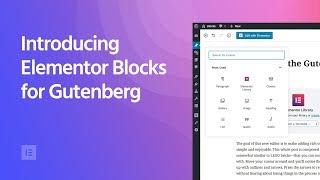
Introducing Elementor Blocks for Gutenberg
Added 143 Views / 0 LikesGutenberg, The new WordPress content editor, is rolling out in a few months. 'Elementor Blocks for Gutenberg' is a new free addon that allows users to add Elementor templates as Gutenberg blocks with one click. Get it here: https://wordpress.org/plugins/block-builder/ Read the full post: https://elementor.com/blog/blocks-for-gutenberg/
-
02:13 Popular

How to Create a Transparent Sticky Header in WordPress with Elementor
Added 134 Views / 0 LikesIn this episode of Tips & Tricks, we'll see how to create a cool sticky transparent header effect using Elementor's new CSS class. You will learn how to: • Make your sticky header transparent • Use CSS to create an animation transition • Change min-height when scrolling Look for the CSS code snippet displayed in the video in the first comment. Get Elementor: https://elementor.com Join Pro: https://elementor.com/pro/
-
02:36

How to use Elementor with Pods Tutorial
Added 72 Views / 0 LikesIn this tutorial, we combine Elementor and Pods to create a dynamic doctors portal website on WordPress. Get Elementor: https://elementor.com Get Elementor Pro: https://elementor.com/pro Get Pods: https://pods.io/
-
02:38

How to use Elementor with Toolset Tutorial
Added 82 Views / 0 LikesIn this tutorial, we combine Elementor and Toolset to create a dynamic doctors portal website on WordPress. Get Elementor: https://elementor.com Get Elementor Pro: https://elementor.com/pro Get Toolset: https://toolset.com/
-
02:41

How to use Elementor with ACF Tutorial
Added 64 Views / 0 LikesIn this tutorial, we combine Elementor and ACF (Advanced Custom Fields plugin) to create a dynamic doctors portal website on WordPress. Get Elementor: https://elementor.com Get Elementor Pro: https://elementor.com/pro Get ACF: https://www.advancedcustomfields.com/
-
01:28 Popular

Introducing Custom Fields Integration: Build More Advanced Sites Without Coding
Added 133 Views / 0 LikesRead the full Custom Fields Integration release: https://elementor.com/custom-fields-integration/ Easily integrate with custom fields from WordPress, ACF, Pods or Toolset, and create more advanced websites without code. Get Elementor: https://elementor.com Get Elementor Pro: https://elementor.com/pro
-
03:18 Popular

Add Video Background to Your WordPress Website - Elementor Tutorial
Added 130 Views / 0 LikesIn this tutorial, you will learn how to add full-screen video backgrounds to your WordPress website using the free Elementor Page Builder plugin. You can choose any YouTube or self-hosted video, and embed it by adding its URL to the section. You will learn how to set the video: • Start and end times • Fallback image (seen on mobile devices) • Background overlay • Blend modes Get Elementor: https://elementor.com
-
09:16 Popular
Header & Footer Design #5: Photography Website
Added 150 Views / 0 LikesIn this Speed Art Series, Elementor's designer David Markus creates beautiful headers & footers using Elementor's Theme Builder. Learn how to create them yourself and how to customize your design to mobile. 02:30 - Header mobile editing. 08:08 - Footer mobile editing. Subscribe to our Youtube channel and be the first to get the upcoming videos of our Headers & Footers Series. Use Dynamic Content, as well as many other features that will help you edit
-
04:27 Popular
Technical Support: Blank Screen When Editing in Elementor? This is How You Fix it
Added 150 Views / 0 LikesEver got a blank page (white screen of death) when editing with Elementor? In this tutorial, we’ll go over all the possible solutions and get you up and running as quickly as possible! Links mentioned in the video: 1. Fatal Error Guide: https://docs.elementor.com/article/417-fatal-error-after-updating-or-installing-elementor 2. Editing WP-Config Guide: https://wordpress.org/support/article/editing-wp-config-php/#increasing-memory-allocated-to-php 3. S









