Wordpress
-
00:59 Popular
How to Add Custom Scrollbar to Any Element in WordPress
Added 110 Views / 0 LikesDo you have a long sidebar that causes issues on certain pages? There is a way to add a scrollbar to almost any element in WordPress. In this video, we will show you how to add a custom scrollbar to any element. If you liked this video, then please Like and consider subscribing to our channel for more WordPress videos. Text version of this tutorial: http://www.wpbeginner.com/plugins/how-to-add-custom-scrollbar-to-any-element-in-wordpress/ Check us out
-
02:49 Popular
How to Rename the Uncategorized Category in WordPress
Added 110 Views / 0 LikesIf you have wanted to rename the uncategorized category in WordPress then luckily there are two easy ways to do so. There are two methods depending on how you are wanting to do it. In this video we will show you how to rename the uncategorized category in WordPress. Text version of this tutorial: http://www.wpbeginner.com/beginners-guide/rename-the-uncategorized-category/ If you liked this video, then please Like and consider subscribing to our channe
-
02:40 Popular
How to Add a Note to Your WordPress Site
Added 110 Views / 0 LikesKeeping track of Different ideas and notes that need to be on your site can be difficult. There are tools such as Evernote or Google keep for your ideas but there is also another method. In this video we will show you how to add a note to your WordPress site. If you liked this video, then please Like and consider subscribing to our channel for more WordPress videos. Check us out on Facebook: https://www.facebook.com/wpbeginner Follow us on Twitter: ht
-
17:36 Popular

How to Make a Resumé Website in WordPress
Added 110 Views / 0 LikesA resume is a good way for you to explain your skills to a potential employer or anyone curious about your skillset. Normally you would email it out as a form but you can also set up a site to show your resume. In this video, we will show you how to create a online reume site in WordPress. Text version of this tutorial: http://www.wpbeginner.com/plugins/how-to-build-a-professional-resume-in-wordpress/ If you liked this video, then please Like and cons
-
06:49 Popular

How to use FTP to upload files to WordPress for Beginners
Added 110 Views / 0 LikesFile Transfer Protocol or FTP is a simple way to transfer files from one computer to another over the internet. This is one of the most popular methods that hosting providers or techinal support recommend for editing your site when you are unable to log in. Text version of this tutorial http://www.wpbeginner.com/beginners-guide/how-to-use-ftp-to-upload-files-to-wordpress-for-beginners/ If you liked this video, then please Like and consider subscribing
-
00:38 Popular

Amazing Website Covers - Travel Drone
Added 110 Views / 0 LikesThis video is part of our amazing website covers collection. It features travel destinations from around the world shot using drones. All the clips within this video are either available via royalty free video purchase sites, or use with permission granted in advance by the original producer of the video clip. Credit for all video portions are listed below. Enjoy! VIDEO COVER CREDITS 1. Girl Raft by SkyMediaPro - https://www.shutterstock.com/video/cli
-
10:52 Popular
WordPress 201 - How to Setup Cache
Added 110 Views / 0 LikesLearn to set up the WordPress cache for your website. Useful WordPress Themes Links: WordPress Blog Themes - https://mythemeshop.com/theme-category/wordpress-blog-themes/ WordPress Business Themes - https://mythemeshop.com/theme-category/wordpress-business-themes/ WordPress eCommerce Themes - https://mythemeshop.com/theme-category/wordpress-ecommerce-themes/ Free WordPress Themes - https://mythemeshop.com/theme-category/free-wordpress-themes/ Magazine
-
04:48 Popular
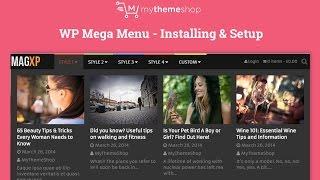
WP Mega Menu - Installing & Setup
Added 110 Views / 0 Likeshttps://mythemeshop.com/plugins/wp-mega-menu/ WP Mega Menu is the best WordPress Menu plugin to create stunningly beautiful and responsive WordPress Menus. Useful WordPress Themes Links: WordPress Blog Themes - https://mythemeshop.com/theme-category/wordpress-blog-themes/ WordPress Business Themes - https://mythemeshop.com/theme-category/wordpress-business-themes/ WordPress eCommerce Themes - https://mythemeshop.com/theme-category/wordpress-ecommerce-
-
04:50 Popular
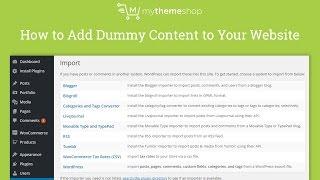
How to Add Dummy Content to Your Website HD
Added 110 Views / 0 LikesLearn how to add dummy content to your WordPress website. Follow the above step-by-step tutorial to do so. Useful WordPress Themes Links: Premium WordPress Themes - https://mythemeshop.com/themes/ Free WordPress Themes - https://mythemeshop.com/theme-category/free-wordpress-themes/ Useful WordPress Plugins Links: Premium WordPress Plugins - https://mythemeshop.com/plugins/ Free WordPress Plugins - https://mythemeshop.com/plugin-category/free/ Connect:
-
02:46 Popular

How to fix “Briefly Unavailable for Scheduled Maintenance” error in WordPress?
Added 110 Views / 0 LikesThe “Briefly Unavailable for Scheduled Maintenance” error can arise in WordPress due to an incomplete WordPress update. When the WordPress is updating, it keeps your website in the maintenance mode till the update gets completed. However, due to an interruption during the update, it might happen that WordPress does not remove the maintenance mode which could further lock down the whole site from being used by the visitors and even the admin of the web
-
05:36 Popular

How To Create A WordPress Website For Your Podcast
Added 110 Views / 0 LikesYou can create your own podcasting website in WordPress by using the Blubrry Plugin - http://bit.ly/2kBvzPU A website for your podcasts might be intimidating but is quite straight forward. If you need a web host for your website, check this video: https://www.youtube.com/watch?v=G3305M7RkTE&t=10s Download the Blubrry here - https://wordpress.org/plugins/powerpress/ ========================== Other Useful Links and Videos that will help you build your
-
04:47 Popular
How To Install And Setup Zillah WordPress Theme
Added 110 Views / 0 Likes#1 WordPress Theme for Bloggers and Writers. VIEW LIVE DEMO: http://bit.ly/2l4AmdB The set of customization options will help you give your website a personal touch, without overwhelming you with countless settings and options that you have to work through before you can get your site online. If you value style and simplicity, the Zillah WordPress blogging theme will appeal to you. ========================== Other Useful Links and Videos that will hel
-
03:39 Popular

Plugin Highlight 02: Best Slider Plugins to Pair with Divi
Added 110 Views / 0 LikesIn this Divi Plugin Highlight we highlight three community recommended slider plugins that pair well with Divi. Each of these plugins has been tested on several different types of Divi websites. Read the accompanying blog post: http://goo.gl/Ai8chP Watch full episode: https://youtu.be/Ls-BIdlk7Es Subscribe to our YouTube Channel: https://goo.gl/oxCa4h Subscribe to Divi Nation on iTunes: https://goo.gl/w8fccT Subscribe to Divi Nation via RSS: http://go
-
02:03 Popular

Divi Quick Tip 03: How to Stop Logo & Menu Shrink When Scrolling
Added 110 Views / 0 LikesIn this Divi Quick Tip we show you how to stop the logo and menu area from shrinking when you scroll. The slight shrinking animation is a default feature of the Divi theme by Elegant Themes. However, for some users, something that stays the same size at all times is preferable. Here's how to achieve it. Read the accompanying blog post: http://goo.gl/Ai8chP Watch full episode: https://youtu.be/Ls-BIdlk7Es Subscribe to our YouTube Channel: https://goo.g
-
11:07 Popular

How to Plan & Execute Long-Form Content for Building with WordPress & Divi
Added 110 Views / 0 LikesIn this video Nathan B. Weller walks you through everything you need to do before building your long-form story with WordPress and Divi. Watch the full Divi Nation Episode: https://youtu.be/F0oBFZjjpoU Read the accompanying blog post: http://goo.gl/b0hnO3 Subscribe to our YouTube Channel: https://goo.gl/oxCa4h Subscribe to Divi Nation on iTunes: https://goo.gl/w8fccT Subscribe to Divi Nation via RSS: http://goo.gl/vz04Vc Get Divi Nation on Facebook: h
-
08:40 Popular

Extra Widgets
Added 110 Views / 0 LikesIn this tutorial we provide you with an overview of the widgets that come with the Extra theme. View Extra's Demo: http://goo.gl/9xZgl4 View Extra's Documentation Page: http://goo.gl/ewQCp2 Buy An Elegant Themes Membership: https://goo.gl/lCWgL0 Subscribe to our YouTube Channel: http://goo.gl/tdnfju
-
04:43 Popular

Extra Image Module
Added 110 Views / 0 LikesIn this tutorial we give you an overview of the Image Module. View Extra's Demo: http://goo.gl/9xZgl4 View Extra's Documentation Page: http://goo.gl/ewQCp2 Buy An Elegant Themes Membership: https://goo.gl/lCWgL0 Subscribe to our YouTube Channel: http://goo.gl/tdnfju
-
15:06 Popular

This Week in WordPress 09
Added 110 Views / 0 LikesIn this edition of This Week in WordPress, Divi Nation host Nathan B. Weller and guest host of episode eleven Leslie Bernal talk about palatable ways to promote yourself, share stories about getting hacked, and their favorite chrome extensions. Read the accompanying blog post: http://goo.gl/PHVrx3 Subscribe to our YouTube Channel: https://goo.gl/oxCa4h Subscribe to Divi Nation on iTunes: https://goo.gl/w8fccT Subscribe to Divi Nation via RSS: http://g
-
01:27 Popular
Divi 3 0 Sneak Peek - The Inline Editor In Action
Added 110 Views / 0 LikesThere are only 2 weeks left until the release of Divi 3.0, and we are back this week with another video sneak peek of the visual builder in action! This time we focus on the new inline editor. Be sure to swing by the blog post for the full details: https://www.elegantthemes.com/blog/divi-resources/divi-3-0-video-sneak-peek-3-the-inline-editor-in-action
-
08:57 Popular
How to Style the Divi Slider with a Static Text Description
Added 110 Views / 0 LikesIn today's slider tutorial instead of changing out the animation name on the slide description, I'm actually going to be removing it altogether, and I'll explain why below. I'm also bringing in a few gradients, 'cause who doesn't love a gradient? Aaaand I'll show you how to have three buttons instead of two. Here is the link to the post: https://www.elegantthemes.com/blog/divi-resources/how-to-style-the-divi-slider-with-a-static-description-text
-
06:23 Popular

How to easily add and organize documentation on your Divi website
Added 110 Views / 0 LikesNeed to add documentation to one of your Divi websites? Documentation allows you to provide all kinds of helpful information to your readers and customers. But because documentation is its own content type, you probably don’t want to intermingle documentation content with regular WordPress posts or pages. In this video, I’m going to give you a quick tutorial on how to use a new free plugin called DocuPress. Read article here: https://goo.gl/Onim5j
-
17:05 Popular
Building a Product Review Site with Extra – Part 3
Added 110 Views / 0 LikesWelcome to part 3 of this 4 part series on how to develop a product review site using Extra. If you are racking your brain on how to get started with developing a product review site, this series is for you. With its built-in review functionality and smart post categorization, Extra is specially equipped to create great looking reviews, product post templates, mega menus, and category layouts in minutes. Join me as we explore the power of Extra. Read
-
14:19 Popular
Building a Product Review Site With Extra – Part 2
Added 110 Views / 0 LikesWelcome to part 2 of this 4 part series on how to develop a product review site using Extra. If you are racking your brain on how to get started with developing a product review site, this series is for you. With its built-in review functionality and smart post categorization, Extra is specially equipped to create great looking reviews, product post templates, mega menus, and category layouts in minutes. Join me as we explore the power of Extra. Read
-
08:35 Popular
Building a Product Review Site with Extra – Part 1
Added 110 Views / 0 LikesWelcome to part 1 of this 4 part series on how to develop a product review site using Extra. If you are racking your brain on how to get started with developing a product review site, this series is for you. With its built-in review functionality and smart post categorization, Extra is specially equipped to create great looking reviews, product post templates, mega menus, and category layouts in minutes. Join me as we explore the power of Extra. Read
-
24:55 Popular

How to Create a Scrolling Fashion Catalogue with Divi
Added 110 Views / 0 LikesIn this post, we’ll be showing you how you can create a scrolling fashion catalogue. Using this method will help you connect with your audience as you would by handing them a paper catalogue. Creating an online scrolling fashion catalogue may help increase the results you get from the catalogue. By including direct links to shop items, for example, the buying process will be enhanced as well. Read article: https://www.elegantthemes.com/blog/divi-resou
-
12:25 Popular
The Divi Fullwidth Map Module
Added 110 Views / 0 LikesThe maps modules makes it easy to embed custom Google Maps anywhere on your page. You can even add unlimited pins to the map, and define a custom viewport starting location. The maps modules also comes in a Normal Width format, so be sure to check that out as well! View full documentation here: https://www.elegantthemes.com/documentation/divi/fullwidth-map/
-
07:38 Popular
The Divi Button Module
Added 110 Views / 0 LikesHow to add, configure and customize the Divi button module. View the full documentation here: https://www.elegantthemes.com/documentation/divi/button/
-
26:32 Popular
How to Add Star Reviews to Profile Pages with Divi’s Babysitter Layout Pack
Added 110 Views / 0 LikesHey Divi Nation! Thanks for joining us for the next installment of our weekly Divi Design Initiative; where each week, we give away a brand new, free Divi Layout Pack from our design team to you. This week Kenny and his team have created a charming and eye-catching babysitter layout pack. This layout pack has eight different layouts and uses a soft color palette that brings the website to life. Within each layout, beautiful section dividers have been
-
18:14 Popular

DIVI FEATURE UPDATE LIVE New Divi Video Tutorials For You And Your Clients
Added 110 Views / 0 LikesMultistreaming with https://restream.io/ We are excited to announce the complete revamp of our Divi documentation series and the release of 70 brand new, full-length instructional videos that cover just about every Divi topic you could imagine. Now you and your clients have freshly updated resources for all things Divi. Read the post here: https://www.elegantthemes.com/blog/theme-releases/new-divi-video-tutorials