Wordpress
-
45:26 Popular
How to Design Sticky Bars for Product Pages with Divi’s Woo Modules
Added 111 Views / 0 LikesMultistreaming with https://restream.io/ Hey Divi Nation, welcome to a brand new Divi Use Case live stream where each week we show you how to add new design and functionality to your Divi website. In this use case, we are going to design sticky bars for WooCommerce products using Divi’s Woo Modules. We are going to create one sticky bar that includes the “Add to Cart” and another that shows the Cart Notice once an item has been added to the cart. Thes
-
02:47 Popular

PluginAwards.com | Vote for your favorite plugin 2019
Added 111 Views / 0 Likeshttps://pluginawards.com Learn more: https://plugintut.com Subscribe! https://plugintut.com/subscribe Follow us! http://twitter.com/plugintut Like us! http://facebook.com/plugintut
-
13:34 Popular

How to Create a 404 Page Template with Divi's Theme Builder
Added 111 Views / 0 LikesDivi’s Theme Builder and the built-in design options have opened a ton of new doors. More than ever before, you’re now able to customize every single page your customers land on. This includes setting up a 404 page. In this tutorial, we’ll show you how to create a beautiful 404 page template and have it apply to your website right away. We’ll only use Divi’s built-in options and you’ll be able to download the template JSON file for free as well. We ho
-
13:21 Popular
How to Combine Hover Effects with CSS Parallax Backgrounds in Divi
Added 111 Views / 0 LikesUsing CSS Parallax with Background Images in Divi allow us to create hover effects that are surprisingly unique. Parallax is one of many ways we can add life to our websites. And when combining parallax with Divi’s vast array of hover options, we bring content to life even more. In this tutorial, we’ll show you can quickly and easily design unique CSS parallax background hover effects in Divi. No plugin or custom coding needed! Read more: https://www.
-
04:00 Popular

Get a FREE Model CV Layout Pack for Divi
Added 111 Views / 0 LikesLearn more: https://www.elegantthemes.com/blog/divi-resources/get-a-free-model-cv-layout-pack-for-divi Hey Divi Nation! Thanks for joining us for the next installment of our weekly Divi Design Initiative where each week, we give away brand new, free Divi Layout Packs from our design team to you. This time around, Kenny and his team have created an amazing Model CV Layout Pack that you can use to establish an online presence and attract potential clien
-
04:57 Popular

BEST Hosting for WordPress? My TOP 3 Options for a Cheap and Reliable Service
Added 111 Views / 0 LikesHey, WordPress enthusiasts, my name is Ariana and in this video, I am gonna share with you my favorite and best hosting providers for WordPress. In a previous video, I mention the importance of finding a good WordPress hosting service. Previous videos: • 5 tips to keep your website protected: https://youtu.be/-gj_7Q58_5I • 3 quick image optimization tips: https://youtu.be/fFoTw0vHy8Q I made some mistakes in the beginning when I was searching for a goo
-
19:02 Popular

How to Add a Motion Slide-Out Email Optin Box with Divi's Scroll Effects
Added 111 Views / 0 LikesMultistreaming with https://restream.io/?ref=wVYnR If you’re looking for a way to highlight your email optin box, you’ll love this post. We’ll show you, step by step, how to add motion to your email optin box. The motion email optin box appears and disappears as visitors are scrolling down the page. By doing this, chances are high that the email optin box will catch your visitors’ attention, which will hopefully result in a higher conversion rate. You
-
10:34 Popular

15 Ultimate Tools to Help Small Businesses with Remote Work
Added 111 Views / 0 LikesAre you looking for tools to help your team go remote? We've had many users ask us what our recommended tools are when they're just starting out and there are a lot of tools available depending on what you're wanting to do. In this video, we'll share 15 awesome tools to help your small business start working remotely. This video brought to you by OptinMonster, the best Lead-generation plugin plugin available, take a look at their site here: ==========
-
17:11 Popular
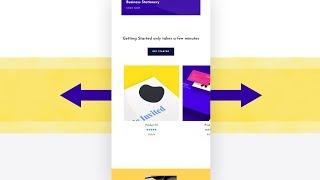
Turning Divi’s Shop Module into Dynamic Product Swipe Cards on Mobile
Added 111 Views / 0 LikesWhen building a landing page for specific products, whether it’s a new launch or a sale you’re preparing for, chances are high you’ll use the Shop Module at some point. Divi’s Shop Module allows you to dynamically pull products from the WooCommerce plugin and style the products using Divi’s built-in options. Now, by default, the shop module comes with a few column structures that all translate into two columns on smaller screen sizes. This means that
-
09:19 Popular

Iceberg WordPress Markdown Editor plugin. Amazing post editing experience!
Added 111 Views / 0 LikesIf you're looking for a new markdown editing or immersive writing experience for WordPress, look no further! Iceberg is the perfect writing companion for those of you that find yourself dug into the WordPress blogging experience every day. I'm not a huge fan of using markdown, but I love how this plugin makes writing _feel._ Get Iceberg for $49: https://useiceberg.com Learn more: https://plugintut.com Subscribe! https://plugintut.com/subscribe Follow
-
03:23 Popular
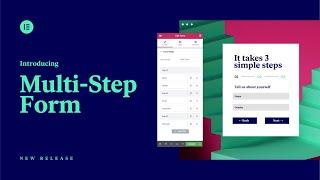
Introducing Multi-Step Form & Lottie Animations
Added 111 Views / 0 LikesWelcome to Elementor 2.10 – the version that comes with the feature most of you voted for! Meet Multi-Step Forms. Elementor’s Form Builder now includes multi-step form functionality which allows you to break down long forms into a number of steps, helping users stay engaged and getting you more leads. This version also comes with a powerful design feature: Lottie Animations. Supercharge static web design with the new Lottie widget. Easily add movement
-
08:01 Popular

Testing NEW WordPress Plugins for Popup and Layouts [2020]
Added 111 Views / 0 LikesIn this video, I will check out a couple of interesting new WordPress plugins and see if we can find something worth putting on our "I want this" list. 1. Epic Popup Creator - https://wordpress.org/plugins/epic-popup-creator/ Epic Popup Creator is a new WordPress plugin that you can use to create popups. This plugin promises a user-friendly interface as well as some interesting behavior settings like time-out, or visit and leave actions. 2. WP Layouts
-
09:02 Popular

How To Create A Menu In WordPress Then Assign It To A Menu Location
Added 110 Views / 0 LikesHow To Create A Menu In WordPress Then Assign It To A Menu Location More info: https://www.wpcrafter.com In this video I show you how the wordpress menu system works. You will learn how to create a menu, assign a menu, and change an existing wordpress menu. How To Create A Menu In WordPress Then Assign It To A Menu Location ~~~~~~~~~~~~~~~~~~~~~ All of my opinions in this video are my own, I was not paid to make this video. Whenever there is a link in
-
10:28 Popular

Everything In WordPress Is About To Change With Gutenberg New Page Editing Experience
Added 110 Views / 0 LikesEverything In WordPress Is About To Change With Gutenberg New Page Editing Experience This is a must watch for every WordPress user. ~~~~~~~~~~~~~~~~~~~~~ All of my opinions in this video are my own, I was not paid to make this video. Whenever there is a link in any of my videos, if there is an affiliate program available, it's safe to assume that you are clicking on an affiliate link. Please check my website for any associated bonus I may be offering
-
16:49 Popular
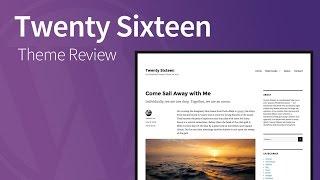
Twenty Sixteen - Responsive WordPress Theme Review
Added 110 Views / 0 LikesTwenty Sixteen... a mobile-first, responsive theme that puts your content first – from the makers of WordPress. Full, detailed review: http://wpsmackdown.com/wp-themes/twenty-sixteen/ Twenty Sixteen is a free, responsive, 2-column theme. In this theme review, I'll walk through the following aspects: * Responsive Layout * Menus & Navigation * Fonts: Merriweather & Montserrat * Sidebars & Widgets * Main Content Area * Comments * Previous/Next Links and
-
10:56 Popular

Docusign Templates [2017] For Your Contracts Can Save You Loads Of Paperwork And Followup Time
Added 110 Views / 0 LikesGrab Your Free 17-Point WordPress Pre-Launch PDF Checklist: http://vid.io/xqRL Docusign Templates For Your Contracts Can Save You Loads Of Paperwork And Followup Time https://youtu.be/xkFldNHrS1o Download your exclusive 10-Point WP Security Checklist: http://bit.ly/10point-wordpress-hardening-checklist First off, you’ll need to head over to the Docusign website (www.docusign.com) and take them up on their free trial offer. Even though you might want t
-
05:19 Popular

Buddypress Installation Done The Right Away - All Settings, Nothing Skipped
Added 110 Views / 0 LikesGrab Your Free 17-Point WordPress Pre-Launch PDF Checklist: http://vid.io/xqRL Buddypress Installation Done The Right Away - All Settings, Nothing Skipped https://youtu.be/RLAKevQjpW8 If you enjoyed this video don't forget to the like it and subscribe! Then check out the best Buddypress playlist on YouTube: https://www.youtube.com/watch?v=JhjSFWnn1dU&list=PLlgSvQqMfii4KGpnRtALo7B_oPLwwINwd To install Buddypress takes involves some very important steps
-
20:05 Popular

Use BadgeOS + Credly To Award Actions On Your Site (Gamification)
Added 110 Views / 0 LikesGrab Your Free 17-Point WordPress Pre-Launch PDF Checklist: http://vid.io/xqRL Use BadgeOS + Credly To Award Actions On Your Site (Gamification) https://youtu.be/k913tgqRWD4 Download your exclusive 10-Point WP Security Checklist: http://bit.ly/10point-wordpress-hardening-checklist BadgeOS allows you to create badges on your site. These badges can be award to your visitors after they do certain things. Credly can be integrated with BadgeOS which will a
-
03:42 Popular

TLS 1.2 Upgrade Testing - You Can't Sell Online Without TLS 1.2
Added 110 Views / 0 LikesGrab Your Free 17-Point WordPress Pre-Launch PDF Checklist: http://vid.io/xqRL TLS 1.2 is coming so make sure you're payment processing is compatible with this TLS update. If it's not then you won't be able to process payments through your payment gateway. I show you how to test it in this short tutorial. TLS 1.2 Upgrade Testing - You Can't Sell Online Without TLS 1.2 https://youtu.be/RsQg7ySZ6Po Stop brute force attacks before they happen with this w
-
07:11 Popular
Use WP Enqueue Script To Properly Add Javascript Files To WordPress
Added 110 Views / 0 LikesGrab Your Free 17-Point WordPress Pre-Launch PDF Checklist: http://vid.io/xqRL Use WP Enqueue Script To Properly Add Javascript Files To WordPress https://youtu.be/26SLt4W1pcY Blog post: https://wplearninglab.com/wp-enqueue-script-to-add-javascript-wordpress wp_enqueue_script is used to add scripts to the head section of your WordPress site. It's easy to use. Just copy and paste the code from the blog into your functions.php, change some details and y
-
05:13 Popular

Contact Form 7 Honeypot - Easy Antispam For CF7
Added 110 Views / 0 LikesGrab Your Free 17-Point WordPress Pre-Launch PDF Checklist: http://vid.io/xqRL Contact Form 7 Honeypot - Easy Antispam For CF7 https://youtu.be/WyPzuoiNf6o Join our private Facebook group today! https://www.facebook.com/groups/wplearninglab Contact Form 7 Honeypot gives you a simple solution to block spambots from sending you loads of emails. Before you add a recaptcha to your site, which can be a little annoying, try using this honeypot method. Exclu
-
02:32 Popular

HTML5 Video Width Height Parameters Allow You To Define Width And Height
Added 110 Views / 0 LikesHTML5 Video Width Height Parameters Allow You To Define Width And Height https://youtu.be/rXD-j0z4fIU Code on the blog: https://wplearninglab.com/html5-video-embed-loop-autoplay/ HTML5 video width and height are easily and quickly defined using the code on the blog. Or just type it out after watching the video. By default HTML5 video will display at the size of the rendered video, even without defining width and height. If the size of the container is
-
05:13 Popular

Contact Form 7 Auto Response Email
Added 110 Views / 0 LikesGrab Your Free 17-Point WordPress Pre-Launch PDF Checklist: http://vid.io/xqRL Check out the free WP & Online Marketing Summit For Beginners. The online event is June 18, 2019: https://events.wplearninglab.com/ Contact Form 7 Auto Response Email https://youtu.be/mguQYM9rbpc Join our private Facebook group today! https://www.facebook.com/groups/wplearninglab The Contact Form 7 auto response email is designed to give the visitor that submitted your form
-
02:25 Popular
How to Add a Favicon to Your WordPress Blog
Added 110 Views / 0 LikesThat tiny image that appears next to your website title in the browser is called a favicon. It helps build brand recognition and trust among your audience. In this video, we will show you how to add a favicon to your WordPress blog. If you liked this video, then please Like and consider subscribing to our channel for more WordPress videos. Text version of this tutorial: http://www.wpbeginner.com/wp-tutorials/how-to-add-a-favicon-to-your-wordpress-blog
-
03:00 Popular

How to Find and Insert Creative Commons Licensed Images in WordPress
Added 110 Views / 0 LikesFinding images to use for a blog can be quite difficult. One of the types of images you can use are Creative Commons. In this video, we will show you how to find and insert Creative Commons licensed Images in WordPress. If you liked this video, then please Like and consider subscribing to our channel for more WordPress videos. Text version of this tutorial: http://www.wpbeginner.com/plugins/how-to-find-and-insert-creative-commons-licensed-images-in-wo
-
00:42 Popular

How to Disable WordPress Admin Bar for All Users Except Administrators
Added 110 Views / 0 LikesSome sites want to hide the ability for logged in users to see the admin bar. This is to hide it from users who will not be using the bar. In this video, we will show you how to disable the WordPress admin bar for all users except administrators. If you liked this video, then please Like and consider subscribing to our channel for more WordPress videos. Text version of this tutorial: http://www.wpbeginner.com/wp-tutorials/how-to-disable-wordpress-admi
-
00:50 Popular

How to Test Your WordPress Theme Against Latest Standards
Added 110 Views / 0 LikesWondering if your theme meets the latest standards? There is a tool to check your theme for you if it is up to standards. In this video, we will show you how to test your WordPress theme against the latest standards. If you liked this video, then please Like and consider subscribing to our channel for more WordPress videos. Text version of this tutorial: http://www.wpbeginner.com/wp-themes/how-to-test-your-wordpress-theme-against-latest-standards/ Che
-
00:51 Popular

How to Display Most Commented Posts in WordPress
Added 110 Views / 0 LikesYou may want to display your most commented posts on your site in your sidebar to show where users are adding comments. This helps with creating more discussions on your site. In this video, we will show you how to display the most commented posts in your WordPress sidebar. If you liked this video, then please Like and consider subscribing to our channel for more WordPress videos. Text version of this tutorial: http://www.wpbeginner.com/plugins/how-to
-
02:52 Popular
How to Add Navigation Menu in WordPress
Added 110 Views / 0 LikesDo you want to add a navigation menu on your site? There is an easy drag-and-drop menu interface that allows you to create your menus. In this video, we will show you how to add navigation menus in WordPress. If you liked this video, then please Like and consider subscribing to our channel for more WordPress videos. Text version of this tutorial: http://www.wpbeginner.com/beginners-guide/how-to-add-navigation-menu-in-wordpress-beginners-guide/ Check u
-
01:03 Popular

How to Easily Add Snapchat Snapcode in WordPress
Added 110 Views / 0 LikesText version of this tutorial: http://www.wpbeginner.com/wp-tutorials/how-to-easily-add-snapchat-snapcode-in-wordpress/ Do you want to increase your snapchat followers through your WordPress site? Snapchat offer snapcodes that users can can to follow you. In this video, we will show you how to add snapchat snapcodes in WordPress. If you liked this video, then please Like and consider subscribing to our channel for more WordPress videos. Check us out o









