Wordpress
-
07:44 Popular
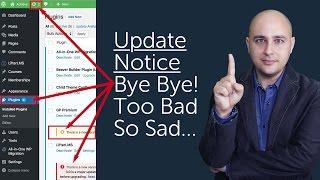
How To Hide WordPress Update Notifications For Plugins & Themes
Added 146 Views / 0 LikesHow To Hide WordPress Update Notifications For Plugins & Themes Code: https://www.wpcrafter.com/disable-wordpress-update-notifications/ Are you tired of seeing update notifications for WordPress plugins and themes that you don't want to update or that you don't have a license for? Well that is the problem I solve in this video. hide WordPress notifications, hide WordPress update notifications, hide plugins updates, wordpress disable user notifications
-
14:18
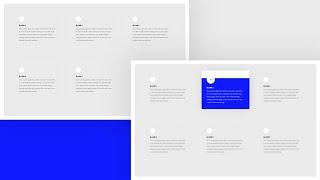
How to Highlight a Hovered Blurb Module by Blurring the Other Ones with Divi
Added 98 Views / 0 LikesWhatever kind of website you’re building, chances are high that at some point, you’ll want to display a list of different services, steps, and more. One of the easiest ways to approach creating such a list attractively is using Divi’s Blurb Module. Blurb Modules allow you to structure list content beautifully while providing you with endless design possibilities. In today’s tutorial, we’ll take it one step further and show you how to highlight a hover
-
00:45 Popular

How to Highlight Author’s Comments in WordPress
Added 116 Views / 0 LikesOn most sites it is difficult for users to track author comments. Many sites highlight their author's comments to help resolve this issue. In this video, we will show you how to highlight authors comments in WordPress. If you liked this video, then please Like and consider subscribing to our channel for more WordPress videos. Text version of this tutorial: http://www.wpbeginner.com/wp-tutorials/how-to-highlight-authors-comments-in-wordpress/ Check us
-
00:50 Popular

How to Highlight New Comments for Returning Visitors in WordPress
Added 112 Views / 0 LikesHave you seen popular websites highlighting new comments since last visit? It's a great way to increase discussion on your site and give users more reasons to come back. If you liked this video, then please Like and consider subscribing to our channel for more WordPress videos. Text version of this tutorial: http://www.wpbeginner.com/plugins/how-to-highlight-new-comments-for-returning-visitors-in-wordpress/ Check us out on Facebook: https://www.facebo
-
17:27 Popular

How to Highlight Product Categories in a Stunning Divi Website Hero Section
Added 156 Views / 0 LikesIf you’re familiar with e-commerce websites, you’re undoubtedly familiar with product categories as well. Product categories can be some of the most powerful pages on your website. That’s why it’s important to make them easy to find and highlight them in a straightforward and elegant way. With Divi’s built-in options, you can take your design in many directions. In this tutorial, we’re going to show you how to highlight product categories in your hero
-
14:24 Popular
How to Horizontally Overlap Row Borders with Divi
Added 118 Views / 0 LikesCreating page designs that interact isn’t always an easy task. Besides focusing on user experience, design principles and design trends, you also need to create something that matches your company branding and mesmerizes your visitors at first glance. If you search our blog, you’ll find a ton of creative ways to approach your web design using Divi and Divi’s versatile built-in options. Today, we’re adding another creative approach to that list. We’ll
-
53:27

How to Implement a Dark Mode Toggle in Your Divi Site
Added 86 Views / 0 LikesHey Divi Nation, welcome to a brand new Divi Use Case live stream where each week we show you how to add new design and functionality to your Divi website. Dark mode continues to grow in popularity as a convenient option for users to experience the web with less strain on the eyes. Operating Systems, programs, and browsers usually include built-in dark mode capabilities, but some developers are taking it to another level by including a custom dark mod
-
04:34
How to Import a Demo Site For GeneratePress
Added 84 Views / 0 LikesIn this video I show how to import a demo site for GeneratePress. GeneratePress is probably my favorite WordPress theme. Here I show how to import demo content on to your site by using the GeneratePress premium plugin. I hope this helps you out! My GeneratePress Review: https://www.wpwithtom.com/generatepress-review/ My Website: http://wpwithtom.com/ Best Hosts: SiteGround: https://wpwithtom.com/siteground GreenGeeks: https://wpwithtom.com/greengeeks
-
04:41

How to Import an OceanWP Demo Site
Added 70 Views / 0 LikesHow to Import an OceanWP Demo Site In this video I show how to install a demo site within the OceanWP theme. Ocean WP is one of the best WordPress themes on the market today. They have a free and paid version that includes dozens of awesome demo sites that we can use to build off of. I go through the steps to import an OceanWP demo in minutes here, which will drastically reduce the time needed to create a website. I hope this helps anyone out there tr
-
04:53

How to Import and Export Elementor Websites
Added 62 Views / 0 Likes👋🏼 Help us improve by answering this short survey: http://elemn.to/survey-time In this tutorial, you’ll learn how to Import and Export your Elementor websites. In just a few clicks, you’ll be able to reuse and transform your own existing or purchased website templates into completely new websites. The tutorial will cover: ✔︎ Exporting your full Elementor websites ✔︎ Importing website kits on to new websites ✔︎ Importing website kits on to existing web
-
01:47 Popular
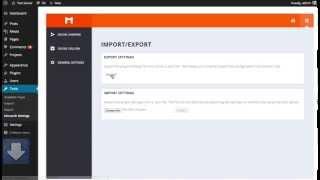
How To Import And Export Settings In Monarch
Added 152 Views / 0 LikesMonarch is a better Social Sharing plugin for WordPress created by Elegant Themes. Download it today: http://www.elegantthemes.com/plugins/monarch/
-
01:35 Popular

How to Import and Export Widget Settings in WordPress
Added 139 Views / 0 LikesSometimes when moving WordPress sites, you may need to save and reuse settings from one WordPress installation to another.In this video, we will teach you how to Import or export your widget settings in WordPress. If you liked this video, then please Like and consider subscribing to our channel for more WordPress videos. Text version of this tutorial: http://www.wpbeginner.com/plugins/how-to-importexport-widget-settings-in-wordpress/ Follow us on Twit
-
03:05 Popular
How to Import External Images in WordPress
Added 143 Views / 0 LikesDo you have external images on your WordPress site that you want to import? This can happen when you move your site from one platform to another this is a common occurrence to have them embedded on your site. In this video, we will show you how to properly import those external images in WordPress. For this tutorial we will be using the Auto Upload Images plugin found here: https://wordpress.org/plugins/auto-upload-images/ Install and activate the plu
-
01:13

How to Import Post Ideas from CSV Spreadsheet in WordPress
Added 88 Views / 0 LikesIf you have a list of post ideas on a spreadsheet you may want a simpler way to put those ideas on to your site. Luckily there is a easy way to import the ideas. In this video, we will show you how to import post ideas from a CSV spreadsheet. If you liked this video, then please Like and consider subscribing to our channel for more WordPress videos. Text version of this tutorial: http://www.wpbeginner.com/plugins/how-to-import-post-ideas-from-csv-spre
-
04:01 Popular

How To Import Posts & Pages From One WordPress Website To Another
Added 147 Views / 0 LikesLearn how to import posts and pages from one WordPress website to another. Blog post: https://www.elegantthemes.com/blog/tips-tricks/import-export-wordpress-website Like us on Facebook: https://www.facebook.com/elegantthemes/ Migrating content to another website is a dilemma that many WordPress users face at one time in their life. The act of copying specific posts and pages over to a new website involves copying table rows from one database to anothe
-
02:31 Popular
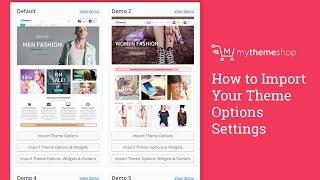
How to Import Your Theme Options Settings HD
Added 126 Views / 0 LikesImport theme options settings from demo themes of MyThemeShop to your WordPress site. Use the above tutorial to import the theme options settings to make your website look similar to one of the demo themes of MyThemeShop. Useful WordPress Themes Links: Premium WordPress Themes - https://mythemeshop.com/themes/ Free WordPress Themes - https://mythemeshop.com/theme-category/free-wordpress-themes/ Useful WordPress Plugins Links: Premium WordPress Plugins
-
04:16 Popular
How to Improve the WordPress Distraction Free Writing Mode
Added 108 Views / 0 LikesDo you want to write faster and eliminate the distractions that are in the WordPress editor? WordPress by default comes with a distraction free writing mode but some users feel it could use a few more features. In this video, we will show you how to improve the WordPress distraction free writing mode. Text version of this tutorial: http://www.wpbeginner.com/plugins/how-to-improve-the-wordpress-distraction-free-writing-mode/ If you liked this video, th
-
01:01 Popular

How to Improve WordPress Search with Swiftype Search
Added 144 Views / 0 LikesWordPress comes with a built in search feature which has room for improvement. This is one of the options to replace the built in search. In the following video, we will show you how to improve WordPress search with Swiftype Search. If you liked this video, then please Like and consider subscribing to our channel for more WordPress videos. Text version of this tutorial: http://www.wpbeginner.com/plugins/how-to-improve-wordpress-search-with-swiftype-se
-
10:03
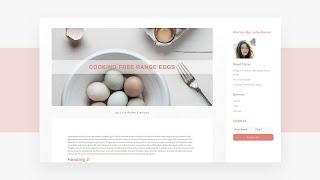
How to Include a Full Height Fixed Sidebar in Your Blog Post Template
Added 73 Views / 0 LikesChoosing to add a sidebar to your blog posts is entirely up to you. Some bloggers choose to not use a sidebar at all. This tutorial is for those of you who prefer using a sidebar but want to make it look a little different. Usually, sidebars are statically positioned, but if the post content is long, that means the reader will have to scroll back up to see the sidebar. In this blog post template design, we’ve created a full-height fixed sidebar that s
-
13:29
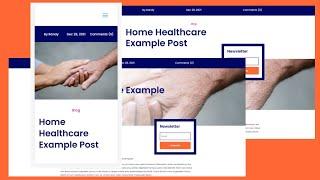
How to Include a Fullwidth Featured Image in Your Divi Blog Post Template
Added 62 Views / 0 LikesFullwidth featured images look great on any blog post. Fortunately, they’re easy to add using the Divi Theme Builder. There are multiple ways to add them, so you can choose the method that works the best for your needs. In this article, we’ll see four ways to add a full-width image to the blog post template. Read more: https://www.elegantthemes.com/blog/divi-resources/how-to-include-a-fullwidth-featured-image-in-your-divi-blog-post-template Download t
-
17:33
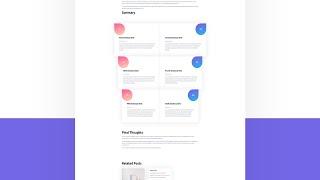
How to Include a Summary Box Divi Layout Block in Your Gutenberg Post
Added 85 Views / 0 LikesCreating valuable blog posts takes time and effort. Besides finding the best topics to write about in your niche, it’s also important to keep readers engaged and allow them to find the information they’re looking for quickly. Now, a good way to approach this kind of user experience is by sharing a visual summary box at the end of your blog post, right before the final thoughts. With Divi’s new layout blocks, you can now effortlessly create a summary b
-
03:23
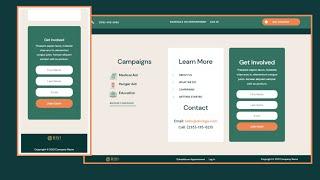
How to Include an Email Optin in Your Divi Footer
Added 44 Views / 0 LikesThe website footer is a popular location to place an email optin form. Since Divi has an email optin module, this is an easy task with the Divi Theme builder. In this article, we’ll see how to add an email optin to the Divi footer. We’ll also see a few settings within the Divi email optin module that creates different layout options. Read more: https://www.elegantthemes.com/blog/divi-resources/how-to-include-an-email-optin-in-your-divi-footer ➡️ Learn
-
17:09 Popular
How to Include the Primary Menu Bar in Your Divi Page Design
Added 124 Views / 0 LikesNavigation is a vital part of the user experience on your website. It’s important to make sure your visitors can navigate seamlessly through your website without having to compromise on aesthetics. By default, the WordPress Primary Menu Bar is placed at the top of every page and is considered separate from the page design you choose to follow. In many cases, though, including your menu in the overall page design can bring stunning results. It’ll give
-
09:32 Popular

How To Increase Email Signups With A Minimalist Opt-in Form Using Elementor
Added 101 Views / 0 LikesIn this Elementor tutorial, I'll show you how to create a minimalistic opt-in form using Elementor Forms. You will get more email addresses when you ask for less information, and this is the perfect minimalistic form. Important Links From The Video Elementor Forms Tutorial https://www.youtube.com/watch?v=LT3zoJpgXJQ Elementor Email Download Links https://www.youtube.com/watch?v=-XTZK1l5A2s Elementor Pro Offer https://www.wpcrafter.com/elementor CSS Co
-
03:05 Popular
How to Increase the Maximum File Upload Size in WordPress
Added 137 Views / 0 LikesDepending on the hosting company you can somtimes run into upload limitations for large files. This can be an issue for when you want to upload larger files like audio and video files to your site. In this video we will show you how to increase the maximum file upload size in WordPress. Text version of this tutorial http://www.wpbeginner.com/wp-tutorials/how-to-increase-the-maximum-file-upload-size-in-wordpress/ If you liked this video, then please Li
-
05:44
How to Increase the Maximum File Upload Size in WordPress
Added 73 Views / 0 LikesDo you want to increase the maximum file upload size in WordPress? Sometimes a low file upload size limit can stop you from uploading files with the media uploader or installing larger WordPress plugins and themes. In this video, we’ll show you how to easily increase the maximum file upload size in WordPress to fix those issues. 0:00 Intro 0:05 How to find your max file upload size 1:16 Method 1 2:35 Method 2 2:45 Method 3 3:44 Method 4 4:34 Method 5
-
06:53

How To Increase The WooCommerce Variation Limit
Added 90 Views / 0 LikesIn this tutorial, you'll learn how to increase the WooCommerce variation limit AND whether you need to lift it or not. If you need to generate a few hundred variations you don't need to raise the limit. For more WooCommerce tips and tricks check out this playlist: https://www.youtube.com/watch?v=KrOIFR04pMk&list=PLlgSvQqMfii4RPNBbdpjCdmlJfSJRt6Cw Here's the code for increase the WooCommerce variation limit. You'll need to paste this into your wp-confi
-
06:12 Popular

How To Increase The WordPress Upload Limit
Added 166 Views / 0 LikesLearn how to increase the WordPress upload limit Blog post: https://www.elegantthemes.com/blog/tips-tricks/is-the-wordpress-upload-limit-giving-you-trouble-heres-how-to-change-it Like us on Facebook: https://www.facebook.com/elegantthemes/
-
14:03 Popular

How to Indirectly Apply Divi Section Dividers to Your Design Part 1
Added 140 Views / 0 LikesWith the arrival of Divi’s new section dividers, creating stunning websites without extra CSS code has become incredibly easy. By default, section dividers are used to create elegant transitions for your sections. But you can use section dividers for other purposes as well. In a previous post, How to Create Background Textures with Divi’s Section Dividers, for instance, we’ve used sections to enhance the design of the section itself instead of focusin










